What Bengali Keyboard actually does (from store listing)
Type in Bengali. Express Yourself Fully.
বাংলায় টাইপ করুন — effortlessly.
Whether you're messaging family in Dhaka, posting on Facebook in Bangla, or writing in your mother tongue from anywhere in the world — Bengali Keyboard gives you the fastest, smartest, and most expressive typing experience on Android.
Over 100,000 users already trust it. Now it's your turn.
Why Bengali Keyboard?
Most keyboards make Bengali typing feel like a struggle. Bengali Keyboard makes it feel natural. With in…
Type in Bengali. Express Yourself Fully.
বাংলায় টাইপ করুন — effortlessly.
Whether you're messaging family in Dhaka, posting on Facebook in Bangla, or writing in your mother tongue from anywhere in the world — Bengali Keyboard gives you the fastest, smartest, and most expressive typing experience on Android.
Over 100,000 users already trust it. Now it's your turn.
Why Bengali Keyboard?
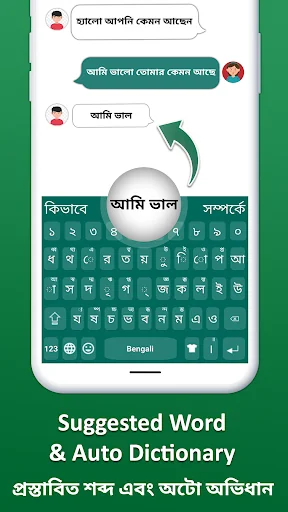
Most keyboards make Bengali typing feel like a struggle. Bengali Keyboard makes it feel natural. With intelligent word suggestions, instant English-to-Bengali switching, and a full Bangla dictionary built in — you type less and say more.
Key Features:
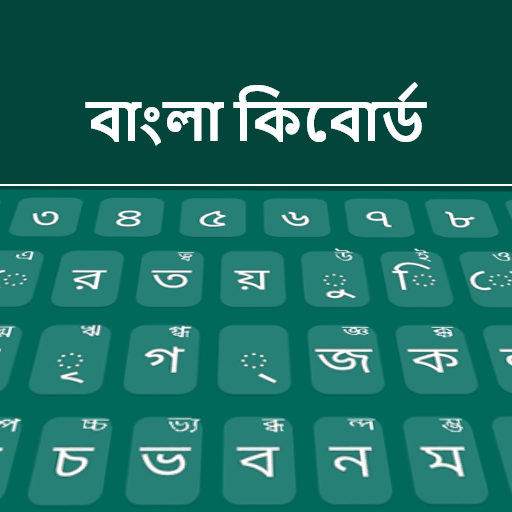
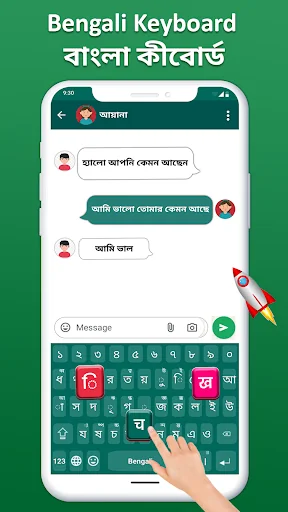
★ Fast Bangla Typing — smooth, responsive keys built for Bengali script
★ Smart Auto-Correction — fewer mistakes, faster messages
★ Full Bengali-English Dictionary — intelligent word suggestions in both languages
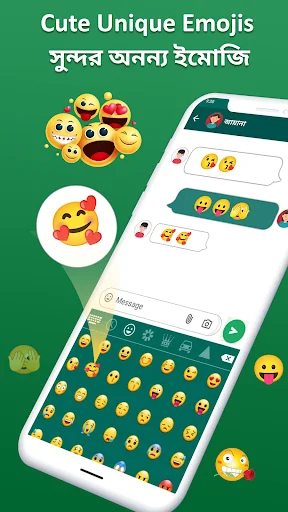
★ 1000+ Emojis, Stickers & GIFs — express every emotion in style
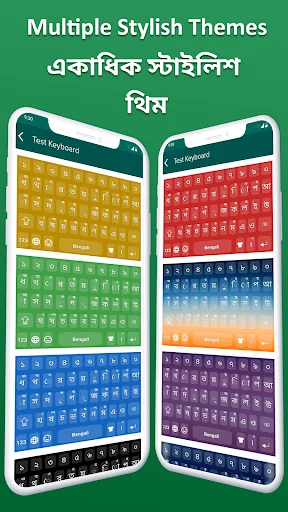
★ 15+ Colorful Themes — personalize your keypad your way
★ Works 100% Offline — no internet needed, type anywhere anytime
★ Seamless Language Switch — toggle between Bengali and English instantly
★ Fun Sound Effects — water, wood, vibration and more with every keypress
★ Phonetic & Traditional Layout Support — type the way you're comfortable
Your Privacy is Guaranteed 🔐
Bengali Keyboard does not collect, store, or share any personal data — no keystrokes, no contacts, no microphone access. Type freely and privately.
Works Everywhere You Type:
✔ WhatsApp, Messenger, Telegram
✔ Facebook, Instagram, Twitter
✔ Gmail and all email apps
✔ Notes, documents, and more
How to Set Up (Takes 30 Seconds):
Install Bengali Keyboard from Play Store
Open the app and tap "Enable Keyboard"
Select "Bengali Keyboard" as your input method
Set it as Default Keyboard
Pick your favorite theme — and start typing in Bangla!
Comparable Android apps
The five apps in Productivity with the closest revenue to Bengali Keyboard. Click any to see its detail page.
Each forecast combines App Store rating, ratings count, monetisation model, pricing tier, IAP signals and ad-supported flag.
The base estimate is then multiplied by a per-category scaling factor learned from apps with founder-verified MRR.
Every number on this page comes from public APIs and bumetric's own snapshot history.
Full methodology covers input variables, accuracy bands per category and how we treat apps without comparable anchors.
See also the live data on Bengali Keyboard's tracker page for current rating, reviews and snapshot timeline.
Building something similar? Get a free AI audit with $-revenue forecasts for every recommendation.

 Reynolds number
 Unit Converter A1
 Workout planner: gym, fitness
 Easy Invoice Maker
 Planio