What Counter: Click Counter App actually does (from store listing)
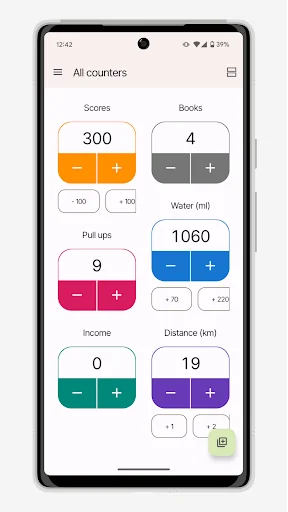
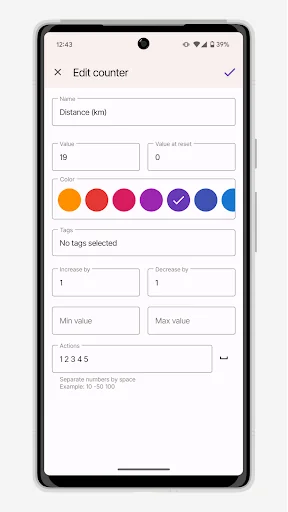
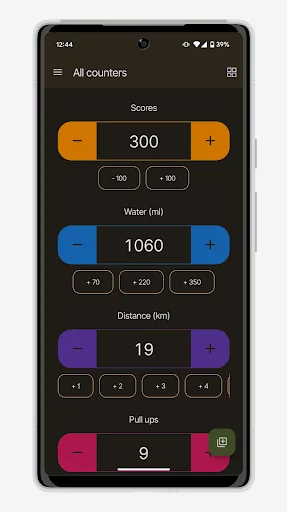
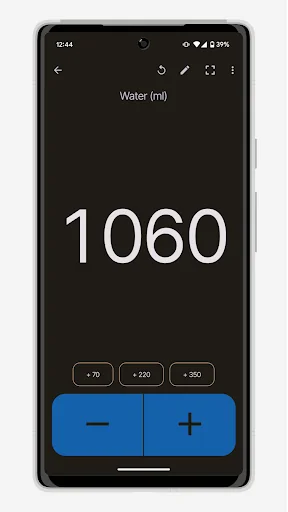
Click counter app by UXApps is a powerful and easy in use tap counter app to count things, items, clicks, days, events, habits, tasbeeh or anything else. You can use many parameters, such as an increment/decrement value or max/min value, to make counting app even more comfortable and effective. This counting app allows you to create several tally counters, sort them, organize in groups and a lot more. Also you can add tap counter widget to home screen for super fast counting app experience.
F…
Click counter app by UXApps is a powerful and easy in use tap counter app to count things, items, clicks, days, events, habits, tasbeeh or anything else. You can use many parameters, such as an increment/decrement value or max/min value, to make counting app even more comfortable and effective. This counting app allows you to create several tally counters, sort them, organize in groups and a lot more. Also you can add tap counter widget to home screen for super fast counting app experience.
Features:
- Multiple click counter app, grid and list view
- Custom actions, for example: add 10, subtract 50
- Full screen mode: sound, vibration and voice feedback supported
- Detailed clicker statistics
- Custom tags to keep everything organized
- Custom sorting by dragging
- Count things using hardware volume buttons
- Fast counting mode with customizable speed. To activate it just long press on plus or minus button and hold for a while
- Group operations: count, delete, reset
- Tap counter widget support
- Negative values support
- Max and min value limits
- Custom click counter colors
Comparable Android apps
The five apps in Tools with the closest revenue to Counter: Click Counter App. Click any to see its detail page.
Each forecast combines App Store rating, ratings count, monetisation model, pricing tier, IAP signals and ad-supported flag.
The base estimate is then multiplied by a per-category scaling factor learned from apps with founder-verified MRR.
Every number on this page comes from public APIs and bumetric's own snapshot history.
Full methodology covers input variables, accuracy bands per category and how we treat apps without comparable anchors.
See also the live data on Counter: Click Counter App's tracker page for current rating, reviews and snapshot timeline.
Building something similar? Get a free AI audit with $-revenue forecasts for every recommendation.

 Uninstaller (App Uninstall)
 Draw Any Where
 Magnifier-Digital Magnifying G
 Автопост - Постинг
 Pardal