What Easy Contacts Backup & Restore actually does (from store listing)
<b>Easy Backup</b> is the easiest and fastest way to <b>backup, restore and transfer your contacts between mobile devices</b>
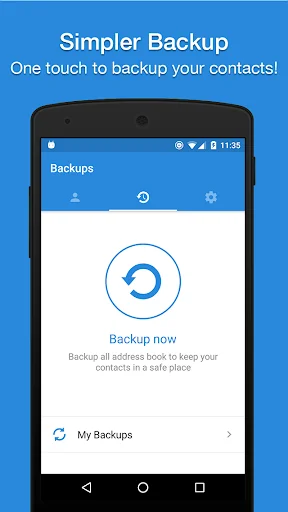
✔️ Easy Backup allows you to <b>backup your phone’s entire contacts list</b> with a single tap, by uploading your contacts to a secured cloud to keep them safe!
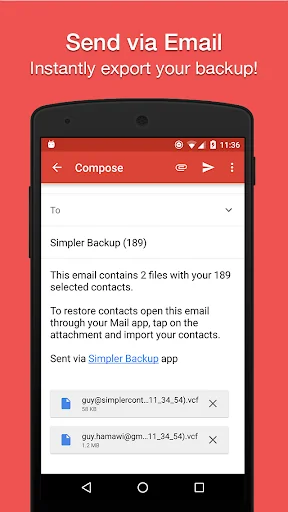
✔️ <b>Export</b> your contacts - you can easily send a backup .vcf file of your contacts book <b>to any email address</b>!
✔️ You can also send contacts via various share services such as: <b>WhatsApp, Gmai…
Easy Backup is the easiest and fastest way to backup, restore and transfer your contacts between mobile devices
✔️ Easy Backup allows you to backup your phone’s entire contacts list with a single tap, by uploading your contacts to a secured cloud to keep them safe!
✔️ Export your contacts - you can easily send a backup .vcf file of your contacts book to any email address!
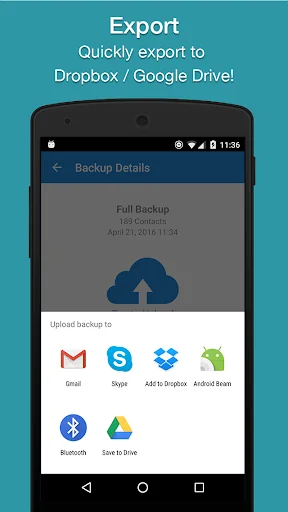
✔️ You can also send contacts via various share services such as: WhatsApp, Gmail, Google Drive, SMS, Dropbox, Skype, Telegram and many others!
✔️ Easy Backup is the easiest and the most efficient way to transfer and recover contact details of your friends and family if you lose your smartphone or switch to a new one!
💡 How it works:
🔹 To Backup your contacts:
1. Download Easy Backup on your phone
2. Create an account with your email address, Facebook or Google details.
3. Allow Easy Backup to access your contacts.
4. Hit the big “Backup Now” button
5. That’s it! Your contacts are safe on our cloud
🔹To Transfer your contacts:
1. Download Easy Backup on your other device
2. In case you are switching to an iPhone – just use Easy Backup’s iOS app
3. Sign in with the same account you did the first time
4. Hit “My Backups” on the bottom part of your screen
5. Now you have access to all your cloud backups of your address book contacts!
🔹To Restore your contacts:
1. In “My backups” tap the backup file you would like to restore contacts from
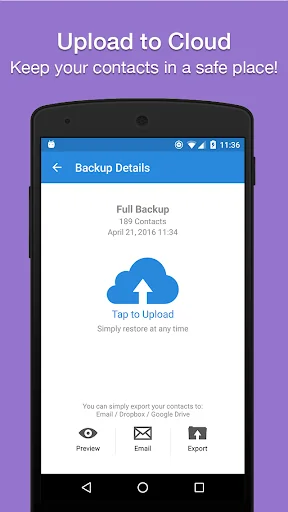
2. Hit “Tap to download “
3. Hit “Preview” and select all or any contacts you want to restore
4. Hit “Restore Contacts”
5. That’s it! Your contacts have been recovered!
🔹To Import/Export your contacts:
1. Go to My Backups
2. Choose the local or cloud backup you want to export
3. Select all or any contacts from the list
4. Hit “Email” to send a .vcf file by email or “Export” to choose from the many services you can upload your backups to
5. Open the .vcf file you just sent yourself on the other device and update your contacts
6. Easy isn’t it?
💡 MAIN FEATURES
▪️ One tap to backup your contacts!
▪️ Transfer your contacts address book between mobile devices with ease!
▪️ Offline Backup. No need to sync to any server. Just email yourself the backup file.
▪️ Simple Restore - just tap on the .vcf file in any Android or iPhone mail client.
▪️ Save a copy of the backup file in your Computer.
▪️ Backup Contacts as VCF (VCard).
▪️ Quickly export your backups to Dropbox, Google Drive, SD Card
▪️ Move contacts between accounts (Google, Exchange, Gmail, Address Book)
▪️ Simple Manage - all your backups automatically saved in your SD Card for future use.
▪️ Never lose your contacts again
Easy Backup supports any kind of provider: Google, Exchange, Yahoo, Facebook, LinkedIn, Gmail, iCloud, Outlook.
AVAILABLE IN 15 DIFFERENT LANGUAGES:
English, Español, Français, Italiano, Deutsch, Português (Br.), 中文 (Simplified), 中文 (Traditional), 日本語, 한국어, Nederlands, Русский, Türkçe, العربية, עברית
Comparable Android apps
The five apps in Productivity with the closest revenue to Easy Contacts Backup & Restore. Click any to see its detail page.
Each forecast combines App Store rating, ratings count, monetisation model, pricing tier, IAP signals and ad-supported flag.
The base estimate is then multiplied by a per-category scaling factor learned from apps with founder-verified MRR.
Every number on this page comes from public APIs and bumetric's own snapshot history.
Full methodology covers input variables, accuracy bands per category and how we treat apps without comparable anchors.
See also the live data on Easy Contacts Backup & Restore's tracker page for current rating, reviews and snapshot timeline.
Building something similar? Get a free AI audit with $-revenue forecasts for every recommendation.


 Behavioral Timer
 WeNote: Notes Notepad Notebook
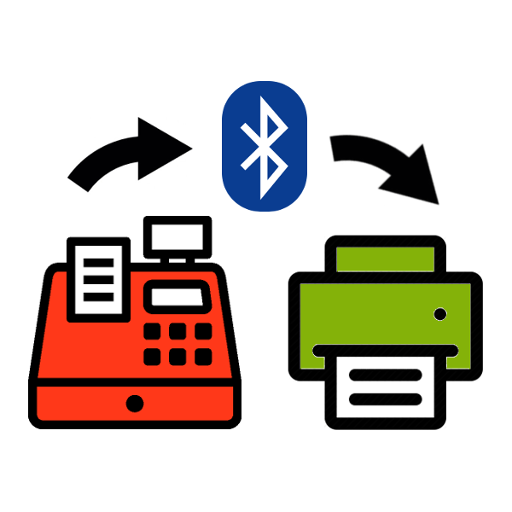 Cash register with BT printer
 Squid: Take Notes, Markup PDFs
 NoteToDo - Notes & To Do List