What eLabels - manage email labels actually does (from store listing)
Revolutionize your Gmail experience with eLabels, the ultimate inbox organizer tailor-made for Gmail users. Simplify label management, declutter your Gmail inbox, and effortlessly stay on top of your messages without the hassle of constantly opening the Gmail app.
Key Features:
🏠 Home Screen Widgets: Monitor unread emails at a glance with customizable widgets for each Gmail label, right from your home screen.
📂 Label & Filter Management: Organize and prioritize your Gmail emails with ease. …
Revolutionize your Gmail experience with eLabels, the ultimate inbox organizer tailor-made for Gmail users. Simplify label management, declutter your Gmail inbox, and effortlessly stay on top of your messages without the hassle of constantly opening the Gmail app.
Key Features:
🏠 Home Screen Widgets: Monitor unread emails at a glance with customizable widgets for each Gmail label, right from your home screen.
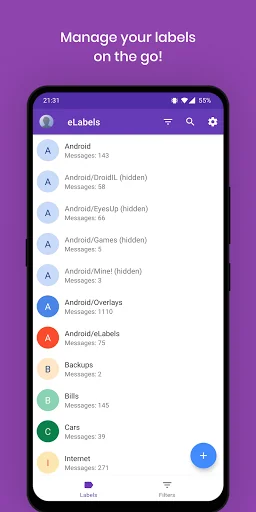
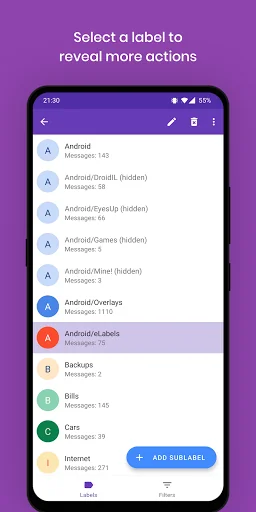
📂 Label & Filter Management: Organize and prioritize your Gmail emails with ease. Create, rename, or delete labels, and automate email sorting with filters.
🔍 Unread Count Badges: Customize badges for your Gmail labels to instantly see the unread count.
🚀 Efficient Email Handling: Quickly access your Gmail Inbox, Drafts, and Starred folders for seamless navigation.
What You Can Do:
✉️ Create, Rename, Delete Labels: Tailor your Gmail inbox organization effortlessly by managing labels.
🔄 Filter Automation: Set up rules to automatically sort Gmail emails into specific labels.
🎨 Label Customization (Pro): Personalize label text, background color, and listing visibility for a customized Gmail experience.
📊 Label Overview: Stay informed with total message count and unread message statistics for your Gmail labels.
📥 Quick Access: Swiftly navigate to crucial Gmail folders with one-tap access.
Requirements:
📧 Gmail Exclusive: Exclusively designed for Gmail users.
📱 Gmail App Required: Ensure seamless integration by having the official Gmail app installed on your device.
Transform your Gmail experience with eLabels – your ultimate tool for efficient Gmail management. Download now to declutter, organize, and prioritize your Gmail inbox effortlessly.
Privacy:
- eLabels has successfully passed Google's verification process. Your Gmail data will remain private on your device.
- Required permissions will be used only to read Gmail labels and filters data. Your Gmail emails or any other information will not be read or saved.
Comparable Android apps
The five apps in Productivity with the closest revenue to eLabels - manage email labels. Click any to see its detail page.
Each forecast combines App Store rating, ratings count, monetisation model, pricing tier, IAP signals and ad-supported flag.
The base estimate is then multiplied by a per-category scaling factor learned from apps with founder-verified MRR.
Every number on this page comes from public APIs and bumetric's own snapshot history.
Full methodology covers input variables, accuracy bands per category and how we treat apps without comparable anchors.
See also the live data on eLabels - manage email labels's tracker page for current rating, reviews and snapshot timeline.
Building something similar? Get a free AI audit with $-revenue forecasts for every recommendation.


 MyMTN Zambia
 Voice Notes
 Orenda
 Prism Player
 Tingtel: Airtime to Cash