What FastTalkie Zello/Teams Button actually does (from store listing)
Use your Volume button or any programmable hardware button to instantly start Push-To-Talk (PTT) on walkie talkie apps such as Zello, Microsoft Teams Walkie Talkie, and VoicePing.
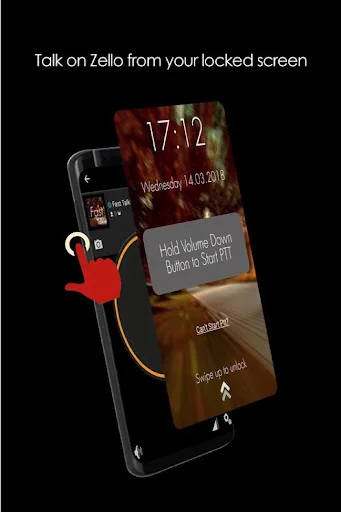
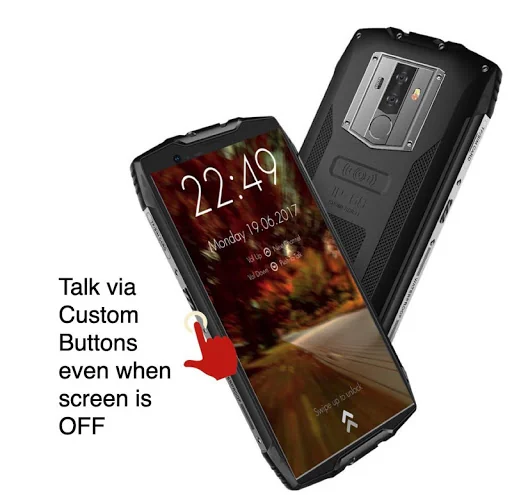
Fast Talkie turns your smartphone into a true radio-style PTT device. Simply hold your chosen button to talk — no need to unlock the phone or open the app. On some Phones, you might even be able to PTT with the screen off.
This app uses Accessibility permission to detect button presses and trigger PTT instantly.
…
Use your Volume button or any programmable hardware button to instantly start Push-To-Talk (PTT) on walkie talkie apps such as Zello, Microsoft Teams Walkie Talkie, and VoicePing.
Fast Talkie turns your smartphone into a true radio-style PTT device. Simply hold your chosen button to talk — no need to unlock the phone or open the app. On some Phones, you might even be able to PTT with the screen off.
This app uses Accessibility permission to detect button presses and trigger PTT instantly.
PRO Features (Free Trial Available)
- Use a Custom Button (i.e SOS/Programmable/Camera buttons) for PTT
- Use any supported PTT App (Normally only Zello/MS Teams/VoicePing)
- PTT Only when screen is ON: Useful if your PTT button is too sensitive
- Lock Screen with quick open for your Walkie Talkie App
How It Works
The fastest way to start or reply to PTT
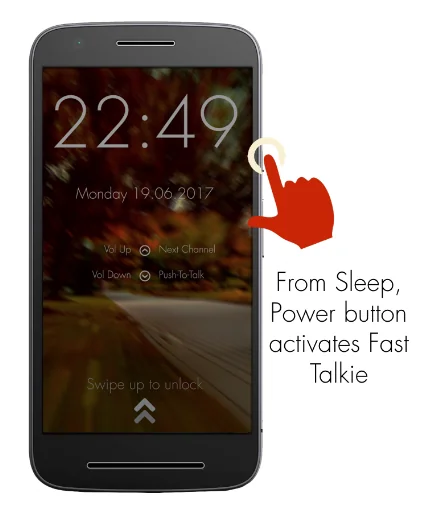
1: Press Power button to wake up phone
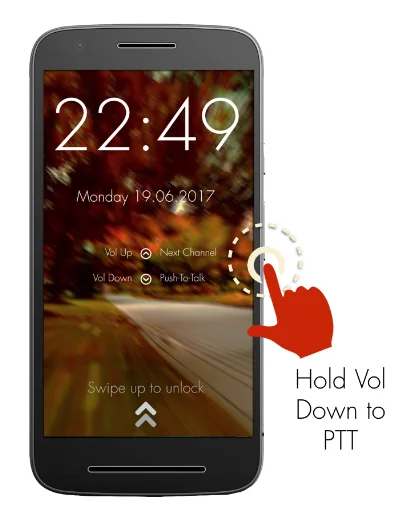
2: Hold Volume Down/Custom button to PTT in the previously selected Zello/MS Teams/VoicePing Channel
Required Setup
1: Install your Walkie Talkie App
2: Install Fast Talkie
3: Enable Accessibility Permission for Fast Talkie
4: Hold your selected PTT button to PTT
Verified Phone models that work with custom button even when screen off
- Samsung Xcover Pro, Samsung Xcover 7
- Blackview Series, Ulefone, Kyocera, Zebra, Unihertz, Sonim, Siyata, Bittium
Reach out to us via our website: https://www.fasttalkie.com/
Comparable Android apps
The five apps in Communication with the closest revenue to FastTalkie Zello/Teams Button. Click any to see its detail page.
Each forecast combines App Store rating, ratings count, monetisation model, pricing tier, IAP signals and ad-supported flag.
The base estimate is then multiplied by a per-category scaling factor learned from apps with founder-verified MRR.
Every number on this page comes from public APIs and bumetric's own snapshot history.
Full methodology covers input variables, accuracy bands per category and how we treat apps without comparable anchors.
See also the live data on FastTalkie Zello/Teams Button's tracker page for current rating, reviews and snapshot timeline.
Building something similar? Get a free AI audit with $-revenue forecasts for every recommendation.

 Etisalat Afg Top-Up
 Весточка
 MEA Connext
 Parrot Photo Frame
 Send Message To Many Contacts