What Kids Place Parental Control actually does (from store listing)
Kids Place – Parental Control & Kids Mode
Kids Place is a dedicated Kids Mode app that helps parents create a controlled environment for their children on phones and tablets. With Kids Place, parents can set screen time, and block unapproved apps — giving children a space to play, learn, and explore. Kids Place uses app package names to control access. It does not view or read the content inside apps — blocking is rule-based on approved apps (package names), not on app content.
Key Feature…
Kids Place is a dedicated Kids Mode app that helps parents create a controlled environment for their children on phones and tablets. With Kids Place, parents can set screen time, and block unapproved apps — giving children a space to play, learn, and explore. Kids Place uses app package names to control access. It does not view or read the content inside apps — blocking is rule-based on approved apps (package names), not on app content.
Key Features of Kids Place
Kids Mode Launcher
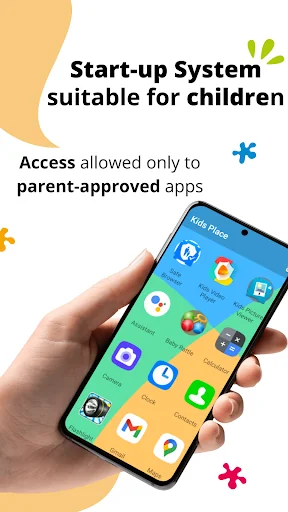
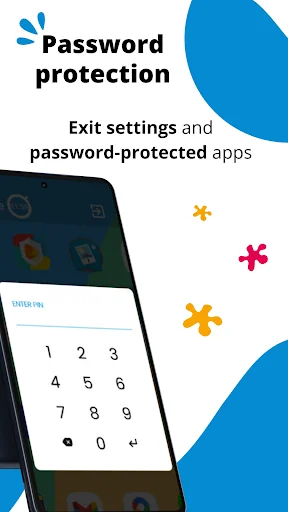
Turn your device into a kid-friendly space. Only parent-approved apps appear on the home screen, and kids stay inside Kids Place until you exit with your PIN.
App Control
Decide which apps are visible and usable. Block access to apps you don’t approve.
Screen Time Limits
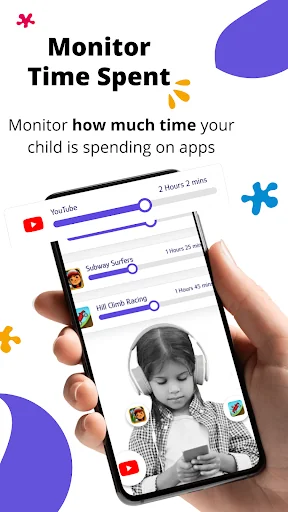
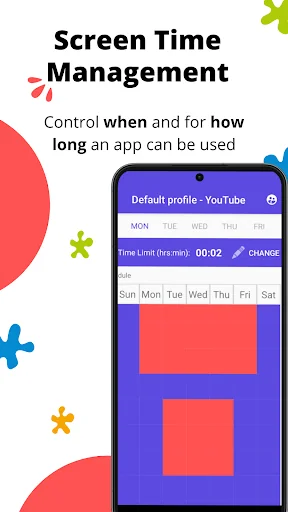
Set daily time limits for the device or for individual apps to encourage healthy digital habits.
Block Purchases & Downloads
Prevent children from making accidental purchases or downloading new apps from the Play Store.
Profiles: Create different profiles for each child.
Screen time controls: Flexible app and device limits.
Background Mode: Run Kids Place in backgorund mode with stock launcher.
Tamper Protection: Restart on reboot
Important Permissions & Disclosures
Device Administrator Permission (Optional): This permission is requested to make it difficult for children to uninstall the app without a parent's permission, helping to ensure that parental controls remain active on the device.
Accessibility Service Permission(Optional): Used to lock the notification bar and prevent kids from leaving Kids Mode.
Privacy & Security
Kids Place uses above permissions to enforce parental control features. For full details, see our Privacy Policy https://kiddoware.com/kids-place-privacy-policy/
Kids Place is designed to support parents—not replace them. No technology can block 100% of unwanted use, so parental supervision and guidance remain important.
Comparable Android apps
The five apps in Entertainment with the closest revenue to Kids Place Parental Control. Click any to see its detail page.
Each forecast combines App Store rating, ratings count, monetisation model, pricing tier, IAP signals and ad-supported flag.
The base estimate is then multiplied by a per-category scaling factor learned from apps with founder-verified MRR.
Every number on this page comes from public APIs and bumetric's own snapshot history.
Full methodology covers input variables, accuracy bands per category and how we treat apps without comparable anchors.
See also the live data on Kids Place Parental Control's tracker page for current rating, reviews and snapshot timeline.
Building something similar? Get a free AI audit with $-revenue forecasts for every recommendation.

 Kahve Falı - Burç Yorumları, F
 CGV CINEMAS INDONESIA
 INOX
INOX
 Coloring Expert by playground
 Movistar TV App Perú