What Konica Minolta Mobile Print actually does (from store listing)
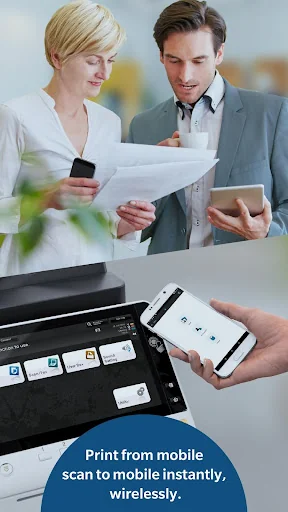
Konica Minolta Mobile Print is an application that allows you to easily connect to KONICA MINOLTA printing devices from your Android device using Wi-Fi. It enables you to print documents and images as well as import scanned data.
[Introduction of Main Application Functions]
Print Function:
You can print directly from your cloud storage, browser and camera app with the OS integration function. It is also available for printing data with My Documents.
The Android Printing Framework* enables…
Konica Minolta Mobile Print is an application that allows you to easily connect to KONICA MINOLTA printing devices from your Android device using Wi-Fi. It enables you to print documents and images as well as import scanned data.
[Introduction of Main Application Functions]
Print Function:
You can print directly from your cloud storage, browser and camera app with the OS integration function. It is also available for printing data with My Documents.
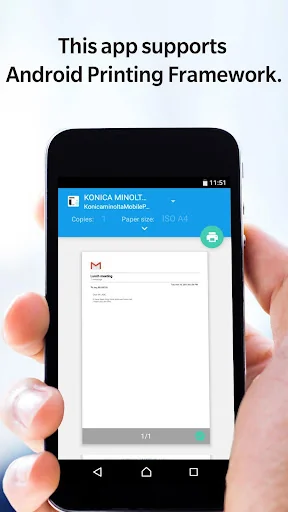
The Android Printing Framework* enables you to print your emails.
Authentication and Secure Print functions allow you to print sensitive documents securely.
*Android Printing Framework is a function implemented in Android OS 4.4 or higher.
Scan function:
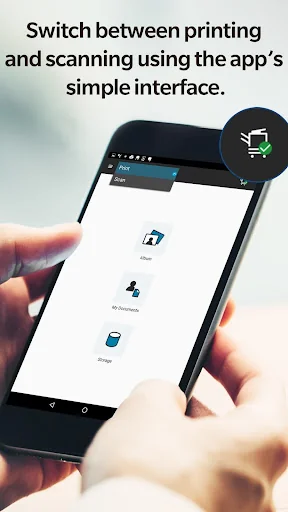
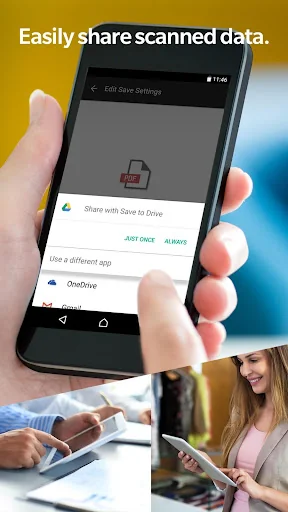
Scans a document or photo via a connected MFP from the Konica Minolta Mobile Print app to your mobile device and stores it in an OS-integrated app (cloud storage app, etc.). It is also available for saving data with My Documents.
Intent Function:
By using the Intent function, data stored in the Android device can be printed via this application.
NFC Functions:
The following functions can be executed using NFC.
-Touch and print
-Touch and scan
-Touch and authenticate
-Touch and register MFP
Please refer to Help for details on the features available.
[Operating Environment]
The following environments are supported.
Tested devices:
LG Nexus5
HTC Nexus9
Motorola Nexus6
Huawei Nexus6P
Google Pixel 3
Google Pixel 3 XL
Google Pixel 6
Google Pixel 7 Pro
[FAQ]
Please refer to the following page for FAQ.
URL:
https://www.btapac.konicaminolta.com/solutions/km_mobile_print/Android/faq/top.html
[Supported printing devices]
Please refer to the following page for supported printing devices.
URL:
https://www.btapac.konicaminolta.com/solutions/km_mobile_print/spec_android.html
Please refer to the following page for additional operating requirements.
URL:
https://www.btapac.konicaminolta.com/solutions/km_mobile_print/spec_android.html
Comparable Android apps
The five apps in Productivity with the closest revenue to Konica Minolta Mobile Print. Click any to see its detail page.
Each forecast combines App Store rating, ratings count, monetisation model, pricing tier, IAP signals and ad-supported flag.
The base estimate is then multiplied by a per-category scaling factor learned from apps with founder-verified MRR.
Every number on this page comes from public APIs and bumetric's own snapshot history.
Full methodology covers input variables, accuracy bands per category and how we treat apps without comparable anchors.
See also the live data on Konica Minolta Mobile Print's tracker page for current rating, reviews and snapshot timeline.
Building something similar? Get a free AI audit with $-revenue forecasts for every recommendation.

 Suma Six
 Wildix Collaboration Mobile
 Text Scanner - OCR
 Currys Cloud Backup
 All Document Reader and Viewer