What LoMag Warehouse Management FRE actually does (from store listing)
This is the free version of "LoMag Inventory Management PRO", which has a limitation of 30 items and 50 warehouse documents.
The most important characteristics of the program:
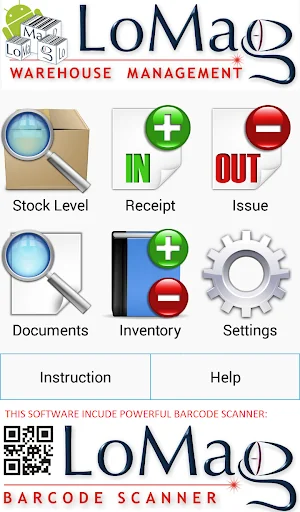
- inbuilt barcode scanner employing the camera of a mobile device
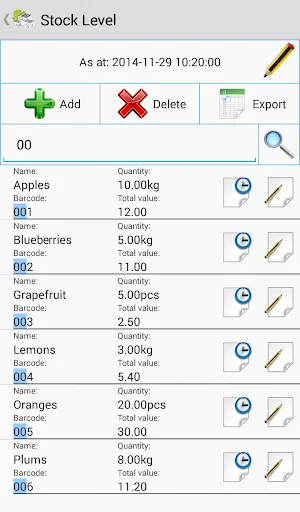
- stock level as at a given date and hour exportable to Excel
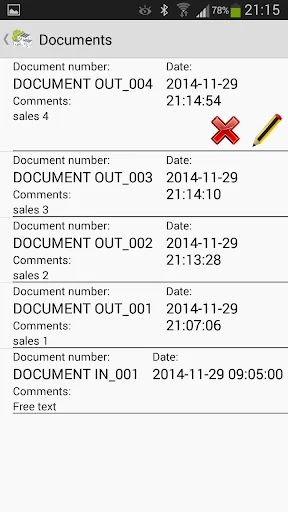
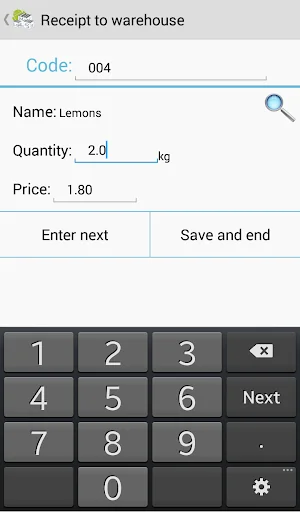
- warehouse documents: Goods Received Note, Goods Issued Note, Inventory
- adding items to documents by scanning codes or browsing the item list
- history of warehouse transfers for a cho…
This is the free version of "LoMag Inventory Management PRO", which has a limitation of 30 items and 50 warehouse documents.
The most important characteristics of the program:
- inbuilt barcode scanner employing the camera of a mobile device
- stock level as at a given date and hour exportable to Excel
- warehouse documents: Goods Received Note, Goods Issued Note, Inventory
- adding items to documents by scanning codes or browsing the item list
- history of warehouse transfers for a chosen item
- browsing through warehouse history of documents and their content
- editing or removing the last warehouse document
- quick search of items by names or codes
- editing the item list, ascribing codes with a scanner
- adding own units of measurement and removing unused units
- changing the date of the documents (introduction of historical data)
- export of documents’ content to Excel (including inventory)
- expanded inventory-creating options, automatically supporting the following functions:
+ displaying a list of items, which are not in the inventory, with a quick addition option
+ automatic adding of outstanding items to the inventory together with their current stock levels
+ automatic adding of items outstanding from the inventory with zero stock level
+ saving incomplete inventories with a possibility of finishing them at a later date
+ the procedure of approving the inventory with an automatic correction of stock levels
+ report on differences before and after the inventory, with the items with different stock levels marked in colour and a recap of differences and values
+ the deletion of the inventory is possible during as well as after conclusion and approval of the inventory
The support of prices is optional. You can keep only a quantitative register of items without entering prices onto the documents. If you work with prices, you can enter different purchase prices for the same item. When an item with several purchase prices is issued, the program automatically averages the prices, in keeping with the FIFO rule. This means that the proposed price upon issue is a weighted average of purchase prices for the items available in stock. There is also an option of changing the price manually when issuing items, or entering your own selling price not related to the purchase price.
When conducting an inventory the program also proposes a weighted average purchase price, so that the value of the item would not change, if the stock did not change. The inventory also allows you to change the values of the items manually. The inventory is a document which defines amounts and values of items anew – so when issuing items the program analyses the item history since the last inventory.
The incorporated barcode reader recognizes the following code formats:
codes on products: EAN-13, EAN-8, ISBN, UPC-A, UPC-E
industrial codes: Codabar, Code 128, Code 93, Code 39, ITF, RSS
two-dimensional codes: QR Code, Data Matrix
For the reader to work correctly, the camera should be equipped with autofocus and flash for illuminating the codes in dark rooms. Without these functions the recognition of codes may be impossible, or it may require placing the code at an appropriate distance from the camera, so that it captures focus. You can also use an external reader, e.g. Bluetooth operating as a keyboard entering the codes.
The barcode may be any string of signs, not necessarily a concrete type of code. The field may also be used for another purpose, e.g. as a unique index, which will facilitate finding the item. The barcodes in the database must be unique.
The full version does not have limitations on the number of items and documents and it has the following additional options:
- "clean data" – removal of all items and documents
- "Create / Restore backup copy"
- the purchase of the full version automatically transfers the data from the FREE version
The program features an incorporated user manual and the possibility of contacting its creators.
Comparable Android apps
The five apps in Business with the closest revenue to LoMag Warehouse Management FRE. Click any to see its detail page.
Each forecast combines App Store rating, ratings count, monetisation model, pricing tier, IAP signals and ad-supported flag.
The base estimate is then multiplied by a per-category scaling factor learned from apps with founder-verified MRR.
Every number on this page comes from public APIs and bumetric's own snapshot history.
Full methodology covers input variables, accuracy bands per category and how we treat apps without comparable anchors.
See also the live data on LoMag Warehouse Management FRE's tracker page for current rating, reviews and snapshot timeline.
Building something similar? Get a free AI audit with $-revenue forecasts for every recommendation.

 SECOM Safety confirmation
 Curia
Curia
 Arso Tanah Abang
 Alsalam Mobile
 勤怠&給与管理