ML revenue forecast.
Calibrated against 53506 apps in this category.
Confidence band
±15%
High — many comparable apps with verified data
At a glance
Earns 14.15× more than the category median (228/mo).
Ranks #1,668 of 53,506 in Personalization (top 3.1% by revenue).
Launched May 06, 2026 · last updated Jan 08, 2025.
What the app looks like
Live screenshots from the Play Store, captured by our snapshot worker. Tap any image to enlarge.
Mi Control Center's revenue trajectory
Forecast revenue from snapshot history. Last 1 months.
Where Mi Control Center sits in Personalization
Revenue distribution of 53506 comparable apps. Mi Control Center highlighted.
Mi Control Center vs comparable apps
Revenue trajectory side-by-side. Bold = Mi Control Center, ghosted = peers.
App spec
Version
18.5.13
Last update
Jan 08, 2025
Launched
May 06, 2026
Price
Free
Monetization
Free
What Mi Control Center actually does (from store listing)
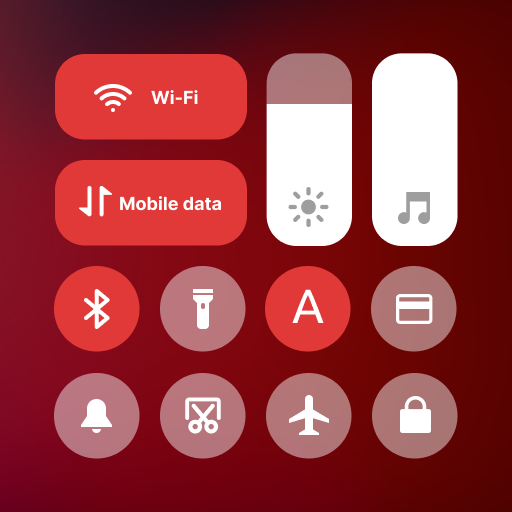
Mi Control Center is a unique phone customizer and it will change the way you use your device. Personalize your phone to MIUI or iOS design easily with a powerful control center!
<h1>Fantastic Control Center - Customize Your Device!</h1>
Quick access to the camera, clock, and other settings in the control center. Powerful options to customize your mobile with quick access to settings and actions.
Separate your quick settings from your notifications. Swipe down from the left of the statu…
Mi Control Center is a unique phone customizer and it will change the way you use your device. Personalize your phone to MIUI or iOS design easily with a powerful control center!
Fantastic Control Center - Customize Your Device!
Quick access to the camera, clock, and other settings in the control center. Powerful options to customize your mobile with quick access to settings and actions.
Separate your quick settings from your notifications. Swipe down from the left of the status bar to read your notifications and from the right side to control your device settings and perform meaningful actions. Trigger areas can be customized as you wish.
MIUI and iOS Control Center for Your Android Device!
You can change your phone to MIUI and iOS design very easily and in few steps, then configure everything to your preferences.
Mi Control Center gives you quick access to settings, screen recorders, screenshots, night mode changes, screen locks, volume controllers and your favorite applications.
Features Two different layouts: combined notifications and quick toggles, or separate with control center Similar to MIUI 12+.
◎ Full color customization: Take the base layout and color all the elements how you like.
◎ Powerful options to customize mobile - Useful icons with your current device information
- Choose your own profile picture to be displayed in the shade.
- Choose between a number of tile icon shapes (circle, square, teardrop, gradients and more)
- (Pro) Change quick settings grid layout (ie. number of columns and rows).
◎ Adjustable background types: Choose a solid color, live or image static blur. Change the transparency and blur amount. ◎ Advanced custom notification bar: Get, read, snooze or dismiss it.
◎ Advanced music: Dynamic colors based on the currently playing album artwork. You can skip to any part of the track right from the notification's progress bar.
◎ Quick reply: Reply to your messages as soon as you see them. For all Android devices.
◎ Auto bundled: Tired of that one app that spams you with notifications? Now they're all grouped together, for easy control.
◎ Custom background picture: Pick your favorite image to be displayed in the shade. Customize mobile with unique control center easily!
Completely change the way your use your Android phone today with Mi Control Center! Personalize your device and enjoy it every second you use it! Amazing notification bar and quick actions!
Use of Accessibility Service:
Mi Control Center app uses the AccessibilityService API to provide the best possible experience.
- We do not collect any personal information through accessibility services.
- We will not read your screen's sensitive data or any content.
- For this app to function properly, we need the Accessibility Permission. Accessibility services are required to receive a response from the system when the top of the screen is touched to trigger the shade and to retrieve window content: Required for automatic clicking of some settings after the user chooses they want to toggle them in the app-provided interface.
Comparable Android apps
The five apps in Personalization with the closest revenue to Mi Control Center. Click any to see its detail page.
Each forecast combines App Store rating, ratings count, monetisation model, pricing tier, IAP signals and ad-supported flag.
The base estimate is then multiplied by a per-category scaling factor learned from apps with founder-verified MRR.
Every number on this page comes from public APIs and bumetric's own snapshot history.
Full methodology covers input variables, accuracy bands per category and how we treat apps without comparable anchors.
See also the live data on Mi Control Center's tracker page for current rating, reviews and snapshot timeline.
Building something similar? Get a free AI audit with $-revenue forecasts for every recommendation.



 Super Icon Pack
 Light Sensation - Icon Pack
 Visionary Launcher
 Winter Wonderland LWP
 Goldox Gold Icon Pack