What Migros Bank E-Banking actually does (from store listing)
With the Migros Bank E-Banking app you have access to your accounts and deposits anytime, anywhere. You can scan and pay invoices and record account transfers or stock market orders. At a glance you can see the current stock market prices, currencies and interest rates.
E-banking – the most important functions
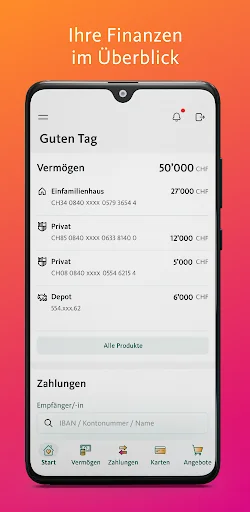
- Always keep an eye on your accounts, deposits, mortgages and loans.
- Check your transactions and create account and securities account statements.
- Scan and pay QR bills or sha…
With the Migros Bank E-Banking app you have access to your accounts and deposits anytime, anywhere. You can scan and pay invoices and record account transfers or stock market orders. At a glance you can see the current stock market prices, currencies and interest rates.
E-banking – the most important functions
- Always keep an eye on your accounts, deposits, mortgages and loans.
- Check your transactions and create account and securities account statements.
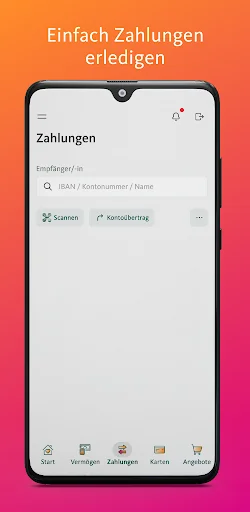
- Scan and pay QR bills or share eBill invoices.
- Enter account transfers, standing orders or stock exchange orders.
- Order new cards and open new accounts directly in the app.
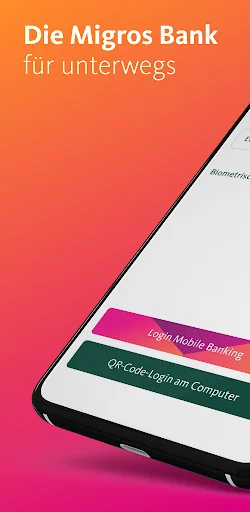
- Use the QR code scanning function in your app to conveniently log in to e-banking from any computer via the Migros Bank website.
Financial data
- Follow stock market prices with the watchlist.
- Find out the Migros Bank banknote and foreign exchange rates.
- View the interest rates on our accounts, mortgages and medium-term notes.
Services
- Get notified by email or SMS when new bank documents are received, account transactions are made or payments are not made.
- Send us messages or arrange a personal consultation.
- Find all important phone numbers and addresses including emergency numbers for card blocking.
- Use the location search to find the nearest Migros Bank branch or free cash withdrawal options.
Requirement
In order to use the Migros Bank e-banking app, you must be a customer of Migros Bank.
safety instructions
Migros Bank meets strict security standards in the area of e-banking. You can also make an important contribution to safety by taking simple measures:
- Do not leave your device unattended.
- Keep your password secret.
- Enter your password hidden.
- Update your operating system and your Migros Bank e-banking app regularly; Enable automatic updates whenever possible.
Comparable Android apps
The five apps in Finance with the closest revenue to Migros Bank E-Banking. Click any to see its detail page.
Each forecast combines App Store rating, ratings count, monetisation model, pricing tier, IAP signals and ad-supported flag.
The base estimate is then multiplied by a per-category scaling factor learned from apps with founder-verified MRR.
Every number on this page comes from public APIs and bumetric's own snapshot history.
Full methodology covers input variables, accuracy bands per category and how we treat apps without comparable anchors.
See also the live data on Migros Bank E-Banking's tracker page for current rating, reviews and snapshot timeline.
Building something similar? Get a free AI audit with $-revenue forecasts for every recommendation.


 LAFISE Bancanet
 MyWealth
 RMB Raiffeisen Mobile Banking
 Nations Direct
 Moja mBanka Raiffeisen