What Onepay: Tu billetera digital actually does (from store listing)
Download Onepay and your purchases will be faster, easier and safer. Add your credit and debit cards and pay in face-to-face stores that have QR Collection and in online stores with Webpay.
You will no longer have to enter a bank password, coordinate card, dynamic key or others, because Onepay is the digital wallet with which you can pay in Webpay and now also in premises enabled for payment with QR code, through Transbank's QR Collection.
Onepay is so easy to use, that you will be paying …
Download Onepay and your purchases will be faster, easier and safer. Add your credit and debit cards and pay in face-to-face stores that have QR Collection and in online stores with Webpay.
You will no longer have to enter a bank password, coordinate card, dynamic key or others, because Onepay is the digital wallet with which you can pay in Webpay and now also in premises enabled for payment with QR code, through Transbank's QR Collection.
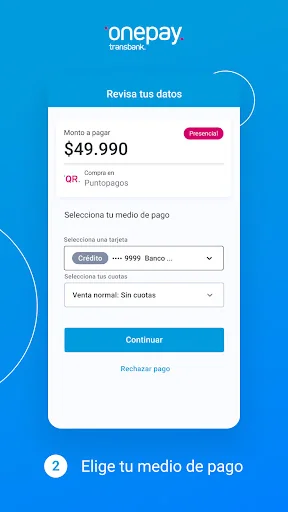
Onepay is so easy to use, that you will be paying with your cell phone anywhere, with these simple steps:
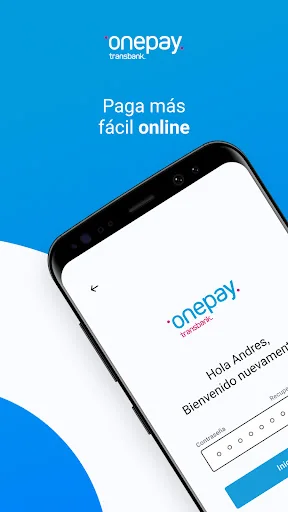
● Install the app and create your Onepay account
● Create your 5-digit PIN. You will only use it when you pay with Onepay.
● Add any credit or debit card. Just this time you will use your bank password, coordinate card or dynamic key.
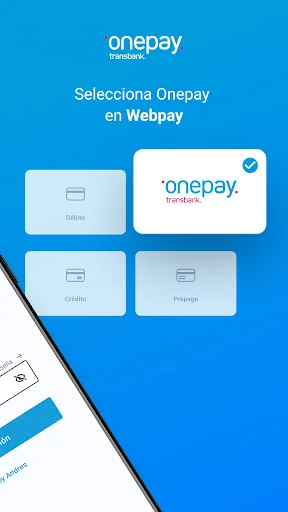
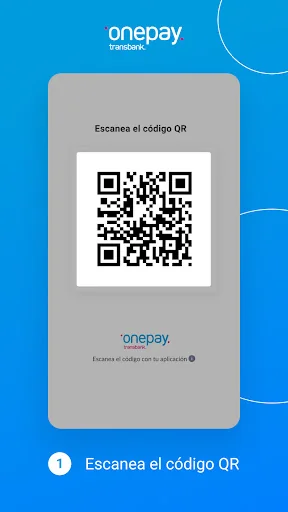
Ready! Now when buying in a QR code remember to ask if the store is attached to Transbank's QR Code, scan the QR code or enter the purchase code that the seller will indicate to you, authorize the payment with your 5-digit PIN, it's that simple. In Webpay you just select Onepay and follow the same steps above.
Do you have more doubts? Review the most common questions we receive about Onepay, so you too convince yourself to use the digital wallet for everyone.
In which merchants can I pay with Onepay?
Use Onepay to pay at businesses that have Transbank QR Collection, along with all ecommerce and websites that have Webpay. Remember that in both cases you will have to scan the QR code or type the purchase code that appears under the QR, either on the seller's cell phone or on the computer screen.
Can I add and pay with all my cards in Onepay?
Add and pay with Onepay using the credit cards of the main banks in the country: Visa, Mastercard, Magna, American Express and Dinners. In addition, you can use debit and Redcompra cards from most national banks.
If you have difficulties adding a credit or debit card, we ask you to consult your bank or card issuer.
What happens to the cards that I added in Onepay if I lose my phone?
To give you peace of mind, all the data of your cards in Onepay are stored in Transbank's systems. If you had a problem and your cell phone was lost (or stolen), you can remove it from your list of authorized devices, logging in with your Onepay account from another device you trust.
Why does Onepay request permissions to access the camera?
The camera of your phone allows you to scan the QR code when you pay with Onepay, on your computer or in stores affiliated with Cobro QR. If you like, you can bypass this permission and manually enter the purchase code that is displayed under the QR code.
Are there any additional charges for using the Onepay application?
Using Onepay is totally free, save your cards and make payments online or in person. Consider that when adding a new credit or debit card, a charge of $ 50 will be made to verify that it is active, which will be returned automatically.
How safe is Onepay?
At Onepay we always care about your safety. We have the support of Transbank so that your credit and debit card data are stored in systems with high security standards. In addition, the same app has these features to make it even more reliable:
● Your card details are not saved on your phone, they are stored in Transbank's systems.
● You can also change or reset your password or PIN as many times as you need from your app, in the "More" menu option.
***
If you have more questions, check the Frequently Asked Questions section in the application. And join the thousands of users who already have the digital wallet that will make your life easier.
Leave us your comments and rate us!
Comparable Android apps
The five apps in Finance with the closest revenue to Onepay: Tu billetera digital. Click any to see its detail page.
Each forecast combines App Store rating, ratings count, monetisation model, pricing tier, IAP signals and ad-supported flag.
The base estimate is then multiplied by a per-category scaling factor learned from apps with founder-verified MRR.
Every number on this page comes from public APIs and bumetric's own snapshot history.
Full methodology covers input variables, accuracy bands per category and how we treat apps without comparable anchors.
See also the live data on Onepay: Tu billetera digital's tracker page for current rating, reviews and snapshot timeline.
Building something similar? Get a free AI audit with $-revenue forecasts for every recommendation.

 BancFirst Mobile Banking
 IME Pay- Mobile Digital Wallet
 fattura1click
 Candlestick Patterns - Forex
 Alif: payments and transfers