What Powy - Power button shortcuts actually does (from store listing)
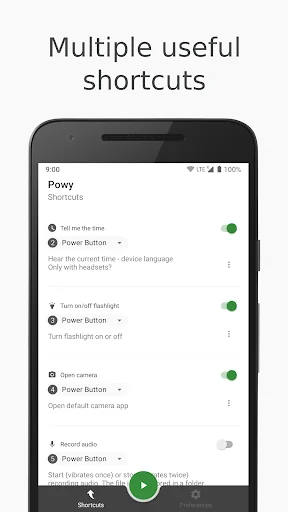
Powy allows you to have access to various configurable shortcuts just by pressing the power button.
Now you can also fire Tasker tasks through your power button.
<h3><b>FEATURES</b></h3>
☆ Open camera app
☆ Turn on or off your flashlight / torch / LED
☆ Hear the current time
☆ Record audio
☆ Tasker tasks - <b>Tasker app needs to be installed</b>
All shortcuts work even when device is locked.
Battery friendly.
All of the features listed above work on background and Powy does not…
Powy allows you to have access to various configurable shortcuts just by pressing the power button.
Now you can also fire Tasker tasks through your power button.
FEATURES
☆ Open camera app
☆ Turn on or off your flashlight / torch / LED
☆ Hear the current time
☆ Record audio
☆ Tasker tasks - Tasker app needs to be installed
All shortcuts work even when device is locked.
Battery friendly.
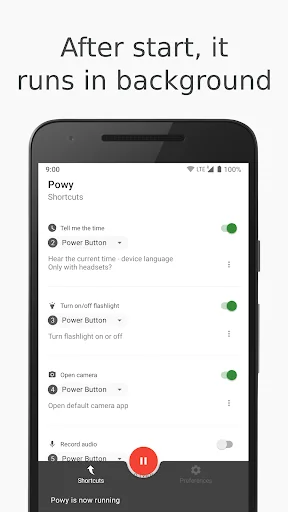
All of the features listed above work on background and Powy does not have to be open or in recent apps to work.
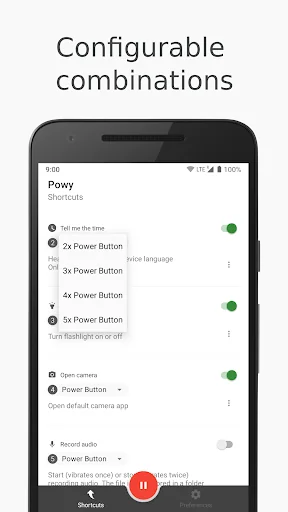
You can turn on/off shortcuts. You can configure shortcuts key combinations. And you can start/stop Powy at any time.
Works on smartphones and tablets.
HOW TO USE
After starting Powy you just have to calmly press the power button the number of times that match the configured shortcut you desire to trigger.
To use Tasker tasks shortcut you need Tasker app installed. And Tasker must allow external access.
USAGE EXAMPLES
☆ Open your camera app - Quick access to camera app for devices that do not have a camera button, or that cannot open camera app while device is locked.
☆ Turn on or off your flashlight / torch / LED - Quick access to flashlight for devices that do not have that shortctut or key.
☆ Hear the current time - Use while running / jogging / exercising to know the time. Use if you like to know the time without taking the phone out of your pocket / purse and you're using headphones / headsets.
☆ Record audio - Record audio whenever you need to.
☆ Tasker tasks - You can do a lot with Tasker and now by using Powy you can trigger tasks through your power button. You can for example turn on or off the WiFi using this shortcut.
Power to the button!
FAQ
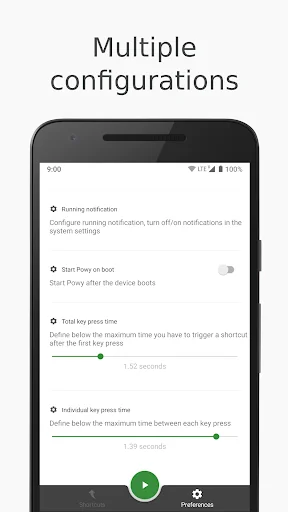
Why nothing happens when I press the power button? Try not to press the power button too quickly. Powy actually relies on screen on/off events. If you still cannot trigger a shortcut you should try increasing the configurations on total/individual times in Powy preferences.
NOTES
- For the tell me the time shortcut to work you need to have a text-to-speech (TTS) engine installed (for example Google TTS). The language used is the current language used in the device and the voice used dependes on the TTS you currently have installed.
- Camera shortcut will only work on Android versions (including) Jelly Bean and above.
- Should work on any device from any brand (e.g.: Samsung galaxy, s3, s4, s5, Google Nexus 5x 6p, Huawei, HTC, Motorola, Sony, etc).
- If you install Tasker after Powy, you'll probably have to reinstall Powy. This happens because of a known Android bug related to apps permissions.
- Powy has no relation to Tasker development. Tasker task shortcut is simply a third party plugin.
Have any suggestion or question? powyapplication@gmail.com
Comparable Android apps
The five apps in Tools with the closest revenue to Powy - Power button shortcuts. Click any to see its detail page.
Each forecast combines App Store rating, ratings count, monetisation model, pricing tier, IAP signals and ad-supported flag.
The base estimate is then multiplied by a per-category scaling factor learned from apps with founder-verified MRR.
Every number on this page comes from public APIs and bumetric's own snapshot history.
Full methodology covers input variables, accuracy bands per category and how we treat apps without comparable anchors.
See also the live data on Powy - Power button shortcuts's tracker page for current rating, reviews and snapshot timeline.
Building something similar? Get a free AI audit with $-revenue forecasts for every recommendation.


 Battery Neon Widget
 G-Reminders
 WGS84 Converter
 بصائر
بصائر
 Smart DNS - VPN Proxy Master