What Quick File Transfer actually does (from store listing)
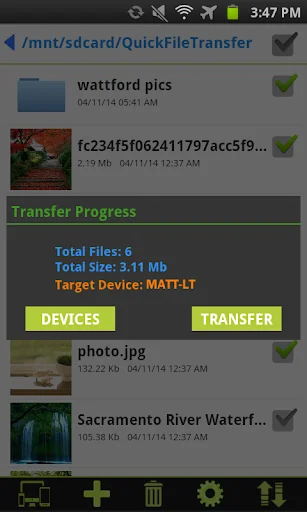
<b>Quick File Transfer</b> is a smart file sharing application. It is used to transfer files and folders between android phones and windows computers on your local network. It is very easy and fast to use. No need to enter IP address and port numbers. Devices are discovered automatically on your local network.
No need of USB cables. No Bluetooth required.
<b>All you need to do is:-</b>
1. Install our windows server application in windows computer from the link provided below.
https:/…
Quick File Transfer is a smart file sharing application. It is used to transfer files and folders between android phones and windows computers on your local network. It is very easy and fast to use. No need to enter IP address and port numbers. Devices are discovered automatically on your local network.
No need of USB cables. No Bluetooth required.
All you need to do is:- 1. Install our windows server application in windows computer from the link provided below.
https://www.spikesroidapps.com/QuickFileTransfer.html
2. Download this android application in your android device
3. Connect the devices to same Wi-Fi network.
4. Send and receive files and folders of any size between android phones, between android phone and windows computer.
Chrome browser might flag the server file,Ignore the warning and proceed as per below video http://www.youtube.com/watch?v=xD2D9xoOcWo&feature=youtu.be
How to use:- https://www.youtube.com/watch?v=AwKZTzCpIXo&feature=youtu.be
"Windows Firewall" might lead to connection issue. How to fix it?? http://www.youtube.com/v/ftYrD0r37CU
FEATURES:- ✓ Transfer files and folders between android phones
✓ Transfer files and folders between android phone and windows computer
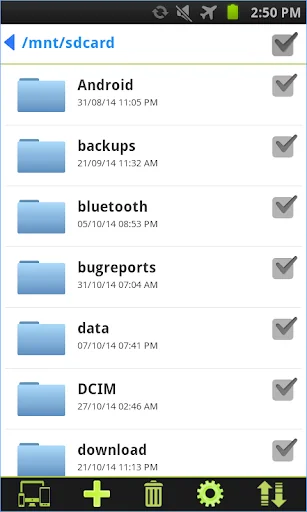
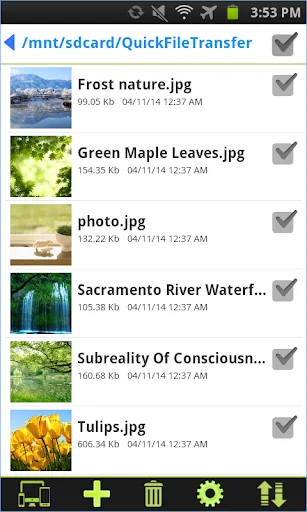
✓ Rich file browser for creating, deleting, sharing and renaming the files and folders
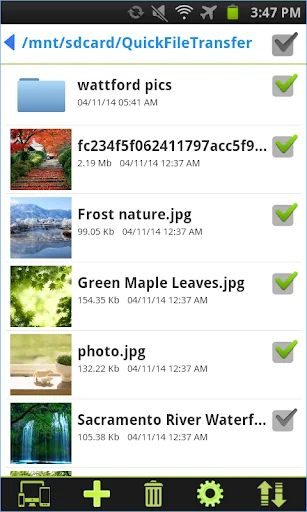
✓ Multiple files selection option
✓ Thumbnails are provided for image and video files
✓ Manual language selection
✓ Create new folders
Comparable Android apps
The five apps in Tools with the closest revenue to Quick File Transfer. Click any to see its detail page.
Each forecast combines App Store rating, ratings count, monetisation model, pricing tier, IAP signals and ad-supported flag.
The base estimate is then multiplied by a per-category scaling factor learned from apps with founder-verified MRR.
Every number on this page comes from public APIs and bumetric's own snapshot history.
Full methodology covers input variables, accuracy bands per category and how we treat apps without comparable anchors.
See also the live data on Quick File Transfer's tracker page for current rating, reviews and snapshot timeline.
Building something similar? Get a free AI audit with $-revenue forecasts for every recommendation.

 German Phonetic Keyboard
 Licitor Enchères immobilières
 Defender Guard
 Generali Ügyfélpont
 MTG Search (scan deck-builder)