What Santander Business Banking actually does (from store listing)
SANTANDER BUSINESS BANKING APP
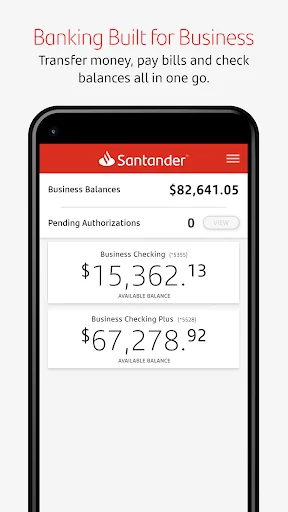
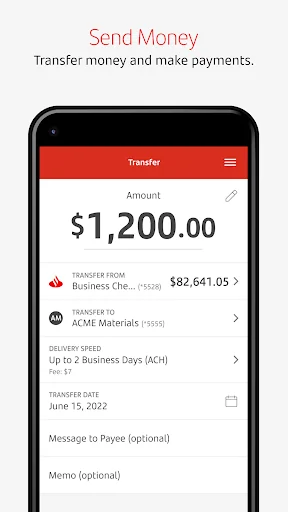
Manage your money anywhere, any time with the Santander Business Banking app. It’s fast, simple, and convenient. You can use the app to check real-time balances, make transfers between your accounts, pay bills, and deposit checks.
The app is free to Santander Bank customers in the United States with a Business Online & Mobile Banking account.
Business banking is better than ever with these enhanced app features:
Account Management
• Log in to the app…
Manage your money anywhere, any time with the Santander Business Banking app. It’s fast, simple, and convenient. You can use the app to check real-time balances, make transfers between your accounts, pay bills, and deposit checks.
The app is free to Santander Bank customers in the United States with a Business Online & Mobile Banking account.
Business banking is better than ever with these enhanced app features:
Account Management
• Log in to the app using your Online Organization ID, User ID, and Password.
• Forgot your Password? No problem: Reset with the app.
• Check real-time balances without logging in with the Quick Balance feature.
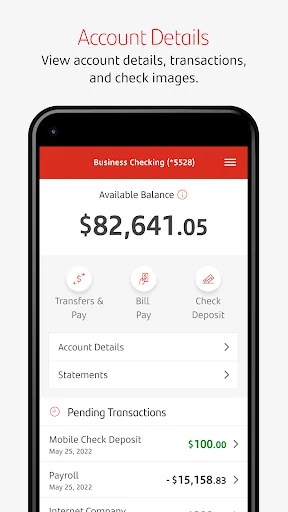
• Make transfers between your business and personal accounts. Restrictions apply. Please see the Digital Banking Agreement for Business Online and Mobile Banking for details.
• View recent activity on your business accounts and monthly statements.
• Manage Paperless settings and modify payees.
Stay Secure
• Log in with just your fingerprint or face recognition. If you share your device with others, please note that any fingerprints stored on your device may be used to log in to Santander Business Mobile Banking and access your account.
• Deposit checks in a snap, with simplified check deposit flow, camera enhancements, and step-by-step instructions. Mobile deposits are subject to limits and other restrictions. Please see the Digital Banking Agreement for Business Online and Mobile Banking for details.
Pay Bills
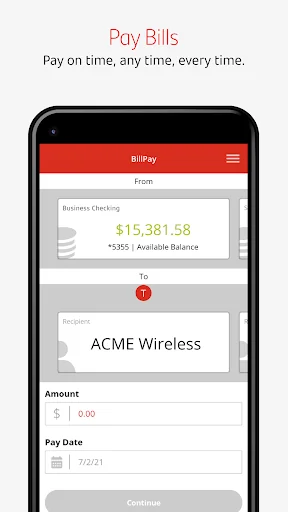
• Schedule and authorize payments.
• Pay eBills.
Contact Us
• Contact Santander Customer Service with one-touch calling.
• Get directions to the nearest Santander branch or ATM.
To use the Business Banking app, you’ll need to enroll first by contacting Santander. Message and data rates may apply.
Each forecast combines App Store rating, ratings count, monetisation model, pricing tier, IAP signals and ad-supported flag.
The base estimate is then multiplied by a per-category scaling factor learned from apps with founder-verified MRR.
Every number on this page comes from public APIs and bumetric's own snapshot history.
Full methodology covers input variables, accuracy bands per category and how we treat apps without comparable anchors.
See also the live data on Santander Business Banking's tracker page for current rating, reviews and snapshot timeline.
Building something similar? Get a free AI audit with $-revenue forecasts for every recommendation.


 Stooq
Stooq
 ScoreRise
 Land of Lincoln Credit Union
 SELCO Community Credit Union
 mobile@vdk