What Volume Scheduler - Auto Silent actually does (from store listing)
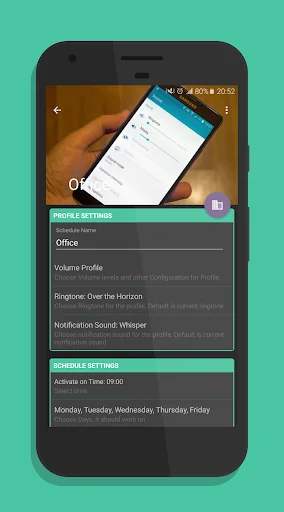
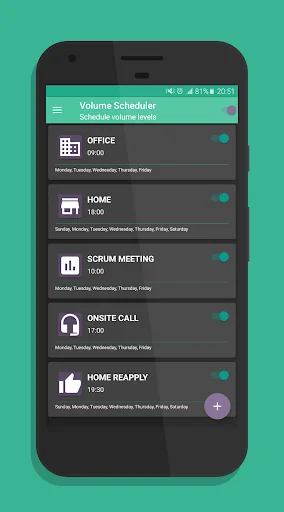
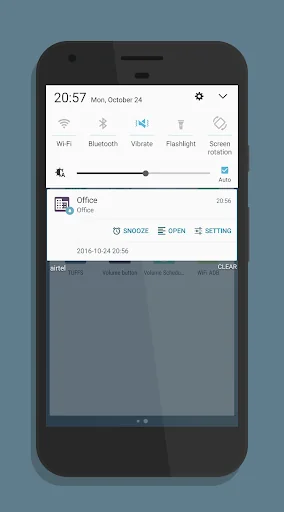
Control volume levels and ringer, change ringtone and notification tone on given time.
You need Volume Scheduler, The reasons are numerous to count.
Firstly, it seems to be much irritating when your mobile rings during a meeting, business conference and other sensitive occasions.
You may put your mobile on silence mode but sometimes you forget to do that.
Secondly, in case your mobile is on silence there are many chances that you did not remember to activate the ringtone while an impo…
Control volume levels and ringer, change ringtone and notification tone on given time.
You need Volume Scheduler, The reasons are numerous to count.
Firstly, it seems to be much irritating when your mobile rings during a meeting, business conference and other sensitive occasions.
You may put your mobile on silence mode but sometimes you forget to do that.
Secondly, in case your mobile is on silence there are many chances that you did not remember to activate the ringtone while an important call is awaiting for you.
Thirdly, assume you are in a crowded place and your mobile constantly rings in your pocket and you are unable to listen to the ringtone.
What can you do in these troublesome situations ?
Install the Volume Scheduler app for android that can easily and automatically change the ringtone volume of your phone from low to high and high to low based on the schedule you provide.
There are plenty of apps that do the same job, but they are very complicated, for such a basic and easy task you should just provide time and volume levels, that's all.
but most of the apps are asking for list of settings to configure, like change profile when gps location is active, selected wifi connection is active and so on. and this cost you more battery loss and also occupies more memory of the phone.
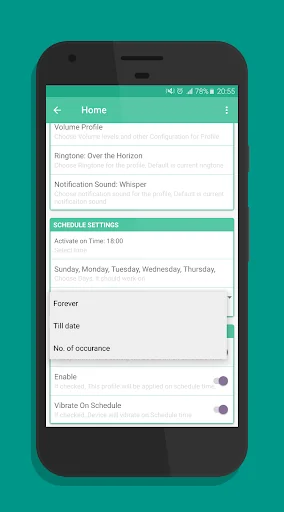
Volume Scheduler is very simple app that do not use any background service neither it uses gps, wifi and such other android services to change the profile, you simply need to specify the time you want to change the profile, most of the time you are well aware of your schedule, still some time things are not as per schedule like you get late to office, or at home, so app provide you the snooze/postponed options, so you can postponed applying the silent / loud profile by just single tap.
try the app and you will find how its very clear and simple app on this category, and how its helps smartly changing volume levels, ringtones and notification tones.
Ringer mode options: Silent mode, Normal mode or Vibrate Mode.
Comparable Android apps
The five apps in Tools with the closest revenue to Volume Scheduler - Auto Silent. Click any to see its detail page.
Each forecast combines App Store rating, ratings count, monetisation model, pricing tier, IAP signals and ad-supported flag.
The base estimate is then multiplied by a per-category scaling factor learned from apps with founder-verified MRR.
Every number on this page comes from public APIs and bumetric's own snapshot history.
Full methodology covers input variables, accuracy bands per category and how we treat apps without comparable anchors.
See also the live data on Volume Scheduler - Auto Silent's tracker page for current rating, reviews and snapshot timeline.
Building something similar? Get a free AI audit with $-revenue forecasts for every recommendation.

 My Device Pro
 NFC ReTag PRO
 AndFTPPro
 CCleaner – Phone Cleaner
 Skin Tools