What Calendars: Schedule Planner actually does (from App Store listing)
Calendars by Readdle is the all-in-one calendar, task manager, daily planner, and habit tracker — seamlessly working across all your Apple devices: Mac, iPhone, iPad, and Apple Watch.
Plan your day, build better habits, boost productivity, and stay organized with powerful features and smooth sync between all your devices.
What you can do with Calendars:
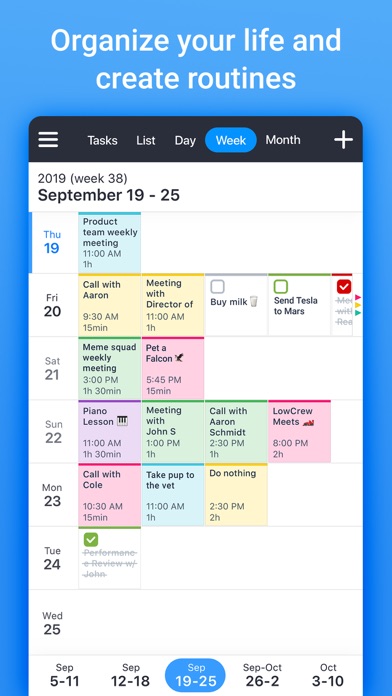
• View and manage your calendar with daily, weekly, and monthly views
• Create events, set reminders, and never miss important dates
• Use th…
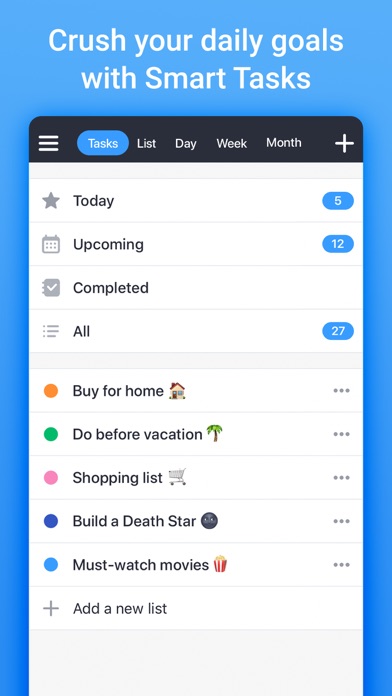
Calendars by Readdle is the all-in-one calendar, task manager, daily planner, and habit tracker — seamlessly working across all your Apple devices: Mac, iPhone, iPad, and Apple Watch. Plan your day, build better habits, boost productivity, and stay organized with powerful features and smooth sync between all your devices. What you can do with Calendars: • View and manage your calendar with daily, weekly, and monthly views • Create events, set reminders, and never miss important dates • Use the built-in agenda planner to focus on what matters most • Organize your to-do list and manage your tasks with ease • Quickly add events or to-do items using natural language • Build routines and track your habits to stay consistent • Take a guided productivity course to improve time management and focus • Sync across devices with Google Calendar, iCloud, and more • Customize your planner calendar with color coding and widgets • Join Zoom, Google Meet, or GoToMeeting directly from your calendar • Stay in control of your time, wherever you are Whether you're planning a busy workday, building new habits, or working on personal growth, Calendars brings everything together to help you own your time — across all your Apple devices.
Privacy Policy: https://readdle.com/calendars/legal/privacy Terms of Service: https://readdle.com/calendars/legal/terms
Have questions, comments, or issues? Don’t hesitate to reach out to us at http://readdle.com/contact
🆕 What's new · v5.37.27
This update brings a refreshed look and added reliability to Calendars. We’ve updated the app icon to better match the current Calendars experience while keeping it familiar and easy to recognize. We’ve also improved Google Calendar sync reliability, including a fix for an issue that could cause recurring events to disappear after a sync problem. Update now and let us know how Calendars is working for you!
Comparable iOS apps
The five apps in Productivity with the closest revenue to Calendars: Schedule Planner. Click any to see its detail page.
Each forecast combines App Store rating, ratings count, monetisation model, pricing tier, IAP signals and ad-supported flag.
The base estimate is then multiplied by a per-category scaling factor learned from apps with founder-verified MRR.
Every number on this page comes from public APIs and bumetric's own snapshot history.
Full methodology covers input variables, accuracy bands per category and how we treat apps without comparable anchors.
See also the live data on Calendars: Schedule Planner's tracker page for current rating, reviews and snapshot timeline.
Building something similar? Get a free AI audit with $-revenue forecasts for every recommendation.




 Microsoft Translator
 Calca
Calca
 PUB Reader - for MS Publisher
 Electrical Tools and Reference
 RPN 28x Calc