81
BU Score
Excellent
iLovePDF - PDF Editor & Scan
✍️ BU Analytics Review
“
iLovePDF - PDF Editor & Scan is an iOS app from iLovePDF in the Productivity category, currently rated 4.8★ across 49,109 ratings. Initial signal reads as largely positive sentiment, users highlighting consistency and feature depth.
Our BU Score puts it at 81 — Excellent (strong product-market fit). For a Productivity app, that means strong product-market fit.
Track changes month-over-month in the Performance section below — live snapshot history and revenue forecast included.
creator
📊 Performance Tracking LIVE
Loading…
Rating
—
Reviews
—
Forecast Revenue / mo
—
Snapshots tracked
0
since first record
Range:
💰 Forecast Revenue / mo
MODELRevenue forecast computed from BU's 234 trigger model on each snapshot. Calibrated against ground-truth from 58 verified-revenue apps.
🔬Forecast Breakdown — Why This Estimate?Top 10 of 10 triggers
Our ML model uses 200+ signals from public data. These are the most influential for this app:
| Mid install base (49,109 ratings)METRIC | +$5,500 | |
| Paid app ($0.00)METRIC | +$2,800 | |
| Excellent rating (4.8★)METRIC | +$2,200 | |
| bugsREVIEW | −$1,800 | |
| 5 starREVIEW | +$1,800 | |
| excellent appREVIEW | +$1,500 | |
| Mature app (8y old)METRIC | +$1,500 | |
| Multilingual (25 languages)METRIC | +$1,500 | |
| highly recommendREVIEW | +$1,400 | |
| too expensiveREVIEW | −$1,000 |
METRIC = structural app data · REVIEW = mined from user reviews · ✓ VERIFIED = Stripe-verified anchor (TrustMRR)
📈 Reviews Growth
LIVECumulative review count from first BU snapshot. Each point = a tracked update.
💚Sentiment Over Time↑ green = positive · ↓ red = negative
Jun 25
Jul 25
Aug 25
Sep 25
Oct 25
Nov 25
Dec 25
Jan 26
Feb 26
Mar 26
Apr 26
May 26
⭐ Rating Trend
LIVEAverage rating evolution. Updates with each new review batch.
🗓️ Snapshot Timeline
HISTORYEach bar shows a tracked update and the metric delta from the previous snapshot.
App Specs
🔐 Own this app? Claim & verify MRR →💾 277 MB🔞 4+📱 iOS 17.6+🔖 v3.13.0🔄 updated 4mo ago🌐 AR, BG, CA, NL, EN +20📂 Productivity💰 Paid🚀 Launched 2017 (8y old)
📝 About this app
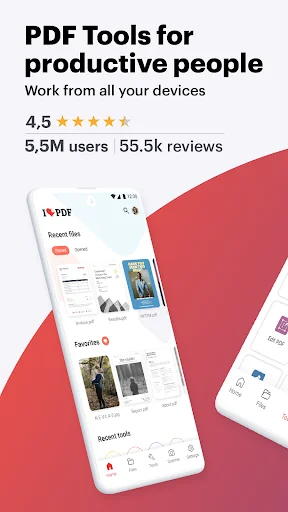
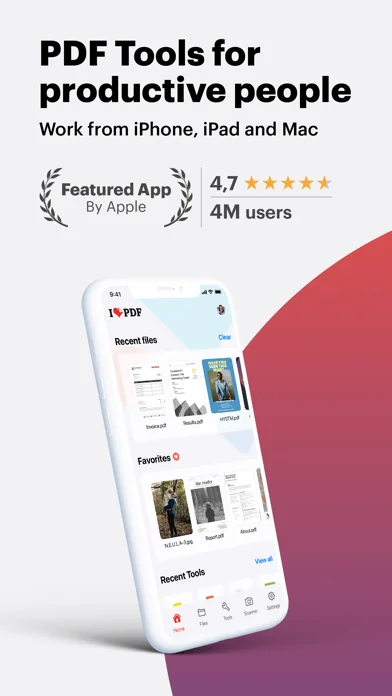
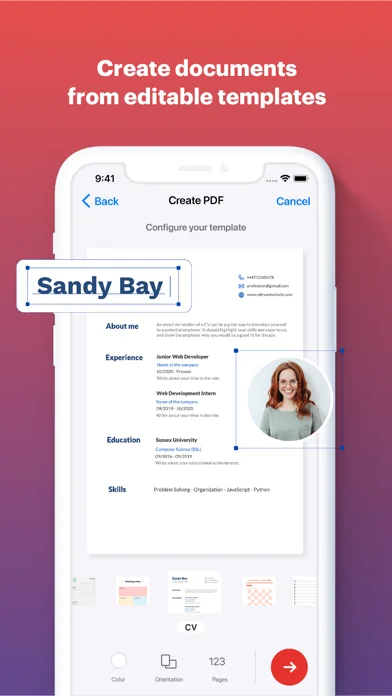
Read, convert, annotate and sign PDF in just a few seconds with this handy document scanner and editor. Boost your productivity with every tool you need to work on the go.
PHONE SCANNER
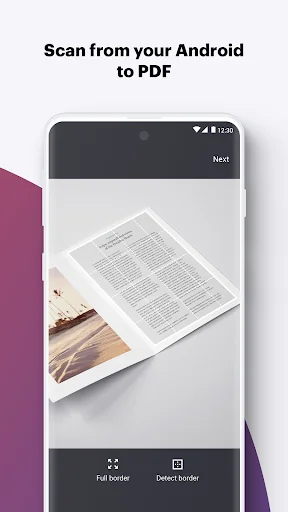
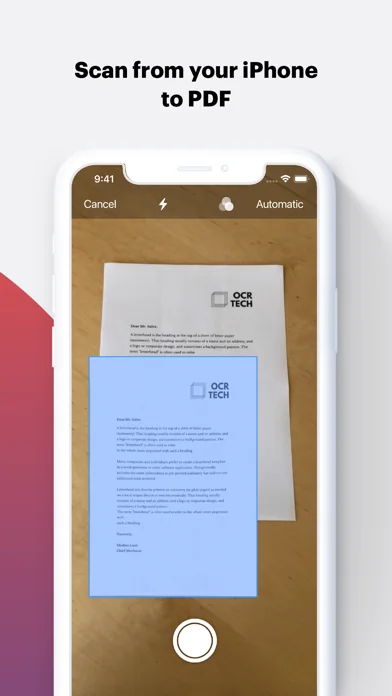
• iPhone and iPad Scanner: Snap a photo of anything and save it to PDF. Multipage PDF option available.
• Text recognition (OCR):Turn any scanned text or image into PDF with high accuracy.
PDF CONVERTER
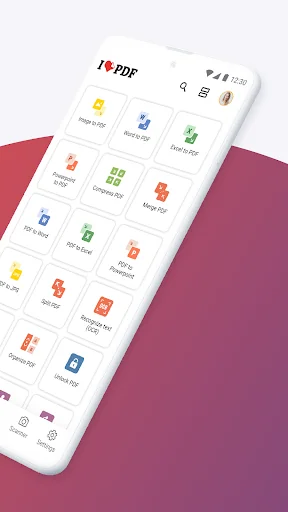
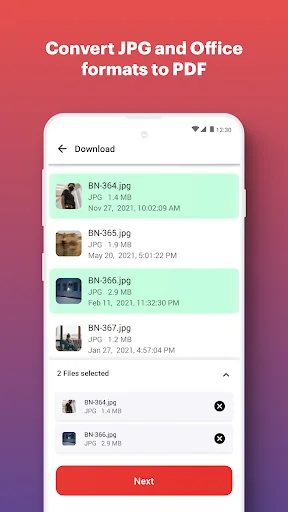
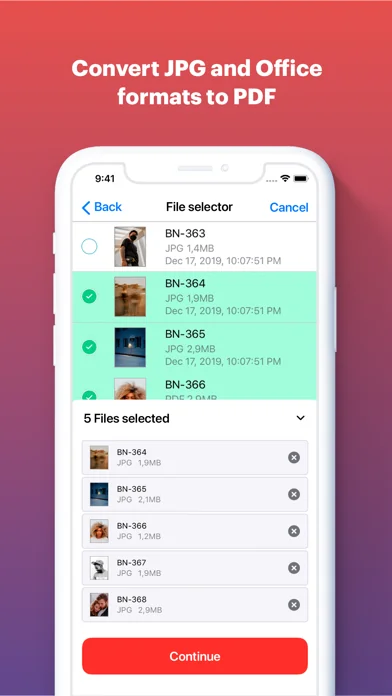
• JPG to PDF: Take a picture of a document and save it to PDF.
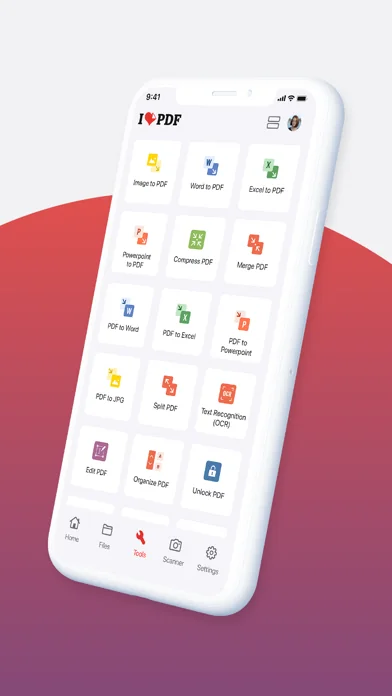
• MS Office Converter: Convert office documents to PDF files. Turn your PDF files into editable Office formats such as Word, Excel, Powerpoint.
• Extract images from PDF: Extract images from your PDF document with high quality. Convert your own images to single or multiple PDF files.
PDF EDITOR
• Annotate PDF: Simply highlight the relevant text in your PDF. Add notes and annotations to PDF document, leave comments, draw or insert images to PDF. Choose your format of annotation.
• Fill and sign forms: Quickly fill out a PDF form typing text and e-sign it using your finger.
• PDF Reader: View, edit and modify PDF files stored in the Cloud or on your device whenever you
need.
OPTIMIZE, ORGANIZE AND PROTECT DOCUMENTS
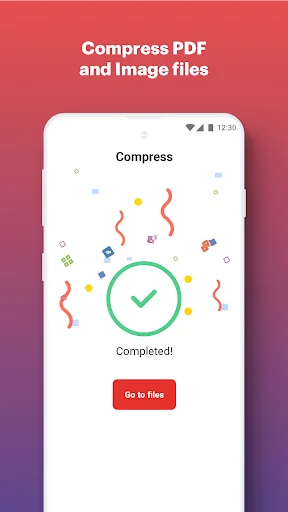
• Compress PDF: Reduce the filesize of your document while keeping visual quality.
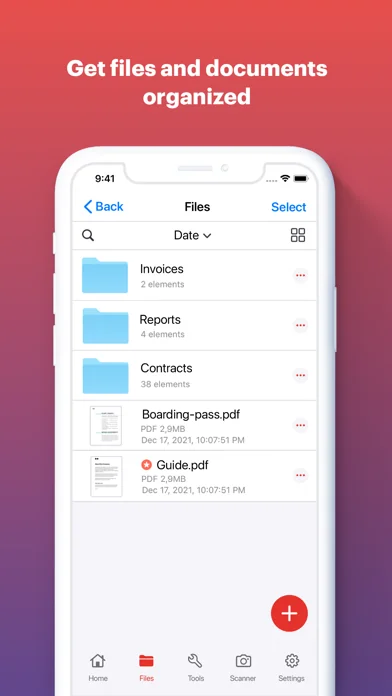
• Merge PDF: Combine multiple documents into a single PDF file.
• Split PDF: Split PDF pages or extract pages to multiple PDF documents with high quality.
• Rotate PDF: Rotate specific PDF pages and adjust their fit within your document.
• PDF Protection: Remove or add PDF passwords.
• Add page numbers to PDF: Customize your PDF files. Choose position, typography, and size of your page numbers.
• Watermark PDF: Choose an image or a text and add it to your PDF document. Select position, transparency or typography for the best result.
Connect to your Google Drive and Dropbox account to select and share documents from the Cloud.
Upgrade to Premium and enjoy all the benefits with this all-in-one versatile PDF editor. iLovePDF Premium is available for purchase via an auto-renewable subscription as follows:
• Annual or Monthly subscription available.
• Payment will be charged to your iTunes account.
• Account will be charged for renewal within 24-hours prior to the end of the current period.
• Subscriptions may be managed and discontinued by the user.
Account Settings after purchase:
• No cancellation of the current subscription is allowed during an active subscription period.
• Any unused portion of a free trial period, if offered, will be forfeited when the user purchases a
subscription.
Terms of use: https://www.ilovepdf.com/help/terms
Privacy Policy: https://www.ilovepdf.com/help/privacy
PHONE SCANNER
• iPhone and iPad Scanner: Snap a photo of anything and save it to PDF. Multipage PDF option available.
• Text recognition (OCR):Turn any scanned text or image into PDF with high accuracy.
PDF CONVERTER
• JPG to PDF: Take a picture of a document and save it to PDF.
• MS Office Converter: Convert office documents to PDF files. Turn your PDF files into editable Office formats such as Word, Excel, Powerpoint.
• Extract images from PDF: Extract images from your PDF document with high quality. Convert your own images to single or multiple PDF files.
PDF EDITOR
• Annotate PDF: Simply highlight the relevant text in your PDF. Add notes and annotations to PDF document, leave comments, draw or insert images to PDF. Choose your format of annotation.
• Fill and sign forms: Quickly fill out a PDF form typing text and e-sign it using your finger.
• PDF Reader: View, edit and modify PDF files stored in the Cloud or on your device whenever you
need.
OPTIMIZE, ORGANIZE AND PROTECT DOCUMENTS
• Compress PDF: Reduce the filesize of your document while keeping visual quality.
• Merge PDF: Combine multiple documents into a single PDF file.
• Split PDF: Split PDF pages or extract pages to multiple PDF documents with high quality.
• Rotate PDF: Rotate specific PDF pages and adjust their fit within your document.
• PDF Protection: Remove or add PDF passwords.
• Add page numbers to PDF: Customize your PDF files. Choose position, typography, and size of your page numbers.
• Watermark PDF: Choose an image or a text and add it to your PDF document. Select position, transparency or typography for the best result.
Connect to your Google Drive and Dropbox account to select and share documents from the Cloud.
Upgrade to Premium and enjoy all the benefits with this all-in-one versatile PDF editor. iLovePDF Premium is available for purchase via an auto-renewable subscription as follows:
• Annual or Monthly subscription available.
• Payment will be charged to your iTunes account.
• Account will be charged for renewal within 24-hours prior to the end of the current period.
• Subscriptions may be managed and discontinued by the user.
Account Settings after purchase:
• No cancellation of the current subscription is allowed during an active subscription period.
• Any unused portion of a free trial period, if offered, will be forfeited when the user purchases a
subscription.
Terms of use: https://www.ilovepdf.com/help/terms
Privacy Policy: https://www.ilovepdf.com/help/privacy
🆕 What's New · v3.13.0
Introducing the new iLovePDF - Now Faster, Flawless, and Feature-Packed!
We've eliminated bugs for a seamless experience.
Enjoy lightning-fast PDF tasks.
Discover new tools to supercharge your workflows.
Upgrade to the latest iLovePDF version and experience a new level of efficiency in handling your PDF documents.
We've eliminated bugs for a seamless experience.
Enjoy lightning-fast PDF tasks.
Discover new tools to supercharge your workflows.
Upgrade to the latest iLovePDF version and experience a new level of efficiency in handling your PDF documents.
Profile & Insights
Everything we know — and don't — about this app and its company.
Identification
- App name
- iLovePDF - PDF Editor & Scan
- Developer
- iLovePDF
- Bundle ID
- com.ilovepdf.www
- App Store URL
- Open in App Store
- Category
- Productivity
- Content rating
- 4+
- Languages
- AR, BG, CA, NL, EN, FR, DE, EL, HI, ID, IT, JA, KO, MS, PL, PT, RU, ZH, ES, SV, TH, ZH, TR, UK, VI
Company
- Website
- Not found
- Tagline
- Every tool you need to work with PDFs in one place
- Description
- iLovePDF is an online service to work with PDF files completely free and easy to use. Merge PDF, split PDF, compress PDF, office to PDF, PDF to JPG and more!
- Founded
- Not found
- HQ / Address
- Not found
- Employees
- Not found
- Logo
- OG image
Revenue
- Verified revenue / mo
- Not found
- AI revenue estimate / mo
- Not found
- AI annual estimate
- Not found
- ML model estimate / mo
- $11.7K/mo
- Top-grossing rank
- 🇫🇷#35 /100 🇧🇷#39 /100 🇮🇳#59 /100 🇯🇵#95 /100
- All-time revenue
- Not found
- Pricing
- Not found
Founder
- Name
- Not found
- X / Twitter
- https://twitter.com/ilovepdf_com
- https://www.linkedin.com/company/ilovepdf/
- GitHub
- Not found
- X followers
- Not found
- Public statements
- Not found
Funding
- Total raised
- Not found
- Last round
- Not found
- Investors
- Not found
- Crunchbase
- Not found
- AngelList
- Not found
Press & Links
- Articles found
- Not found
- Listed on
- Not found
- Blog
- https://www.ilovepdf.com/compress_pdf
- Press / News
- Not found
Contacts & Socials
- Socials
- facebook · instagram · linkedin · tiktok · twitter
- Not found
- Phone
- Not found
- Contact page
- https://www.ilovepdf.com/help/security
- About page
- https://www.ilovepdf.com/help/about
⭐Recent App Store Reviews49 latest · avg 4.37★ · 75.5% 5★ · 12.2% 1★
5★37 (76%)
4★5 (10%)
3★1 (2%)
2★0 (0%)
1★6 (12%)
+155 ratings/week
Praise: love ×14 great ×5 best ×3 recommend ×3 fantastic ×2Complaints: subscription ×1 refund ×1
Top positive
★★★★★ Extensive range of use
All in one pdf app…
★★★★★ Better than the pdf tool you use right now!
5 starts…
Top negative
★☆☆☆☆ Can’t use basic features anymore after they added premium subscription.
Devs sold out…
★☆☆☆☆ Won’t refund an Annual Sub after 1 day.
I signed up for iLovePDF Premium expecting a streamlined PDF workflow, but the product is surprisingly frustrating to use. Almost every action exports a new file, forces you into a new folder, and breaks your workflow by opening new tabs an…
📈Ratings growth49,136 ratings+47% lifetimeShow 3-year history estimate ▾
Tracked (51 weeks) Pre-tracking estimate (34 weeks) · model-based, ±5% noise · anchored to release date and current value
🗺️Geographic Distribution●Top 10●Top 30●Top 60
🌍Top Countries — Grossing Rank4 countries
🇫🇷FR#35 /100
🇧🇷BR#39 /100
🇮🇳IN#59 /100
🇯🇵JP#95 /100
📊Category Rank Trajectory#35 now · best #31 · worst #100
Lower line = better rank · Estimate from ratings growth model · Lower position on chart = worse rank · Higher = top of chart
Profile is built from iTunes Lookup + developer site scrape + ML revenue model. Empty fields show "Not found" — additional sources (Crunchbase, X, IndieHackers, Acquire.com) coming.
More by iLovePDF
View all →More Productivity
Microsoft Outlook
★ 4.8 · 8,891,395 reviews
Google Drive – online backup
★ 4.8 · 7,526,498 reviews
ChatGPT
★ 4.8 · 7,136,919 reviews
Yahoo Mail – Alles im Blick
★ 4.7 · 4,623,459 reviews
HP
★ 4.6 · 4,011,497 reviews
Google Docs
★ 4.8 · 3,078,214 reviews
Microsoft Word
★ 4.7 · 2,843,856 reviews
Gmail – E-Mail von Google
★ 4.7 · 2,406,337 reviews
Browse BU Analytics
📚 All 55,000+ Books
🜍 Alchemy & Hermeticism
🔮 Magic & Ritual
🌙 Witchcraft & Paganism
⭐ Astrology & Cosmology
🃏 Divination & Tarot
📜 Productivity
✡️ Kabbalah & Jewish Mysticism
🕉️ Mysticism & Contemplation
🕊️ Theosophy & Anthroposophy
🏛️ Freemasonry & Secret Societies
👻 Spiritualism & Afterlife
📖 Sacred Texts & Gnosticism
👁️ Supernatural & Occult Fiction
🧘 Spiritual Development
📚 Esoteric History & Biography
Info
About BU Analytics