66
BU Score
Solid
Camera M – Pro Kamera
✍️ BU Analytics Review
“
Camera M – Pro Kamera is an iOS app from bxb in the Photo & Video category, currently rated 4.5★ across 1,367 ratings. Initial signal reads as mixed reviews — supporters praise core features while critics cite stability/value gaps.
Our BU Score puts it at 66 — Solid (established niche player). For a Photo & Video app, that means established niche player.
Track changes month-over-month in the Performance section below — live snapshot history and revenue forecast included.
📊 Performance Tracking LIVE
Loading…
Rating
—
Reviews
—
Forecast Revenue / mo
—
Snapshots tracked
0
since first record
Range:
💰 Forecast Revenue / mo
MODELRevenue forecast computed from BU's 234 trigger model on each snapshot. Calibrated against ground-truth from 58 verified-revenue apps.
🔬Forecast Breakdown — Why This Estimate?Top 9 of 9 triggers
Our ML model uses 200+ signals from public data. These are the most influential for this app:
| Paid app ($0.00)METRIC | +$2,800 | |
| Excellent rating (4.5★)METRIC | +$2,200 | |
| bugsREVIEW | −$1,800 | |
| 5 starREVIEW | +$1,800 | |
| excellent appREVIEW | +$1,500 | |
| Low install base (1,367 ratings)METRIC | +$1,500 | |
| Mature app (8y old)METRIC | +$1,500 | |
| slowREVIEW | −$1,200 | |
| Localized (5 languages)METRIC | +$600 |
METRIC = structural app data · REVIEW = mined from user reviews · ✓ VERIFIED = Stripe-verified anchor (TrustMRR)
📈 Reviews Growth
LIVECumulative review count from first BU snapshot. Each point = a tracked update.
💚Sentiment Over Time↑ green = positive · ↓ red = negative
Dec 24
Jan 25
Feb 25
Mar 25
Apr 25
Jul 25
Sep 25
Nov 25
Dec 25
Jan 26
Feb 26
Mar 26
⭐ Rating Trend
LIVEAverage rating evolution. Updates with each new review batch.
🗓️ Snapshot Timeline
HISTORYEach bar shows a tracked update and the metric delta from the previous snapshot.
App Specs
🔐 Own this app? Claim & verify MRR →💾 26 MB🔞 4+📱 iOS 16+🔖 v9.3🔄 updated 3d ago🌐 EN, DE, JA, ZH, ES📂 Photo & Video💰 Paid🚀 Launched 2017 (8y old)
📝 About this app
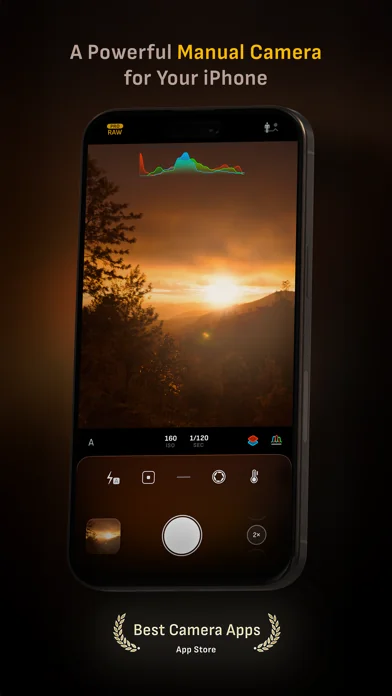
Camera M is a professional manual camera app designed to do one thing exceptionally well — help you capture beautiful photos at the highest possible quality with powerful, precise manual controls akin to a DSLR.
HIGHLIGHTS
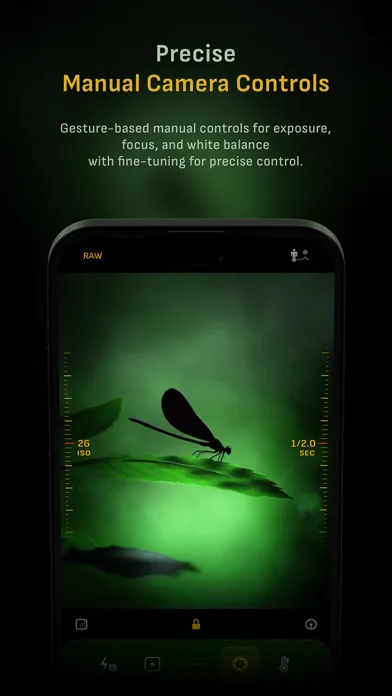
• Fluid gesture-based native manual controls with Fine-Tuning feature
• iOS 26 optimization with Liquid Glass design
• Zero-process RAW support for the most natural look
• Max Image Processing to ensure the absolute best image quality
• ProRAW*, RAW, HEIF, JPEG, TIFF, and PNG image formats
• Single, Burst, Timer, Live, Depth*, Dual Photo*, and Bracket shooting modes
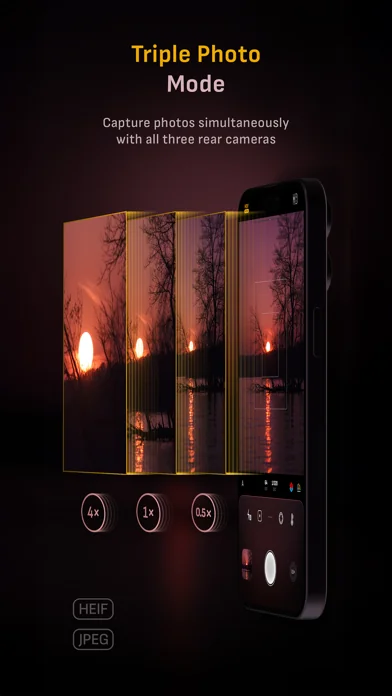
• Triple Photo mode with simultaneous ultra-wide, wide-angle, and telephoto camera capture*
• Minimum focus distance display for macro photography
• Intelligent Focus Tracking
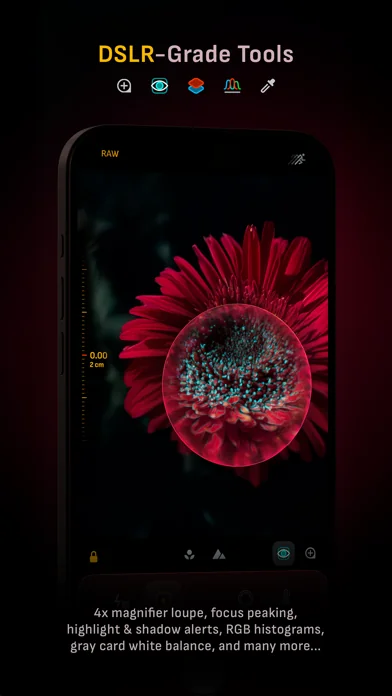
• Focus Peaking and 4x magnifier loupe with panning function
• Live RGB and RGB luminance histograms
• Manual gray card calibration
• Great widgets for photography
• Darkroom integration
CAMERA CONTROLS
– Manual focus
– Macro and Scene focus presets
– Exposure bias
– Manual ISO & exposure duration adjustments
– ISO & exposure duration semi-priority modes
– Manual white balance temperature and tint
– White balance presets
– Gray card white balance calibration
– Auto, on, and off flash modes
– Manual torch brightness level
– Manual switching between Ultra Wide, Wide, and Telephoto cameras*
– Digital pinch zoom with 10x range
– Camera Control support for all manual controls
– Lock Screen camera capture support
IMAGE FORMATS
– Apple ProRAW*
– RAW with stabilization
– HEIF with optional minimum compression
– JPEG with optional minimum compression
– TIFF
– PNG
– Live Photo
– P3 wide color support*
SHOOTING MODES
– Single
– Burst
– Timer
– Depth*
– Dual/Triple Photo*
– Live Photo*
– Bracket
TOOLS
– Exposure offset gauge
– Intelligent Focus Tracking
– Live focus peaking assistant
– 4x magnifier loupe with panning function
– Minimum focus distance display
– Live RGB and RGB luminance histograms
– Highlight & shadow alert display
– Horizon level with available pitch tracking and flat options
– Rule of Thirds, Golden Ratio, Quadrant, and Square grids
– Siri Shortcuts and App Shortcuts
– Detailed camera specifications display with PDF export
MAX IMAGE PROCESSING
– Deep Fusion and Smart HDR support for iPhone 11 and later.
– Ensures maximum image quality with better noise reduction, image stabilization, and additional processing for all other iPhones and iPads
ZERO-PROCESS RAW
– Capture standard RAW files with no extra processing
PHOTO LIBRARY
– Summarized and full EXIF metadata display
– Location data display with compass and elevation
– RGB and RGB luminance histogram displays
– Access to all photo albums and folders
WIDGETS
– Home Screen: Golden Hour, EXIF, and Cameras
– Lock Screen: Cameras and Golden Hour
– Control Center: Focus, exposure, and white balance
APPLE WATCH SUPPORT
– Shutter button control
– Sunrise, sunset, and Golden Hour display with sun position indicator
ERGONOMICS
– True one-handed control on all iPhones
– An uncompromising approach to user experience in landscape orientation
ACCESSIBILITY
– Dynamic Type support
– Bold Text support
– Increase Contrast support
TECHNOLOGY
Camera M is powered exclusively by native APIs and frameworks. There are absolutely no dependencies on any outside sources. This makes it responsive and efficient — from its small download size to its quick app launch times.
We hope you enjoy taking amazing photos with Camera M!
Website: www.camera-m.com
User manual: www.camera-m.com/manual
Get in touch: contact@camera-m.com
Follow us: @CameraMApp
#CameraM
* These features are available on supported devices only.
* Depth capture for selfies requires an iPhone or an iPad with a TrueDepth camera system.
* Apple ProRAW capture requires iPhone 12 Pro or later.
* For more information on device and feature compatibility: www.camera-m.com/compatibility
HIGHLIGHTS
• Fluid gesture-based native manual controls with Fine-Tuning feature
• iOS 26 optimization with Liquid Glass design
• Zero-process RAW support for the most natural look
• Max Image Processing to ensure the absolute best image quality
• ProRAW*, RAW, HEIF, JPEG, TIFF, and PNG image formats
• Single, Burst, Timer, Live, Depth*, Dual Photo*, and Bracket shooting modes
• Triple Photo mode with simultaneous ultra-wide, wide-angle, and telephoto camera capture*
• Minimum focus distance display for macro photography
• Intelligent Focus Tracking
• Focus Peaking and 4x magnifier loupe with panning function
• Live RGB and RGB luminance histograms
• Manual gray card calibration
• Great widgets for photography
• Darkroom integration
CAMERA CONTROLS
– Manual focus
– Macro and Scene focus presets
– Exposure bias
– Manual ISO & exposure duration adjustments
– ISO & exposure duration semi-priority modes
– Manual white balance temperature and tint
– White balance presets
– Gray card white balance calibration
– Auto, on, and off flash modes
– Manual torch brightness level
– Manual switching between Ultra Wide, Wide, and Telephoto cameras*
– Digital pinch zoom with 10x range
– Camera Control support for all manual controls
– Lock Screen camera capture support
IMAGE FORMATS
– Apple ProRAW*
– RAW with stabilization
– HEIF with optional minimum compression
– JPEG with optional minimum compression
– TIFF
– PNG
– Live Photo
– P3 wide color support*
SHOOTING MODES
– Single
– Burst
– Timer
– Depth*
– Dual/Triple Photo*
– Live Photo*
– Bracket
TOOLS
– Exposure offset gauge
– Intelligent Focus Tracking
– Live focus peaking assistant
– 4x magnifier loupe with panning function
– Minimum focus distance display
– Live RGB and RGB luminance histograms
– Highlight & shadow alert display
– Horizon level with available pitch tracking and flat options
– Rule of Thirds, Golden Ratio, Quadrant, and Square grids
– Siri Shortcuts and App Shortcuts
– Detailed camera specifications display with PDF export
MAX IMAGE PROCESSING
– Deep Fusion and Smart HDR support for iPhone 11 and later.
– Ensures maximum image quality with better noise reduction, image stabilization, and additional processing for all other iPhones and iPads
ZERO-PROCESS RAW
– Capture standard RAW files with no extra processing
PHOTO LIBRARY
– Summarized and full EXIF metadata display
– Location data display with compass and elevation
– RGB and RGB luminance histogram displays
– Access to all photo albums and folders
WIDGETS
– Home Screen: Golden Hour, EXIF, and Cameras
– Lock Screen: Cameras and Golden Hour
– Control Center: Focus, exposure, and white balance
APPLE WATCH SUPPORT
– Shutter button control
– Sunrise, sunset, and Golden Hour display with sun position indicator
ERGONOMICS
– True one-handed control on all iPhones
– An uncompromising approach to user experience in landscape orientation
ACCESSIBILITY
– Dynamic Type support
– Bold Text support
– Increase Contrast support
TECHNOLOGY
Camera M is powered exclusively by native APIs and frameworks. There are absolutely no dependencies on any outside sources. This makes it responsive and efficient — from its small download size to its quick app launch times.
We hope you enjoy taking amazing photos with Camera M!
Website: www.camera-m.com
User manual: www.camera-m.com/manual
Get in touch: contact@camera-m.com
Follow us: @CameraMApp
#CameraM
* These features are available on supported devices only.
* Depth capture for selfies requires an iPhone or an iPad with a TrueDepth camera system.
* Apple ProRAW capture requires iPhone 12 Pro or later.
* For more information on device and feature compatibility: www.camera-m.com/compatibility
🆕 What's New · v9.3
QUICK ACCESS MENUS
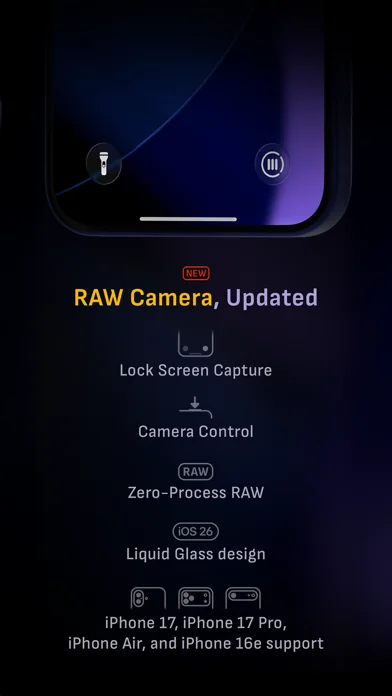
Instantly switch image formats and capture modes right from the top of the screen. Camera M is optimized for one-handed use on iPhone; however, thanks to your feedback, we’ve realized that quick access menus make essential controls faster and more intuitive. Requires iOS 26 or later.
Pro Tip — Want the fastest zero-process capture? Choose RAW with disabled +HEIF.
________________________________________
So far, our previous version 9 updates include:
• Liquid Glass magnifier loupe
• iOS 26 support with Liquid Glass design
• Camera Control support for manual focus, ISO, exposure duration, and white balance
• Lock Screen Capture support
• Control Center widgets
• HDR Button to toggle HDR photo viewing
• Support for iPhone 17 and iPhone 17 Pro
• Support for iPhone Air and iPhone 16e
• App icon and Home Screen widgets now have dark, clear, and tinted mode support.
• Other design improvements
• Accessibility improvements
Please check www.camera-m.com/updates for more comprehensive details.
We’re a small, two-person developer team. If you’re enjoying Camera M, we’d truly appreciate you spreading the word on social media — your support genuinely helps us continue building and improving the app.
We hope you capture incredible photos with Camera M!
More information: www.camera-m.com
User manual: www.camera-m.com/manual
Get in touch: contact@camera-m.com
Follow us: @CameraMApp
Instantly switch image formats and capture modes right from the top of the screen. Camera M is optimized for one-handed use on iPhone; however, thanks to your feedback, we’ve realized that quick access menus make essential controls faster and more intuitive. Requires iOS 26 or later.
Pro Tip — Want the fastest zero-process capture? Choose RAW with disabled +HEIF.
________________________________________
So far, our previous version 9 updates include:
• Liquid Glass magnifier loupe
• iOS 26 support with Liquid Glass design
• Camera Control support for manual focus, ISO, exposure duration, and white balance
• Lock Screen Capture support
• Control Center widgets
• HDR Button to toggle HDR photo viewing
• Support for iPhone 17 and iPhone 17 Pro
• Support for iPhone Air and iPhone 16e
• App icon and Home Screen widgets now have dark, clear, and tinted mode support.
• Other design improvements
• Accessibility improvements
Please check www.camera-m.com/updates for more comprehensive details.
We’re a small, two-person developer team. If you’re enjoying Camera M, we’d truly appreciate you spreading the word on social media — your support genuinely helps us continue building and improving the app.
We hope you capture incredible photos with Camera M!
More information: www.camera-m.com
User manual: www.camera-m.com/manual
Get in touch: contact@camera-m.com
Follow us: @CameraMApp
Profile & Insights
Everything we know — and don't — about this app and its company.
Identification
- App name
- Camera M – Pro Kamera
- Developer
- bxb
- Bundle ID
- com.bxb.camera-m
- App Store URL
- Open in App Store
- Category
- Photo & Video
- Content rating
- 4+
- Languages
- EN, DE, JA, ZH, ES
Company
- Website
- www.camera-m.com
- Tagline
- Camera М
- Description
- Looking for the best pro manual camera app for iPhone and iPad? Camera M is a beautiful designed camera with powerful controls similar to a DSLR camera. Now updated with iOS 26 Liquid Glass design for iPhone 17 and iPhone 17 Pro.
- Founded
- Not found
- HQ / Address
- Not found
- Employees
- Not found
- Logo
- OG image
Revenue
- Verified revenue / mo
- Not found
- AI revenue estimate / mo
- Not found
- AI annual estimate
- Not found
- ML model estimate / mo
- $2.0K/mo
- Top-grossing rank
- Outside top 100 in US Photo & Video
- All-time revenue
- Not found
- Pricing
- Not found
Founder
- Name
- Not found
- X / Twitter
- https://twitter.com/CameraMApp
- Not found
- GitHub
- Not found
- X followers
- Not found
- Public statements
- Not found
Funding
- Total raised
- Not found
- Last round
- Not found
- Investors
- Not found
- Crunchbase
- Not found
- AngelList
- Not found
Press & Links
- Articles found
- Not found
- Listed on
- Not found
- Blog
- https://www.camera-m.com/blog
- Press / News
- Not found
Contacts & Socials
- Socials
- facebook · instagram · twitter · youtube
- Not found
- Phone
- Not found
- Contact page
- https://www.camera-m.com/support
- About page
- https://www.camera-m.com/about
📈Ratings growth1,367 ratings+1940% lifetimeShow 3-year history estimate ▾
Tracked (59 weeks) Pre-tracking estimate (36 weeks) · model-based, ±5% noise · anchored to release date and current value
🌍Geographic ReachNot ranked
This app is currently outside the top 100 grossing in all 9 countries we monitor (US, UK, DE, FR, JP, CA, AU, BR, IN). Niche or new apps often launch this way — popularity rankings appear once daily revenue clears the regional threshold.
Profile is built from iTunes Lookup + developer site scrape + ML revenue model. Empty fields show "Not found" — additional sources (Crunchbase, X, IndieHackers, Acquire.com) coming.