72
BU Score
Strong
Screen Mirroring Samsung TV
✍️ BU Analytics Review
“
Screen Mirroring Samsung TV is an iOS app from AirBeamTV BV in the Photo & Video category, currently rated 4.2★ across 12,407 ratings. Initial signal reads as mixed reviews — supporters praise core features while critics cite stability/value gaps.
Our BU Score puts it at 72 — Strong (healthy traction). For a Photo & Video app, that means healthy traction.
Track changes month-over-month in the Performance section below — live snapshot history and revenue forecast included.
creator
📊 Performance Tracking LIVE
Loading…
Rating
—
Reviews
—
Forecast Revenue / mo
—
Snapshots tracked
0
since first record
Range:
💰 Forecast Revenue / mo
MODELRevenue forecast computed from BU's 234 trigger model on each snapshot. Calibrated against ground-truth from 58 verified-revenue apps.
🔬Forecast Breakdown — Why This Estimate?Top 11 of 11 triggers
Our ML model uses 200+ signals from public data. These are the most influential for this app:
| Mid install base (12,407 ratings)METRIC | +$5,500 | |
| bugsREVIEW | −$1,800 | |
| 5 starREVIEW | +$1,800 | |
| great valueREVIEW | +$1,600 | |
| Mature app (8y old)METRIC | +$1,500 | |
| Multilingual (17 languages)METRIC | +$1,500 | |
| highly recommendREVIEW | +$1,400 | |
| slowREVIEW | −$1,200 | |
| support teamREVIEW | +$900 | |
| Good rating (4.2★)METRIC | +$800 | |
| Ad-supported / freemiumMETRIC | +$600 |
METRIC = structural app data · REVIEW = mined from user reviews · ✓ VERIFIED = Stripe-verified anchor (TrustMRR)
📈 Reviews Growth
LIVECumulative review count from first BU snapshot. Each point = a tracked update.
💚Sentiment Over Time↑ green = positive · ↓ red = negative
Apr 25
May 25
Jun 25
Jul 25
Aug 25
Sep 25
Oct 25
Nov 25
Dec 25
Jan 26
Feb 26
Mar 26
⭐ Rating Trend
LIVEAverage rating evolution. Updates with each new review batch.
🗓️ Snapshot Timeline
HISTORYEach bar shows a tracked update and the metric delta from the previous snapshot.
App Specs
🔐 Own this app? Claim & verify MRR →💾 196 MB🔞 4+📱 iOS 15.0+🔖 v5.2.15🔄 updated 3mo ago🌐 AR, NL, EN, FR, DE +12📂 Photo & Video💰 Paid🚀 Launched 2017 (8y old)
📝 About this app
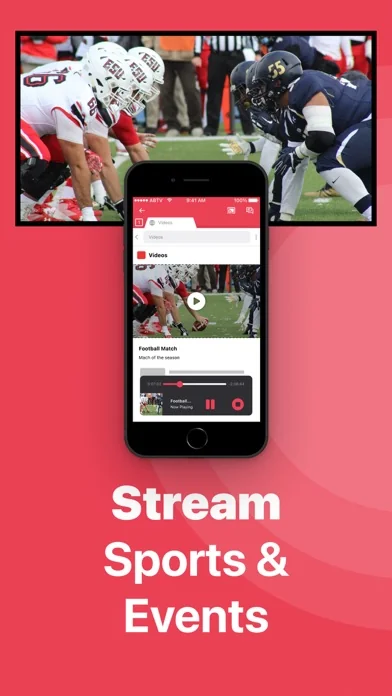
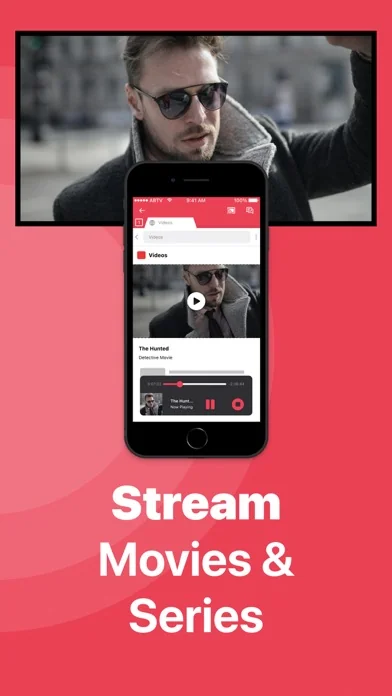
#1 screen mirroring app to cast your iPhone or iPad to Samsung Smart TV.
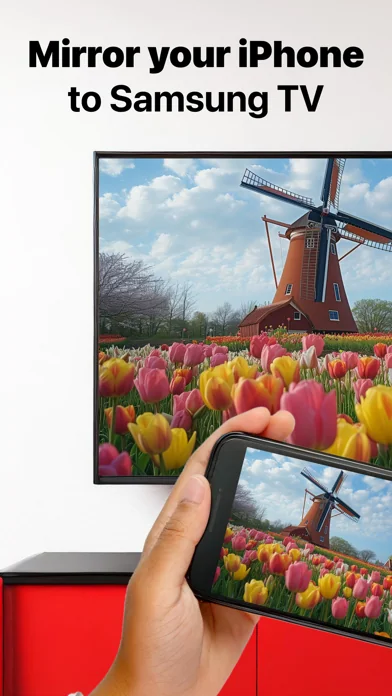
Application to mirror the screen of your iPhone or iPad to any Samsung Smart TV. No wires and no additional hardware needed! You can mirror anything from your iPhone or iPad to your Samsung TV.
To mirror video as well as audio, please make sure that you start mirroring when you are in the app (Photos, YouTube, etc.) that you want to mirror to your TV.
Enjoy everything on TV from your iPhone, iPad & Mac.
This works on any Samsung Smart TV from the 2012 models onward. Which model year do you have? You can see that by looking at the middle letter in your model type (on the back of Samsung TV).
E = 2012
F = 2013
H = 2014
J = 2015
K = 2016
M = 2017
N = 2018
R = 2019
T = 2020
A = 2021
B = 2022
C = 2023
Q = QLED (also supported)
For instance:
UE55_E_S8000 = 2012.
UE78_H_U8500L = 2014.
In using the app, there will be a couple of seconds of latency (usually between 1 and 3). So this mirroring & screen casting is not suitable for gaming.
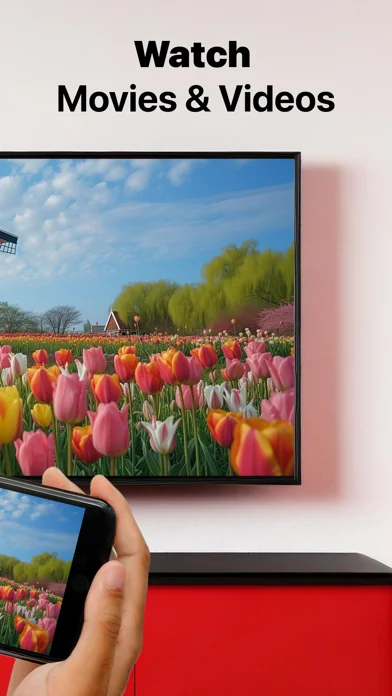
However, it is very suitable for watching movies, giving presentations, watching photos, and much more!
How the app works:
1. Make sure that your iPhone or iPad is connected to the same local network as your Samsung TV. Don't use multiple VLANs or subnets.
2. Launch the Mirror for Samsung TV app. It will start looking for your Samsung TV(s) on your local network. When you use this app for the first time, depending on your model Samsung TV, the TV might ask you to "allow" the connection. In that case, take your TV Remote Control and press OK to allow the connection from your TV to your iPhone or iPad for airstream.
3. Turn on notifications for this app. We will not spam you, but we will use this to let you know if your TV is working correctly or not. So please, please allow it, otherwise when things don't work as they should, you are left in the dark.
4. Click on Start Mirroring to start mirroring on the TV that is currently selected. After that, you can just go to any other app on your iPhone or iPad and the mirroring just continues to run.
5. To stop mirroring, there are two options. (1) click on the red top bar that you will see on your iPhone or iPad. (2) Go to the Mirror for Samsung TV app and click on Stop Mirroring.
Limitations and known issues:
DRM
Some apps block Screen Mirroring. This means that application developers can choose themselves if they want to block Screen Mirroring, airmirror. For instance, Netflix, Disney and AppleTV+ have decided to block this.
You can purchase the Mirror for Samsung TV Pro Version through an in app purchase.
The Pro Version has the following features:
1. Adds audio to the screen mirroring
2. Provides for free lifetime updates of the app
3. Gives the option to choose higher screen resolutions, like 720p and 1080p
* Payment will be charged to iTunes Account at confirmation of purchase.
* Subscription automatically renews unless auto-renew is turned off at least 24-hours before the end of the current period.
* Account will be charged for renewal within 24-hours prior to the end of the current period, and identify the cost of the renewal.
* Subscriptions may be managed by the user and auto-renewal may be turned off by going to the user’s Account Settings after purchase.
* Any unused portion of a free trial period, if offered, will be forfeited when the user purchases a subscription to that publication, where applicable.
Our Terms of Use: http://bit.ly/ABTV-TOU21
Our Privacy Policy: https://www.airbeam.tv/privacy-policy/
Support:
If you have questions or would like to provide feedback, please send us an e-mail or chat with us on our Facebook page.
What our users are saying:
"Amazing" - 5 STARS - by Pmanswah
At first I thought it was going to trash then saw the reviews and thought they were bots.I bought the app and used it and it worked perfectly perfect sound and audio this app is a match made in heaven for me.
Please give us feedback by mailing to support@airbeam.tv
Application to mirror the screen of your iPhone or iPad to any Samsung Smart TV. No wires and no additional hardware needed! You can mirror anything from your iPhone or iPad to your Samsung TV.
To mirror video as well as audio, please make sure that you start mirroring when you are in the app (Photos, YouTube, etc.) that you want to mirror to your TV.
Enjoy everything on TV from your iPhone, iPad & Mac.
This works on any Samsung Smart TV from the 2012 models onward. Which model year do you have? You can see that by looking at the middle letter in your model type (on the back of Samsung TV).
E = 2012
F = 2013
H = 2014
J = 2015
K = 2016
M = 2017
N = 2018
R = 2019
T = 2020
A = 2021
B = 2022
C = 2023
Q = QLED (also supported)
For instance:
UE55_E_S8000 = 2012.
UE78_H_U8500L = 2014.
In using the app, there will be a couple of seconds of latency (usually between 1 and 3). So this mirroring & screen casting is not suitable for gaming.
However, it is very suitable for watching movies, giving presentations, watching photos, and much more!
How the app works:
1. Make sure that your iPhone or iPad is connected to the same local network as your Samsung TV. Don't use multiple VLANs or subnets.
2. Launch the Mirror for Samsung TV app. It will start looking for your Samsung TV(s) on your local network. When you use this app for the first time, depending on your model Samsung TV, the TV might ask you to "allow" the connection. In that case, take your TV Remote Control and press OK to allow the connection from your TV to your iPhone or iPad for airstream.
3. Turn on notifications for this app. We will not spam you, but we will use this to let you know if your TV is working correctly or not. So please, please allow it, otherwise when things don't work as they should, you are left in the dark.
4. Click on Start Mirroring to start mirroring on the TV that is currently selected. After that, you can just go to any other app on your iPhone or iPad and the mirroring just continues to run.
5. To stop mirroring, there are two options. (1) click on the red top bar that you will see on your iPhone or iPad. (2) Go to the Mirror for Samsung TV app and click on Stop Mirroring.
Limitations and known issues:
DRM
Some apps block Screen Mirroring. This means that application developers can choose themselves if they want to block Screen Mirroring, airmirror. For instance, Netflix, Disney and AppleTV+ have decided to block this.
You can purchase the Mirror for Samsung TV Pro Version through an in app purchase.
The Pro Version has the following features:
1. Adds audio to the screen mirroring
2. Provides for free lifetime updates of the app
3. Gives the option to choose higher screen resolutions, like 720p and 1080p
* Payment will be charged to iTunes Account at confirmation of purchase.
* Subscription automatically renews unless auto-renew is turned off at least 24-hours before the end of the current period.
* Account will be charged for renewal within 24-hours prior to the end of the current period, and identify the cost of the renewal.
* Subscriptions may be managed by the user and auto-renewal may be turned off by going to the user’s Account Settings after purchase.
* Any unused portion of a free trial period, if offered, will be forfeited when the user purchases a subscription to that publication, where applicable.
Our Terms of Use: http://bit.ly/ABTV-TOU21
Our Privacy Policy: https://www.airbeam.tv/privacy-policy/
Support:
If you have questions or would like to provide feedback, please send us an e-mail or chat with us on our Facebook page.
What our users are saying:
"Amazing" - 5 STARS - by Pmanswah
At first I thought it was going to trash then saw the reviews and thought they were bots.I bought the app and used it and it worked perfectly perfect sound and audio this app is a match made in heaven for me.
Please give us feedback by mailing to support@airbeam.tv
🆕 What's New · v5.2.15
"• Bug fixes and performance improvements for a smoother experience
• Stability enhancements for more reliable streaming
• Update now to access the latest features
• Questions or feedback? Email support@airbeam.tv
• Enjoying the app? A quick rating in the store helps us keep improving"
• Stability enhancements for more reliable streaming
• Update now to access the latest features
• Questions or feedback? Email support@airbeam.tv
• Enjoying the app? A quick rating in the store helps us keep improving"
Profile & Insights
Everything we know — and don't — about this app and its company.
Identification
- App name
- Screen Mirroring Samsung TV
- Developer
- AirBeamTV BV
- Bundle ID
- tv.airbeam.mirrorforsamsungtvios
- App Store URL
- Open in App Store
- Category
- Photo & Video
- Content rating
- 4+
- Languages
- AR, NL, EN, FR, DE, HI, ID, IT, JA, KO, PT, RU, ZH, ES, ZH, TR, VI
Company
- Website
- www.airbeam.tv
- Tagline
- Screen Mirroring Apps
- Description
- AirBeamTV screen mirroring apps for iPhone, iPad, Mac, Android. Cast your device screen to any TV without Apple TV or Airplay. Try for free!
- Founded
- Not found
- HQ / Address
- Not found
- Employees
- Not found
- Logo
- OG image
Revenue
- Verified revenue / mo
- Not found
- AI revenue estimate / mo
- Not found
- AI annual estimate
- Not found
- ML model estimate / mo
- $15.6K/mo
- Top-grossing rank
- Outside top 100 in US Photo & Video
- All-time revenue
- Not found
- Pricing
- Not found
Founder
- Name
- Not found
- X / Twitter
- https://twitter.com/AirBeamTV
- Not found
- GitHub
- Not found
- X followers
- Not found
- Public statements
- Not found
Funding
- Total raised
- Not found
- Last round
- Not found
- Investors
- Not found
- Crunchbase
- Not found
- AngelList
- Not found
Press & Links
- Articles found
- Not found
- Listed on
- Not found
- Blog
- https://www.airbeam.tv/blog/
- Press / News
- Not found
Contacts & Socials
- Socials
- facebook · twitter · youtube
- Not found
- Phone
- Not found
- Contact page
- https://www.airbeam.tv/contact-us/
- About page
- Not found
📈Ratings growth12,407 ratings+37% lifetimeShow 3-year history estimate ▾
Tracked (55 weeks) Pre-tracking estimate (34 weeks) · model-based, ±5% noise · anchored to release date and current value
🌍Geographic ReachNot ranked
This app is currently outside the top 100 grossing in all 9 countries we monitor (US, UK, DE, FR, JP, CA, AU, BR, IN). Niche or new apps often launch this way — popularity rankings appear once daily revenue clears the regional threshold.
Profile is built from iTunes Lookup + developer site scrape + ML revenue model. Empty fields show "Not found" — additional sources (Crunchbase, X, IndieHackers, Acquire.com) coming.
More by AirBeamTV BV
View all →More Photo & Video
YouTube
★ 4.7 · 47,130,049 reviews
★ 4.7 · 29,023,044 reviews
Snapchat: Chatte mit Freunden
★ 4.5 · 5,772,278 reviews
Canva: KI-Foto- & Video-Editor
★ 4.9 · 3,343,015 reviews
Twitch: Live Streaming
★ 4.7 · 2,700,069 reviews
InShot - AI Video Editor
★ 4.8 · 2,426,316 reviews
PicCollage: KI Foto Collage
★ 4.8 · 1,808,632 reviews
FaceApp: Gesichtsbearbeitung
★ 4.7 · 1,750,154 reviews
Browse BU Analytics
📚 All 55,000+ Books
🜍 Alchemy & Hermeticism
🔮 Magic & Ritual
🌙 Witchcraft & Paganism
⭐ Astrology & Cosmology
🃏 Divination & Tarot
📜 Photo & Video
✡️ Kabbalah & Jewish Mysticism
🕉️ Mysticism & Contemplation
🕊️ Theosophy & Anthroposophy
🏛️ Freemasonry & Secret Societies
👻 Spiritualism & Afterlife
📖 Sacred Texts & Gnosticism
👁️ Supernatural & Occult Fiction
🧘 Spiritual Development
📚 Esoteric History & Biography
Info
About BU Analytics