47
BU Score
Emerging
Video Resize & Scale - HD
✍️ bumetric analysis
“
Video Resize & Scale - HD is an iOS app from Francis Bonnin in the Photo & Video category, currently rated 4.2★ across 12 ratings. Initial signal reads as largely positive sentiment, users highlighting consistency and feature depth.
Our BU Score puts it at 47: Emerging (early traction worth watching). For a Photo & Video app, that means early traction worth watching.
Track changes month-over-month in the Performance section below: live snapshot history and revenue forecast included.
📊 Performance Tracking LIVE
Loading…
Rating
—
Reviews
—
Forecast Revenue / mo
—
Snapshots tracked
0
since first record
Range:
💰 Forecast Revenue / mo
MODELRevenue forecast computed from BU's 234 trigger model on each snapshot. Calibrated against ground-truth from 58 verified-revenue apps.
🔬Forecast Breakdown — Why This Estimate?Top 5 of 5 triggers
Our ML model uses 200+ signals from public data. These are the most influential for this app:
| Paid app ($0.00)METRIC | +$2,800 | |
| Good rating (4.2★)METRIC | +$800 | |
| Established app (6y old)METRIC | +$800 | |
| Localized (7 languages)METRIC | +$600 | |
| Pre-traction phase (12 ratings)METRIC | −$300 |
METRIC = structural app data · REVIEW = mined from user reviews · ✓ VERIFIED = Stripe-verified anchor (TrustMRR)
📈 Reviews Growth
LIVECumulative review count from first BU snapshot. Each point = a tracked update.
⭐ Rating Trend
LIVEAverage rating evolution. Updates with each new review batch.
🗓️ Snapshot Timeline
HISTORYEach bar shows a tracked update and the metric delta from the previous snapshot.
App Specs
🔐 Own this app? Claim & verify MRR →💾 68 MB🔞 4+📱 iOS 11.0+🔖 v5.7🔄 updated 2y ago🌐 EN, FR, DE, IT, JA +2📂 Photo & Video💰 Paid🚀 Launched 2019 (6y old)
📝 About this app
With Video Resize & Scale - HD, change the dimensions of your videos with precision, by stretching the image or by adding a beautiful and configurable animated blurred background.
More specifically, here are the main things you can do with the application:
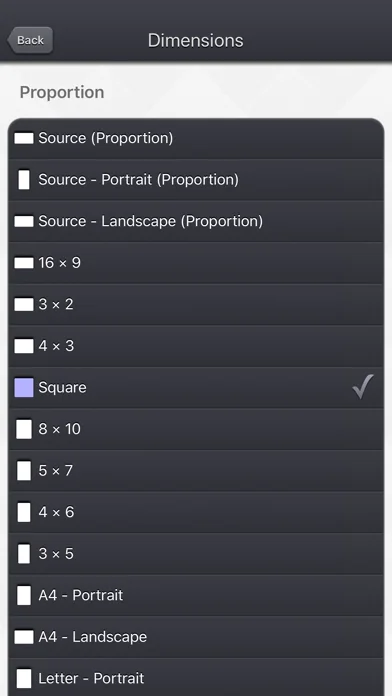
• Modify the dimensions of your video by precisely entering the width and height, or by quickly selecting a predefined usual values (720p, Device Portrait / Letter ...).
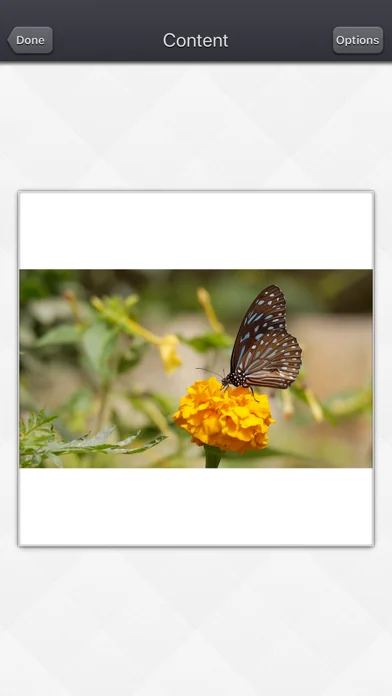
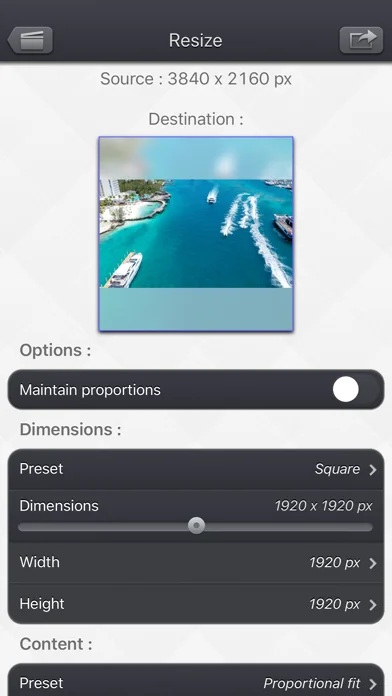
• Create squared videos from your videos, by adding an animated blurred background (or a fixed color) around your source video (Letterbox feature).
• Convert your protrait videos to landscape videos (and vice versa) by either adding a background around your video or by cropping fixed extremities of your video.
• Modify the aspect ratio of your videos by stretching them, and then distorting the image.
• Easilily position your input video in the output one, thanks to some presets : (center / fill / aspect fill / aspect fill ...), or direclty entre the position in pixels.
• Reduce the file size of your videos by making the dimensions smaller, to preserve disk space, or to quickly send them to your friends or on your social networks.
• Remove the potential hidden extra pixels (outside the clean aperture) that are inside some video (like the ones in the Live Photos), to make the video smaller.
• Force the display of those hidden pixels (outside the clean aperture). They are usually nor meant to be displayed but they might contain some interesting information.
• Change an exotic pixel format (PAR) to a square pixel format for better compatibility.
Thanks to the customisable settings, the app will also let you:
• Add a fixed color border around your video.
• Add a soft blurred glowy halo around your video.
• Totally blur your video.
• Totally fade your video with a custom colour.
• Precisely position 2 instances of your source video in the output video, allowing you some fun effects like having it side by side.
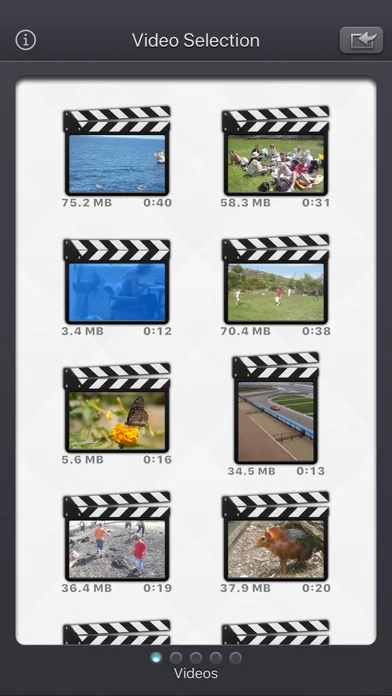
The Input video can be imported from your device in several ways.
The modified version (if there is one) or the original version of the video are both available.
The camera can be used directly to record a video if needed.
You can also connect your device to your computer in order to drag and drop specific videos (Files feature).
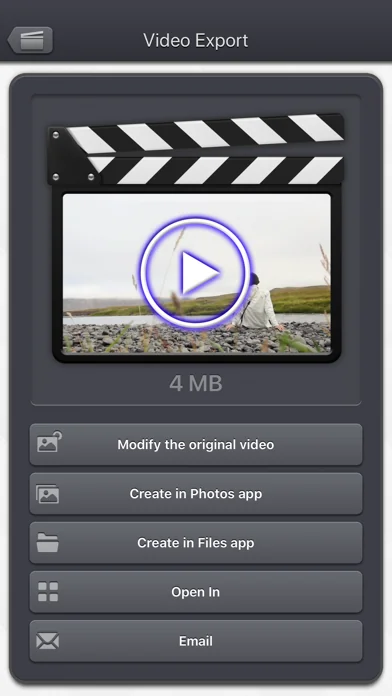
The output video can be exported in several ways.
Create a new video in the Photo app or in the Files app.
Directly modify the input video by adding an edited version.
Share the video to another application.
This application can run, on your iPhone and your iPad, as a standalone application, a Photo Extension, or as an Action Extension (from the compatible applications like the Photo app).
Portrait and Landscape orientations are supported in all screens.
Dark mode of iOS13 is supported.
You will find the original and intuitive user interface, common to all our videos applications.
These applications have been featured many times by Apple and various websites.
More specifically, here are the main things you can do with the application:
• Modify the dimensions of your video by precisely entering the width and height, or by quickly selecting a predefined usual values (720p, Device Portrait / Letter ...).
• Create squared videos from your videos, by adding an animated blurred background (or a fixed color) around your source video (Letterbox feature).
• Convert your protrait videos to landscape videos (and vice versa) by either adding a background around your video or by cropping fixed extremities of your video.
• Modify the aspect ratio of your videos by stretching them, and then distorting the image.
• Easilily position your input video in the output one, thanks to some presets : (center / fill / aspect fill / aspect fill ...), or direclty entre the position in pixels.
• Reduce the file size of your videos by making the dimensions smaller, to preserve disk space, or to quickly send them to your friends or on your social networks.
• Remove the potential hidden extra pixels (outside the clean aperture) that are inside some video (like the ones in the Live Photos), to make the video smaller.
• Force the display of those hidden pixels (outside the clean aperture). They are usually nor meant to be displayed but they might contain some interesting information.
• Change an exotic pixel format (PAR) to a square pixel format for better compatibility.
Thanks to the customisable settings, the app will also let you:
• Add a fixed color border around your video.
• Add a soft blurred glowy halo around your video.
• Totally blur your video.
• Totally fade your video with a custom colour.
• Precisely position 2 instances of your source video in the output video, allowing you some fun effects like having it side by side.
The Input video can be imported from your device in several ways.
The modified version (if there is one) or the original version of the video are both available.
The camera can be used directly to record a video if needed.
You can also connect your device to your computer in order to drag and drop specific videos (Files feature).
The output video can be exported in several ways.
Create a new video in the Photo app or in the Files app.
Directly modify the input video by adding an edited version.
Share the video to another application.
This application can run, on your iPhone and your iPad, as a standalone application, a Photo Extension, or as an Action Extension (from the compatible applications like the Photo app).
Portrait and Landscape orientations are supported in all screens.
Dark mode of iOS13 is supported.
You will find the original and intuitive user interface, common to all our videos applications.
These applications have been featured many times by Apple and various websites.
🆕 What's New · v5.7
• Fix for a possible output video aspect ratio problem.
• Ability to convert to HEVC when some large dimensions are not supported by the AVC codec.
• Added device portrait/landscape as a dimension preset.
• Small fixes and improvements.
• Ability to convert to HEVC when some large dimensions are not supported by the AVC codec.
• Added device portrait/landscape as a dimension preset.
• Small fixes and improvements.
Profile & Insights
Everything we know — and don't — about this app and its company.
Identification
- App name
- Video Resize & Scale - HD
- Developer
- Francis Bonnin
- Bundle ID
- francis.bonnin.videoresizeandscale
- App Store URL
- Open in App Store
- Category
- Photo & Video
- Content rating
- 4+
- Languages
- EN, FR, DE, IT, JA, ZH, ES
Company
- Website
- Not found
- Tagline
- Today
- Description
- Find apps and games for iPhone, iPad, Mac, and more on the App Store.
- Founded
- Not found
- HQ / Address
- Not found
- Employees
- Not found
- Logo
- OG image
Revenue
- Verified revenue / mo
- Not found
- AI revenue estimate / mo
- Not found
- AI annual estimate
- Not found
- ML model estimate / mo
- $201/mo
- Top-grossing rank
- Outside top 100 in US Photo & Video
- All-time revenue
- Not found
- Pricing
- Not found
Founder
- Name
- Not found
- X / Twitter
- Not found
- Not found
- GitHub
- Not found
- X followers
- Not found
- Public statements
- Not found
Funding
- Total raised
- Not found
- Last round
- Not found
- Investors
- Not found
- Crunchbase
- Not found
- AngelList
- Not found
Press & Links
- Articles found
- Not found
- Listed on
- Not found
- Blog
- https://apps.apple.com/us/app/letterloop-group-newsletters/id6468623700
- Press / News
- Not found
Contacts & Socials
- Socials
- Not found
- Not found
- Phone
- Not found
- Contact page
- Not found
- About page
- https://apps.apple.com/us/iphone/story/id1881678740
📈Ratings growth12 ratings+1100% lifetimeShow 3-year history estimate ▾
Tracked (7 weeks) Pre-tracking estimate (37 weeks) · model-based, ±5% noise · anchored to release date and current value
🌍Geographic ReachNot ranked
This app is currently outside the top 100 grossing in all 9 countries we monitor (US, UK, DE, FR, JP, CA, AU, BR, IN). Niche or new apps often launch this way — popularity rankings appear once daily revenue clears the regional threshold.
Profile is built from iTunes Lookup + developer site scrape + ML revenue model. Empty fields show "Not found" — additional sources (Crunchbase, X, IndieHackers, Acquire.com) coming.
Full revenue analysis
Read the article-style breakdown for Video Resize & Scale - HD: category rank, percentile, growth signal, comparable apps, and how the forecast is calibrated against verified-MRR anchors in this niche.