

0
BU Score
Niche
iOptiCut
✍️ bumetric analysis
“
iOptiCut is an iOS app from Inellipse in the Business category, currently rated — across few ratings. Initial signal reads as mixed reviews: supporters praise core features while critics cite stability and value gaps.
Our BU Score puts it at 0: Niche (micro-niche or pre-traction stage). For a Business app, that means micro-niche or pre-traction stage.
Track changes month-over-month in the Performance section below: live snapshot history and revenue forecast included.
📊 Performance Tracking LIVE
Loading…
Rating
—
Reviews
—
Forecast Revenue / mo
—
Snapshots tracked
0
since first record
Range:
💰 Forecast Revenue / mo
MODELRevenue forecast computed from BU's 234 trigger model on each snapshot. Calibrated against ground-truth from 58 verified-revenue apps.
🔬Forecast Breakdown — Why This Estimate?Top 4 of 4 triggers
Our ML model uses 200+ signals from public data. These are the most influential for this app:
| Paid app ($0.00)METRIC | +$2,800 | |
| bugsREVIEW | −$1,800 | |
| Mature app (15y old)METRIC | +$1,500 | |
| Localized (5 languages)METRIC | +$600 |
METRIC = structural app data · REVIEW = mined from user reviews · ✓ VERIFIED = Stripe-verified anchor (TrustMRR)
📈 Reviews Growth
LIVECumulative review count from first BU snapshot. Each point = a tracked update.
⭐ Rating Trend
LIVEAverage rating evolution. Updates with each new review batch.
🗓️ Snapshot Timeline
HISTORYEach bar shows a tracked update and the metric delta from the previous snapshot.
App Specs
🔐 Own this app? Claim & verify MRR →💾 10 MB🔞 4+📱 iOS 16.6+🔖 v3.3🔄 updated 2w ago🌐 EN, DE, MK, RU, TR📂 Business💰 Free🚀 Launched 2010 (15y old)
📝 About this app
Stop wasting material.
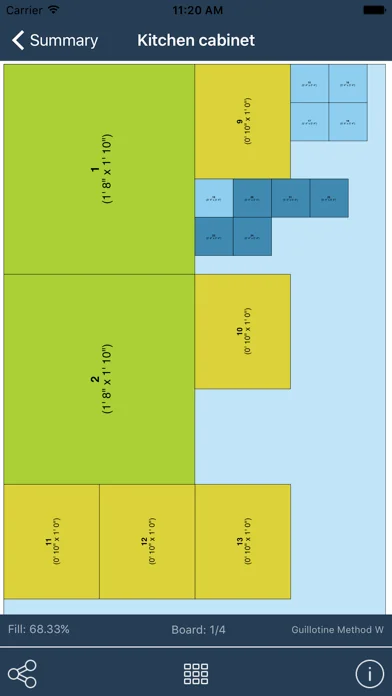
iOptiCut calculates the most efficient way to cut your boards, sheets, and panels — automatically.
Whether you're building cabinets, shelving, furniture, or framing, iOptiCut turns your parts list into a precise cutting plan in seconds. It’s used by woodworkers, cabinet makers, tile setters, metalworkers, and DIYers worldwide.
7 CUTTING ALGORITHMS — FINDS THE BEST ONE FOR YOU
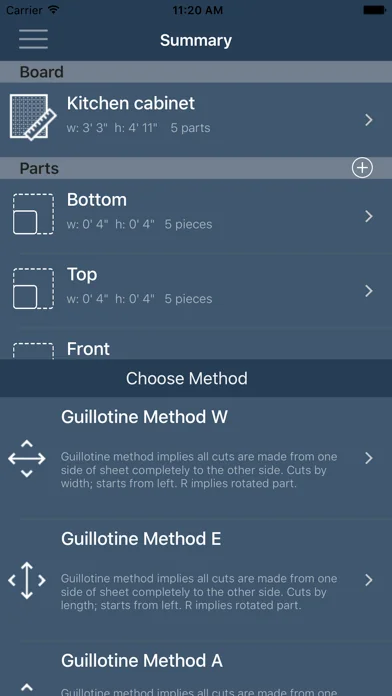
iOptiCut runs all seven optimization methods (five guillotine + two nesting) on your project and automatically ranks the results by material efficiency. One tap shows you which method wastes the least.
WORKSHOP MODE — CUT WITH CONFIDENCE
Follow your plan step by step. Each cut highlights exactly what to do next, shows dimensions clearly, and dims everything else. Tap to advance and never lose your place in the shop.
GRAIN DIRECTION & EDGE BANDING
Specify grain direction (horizontal, vertical, or custom) per part — the algorithm respects it. Add edge banding per side with visual indicators, and get a complete edge banding list in your export.
BOARD INVENTORY — REUSE YOUR OFFCUTS
Save leftover boards to your inventory. iOptiCut uses them first before allocating new material. After optimization, remaining pieces are automatically saved back. Always know what you have on hand.
PROFESSIONAL PDF EXPORT
Export a complete package: cutting diagrams, full cut lists with dimensions, material summaries, and client-ready proposals with cost breakdowns.
MATERIAL LIBRARY & COST CALCULATOR
Choose from built-in presets (plywood, MDF, hardwood, sheet metal, tile, and more) or create your own. Add material costs, edge banding costs, and markup to instantly calculate project pricing and generate client quotes.
CSV IMPORT
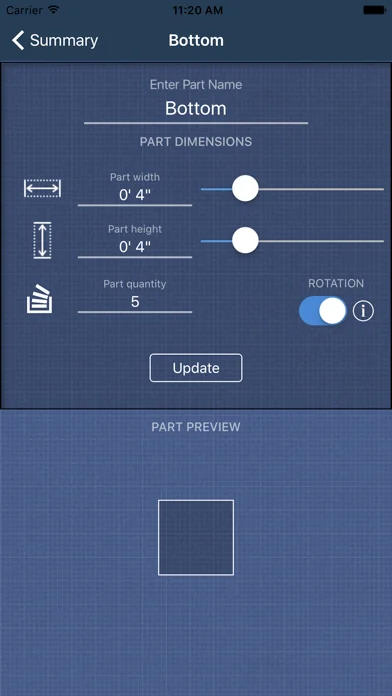
Already have your parts list in a spreadsheet? Import it via CSV. Upload a file or paste text, preview it, and get started instantly with a downloadable template.
SVG & DXF EXPORT
Export cutting layouts as SVG or DXF — clean, labeled files ready for CNC routers, laser cutters, or CAD software.
MORE FEATURES
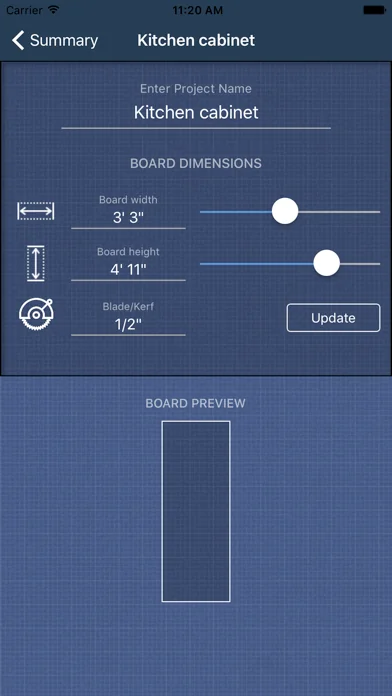
Metric and imperial units (feet, inches, fractions)
Kerf (blade width) calculation
Unplaced parts warnings
Auto-sized part labels on diagrams
Printable part label sheets
iPad-optimized layouts
Light & dark mode
5 languages: English, German, Turkish, Macedonian, Russian
WHO IT’S FOR
Woodworkers building furniture or cabinets
Carpenters planning sheet material cuts
CNC and laser cutter operators
Tile and glass cutters
Anyone who wants to reduce material waste
iOptiCut — measure twice, cut once.
iOptiCut calculates the most efficient way to cut your boards, sheets, and panels — automatically.
Whether you're building cabinets, shelving, furniture, or framing, iOptiCut turns your parts list into a precise cutting plan in seconds. It’s used by woodworkers, cabinet makers, tile setters, metalworkers, and DIYers worldwide.
7 CUTTING ALGORITHMS — FINDS THE BEST ONE FOR YOU
iOptiCut runs all seven optimization methods (five guillotine + two nesting) on your project and automatically ranks the results by material efficiency. One tap shows you which method wastes the least.
WORKSHOP MODE — CUT WITH CONFIDENCE
Follow your plan step by step. Each cut highlights exactly what to do next, shows dimensions clearly, and dims everything else. Tap to advance and never lose your place in the shop.
GRAIN DIRECTION & EDGE BANDING
Specify grain direction (horizontal, vertical, or custom) per part — the algorithm respects it. Add edge banding per side with visual indicators, and get a complete edge banding list in your export.
BOARD INVENTORY — REUSE YOUR OFFCUTS
Save leftover boards to your inventory. iOptiCut uses them first before allocating new material. After optimization, remaining pieces are automatically saved back. Always know what you have on hand.
PROFESSIONAL PDF EXPORT
Export a complete package: cutting diagrams, full cut lists with dimensions, material summaries, and client-ready proposals with cost breakdowns.
MATERIAL LIBRARY & COST CALCULATOR
Choose from built-in presets (plywood, MDF, hardwood, sheet metal, tile, and more) or create your own. Add material costs, edge banding costs, and markup to instantly calculate project pricing and generate client quotes.
CSV IMPORT
Already have your parts list in a spreadsheet? Import it via CSV. Upload a file or paste text, preview it, and get started instantly with a downloadable template.
SVG & DXF EXPORT
Export cutting layouts as SVG or DXF — clean, labeled files ready for CNC routers, laser cutters, or CAD software.
MORE FEATURES
Metric and imperial units (feet, inches, fractions)
Kerf (blade width) calculation
Unplaced parts warnings
Auto-sized part labels on diagrams
Printable part label sheets
iPad-optimized layouts
Light & dark mode
5 languages: English, German, Turkish, Macedonian, Russian
WHO IT’S FOR
Woodworkers building furniture or cabinets
Carpenters planning sheet material cuts
CNC and laser cutter operators
Tile and glass cutters
Anyone who wants to reduce material waste
iOptiCut — measure twice, cut once.
🆕 What's New · v3.3
We’ve made small improvements and fixed a few bugs to enhance your experience. Thanks for using the app!
Profile & Insights
Everything we know — and don't — about this app and its company.
Identification
- App name
- iOptiCut
- Developer
- Inellipse
- Bundle ID
- iOptiCut
- App Store URL
- Open in App Store
- Category
- Business
- Content rating
- 4+
- Languages
- EN, DE, MK, RU, TR
Company
- Website
- www.inellipse.com
- Tagline
- Digital Product Powerhouse Trusted by the Best, Driven by the Brightest
- Description
- Transform your ideas into powerful digital solutions with our expert software development services. We specialize in custom web and mobile applications, AI and ML solutions, OTT video streaming, telecommunications software, cloud computing, and SaaS platforms. Our experienced team delivers innovative, scalable, and cust-effective IT solutions tailored to your business needs.
- Founded
- Not found
- HQ / Address
- Not found
- Employees
- Not found
- Logo
- OG image
Revenue
- Verified revenue / mo
- Not found
- AI revenue estimate / mo
- Not found
- AI annual estimate
- Not found
- ML model estimate / mo
- $1.3K/mo
- Top-grossing rank
- Outside top 100 in US Business
- All-time revenue
- Not found
- Pricing
- Not found
Founder
- Name
- Not found
- X / Twitter
- Not found
- https://mk.linkedin.com/company/inellipse
- GitHub
- Not found
- X followers
- Not found
- Public statements
- Not found
Funding
- Total raised
- Not found
- Last round
- Not found
- Investors
- Not found
- Crunchbase
- Not found
- AngelList
- Not found
Press & Links
- Articles found
- Not found
- Listed on
- Not found
- Blog
- http://www.inellipse.com/blogs/index.html
- Press / News
- Not found
Contacts & Socials
- Socials
- facebook · instagram · linkedin
- hey@inellipse.com
- Phone
- +38975407507
- Contact page
- http://www.inellipse.com/contact/index.html
- About page
- http://www.inellipse.com/about-us/index.html
🌍Geographic ReachNot ranked
This app is currently outside the top 100 grossing in all 9 countries we monitor (US, UK, DE, FR, JP, CA, AU, BR, IN). Niche or new apps often launch this way — popularity rankings appear once daily revenue clears the regional threshold.
Profile is built from iTunes Lookup + developer site scrape + ML revenue model. Empty fields show "Not found" — additional sources (Crunchbase, X, IndieHackers, Acquire.com) coming.
Full revenue analysis
Read the article-style breakdown for iOptiCut: category rank, percentile, growth signal, comparable apps, and how the forecast is calibrated against verified-MRR anchors in this niche.
