58
BU Score
Solid
Air Transfer+ File Transfer from/to PC thru WiFi
✍️ bumetric analysis
“
Air Transfer+ File Transfer from/to PC thru WiFi is an iOS app from Junsik Choi in the Utilities category, currently rated 3.9★ across 51 ratings. Initial signal reads as mixed reviews: supporters praise core features while critics cite stability and value gaps.
Our BU Score puts it at 58: Solid (established niche player). For a Utilities app, that means established niche player.
Track changes month-over-month in the Performance section below: live snapshot history and revenue forecast included.
📊 Performance Tracking LIVE
Loading…
Rating
—
Reviews
—
Forecast Revenue / mo
—
Snapshots tracked
0
since first record
Range:
💰 Forecast Revenue / mo
MODELRevenue forecast computed from BU's 234 trigger model on each snapshot. Calibrated against ground-truth from 58 verified-revenue apps.
🔬Forecast Breakdown — Why This Estimate?Top 10 of 10 triggers
Our ML model uses 200+ signals from public data. These are the most influential for this app:
| Paid app ($0.00)METRIC | +$2,800 | |
| worth every pennyREVIEW | +$2,000 | |
| bugsREVIEW | −$1,800 | |
| 5 starREVIEW | +$1,800 | |
| excellent appREVIEW | +$1,500 | |
| Mature app (14y old)METRIC | +$1,500 | |
| Multilingual (12 languages)METRIC | +$1,500 | |
| highly recommendREVIEW | +$1,400 | |
| slowREVIEW | −$1,200 | |
| Pre-traction phase (51 ratings)METRIC | −$300 |
METRIC = structural app data · REVIEW = mined from user reviews · ✓ VERIFIED = Stripe-verified anchor (TrustMRR)
📈 Reviews Growth
LIVECumulative review count from first BU snapshot. Each point = a tracked update.
⭐ Rating Trend
LIVEAverage rating evolution. Updates with each new review batch.
🗓️ Snapshot Timeline
HISTORYEach bar shows a tracked update and the metric delta from the previous snapshot.
App Specs
🔐 Own this app? Claim & verify MRR →💾 19 MB🔞 17+📱 iOS 8.0+🔖 v1.4.5🔄 updated 8y ago🌐 DA, EN, FR, DE, IT +7📂 Utilities💰 Paid🚀 Launched 2012 (14y old)
📝 About this app
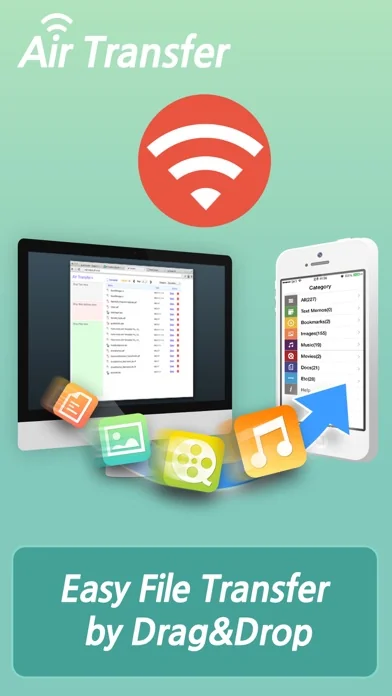
* The easiest way to transfer files between PC and iPhone/iPad !
* Just Drag & Drop your contents and Play: Text, Bookmark, Image and Photo, Music, Movie, Documents and more through wireless connection !
Air Transfer moves what you're seeing or playing on Mac/PC to your iPhone/iPad with just single drag&drop! It moves whatever you want; text memo, website address, photo, music, movie, document and so on.
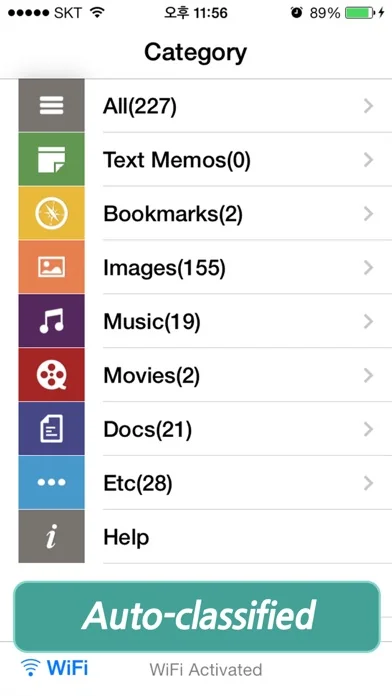
The transferred items are auto-classified into 7-categories according to their type.
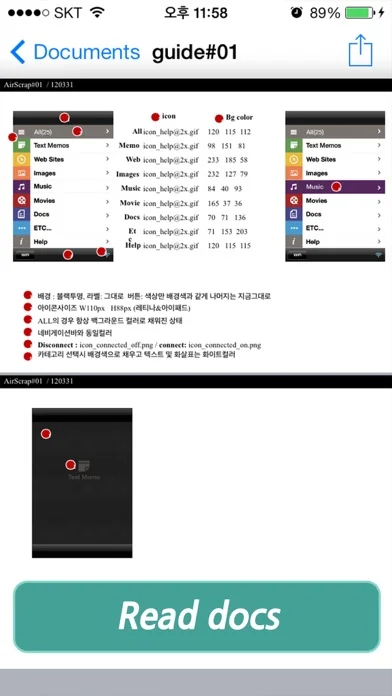
You can also see or play the items in Air Transfer right away!
Air Transfer works even in background mode, you can switch to other apps without stopping current transfer.
* Reviews
"Witness This App Pull Off Its Automatic Magic Tricks" - AppAdvice.com
* Built-in Music Player
1) Manage playlist.
2) Playback in background mode.
3) Remote control from control center.
* Classification Categories
1) Text Memo, 2) Website, 3) Images, 4) Music, 5) Movies, 6) Documents, 7) Etc...
* Photo Import/Export
Camera Roll, eMail, SMS, Instagram, Facebook, Twitter.
* Files Air Transfer can show or play
1) JPEG, PNG, GIF, ...
2) QuickTime Movie(.MOV, .MP4)
3) MP3, WAV, CAF, ...
4) PDF Docs(.pdf), Text(.txt), RTF(.rtf), MS Word(.doc, .docx), MS Excel (.xls, .xlsx), MS PowerPoint(.ppt, .pptx), Pages(.pages), Numbers(.numbers), Keynote(.keynote), HTML(.html, .htm) and more.
* Supported Web Browsers.
1) Safari
2) FireFox
3) Chrome
4) Internet Explorer (File upload is limited in IE).
* How to use
1) Make sure that the Desktop and iDevice are connected to the same local area network or the same WiFi network when using Air Transfer. Otherwise, Air Transfer cannot connect to the Desktop.
2) Click WiFi button and input the Device URL in Web Browser on your Desktop.
3) Drop contents on drop areas on the left side in Web Browser.
* Contact
If you have any questions or suggestions, please let us know !
email: master@darinsoft.com
* Just Drag & Drop your contents and Play: Text, Bookmark, Image and Photo, Music, Movie, Documents and more through wireless connection !
Air Transfer moves what you're seeing or playing on Mac/PC to your iPhone/iPad with just single drag&drop! It moves whatever you want; text memo, website address, photo, music, movie, document and so on.
The transferred items are auto-classified into 7-categories according to their type.
You can also see or play the items in Air Transfer right away!
Air Transfer works even in background mode, you can switch to other apps without stopping current transfer.
* Reviews
"Witness This App Pull Off Its Automatic Magic Tricks" - AppAdvice.com
* Built-in Music Player
1) Manage playlist.
2) Playback in background mode.
3) Remote control from control center.
* Classification Categories
1) Text Memo, 2) Website, 3) Images, 4) Music, 5) Movies, 6) Documents, 7) Etc...
* Photo Import/Export
Camera Roll, eMail, SMS, Instagram, Facebook, Twitter.
* Files Air Transfer can show or play
1) JPEG, PNG, GIF, ...
2) QuickTime Movie(.MOV, .MP4)
3) MP3, WAV, CAF, ...
4) PDF Docs(.pdf), Text(.txt), RTF(.rtf), MS Word(.doc, .docx), MS Excel (.xls, .xlsx), MS PowerPoint(.ppt, .pptx), Pages(.pages), Numbers(.numbers), Keynote(.keynote), HTML(.html, .htm) and more.
* Supported Web Browsers.
1) Safari
2) FireFox
3) Chrome
4) Internet Explorer (File upload is limited in IE).
* How to use
1) Make sure that the Desktop and iDevice are connected to the same local area network or the same WiFi network when using Air Transfer. Otherwise, Air Transfer cannot connect to the Desktop.
2) Click WiFi button and input the Device URL in Web Browser on your Desktop.
3) Drop contents on drop areas on the left side in Web Browser.
* Contact
If you have any questions or suggestions, please let us know !
email: master@darinsoft.com
🆕 What's New · v1.4.5
This update from Apple will improve the functionality of this app. No new features are included.
* Fixed minor bugs based on user feedbacks.
Profile & Insights
Everything we know — and don't — about this app and its company.
Identification
- App name
- Air Transfer+ File Transfer from/to PC thru WiFi
- Developer
- Junsik Choi
- Bundle ID
- com.darinsoft.airscrappro
- App Store URL
- Open in App Store
- Category
- Utilities
- Content rating
- 17+
- Languages
- DA, EN, FR, DE, IT, JA, KO, PT, RU, ZH, ES, ZH
Company
- Website
- www.facebook.com
- Tagline
- Not found
- Description
- Not found
- Founded
- Not found
- HQ / Address
- Not found
- Employees
- Not found
- Logo
- Not found
Revenue
- Verified revenue / mo
- Not found
- AI revenue estimate / mo
- Not found
- AI annual estimate
- Not found
- ML model estimate / mo
- $21.3K/mo
- Top-grossing rank
- Outside top 100 in US Utilities
- All-time revenue
- Not found
- Pricing
- Not found
Founder
- Name
- Not found
- X / Twitter
- Not found
- Not found
- GitHub
- Not found
- X followers
- Not found
- Public statements
- Not found
Funding
- Total raised
- Not found
- Last round
- Not found
- Investors
- Not found
- Crunchbase
- Not found
- AngelList
- Not found
Press & Links
- Articles found
- Not found
- Listed on
- Not found
- Blog
- Not found
- Press / News
- Not found
Contacts & Socials
- Socials
- Not found
- Not found
- Phone
- Not found
- Contact page
- Not found
- About page
- Not found
⭐Recent App Store Reviews49 latest · avg 3.61★ · 44.9% 5★ · 22.4% 1★
5★22 (45%)
4★10 (20%)
3★4 (8%)
2★2 (4%)
1★11 (22%)
+0 ratings/week
Praise: love ×7 great ×6 awesome ×4 best ×2 amazing ×2Complaints: crash ×4 refund ×3 bug ×2 hate ×2
Top positive
★★★★★ Love it!!
Started with free version and ended up getting the paid version. Love it! Awesome!…
★★★★★ Pure Magic!
Transferring PDF files doesn't get any easier. I always used to send my PDFs by email to my iPad. Then open them in my mail. A little awkward and time consuming.
Then I found this app. I simply dragged my PDF file into the apps addre…
Top negative
★☆☆☆☆ Crashes all the time.
It keeps crashing. Can’t even restart. Have to delete the app and reload the app every 5 minutes. I can’t imagine the pro version is so bad. Need a refund.…
★☆☆☆☆ Doesn’t work well!
It seems like it was working for small files, but for large it seems like it was trying to zip the file and quickly downloaded it but it’s just a tiny zip with error that can’t open. Doesn’t really zip anything. Same with multiple files. If…
📈Ratings growth51 ratings+-70% lifetimeShow 3-year history estimate ▾
Tracked (60 weeks) Pre-tracking estimate (37 weeks) · model-based, ±5% noise · anchored to release date and current value
🌍Geographic ReachNot ranked
This app is currently outside the top 100 grossing in all 9 countries we monitor (US, UK, DE, FR, JP, CA, AU, BR, IN). Niche or new apps often launch this way — popularity rankings appear once daily revenue clears the regional threshold.
Profile is built from iTunes Lookup + developer site scrape + ML revenue model. Empty fields show "Not found" — additional sources (Crunchbase, X, IndieHackers, Acquire.com) coming.
Full revenue analysis
Read the article-style breakdown for Air Transfer+ File Transfer from/to PC thru WiFi: category rank, percentile, growth signal, comparable apps, and how the forecast is calibrated against verified-MRR anchors in this niche.