67
BU Score
Solid
Texifier : LaTeX editor
✍️ BU Analytics Review
“
Texifier : LaTeX editor is an iOS app from Valletta Ventures (UK) Ltd in the Productivity category, currently rated 4.3★ across 688 ratings. Initial signal reads as mixed reviews — supporters praise core features while critics cite stability/value gaps.
Our BU Score puts it at 67 — Solid (established niche player). For a Productivity app, that means established niche player.
Track changes month-over-month in the Performance section below — live snapshot history and revenue forecast included.
creator
📊 Performance Tracking LIVE
Loading…
Rating
—
Reviews
—
Forecast Revenue / mo
—
Snapshots tracked
0
since first record
Range:
💰 Forecast Revenue / mo
MODELRevenue forecast computed from BU's 234 trigger model on each snapshot. Calibrated against ground-truth from 58 verified-revenue apps.
🔬Forecast Breakdown — Why This Estimate?Top 10 of 10 triggers
Our ML model uses 200+ signals from public data. These are the most influential for this app:
| Paid app ($0.00)METRIC | +$2,800 | |
| bugsREVIEW | −$1,800 | |
| 5 starREVIEW | +$1,800 | |
| excellent appREVIEW | +$1,500 | |
| Mature app (13y old)METRIC | +$1,500 | |
| highly recommendREVIEW | +$1,400 | |
| slowREVIEW | −$1,200 | |
| Good rating (4.3★)METRIC | +$800 | |
| Localized (8 languages)METRIC | +$600 | |
| Early-stage install base (688 ratings)METRIC | +$400 |
METRIC = structural app data · REVIEW = mined from user reviews · ✓ VERIFIED = Stripe-verified anchor (TrustMRR)
📈 Reviews Growth
LIVECumulative review count from first BU snapshot. Each point = a tracked update.
💚Sentiment Over Time↑ green = positive · ↓ red = negative
Aug 24
Nov 24
Jan 25
May 25
Jul 25
Aug 25
Feb 26
⭐ Rating Trend
LIVEAverage rating evolution. Updates with each new review batch.
🗓️ Snapshot Timeline
HISTORYEach bar shows a tracked update and the metric delta from the previous snapshot.
App Specs
🔐 Own this app? Claim & verify MRR →💾 61 MB🔞 4+📱 iOS 17.0+🔖 v1.9.33🔄 updated 3mo ago🌐 CA, EN, DE, IT, JA +3📂 Productivity💰 Paid🚀 Launched 2012 (13y old)
📝 About this app
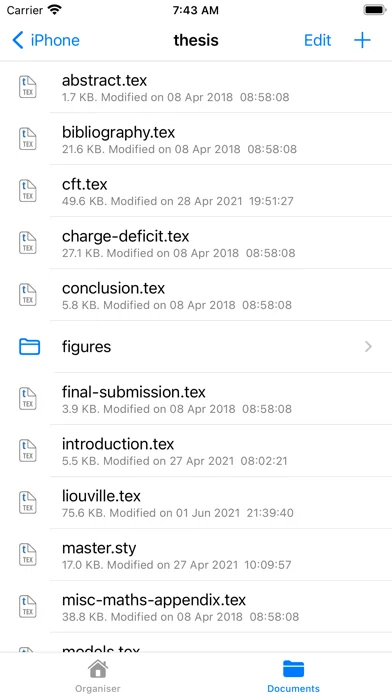
Edit and typeset LaTeX, Plain TeX and Markdown on your iPad or iPhone, no internet connection required, using Texifier, formerly known as Texpad.
Texifier is a LaTeX editor designed for straightforward navigation, editing and typesetting of projects of any size. Open a LaTeX root file, and Texifier will scan it, open any referenced files, extract the document structure for display in the outline view, and configure the typesetter according to the packages and tools used by your document.
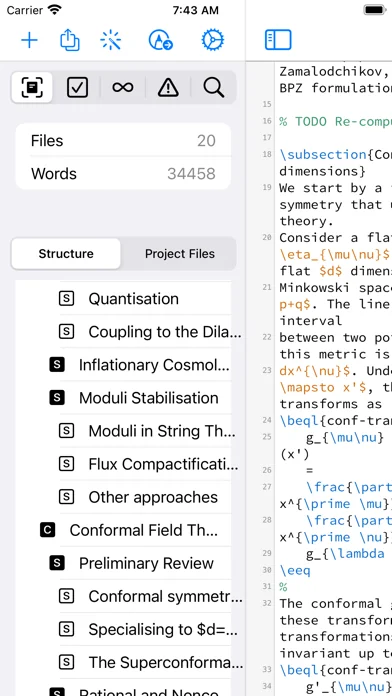
Texifier's editor comes with a choice of themes, syntax highlighting, autocomplete of commands, including those defined in your document, and autofill for \cite commands, \ref commands and others. The powerful sidebar can show you a summary of your document structure allowing you to navigate through large multi-file projects with ease. Additionally Texifier's outline lists all labels, figures, tables, todos and it contains a powerful search function that can search and replace across your entire project using either normal text searches or regular expression searches.
TexpadTeX - Texifier's internal, no internet connection required, typesetter comes with PGF drivers, Native Fonts extensions, a Unicode and more, allow it to support almost any LaTeX package available. TexpadTeX also integrates a BibteX tool and a Makeindex compatible indexer for documents that require those tools. The integrated bundle manager takes care of downloading, installing and updating LaTeX packages for you, giving you access to almost the entire LaTeX ecosystem without using any more space on your device than needed.
TexpadTeX can run in Live mode, updating the output as you type, so you never need wait for a typeset to finish again.
For the rare cases of documents that are not compatible with TexpadTeX, you can use our free cloud typesetters. This is fully integrated into Texifier so press typeset, and Texifier will run the typeset in the Cloud, presenting the results just as if they were typeset on your device.
After all typesets, any errors in your document are organised in a table of issues. Tap on an issue to jump directly to the offending line of LaTeX source, or the line in the original log if you wish to read the original output.
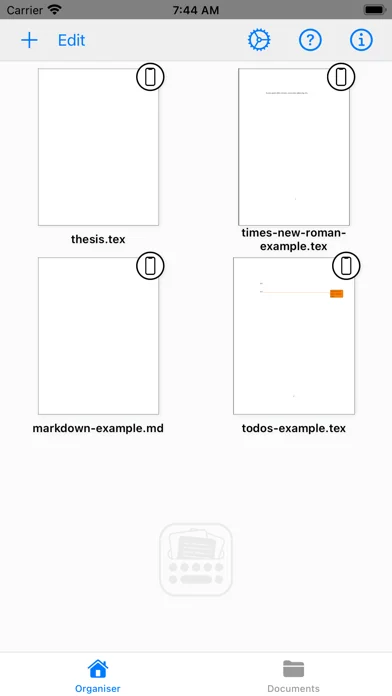
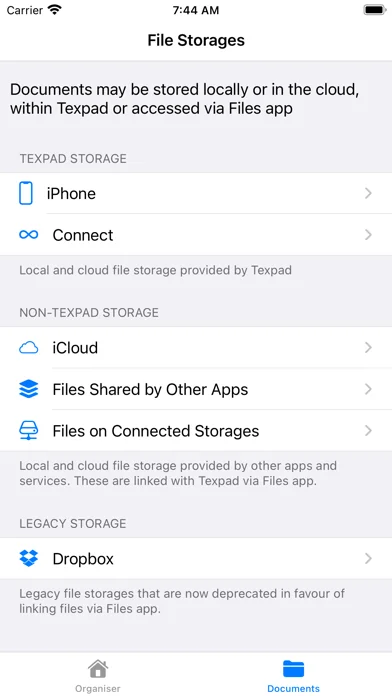
Texifier works well with Files App, allowing you to store and work on your documents wherever you wish. On top of that Texifier Connect is directly integrated into Texifier for working across devices and collaborators.
Texifier supports Markdown along with LaTeX. Edit your document in Texifier's syntax highlighting editor, browse the document by outline, then when you press Typeset, the document will be transparently converted and typeset by LaTeX (using a standard template), giving you the informal ease of Markdown with LaTeX's ability to create beautiful and high quality PDFs. Likewise Plain TeX users can edit and typeset their documents in Texifier.
Features:
- Universal binary for iPhone and iPad, optimised for the latest generation of devices.
- Typeset LaTeX to PDF on your iPad and iPhone without need for an internet connection
- Support for LaTeX, Plain Tex and Markdown
- Navigate easily through even the largest projects using the Outline view
- Search all files by string or regex with the global search view
- Browse the typeset errors and warnings either as a raw log, or with the errors and warnings table view.
- Texifier's editor autocompletes commands, and autofills commands such as \ref{...} or \cite{...}
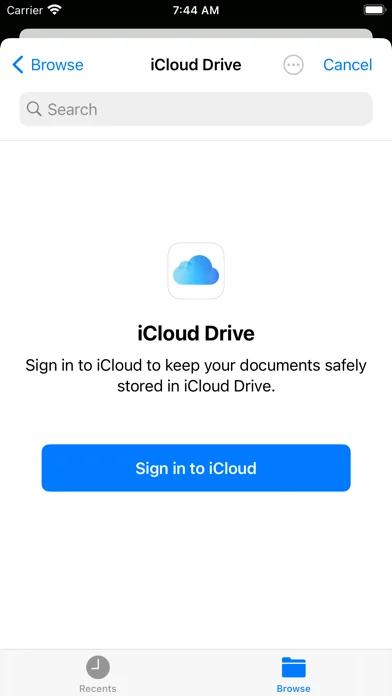
- Use iOS Files app to edit documents in any storage that supports file or folder access
- Instant Live typeset using Texifier's built in TexpadTeX typesetter
- The onboard typesetter supports virtually any LaTeX package or font, including, but not limited to: Beamer, Tikz, Fontspec, Koma Script, e-TeX, graphicx, pgfplots, AMS, RevTeX, Babel, Bibtex and Indices.
- Free typesetting through our secure cloud servers gives you access to all packages in the latest TeXLive distribution.
Texifier is a LaTeX editor designed for straightforward navigation, editing and typesetting of projects of any size. Open a LaTeX root file, and Texifier will scan it, open any referenced files, extract the document structure for display in the outline view, and configure the typesetter according to the packages and tools used by your document.
Texifier's editor comes with a choice of themes, syntax highlighting, autocomplete of commands, including those defined in your document, and autofill for \cite commands, \ref commands and others. The powerful sidebar can show you a summary of your document structure allowing you to navigate through large multi-file projects with ease. Additionally Texifier's outline lists all labels, figures, tables, todos and it contains a powerful search function that can search and replace across your entire project using either normal text searches or regular expression searches.
TexpadTeX - Texifier's internal, no internet connection required, typesetter comes with PGF drivers, Native Fonts extensions, a Unicode and more, allow it to support almost any LaTeX package available. TexpadTeX also integrates a BibteX tool and a Makeindex compatible indexer for documents that require those tools. The integrated bundle manager takes care of downloading, installing and updating LaTeX packages for you, giving you access to almost the entire LaTeX ecosystem without using any more space on your device than needed.
TexpadTeX can run in Live mode, updating the output as you type, so you never need wait for a typeset to finish again.
For the rare cases of documents that are not compatible with TexpadTeX, you can use our free cloud typesetters. This is fully integrated into Texifier so press typeset, and Texifier will run the typeset in the Cloud, presenting the results just as if they were typeset on your device.
After all typesets, any errors in your document are organised in a table of issues. Tap on an issue to jump directly to the offending line of LaTeX source, or the line in the original log if you wish to read the original output.
Texifier works well with Files App, allowing you to store and work on your documents wherever you wish. On top of that Texifier Connect is directly integrated into Texifier for working across devices and collaborators.
Texifier supports Markdown along with LaTeX. Edit your document in Texifier's syntax highlighting editor, browse the document by outline, then when you press Typeset, the document will be transparently converted and typeset by LaTeX (using a standard template), giving you the informal ease of Markdown with LaTeX's ability to create beautiful and high quality PDFs. Likewise Plain TeX users can edit and typeset their documents in Texifier.
Features:
- Universal binary for iPhone and iPad, optimised for the latest generation of devices.
- Typeset LaTeX to PDF on your iPad and iPhone without need for an internet connection
- Support for LaTeX, Plain Tex and Markdown
- Navigate easily through even the largest projects using the Outline view
- Search all files by string or regex with the global search view
- Browse the typeset errors and warnings either as a raw log, or with the errors and warnings table view.
- Texifier's editor autocompletes commands, and autofills commands such as \ref{...} or \cite{...}
- Use iOS Files app to edit documents in any storage that supports file or folder access
- Instant Live typeset using Texifier's built in TexpadTeX typesetter
- The onboard typesetter supports virtually any LaTeX package or font, including, but not limited to: Beamer, Tikz, Fontspec, Koma Script, e-TeX, graphicx, pgfplots, AMS, RevTeX, Babel, Bibtex and Indices.
- Free typesetting through our secure cloud servers gives you access to all packages in the latest TeXLive distribution.
🆕 What's New · v1.9.33
- Misc. stability improvements and bug fixes
- Minor iOS 26 issues addressed
- Menu display issue fixed
- Minor iOS 26 issues addressed
- Menu display issue fixed
Profile & Insights
Everything we know — and don't — about this app and its company.
Identification
- App name
- Texifier : LaTeX editor
- Developer
- Valletta Ventures (UK) Ltd
- Bundle ID
- com.vallettaventures.texpadm
- App Store URL
- Open in App Store
- Category
- Productivity
- Content rating
- 4+
- Languages
- CA, EN, DE, IT, JA, PT, RU, ZH
Company
- Website
- texifier.com
- Tagline
- Texifier
- Description
- LaTeX editor for macOS, iOS and Windows with syntax highlighting, multi-file support and integrated PDF (formerly called Texpad)
- Founded
- Not found
- HQ / Address
- Not found
- Employees
- Not found
- Logo
- OG image
Revenue
- Verified revenue / mo
- Not found
- AI revenue estimate / mo
- Not found
- AI annual estimate
- Not found
- ML model estimate / mo
- $10.0K/mo
- Top-grossing rank
- Outside top 100 in US Productivity
- All-time revenue
- Not found
- Pricing
- Not found
Founder
- Name
- Not found
- X / Twitter
- https://twitter.com/texifier
- Not found
- GitHub
- Not found
- X followers
- Not found
- Public statements
- Not found
Funding
- Total raised
- Not found
- Last round
- Not found
- Investors
- Not found
- Crunchbase
- Not found
- AngelList
- Not found
Press & Links
- Articles found
- Not found
- Listed on
- Not found
- Blog
- https://texifier.com/news
- Press / News
- Not found
Contacts & Socials
- Socials
- mailto:
- Phone
- Not found
- Contact page
- https://texifier.com/support
- About page
- https://texifier.com/aboutus
⭐Recent App Store Reviews49 latest · avg 2.71★ · 24.5% 5★ · 38.8% 1★
5★12 (24%)
4★6 (12%)
3★6 (12%)
2★6 (12%)
1★19 (39%)
+68 ratings/week
Praise: great ×9 love ×6 best ×5 excellent ×2 favorite ×1Complaints: crash ×7 bug ×3 broken ×1 hate ×1 expensive ×1
Top positive
★★★★★ I CAN FINALLY TEX ON MY IPAD WITH FULL SUPPORT
It’s been a little bit since I wrote my last review- but my opinion has finally changed and it is my new go-to editor.
Upgrading to the new ipad pro, using the magic keyboard, and waiting around for many improvements to TeXpad to be made …
★★★★★ I would buy this twice...
I am very impressed with this application. The interface and functionality are very good. I use it almost daily for a wide range of documents and it’s been fantastic.…
Top negative
★☆☆☆☆ Not support Chinese
When I use “\usepackage{ctex}” it will report an error: “engine not supported”. The app claim that it support Chinese, but it does not support indeed. Cunning developer!…
★☆☆☆☆ Doesn’t display the pdf output
It compiles and show the pdf on the side but doesn’t generate it automatically and the option to export the file doesn’t work for the pdf! I searched much and there is no help to find out how to solve this issue!…
📈Ratings growth688 ratings+391% lifetimeShow 3-year history estimate ▾
Tracked (59 weeks) Pre-tracking estimate (36 weeks) · model-based, ±5% noise · anchored to release date and current value
🌍Geographic ReachNot ranked
This app is currently outside the top 100 grossing in all 9 countries we monitor (US, UK, DE, FR, JP, CA, AU, BR, IN). Niche or new apps often launch this way — popularity rankings appear once daily revenue clears the regional threshold.
Profile is built from iTunes Lookup + developer site scrape + ML revenue model. Empty fields show "Not found" — additional sources (Crunchbase, X, IndieHackers, Acquire.com) coming.
More Productivity
Microsoft Outlook
★ 4.8 · 8,891,395 reviews
Google Drive – online backup
★ 4.8 · 7,526,498 reviews
ChatGPT
★ 4.8 · 7,136,919 reviews
Yahoo Mail – Alles im Blick
★ 4.7 · 4,623,459 reviews
HP
★ 4.6 · 4,011,497 reviews
Google Docs
★ 4.8 · 3,078,214 reviews
Microsoft Word
★ 4.7 · 2,843,856 reviews
Gmail – E-Mail von Google
★ 4.7 · 2,406,337 reviews
Browse BU Analytics
📚 All 55,000+ Books
🜍 Alchemy & Hermeticism
🔮 Magic & Ritual
🌙 Witchcraft & Paganism
⭐ Astrology & Cosmology
🃏 Divination & Tarot
📜 Productivity
✡️ Kabbalah & Jewish Mysticism
🕉️ Mysticism & Contemplation
🕊️ Theosophy & Anthroposophy
🏛️ Freemasonry & Secret Societies
👻 Spiritualism & Afterlife
📖 Sacred Texts & Gnosticism
👁️ Supernatural & Occult Fiction
🧘 Spiritual Development
📚 Esoteric History & Biography
Info
About BU Analytics