53
BU Score
Solid
Office Suite-Word, Sheets, PPT
✍️ BU Analytics Review
“
Office Suite-Word, Sheets, PPT is an iOS app from Rhophi Analytics LLP in the Productivity category, currently rated 4.0★ across 330 ratings. Initial signal reads as mixed reviews — supporters praise core features while critics cite stability/value gaps.
Our BU Score puts it at 53 — Solid (established niche player). For a Productivity app, that means established niche player.
Track changes month-over-month in the Performance section below — live snapshot history and revenue forecast included.
creator
📊 Performance Tracking LIVE
Loading…
Rating
—
Reviews
—
Forecast Revenue / mo
—
Snapshots tracked
0
since first record
Range:
💰 Forecast Revenue / mo
MODELRevenue forecast computed from BU's 234 trigger model on each snapshot. Calibrated against ground-truth from 58 verified-revenue apps.
🔬Forecast Breakdown — Why This Estimate?Top 5 of 5 triggers
Our ML model uses 200+ signals from public data. These are the most influential for this app:
| Multilingual (19 languages)METRIC | +$1,500 | |
| Good rating (4.0★)METRIC | +$800 | |
| Established app (3y old)METRIC | +$800 | |
| Ad-supported / freemiumMETRIC | +$600 | |
| Early-stage install base (330 ratings)METRIC | +$400 |
METRIC = structural app data · REVIEW = mined from user reviews · ✓ VERIFIED = Stripe-verified anchor (TrustMRR)
📈 Reviews Growth
LIVECumulative review count from first BU snapshot. Each point = a tracked update.
💚Sentiment Over Time↑ green = positive · ↓ red = negative
Jul 24
Aug 24
Sep 24
Oct 24
Dec 24
Feb 25
Mar 25
Apr 25
May 25
Aug 25
Oct 25
⭐ Rating Trend
LIVEAverage rating evolution. Updates with each new review batch.
🗓️ Snapshot Timeline
HISTORYEach bar shows a tracked update and the metric delta from the previous snapshot.
App Specs
🔐 Own this app? Claim & verify MRR →💾 168 MB🔞 4+📱 iOS 15.0+🔖 v1.0.25🔄 updated 1d ago🌐 AR, NL, EN, FR, DE +14📂 Productivity💰 Paid🚀 Launched 2023 (3y old)
📝 About this app
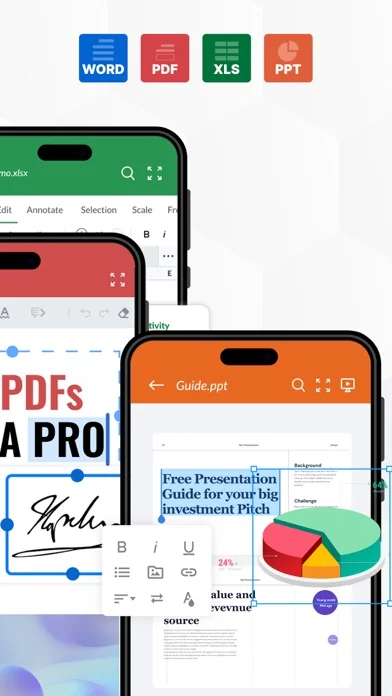
Office Suite-Word, PDF, Sheets, PPT is a 360° comprehensive productivity app for iPhone and Ipad that combines the essential tools of document creation and editing into one powerful application.
With a user-friendly interface, robust features, and seamless synchronization across all devices, Office Suite-Word, Sheets, PPT & PDF is the ultimate productivity solution for users on-the-go.
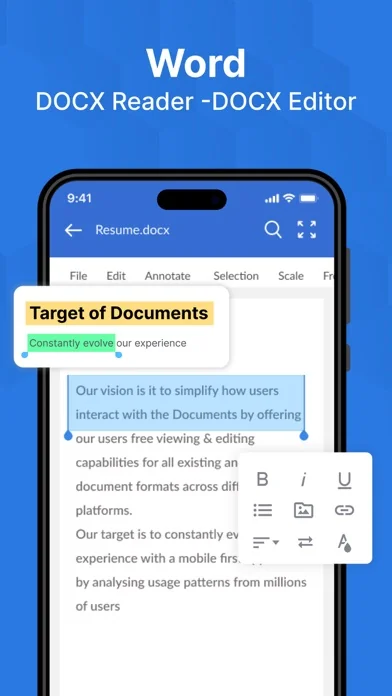
Here are some of the key features of the app:
1. All-in-One Office Suite: With Office Suite-Word, Sheets, PPT & PDF, you have access to all the essential tools you need for creating and editing documents, spreadsheets, and presentations. Whether you're on the go or working from home, our app has you covered with all the features you need to create, edit, and share your work.
2. Word Editing: The word processor in Office Suite-Word, Sheets, PPT offers a comprehensive range of features to create and edit documents. It includes all the standard tools, such as formatting options, spell-check, word count, and more. You can also insert images, tables, charts, and graphs into your documents with ease.
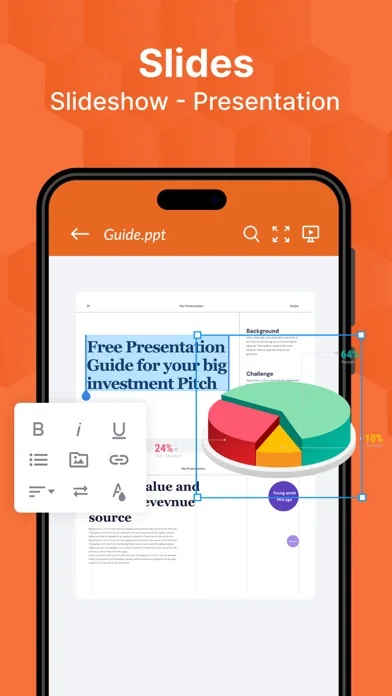
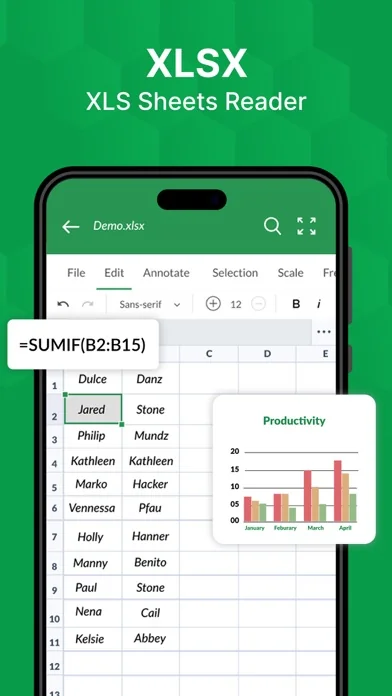
3. Spreadsheet XLS Editor: Our spreadsheet editor is equipped with all the essential features for creating and editing spreadsheets. You can input data, create formulas, and format cells with ease. You can also create graphs and charts to visualize your data and make it more presentable.
4. Presentation Builder or PPT Maker: The presentation builder in Office Suite-Word, Sheets, PPT lets you create stunning presentations with ease. You can add images, videos, and animations to your slides to make your presentation more engaging. You can also add speaker notes and rehearse timings to ensure that your presentation runs smoothly.
5. PDF Converter: The PDF converter in Office Suite-Word, Sheets, PPT lets you convert your documents, spreadsheets, and presentations into PDF format. This is especially useful when sharing your work with others or when you need to ensure that the formatting remains consistent across different devices.
6. Document Scanner: The document scanner in Office Suite-Word, Sheets, PPT lets you scan documents using your iPhone or iPad camera. You can then save the scanned document as a PDF or image file, making it easy to share or store for later use.
7. User-Friendly Interface: The user-friendly interface in Office Suite-Word, Sheets, PPT makes it easy for users of all levels to create and edit documents, spreadsheets, and presentations. The interface is intuitive and simple, and the tools are easy to access and use.
In summary, Office Suite-Word, Sheets, PPT is a comprehensive productivity app that offers a wide range of features to create and edit documents, spreadsheets, and presentations. It's the ultimate productivity
Subscription will be charged to your credit card through your App Store account. Your subscription will automatically renew unless canceled at least 24 hours before the end of the current period. Manage your subscription in the Account Settings on the App Store after purchase.
Terms of use - https://blog.a1apps.co/terms-of-use-office-suite-word-sheets-ppt/
Privacy Policy - https://blog.a1apps.co/privacy-policy-a1office-suite-word-sheets-ppt/
Any feedback is welcomed at connect@a1office.co
With a user-friendly interface, robust features, and seamless synchronization across all devices, Office Suite-Word, Sheets, PPT & PDF is the ultimate productivity solution for users on-the-go.
Here are some of the key features of the app:
1. All-in-One Office Suite: With Office Suite-Word, Sheets, PPT & PDF, you have access to all the essential tools you need for creating and editing documents, spreadsheets, and presentations. Whether you're on the go or working from home, our app has you covered with all the features you need to create, edit, and share your work.
2. Word Editing: The word processor in Office Suite-Word, Sheets, PPT offers a comprehensive range of features to create and edit documents. It includes all the standard tools, such as formatting options, spell-check, word count, and more. You can also insert images, tables, charts, and graphs into your documents with ease.
3. Spreadsheet XLS Editor: Our spreadsheet editor is equipped with all the essential features for creating and editing spreadsheets. You can input data, create formulas, and format cells with ease. You can also create graphs and charts to visualize your data and make it more presentable.
4. Presentation Builder or PPT Maker: The presentation builder in Office Suite-Word, Sheets, PPT lets you create stunning presentations with ease. You can add images, videos, and animations to your slides to make your presentation more engaging. You can also add speaker notes and rehearse timings to ensure that your presentation runs smoothly.
5. PDF Converter: The PDF converter in Office Suite-Word, Sheets, PPT lets you convert your documents, spreadsheets, and presentations into PDF format. This is especially useful when sharing your work with others or when you need to ensure that the formatting remains consistent across different devices.
6. Document Scanner: The document scanner in Office Suite-Word, Sheets, PPT lets you scan documents using your iPhone or iPad camera. You can then save the scanned document as a PDF or image file, making it easy to share or store for later use.
7. User-Friendly Interface: The user-friendly interface in Office Suite-Word, Sheets, PPT makes it easy for users of all levels to create and edit documents, spreadsheets, and presentations. The interface is intuitive and simple, and the tools are easy to access and use.
In summary, Office Suite-Word, Sheets, PPT is a comprehensive productivity app that offers a wide range of features to create and edit documents, spreadsheets, and presentations. It's the ultimate productivity
Subscription will be charged to your credit card through your App Store account. Your subscription will automatically renew unless canceled at least 24 hours before the end of the current period. Manage your subscription in the Account Settings on the App Store after purchase.
Terms of use - https://blog.a1apps.co/terms-of-use-office-suite-word-sheets-ppt/
Privacy Policy - https://blog.a1apps.co/privacy-policy-a1office-suite-word-sheets-ppt/
Any feedback is welcomed at connect@a1office.co
🆕 What's New · v1.0.25
Office Suite-Word, PDF, Sheets, PPT is a 360° comprehensive productivity app for iPhone and Ipad that combines the essential tools of document creation and editing into one powerful application.
With a user-friendly interface, robust features, and seamless synchronization across all devices, Office Suite-Word, Sheets, PPT & PDF is the ultimate productivity solution for users on-the-go.
Here are some of the key features of the app:
1. All-in-One Office Suite: With Office Suite-Word, Sheets, PPT & PDF, you have access to all the essential tools you need for creating and editing documents, spreadsheets, and presentations. Whether you're on the go or working from home, our app has you covered with all the features you need to create, edit, and share your work.
2. Word Editing: The word processor in Office Suite-Word, Sheets, PPT offers a comprehensive range of features to create and edit documents. It includes all the standard tools, such as formatting options, spell-check, word count, and more. You can also insert images, tables, charts, and graphs into your documents with ease.
3. Spreadsheet XLS Editor: Our spreadsheet editor is equipped with all the essential features for creating and editing spreadsheets. You can input data, create formulas, and format cells with ease. You can also create graphs and charts to visualize your data and make it more presentable.
4. Presentation Builder or PPT Maker: The presentation builder in Office Suite-Word, Sheets, PPT lets you create stunning presentations with ease. You can add images, videos, and animations to your slides to make your presentation more engaging. You can also add speaker notes and rehearse timings to ensure that your presentation runs smoothly.
5. PDF Converter: The PDF converter in Office Suite-Word, Sheets, PPT lets you convert your documents, spreadsheets, and presentations into PDF format. This is especially useful when sharing your work with others or when you need to ensure that the formatting remains consistent across different devices.
6. Document Scanner: The document scanner in Office Suite-Word, Sheets, PPT lets you scan documents using your iPhone or iPad camera. You can then save the scanned document as a PDF or image file, making it easy to share or store for later use.
7. User-Friendly Interface: The user-friendly interface in Office Suite-Word, Sheets, PPT makes it easy for users of all levels to create and edit documents, spreadsheets, and presentations. The interface is intuitive and simple, and the tools are easy to access and use.
In summary, Office Suite-Word, Sheets, PPT is a comprehensive productivity app that offers a wide range of features to create and edit documents, spreadsheets, and presentations. It's the ultimate productivity
Subscription will be charged to your credit card through your App Store account. Your subscription will automatically renew unless canceled at least 24 hours before the end of the current period. Manage your subscription in the Account Settings on the App Store after purchase.
Terms of use - https://blog.a1apps.co/terms-of-use-office-suite-word-sheets-ppt/
Privacy Policy - https://blog.a1apps.co/privacy-policy-a1office-suite-word-sheets-ppt/
Any feedback is welcomed at connect@a1office.co
With a user-friendly interface, robust features, and seamless synchronization across all devices, Office Suite-Word, Sheets, PPT & PDF is the ultimate productivity solution for users on-the-go.
Here are some of the key features of the app:
1. All-in-One Office Suite: With Office Suite-Word, Sheets, PPT & PDF, you have access to all the essential tools you need for creating and editing documents, spreadsheets, and presentations. Whether you're on the go or working from home, our app has you covered with all the features you need to create, edit, and share your work.
2. Word Editing: The word processor in Office Suite-Word, Sheets, PPT offers a comprehensive range of features to create and edit documents. It includes all the standard tools, such as formatting options, spell-check, word count, and more. You can also insert images, tables, charts, and graphs into your documents with ease.
3. Spreadsheet XLS Editor: Our spreadsheet editor is equipped with all the essential features for creating and editing spreadsheets. You can input data, create formulas, and format cells with ease. You can also create graphs and charts to visualize your data and make it more presentable.
4. Presentation Builder or PPT Maker: The presentation builder in Office Suite-Word, Sheets, PPT lets you create stunning presentations with ease. You can add images, videos, and animations to your slides to make your presentation more engaging. You can also add speaker notes and rehearse timings to ensure that your presentation runs smoothly.
5. PDF Converter: The PDF converter in Office Suite-Word, Sheets, PPT lets you convert your documents, spreadsheets, and presentations into PDF format. This is especially useful when sharing your work with others or when you need to ensure that the formatting remains consistent across different devices.
6. Document Scanner: The document scanner in Office Suite-Word, Sheets, PPT lets you scan documents using your iPhone or iPad camera. You can then save the scanned document as a PDF or image file, making it easy to share or store for later use.
7. User-Friendly Interface: The user-friendly interface in Office Suite-Word, Sheets, PPT makes it easy for users of all levels to create and edit documents, spreadsheets, and presentations. The interface is intuitive and simple, and the tools are easy to access and use.
In summary, Office Suite-Word, Sheets, PPT is a comprehensive productivity app that offers a wide range of features to create and edit documents, spreadsheets, and presentations. It's the ultimate productivity
Subscription will be charged to your credit card through your App Store account. Your subscription will automatically renew unless canceled at least 24 hours before the end of the current period. Manage your subscription in the Account Settings on the App Store after purchase.
Terms of use - https://blog.a1apps.co/terms-of-use-office-suite-word-sheets-ppt/
Privacy Policy - https://blog.a1apps.co/privacy-policy-a1office-suite-word-sheets-ppt/
Any feedback is welcomed at connect@a1office.co
Profile & Insights
Everything we know — and don't — about this app and its company.
Identification
- App name
- Office Suite-Word, Sheets, PPT
- Developer
- Rhophi Analytics LLP
- Bundle ID
- com.a1office.docx.xls.ppt
- App Store URL
- Open in App Store
- Category
- Productivity
- Content rating
- 4+
- Languages
- AR, NL, EN, FR, DE, HE, ID, IT, JA, KO, PL, PT, RU, ZH, ES, TH, ZH, TR, VI
Company
- Website
- a1office.co
- Tagline
- Not found
- Description
- Not found
- Founded
- Not found
- HQ / Address
- Not found
- Employees
- Not found
- Logo
- Not found
Revenue
- Verified revenue / mo
- Not found
- AI revenue estimate / mo
- Not found
- AI annual estimate
- Not found
- ML model estimate / mo
- $86/mo
- Top-grossing rank
- Outside top 100 in US Productivity
- All-time revenue
- Not found
- Pricing
- Not found
Founder
- Name
- Not found
- X / Twitter
- Not found
- Not found
- GitHub
- Not found
- X followers
- Not found
- Public statements
- Not found
Funding
- Total raised
- Not found
- Last round
- Not found
- Investors
- Not found
- Crunchbase
- Not found
- AngelList
- Not found
Press & Links
- Articles found
- Not found
- Listed on
- Not found
- Blog
- Not found
- Press / News
- Not found
Contacts & Socials
- Socials
- Not found
- Not found
- Phone
- Not found
- Contact page
- Not found
- About page
- Not found
📈Ratings growth330 ratings+686% lifetimeShow 3-year history estimate ▾
Tracked (15 weeks) Pre-tracking estimate (37 weeks) · model-based, ±5% noise · anchored to release date and current value
🌍Geographic ReachNot ranked
This app is currently outside the top 100 grossing in all 9 countries we monitor (US, UK, DE, FR, JP, CA, AU, BR, IN). Niche or new apps often launch this way — popularity rankings appear once daily revenue clears the regional threshold.
Profile is built from iTunes Lookup + developer site scrape + ML revenue model. Empty fields show "Not found" — additional sources (Crunchbase, X, IndieHackers, Acquire.com) coming.
More by Rhophi Analytics LLP
View all →More Productivity
Microsoft Outlook
★ 4.8 · 8,891,395 reviews
Google Drive – online backup
★ 4.8 · 7,526,498 reviews
ChatGPT
★ 4.8 · 7,136,919 reviews
Yahoo Mail – Alles im Blick
★ 4.7 · 4,623,459 reviews
HP
★ 4.6 · 4,011,497 reviews
Google Docs
★ 4.8 · 3,078,214 reviews
Microsoft Word
★ 4.7 · 2,843,856 reviews
Gmail – E-Mail von Google
★ 4.7 · 2,406,337 reviews
Browse BU Analytics
📚 All 55,000+ Books
🜍 Alchemy & Hermeticism
🔮 Magic & Ritual
🌙 Witchcraft & Paganism
⭐ Astrology & Cosmology
🃏 Divination & Tarot
📜 Productivity
✡️ Kabbalah & Jewish Mysticism
🕉️ Mysticism & Contemplation
🕊️ Theosophy & Anthroposophy
🏛️ Freemasonry & Secret Societies
👻 Spiritualism & Afterlife
📖 Sacred Texts & Gnosticism
👁️ Supernatural & Occult Fiction
🧘 Spiritual Development
📚 Esoteric History & Biography
Info
About BU Analytics