60
BU Score
Solid
TV Cast for Samsung TV App
✍️ BU Analytics Review
“
TV Cast for Samsung TV App is an iOS app from Kraus und Karnath GbR 2Kit Consulting in the Photo & Video category, currently rated 3.8★ across 29,927 ratings. Initial signal reads as mostly critical sentiment so far — users flag rough edges and unmet expectations.
Our BU Score puts it at 60 — Solid (established niche player). For a Photo & Video app, that means established niche player.
Track changes month-over-month in the Performance section below — live snapshot history and revenue forecast included.
📊 Performance Tracking LIVE
Loading…
Rating
—
Reviews
—
Forecast Revenue / mo
—
Snapshots tracked
0
since first record
Range:
💰 Forecast Revenue / mo
MODELRevenue forecast computed from BU's 234 trigger model on each snapshot. Calibrated against ground-truth from 58 verified-revenue apps.
🔬Forecast Breakdown — Why This Estimate?Top 9 of 9 triggers
Our ML model uses 200+ signals from public data. These are the most influential for this app:
| Mid install base (29,927 ratings)METRIC | +$5,500 | |
| bugsREVIEW | −$1,800 | |
| excellent appREVIEW | +$1,500 | |
| Mature app (11y old)METRIC | +$1,500 | |
| highly recommendREVIEW | +$1,400 | |
| slowREVIEW | −$1,200 | |
| too expensiveREVIEW | −$1,000 | |
| Ad-supported / freemiumMETRIC | +$600 | |
| Single-language (English only)METRIC | −$400 |
METRIC = structural app data · REVIEW = mined from user reviews · ✓ VERIFIED = Stripe-verified anchor (TrustMRR)
📈 Reviews Growth
LIVECumulative review count from first BU snapshot. Each point = a tracked update.
💚Sentiment Over Time↑ green = positive · ↓ red = negative
Apr 25
May 25
Jun 25
Jul 25
Aug 25
Sep 25
Oct 25
Nov 25
Dec 25
Jan 26
Feb 26
Mar 26
⭐ Rating Trend
LIVEAverage rating evolution. Updates with each new review batch.
🗓️ Snapshot Timeline
HISTORYEach bar shows a tracked update and the metric delta from the previous snapshot.
App Specs
🔐 Own this app? Claim & verify MRR →💾 35 MB🔞 17+📱 iOS 12.0+🔖 v3.9🔄 updated 4w ago🌐 EN📂 Photo & Video💰 Free🚀 Launched 2015 (11y old)
📝 About this app
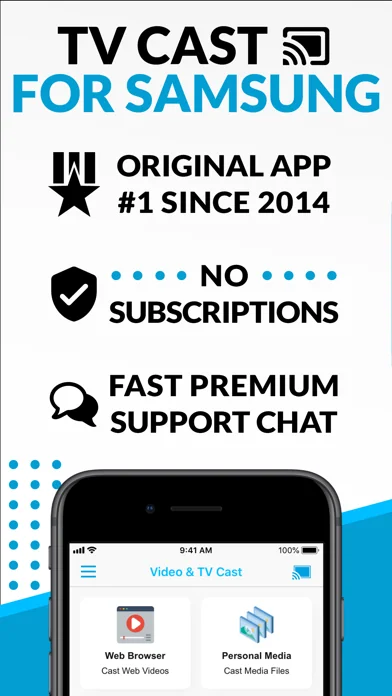
Watch any web video, online movie, livestream or live TV show on your Samsung Smart TV or Blu-ray Player. Enjoy the show on your big screen with the no#1 web video streamer.
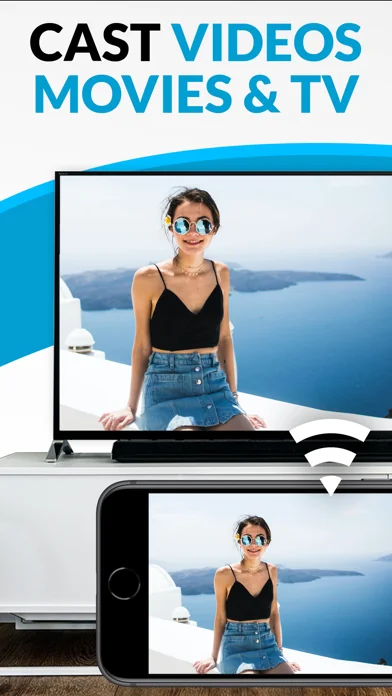
With Video & TV Cast for Samsung Smart TV you can browse the web and stream any web video, online movie, livestream or live TV show you want on your Samsung Smart TV. Mp4, m3u8, hls livestreams and also video-over-https are supported.
There is no time limit at all! You can watch videos of 2 minutes or 2 hours or even more. Just open Video & TV Cast, navigate to a website and wait for the video link detection. The video link will appear below the browser. Tap it and the video will be sent to your big screen instantly! Streaming personal media from your device is also supported. You don't need to install a big media server like Plex or any other third party software.
>>> Important Notes
* To enable video casting, please open the Samsung App Store (Smart Hub) on your TV or Blu-ray Player, search for 'TV Cast' and install the receiver app.
* Please enter the IP address of your iPhone/iPad by using the number pad and up/down/left/right buttons on your Samsung TV Remote. Just enter the numbers, no need to press the enter key.
* iTunes movies and DRM-protected videos like Amazon Prime, Netflix, Hulu, Vudu, DirecTV, Xfinity, HBO Now are not supported!
* Please use the Remote Playbar for video control while browsing (see more info below).
* The app streams only the video part of a website and not the whole website content (No screen or tab mirroring!).
* Sometimes it is necessary to play the video on your iPad or iPhone first before it gets discovered by the app for streaming. It may also be neccessary to start casting multiple times until it works with specific videos.
* If a specific video is not working, please check the FAQ on the app startpage. If that does not help you, please drop us an email before leaving a negative comment on the App Store. We will try to add support for that website as soon as possible.
>>> UPGRADE FEATURES (available as in-app purchases)
* Premium Edition: Unlocks all of the features listed here. Also future features are included, so you do not have to pay for them when they are released in an updated app version.
* Remote Playbar: Use the Playbar for advanced video control while browsing, including video scrubbing, forward, rewind, play, pause, stop. The playbar works on all Samsung Smart TVs and Blu-ray Players.
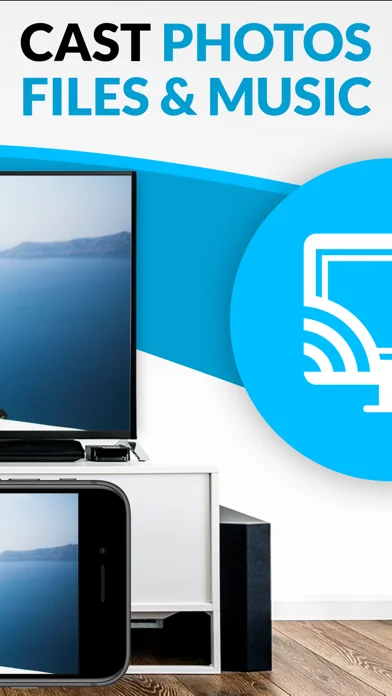
* Local Videos: Cast your camera roll videos from an iPhone or iPad. Supports mp4, m4v and mov videos that were saved to the camera roll via Apples SD-Card/USB Adapter, iTunes Desktop Software or third party apps.
* Ad-Blocker: Blocks ads & popups on most websites and removes the sponsoring ads from the app. You can update and enable/disable ad-blocking at any time in the settings.
* Bookmarks: Save unlimited website bookmarks. Synchronize and transfer them between different TV Cast apps and iOS devices by using backup and restore via iCloud.
* Desktop Mode: Change the browser user-agent and cloak your iPhone/iPad as a desktop PC to load the desktop website instead of the mobile website. Please note that this will NOT enable video casting on websites that serve Flash videos in desktop mode.
* Change Homepage: Set your personal homepage in the settings.
Disclaimer: This app is not affiliated with Samsung or any other trademark mentioned here.
With Video & TV Cast for Samsung Smart TV you can browse the web and stream any web video, online movie, livestream or live TV show you want on your Samsung Smart TV. Mp4, m3u8, hls livestreams and also video-over-https are supported.
There is no time limit at all! You can watch videos of 2 minutes or 2 hours or even more. Just open Video & TV Cast, navigate to a website and wait for the video link detection. The video link will appear below the browser. Tap it and the video will be sent to your big screen instantly! Streaming personal media from your device is also supported. You don't need to install a big media server like Plex or any other third party software.
>>> Important Notes
* To enable video casting, please open the Samsung App Store (Smart Hub) on your TV or Blu-ray Player, search for 'TV Cast' and install the receiver app.
* Please enter the IP address of your iPhone/iPad by using the number pad and up/down/left/right buttons on your Samsung TV Remote. Just enter the numbers, no need to press the enter key.
* iTunes movies and DRM-protected videos like Amazon Prime, Netflix, Hulu, Vudu, DirecTV, Xfinity, HBO Now are not supported!
* Please use the Remote Playbar for video control while browsing (see more info below).
* The app streams only the video part of a website and not the whole website content (No screen or tab mirroring!).
* Sometimes it is necessary to play the video on your iPad or iPhone first before it gets discovered by the app for streaming. It may also be neccessary to start casting multiple times until it works with specific videos.
* If a specific video is not working, please check the FAQ on the app startpage. If that does not help you, please drop us an email before leaving a negative comment on the App Store. We will try to add support for that website as soon as possible.
>>> UPGRADE FEATURES (available as in-app purchases)
* Premium Edition: Unlocks all of the features listed here. Also future features are included, so you do not have to pay for them when they are released in an updated app version.
* Remote Playbar: Use the Playbar for advanced video control while browsing, including video scrubbing, forward, rewind, play, pause, stop. The playbar works on all Samsung Smart TVs and Blu-ray Players.
* Local Videos: Cast your camera roll videos from an iPhone or iPad. Supports mp4, m4v and mov videos that were saved to the camera roll via Apples SD-Card/USB Adapter, iTunes Desktop Software or third party apps.
* Ad-Blocker: Blocks ads & popups on most websites and removes the sponsoring ads from the app. You can update and enable/disable ad-blocking at any time in the settings.
* Bookmarks: Save unlimited website bookmarks. Synchronize and transfer them between different TV Cast apps and iOS devices by using backup and restore via iCloud.
* Desktop Mode: Change the browser user-agent and cloak your iPhone/iPad as a desktop PC to load the desktop website instead of the mobile website. Please note that this will NOT enable video casting on websites that serve Flash videos in desktop mode.
* Change Homepage: Set your personal homepage in the settings.
Disclaimer: This app is not affiliated with Samsung or any other trademark mentioned here.
🆕 What's New · v3.9
- Bug fixes
Profile & Insights
Everything we know — and don't — about this app and its company.
Identification
- App name
- TV Cast for Samsung TV App
- Developer
- Kraus und Karnath GbR 2Kit Consulting
- Bundle ID
- de.2kit.cast-browser-samsung
- App Store URL
- Open in App Store
- Category
- Photo & Video
- Content rating
- 17+
- Languages
- EN
Company
- Website
- video-tv-cast.com
- Tagline
- Video & TV Cast
- Description
- Stream online videos from iOS and Android to Chromecast, Samsung TV, LG TV, Sony TV, Roku, Fire TV and many more. GET THE APP.
- Founded
- Not found
- HQ / Address
- Not found
- Employees
- Not found
- Logo
- OG image
Revenue
- Verified revenue / mo
- Not found
- AI revenue estimate / mo
- Not found
- AI annual estimate
- Not found
- ML model estimate / mo
- $1.5K/mo
- Top-grossing rank
- Outside top 100 in US Photo & Video
- All-time revenue
- Not found
- Pricing
- Not found
Founder
- Name
- Not found
- X / Twitter
- https://twitter.com/VideoTVCast
- Not found
- GitHub
- Not found
- X followers
- Not found
- Public statements
- Not found
Funding
- Total raised
- Not found
- Last round
- Not found
- Investors
- Not found
- Crunchbase
- Not found
- AngelList
- Not found
Press & Links
- Articles found
- Not found
- Listed on
- Not found
- Blog
- Not found
- Press / News
- Not found
Contacts & Socials
- Socials
- facebook · instagram · twitter · youtube
- info@video-tv-cast.com
- Phone
- Not found
- Contact page
- Not found
- About page
- Not found
📈Ratings growth29,927 ratings+33% lifetimeShow 3-year history estimate ▾
Tracked (57 weeks) Pre-tracking estimate (37 weeks) · model-based, ±5% noise · anchored to release date and current value
🌍Geographic ReachNot ranked
This app is currently outside the top 100 grossing in all 9 countries we monitor (US, UK, DE, FR, JP, CA, AU, BR, IN). Niche or new apps often launch this way — popularity rankings appear once daily revenue clears the regional threshold.
Profile is built from iTunes Lookup + developer site scrape + ML revenue model. Empty fields show "Not found" — additional sources (Crunchbase, X, IndieHackers, Acquire.com) coming.
More by Kraus und Karnath GbR 2Kit Consulting
View all →Screen Mirroring for Roku
★ 3.8 · 64,890 reviews
TV Cast for Chromecast ‣
★ 3.9 · 38,515 reviews
Screen Mirroring+ for Roku
★ 3.5 · 25,086 reviews
Screen Mirroring App
★ 3.7 · 24,995 reviews
Screen Mirroring for Fire TV
★ 3.6 · 19,170 reviews
Screen Mirroring+ for Fire TV
★ 3.2 · 14,441 reviews
Screen Mirroring+ App
★ 3.0 · 11,701 reviews
Screen Mirroring + Chromecast
★ 3.9 · 11,023 reviews
More Photo & Video
YouTube
★ 4.7 · 47,130,049 reviews
★ 4.7 · 29,023,044 reviews
Snapchat: Chatte mit Freunden
★ 4.5 · 5,772,278 reviews
Canva: KI-Foto- & Video-Editor
★ 4.9 · 3,343,015 reviews
Twitch: Live Streaming
★ 4.7 · 2,700,069 reviews
InShot - AI Video Editor
★ 4.8 · 2,426,316 reviews
PicCollage: KI Foto Collage
★ 4.8 · 1,808,632 reviews
FaceApp: Gesichtsbearbeitung
★ 4.7 · 1,750,154 reviews
Browse BU Analytics
📚 All 55,000+ Books
🜍 Alchemy & Hermeticism
🔮 Magic & Ritual
🌙 Witchcraft & Paganism
⭐ Astrology & Cosmology
🃏 Divination & Tarot
📜 Photo & Video
✡️ Kabbalah & Jewish Mysticism
🕉️ Mysticism & Contemplation
🕊️ Theosophy & Anthroposophy
🏛️ Freemasonry & Secret Societies
👻 Spiritualism & Afterlife
📖 Sacred Texts & Gnosticism
👁️ Supernatural & Occult Fiction
🧘 Spiritual Development
📚 Esoteric History & Biography
Info
About BU Analytics