48
BU Score
Emerging
File Manager | File Explorer
✍️ bumetric analysis
“
File Manager | File Explorer is an Android app from GreenSoft Infotech in the Tools category, currently rated 2.1★ across 22,189 ratings. Initial signal reads as mostly critical sentiment so far: users flag rough edges and unmet expectations.
Our BU Score puts it at 48: Emerging (early traction worth watching). For a Tools app, that means early traction worth watching.
Track changes month-over-month in the Performance section below: live snapshot history and revenue forecast included.
📊 Performance Tracking LIVE
Loading…
Rating
—
Reviews
—
Forecast Revenue / mo
—
Snapshots tracked
0
since first record
Range:
💰 Forecast Revenue / mo
MODELRevenue forecast computed from BU's 234 trigger model on each snapshot. Calibrated against ground-truth from 58 verified-revenue apps.
🔬Forecast Breakdown — Why This Estimate?Top 3 of 3 triggers
Our ML model uses 200+ signals from public data. These are the most influential for this app:
| Mid install base (22,189 ratings)METRIC | +$5,500 | |
| Below-average rating (2.1★)METRIC | −$1,500 | |
| Ad-supported / freemiumMETRIC | +$600 |
METRIC = structural app data · REVIEW = mined from user reviews · ✓ VERIFIED = Stripe-verified anchor (TrustMRR)
📈 Reviews Growth
LIVECumulative review count from first BU snapshot. Each point = a tracked update.
⭐ Rating Trend
LIVEAverage rating evolution. Updates with each new review batch.
🗓️ Snapshot Timeline
HISTORYEach bar shows a tracked update and the metric delta from the previous snapshot.
App Specs
🔐 Own this app? Claim & verify MRR →🔖 vVaries with device📂 Tools💰 Free
📝 About this app
Android File Manager is a powerful, free local and network file manager and Application Manager, File Manager, Network Manager, Media Manager. Users worldwide have chosen the most powerful file manager!
Do you think your files are too much and powerless to manage them in your phone? This full-featured file manager, taking small, is absolutely necessary for you to manage your software in phone everyday!Such as music, video, pictures, documents, or any installation on the phone APP, you can glance through the file manager, easy to manage mobile phones, a comprehensive solution to the problem of the phone, so the phone's battery more durable, so you daily life more convenient, and completely free!
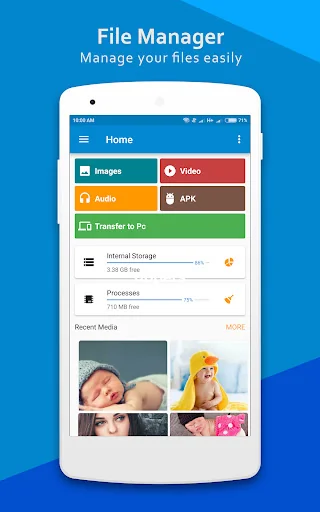
Manage your files like you do on your desktop or laptop using Multiple Select, Cut/Copy/Paste, Move, Create, Delete, Rename, Search, Share, Send, Hide, Create Shortcut, and Bookmark.
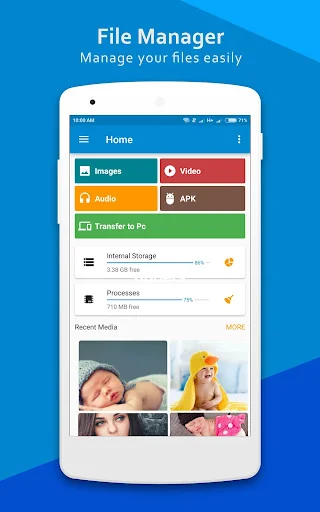
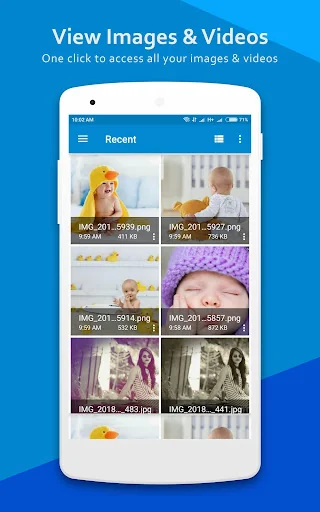
With File Manager, you can easily manage your files and folders on your device and cloud storages. What's more, you can find how many files & apps you have on your device at a glance immediately after opening File manager.
* Application Manager - categorize, uninstall, backup, and create shortcuts to your applications.
* Support 20+ languages.
* Search and share files.
* Compress and decompress support.
* 3 sets of commercial icons for 100+ different file types, toolbar and menu items.
* Basic features like cut, copy, delete, compress, extract etc. easily accessible
* Multiple resolutions support.
* List and grid view for file manager.
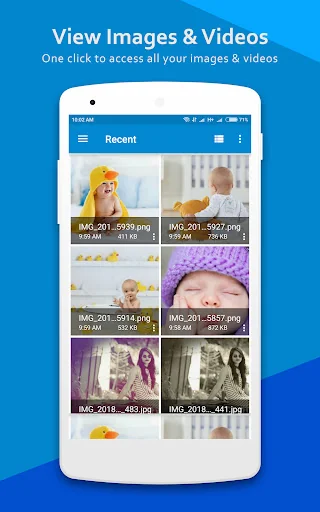
* Thumbnail for photo, video and apk files.
* Multiple selection and various sorting support.
* Support file shortcut on Home screen for easily access.
Major functions of File Manager are as following:
- Internal music player / Internal image viewer/ Internal text editor : You can choose to use built-in utilities for faster and better performance.
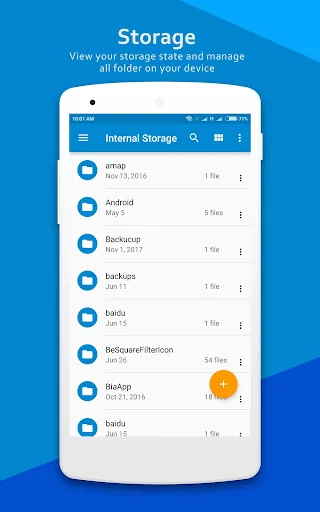
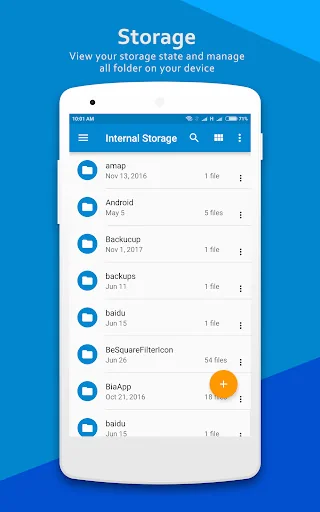
- Main Storage / SD card / USB OTG : You can manage all files and folders on both your internal storage and external storage.
- Downloads / Images / Audio / Videos / Documents / New files : Your files and folders are automatically sorted by their file types and characteristics so that you can easily find exactly the file you are looking for.
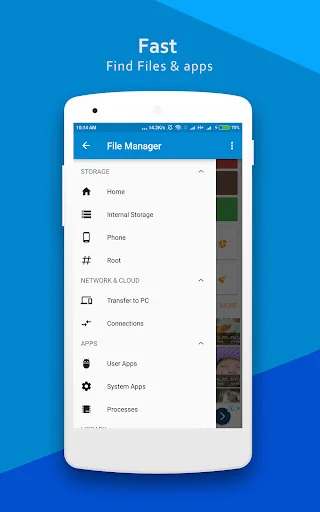
- Apps : You can see and manage all applications installed on your local device.
- Access from PC : You can access your android device storage from PC to manage files on your local android device using FTP(File Transfer Protocol).
- Storage analysis : You can analyze local storages to clean up useless files. You can find out which files take up the most space.
Features List:
** File Manager **
Manage your files (File Manager) like you do on your desktop or laptop using Multiple Select, Cut/Copy/Paste, Move, Create, Delete, Rename, Search, Share, Send, Hide, Create Shortcut, and Bookmark;
* Application Manager – categorize, uninstall, backup, and create shortcuts to your apps
* 3 sets of commercial icons for 80+ different file types, toolbar and menu items
* Multiple resolutions support
* Support 19 languages
* List and grid view for file explorer
* Compress and decompress support
* Search and share files
* Multiple selection and various sorting support
* Thumbnail for photo, video and apk files
* Support file shortcut on Home screen for easily access
* Basic features like cut, copy, delete, compress, extract etc. easily accessible
* Work on multiple tabs at same time
* SMB(windows) file sharing
* Multiple themes with cool icons
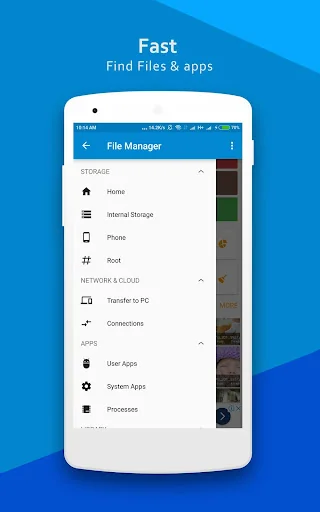
* Navigation drawer for quick navigation
* App Manager to open, backup, or directly uninstall any app
* Quickly access history, access bookmarks or search for any file
* Root explorer for advanced users
Do you think your files are too much and powerless to manage them in your phone? This full-featured file manager, taking small, is absolutely necessary for you to manage your software in phone everyday!Such as music, video, pictures, documents, or any installation on the phone APP, you can glance through the file manager, easy to manage mobile phones, a comprehensive solution to the problem of the phone, so the phone's battery more durable, so you daily life more convenient, and completely free!
Manage your files like you do on your desktop or laptop using Multiple Select, Cut/Copy/Paste, Move, Create, Delete, Rename, Search, Share, Send, Hide, Create Shortcut, and Bookmark.
With File Manager, you can easily manage your files and folders on your device and cloud storages. What's more, you can find how many files & apps you have on your device at a glance immediately after opening File manager.
* Application Manager - categorize, uninstall, backup, and create shortcuts to your applications.
* Support 20+ languages.
* Search and share files.
* Compress and decompress support.
* 3 sets of commercial icons for 100+ different file types, toolbar and menu items.
* Basic features like cut, copy, delete, compress, extract etc. easily accessible
* Multiple resolutions support.
* List and grid view for file manager.
* Thumbnail for photo, video and apk files.
* Multiple selection and various sorting support.
* Support file shortcut on Home screen for easily access.
Major functions of File Manager are as following:
- Internal music player / Internal image viewer/ Internal text editor : You can choose to use built-in utilities for faster and better performance.
- Main Storage / SD card / USB OTG : You can manage all files and folders on both your internal storage and external storage.
- Downloads / Images / Audio / Videos / Documents / New files : Your files and folders are automatically sorted by their file types and characteristics so that you can easily find exactly the file you are looking for.
- Apps : You can see and manage all applications installed on your local device.
- Access from PC : You can access your android device storage from PC to manage files on your local android device using FTP(File Transfer Protocol).
- Storage analysis : You can analyze local storages to clean up useless files. You can find out which files take up the most space.
Features List:
** File Manager **
Manage your files (File Manager) like you do on your desktop or laptop using Multiple Select, Cut/Copy/Paste, Move, Create, Delete, Rename, Search, Share, Send, Hide, Create Shortcut, and Bookmark;
* Application Manager – categorize, uninstall, backup, and create shortcuts to your apps
* 3 sets of commercial icons for 80+ different file types, toolbar and menu items
* Multiple resolutions support
* Support 19 languages
* List and grid view for file explorer
* Compress and decompress support
* Search and share files
* Multiple selection and various sorting support
* Thumbnail for photo, video and apk files
* Support file shortcut on Home screen for easily access
* Basic features like cut, copy, delete, compress, extract etc. easily accessible
* Work on multiple tabs at same time
* SMB(windows) file sharing
* Multiple themes with cool icons
* Navigation drawer for quick navigation
* App Manager to open, backup, or directly uninstall any app
* Quickly access history, access bookmarks or search for any file
* Root explorer for advanced users
Profile & Insights
Everything we know — and don't — about this app and its company.
Identification
- App name
- File Manager | File Explorer
- Developer
- GreenSoft Infotech
- Bundle ID
- com.File.Manager.Filemanager
- App Store URL
- Open in App Store
- Category
- Tools
- Content rating
- Not found
- Languages
- Not found
Company
- Website
- Not found
- Tagline
- Not found
- Description
- Not found
- Founded
- Not found
- HQ / Address
- Not found
- Employees
- Not found
- Logo
- Not found
Revenue
- Verified revenue / mo
- Not found
- AI revenue estimate / mo
- Not found
- AI annual estimate
- Not found
- ML model estimate / mo
- $1.2K/mo
- Top-grossing rank
- Not found
- All-time revenue
- Not found
- Pricing
- Not found
Founder
- Name
- Not found
- X / Twitter
- Not found
- Not found
- GitHub
- Not found
- X followers
- Not found
- Public statements
- Not found
Funding
- Total raised
- Not found
- Last round
- Not found
- Investors
- Not found
- Crunchbase
- Not found
- AngelList
- Not found
Press & Links
- Articles found
- Not found
- Listed on
- Not found
- Blog
- Not found
- Press / News
- Not found
Contacts & Socials
- Socials
- Not found
- Not found
- Phone
- Not found
- Contact page
- Not found
- About page
- Not found
Profile is built from iTunes Lookup + developer site scrape + ML revenue model. Empty fields show "Not found" — additional sources (Crunchbase, X, IndieHackers, Acquire.com) coming.
More by GreenSoft Infotech
View all →Full revenue analysis
Read the article-style breakdown for File Manager | File Explorer: category rank, percentile, growth signal, comparable apps, and how the forecast is calibrated against verified-MRR anchors in this niche.