47
BU Score
Emerging
LetsView- Wireless Screen Cast
✍️ BU Analytics Review
“
LetsView- Wireless Screen Cast is an Android app from WangxuTech in the Tools category, currently rated 2.8★ across 6,998 ratings. Initial signal reads as mixed reviews — supporters praise core features while critics cite stability/value gaps.
Our BU Score puts it at 47 — Emerging (early traction worth watching). For a Tools app, that means early traction worth watching.
Track changes month-over-month in the Performance section below — live snapshot history and revenue forecast included.
creator
📊 Performance Tracking LIVE
Loading…
Rating
—
Reviews
—
Forecast Revenue / mo
—
Snapshots tracked
0
since first record
Range:
💰 Forecast Revenue / mo
MODELRevenue forecast computed from BU's 234 trigger model on each snapshot. Calibrated against ground-truth from 58 verified-revenue apps.
🔬Forecast Breakdown — Why This Estimate?Top 4 of 4 triggers
Our ML model uses 200+ signals from public data. These are the most influential for this app:
| Low install base (6,998 ratings)METRIC | +$1,500 | |
| Below-average rating (2.8★)METRIC | −$1,500 | |
| Established app (6y old)METRIC | +$800 | |
| Ad-supported / freemiumMETRIC | +$600 |
METRIC = structural app data · REVIEW = mined from user reviews · ✓ VERIFIED = Stripe-verified anchor (TrustMRR)
📈 Reviews Growth
LIVECumulative review count from first BU snapshot. Each point = a tracked update.
⭐ Rating Trend
LIVEAverage rating evolution. Updates with each new review batch.
🗓️ Snapshot Timeline
HISTORYEach bar shows a tracked update and the metric delta from the previous snapshot.
App Specs
🔐 Own this app? Claim & verify MRR →🔖 v1.5.26🔄 updated 1w ago📂 Tools💰 Free💎 IAP $0.99 - $59.99 per item🚀 Launched 2019 (6y old)
📝 About this app
Looking for high-quality and free screen mirroring app? Look no further than LetsView! Easily mirror or cast your phone, tablet, or computer screen to your TV, PC, or Mac. With LetsView, you'll have endless possibilities for communication and entertainment in your daily life.
★★Key Features★★
⭐️<b>Screen mirroring between mobile phones and PCs</b>
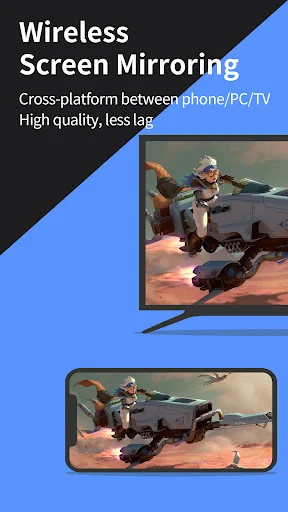
Mirror your phone screen to your Mac or Windows computer, enhance your favorite live stream viewing experience, or present content on a bigger screen without any limitations of your phone's screen size. You can even cast your phone screen to multiple devices.
⭐️<b>Control PC from a phone</b>
Once your computer and smartphone are connected, the smartphone can act as a makeshift keyboard or mouse, allowing you full control over your computer screen with just your fingertips. Moreover, it is also possible to control the mobile phone with a Windows computer.
⭐️<b>Screen mirroring between mobile phone and TV</b>
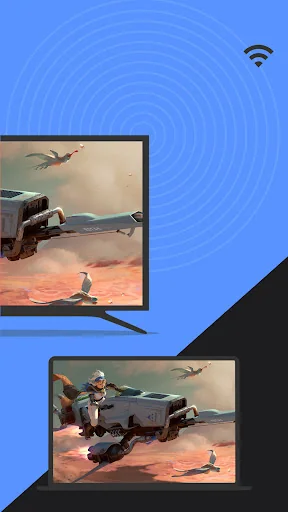
Whether you're watching a movie, watching a sporting event with the family, or giving a business presentation on TV, mirroring your phone's screen to a larger display has never been easier with LetsView. LetsView perfectly fit most of the TVs on the market.
⭐️<b>Screen mirroring between PC/tablet and TV</b>
In addition to the mobile version, LetsView covers various platforms. The desktop version also enables mirroring between PC to PC, and PC to TV.
⭐️<b>Extend screen</b>
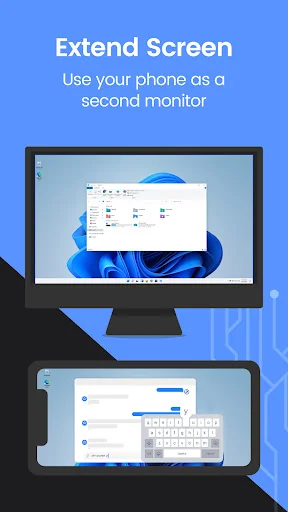
Turn your phone into a secondary monitor for your computer, allowing you to focus on main tasks on the primary screen while simultaneously handling auxiliary activities on your phone's screen, thus significantly boosting your productivity.
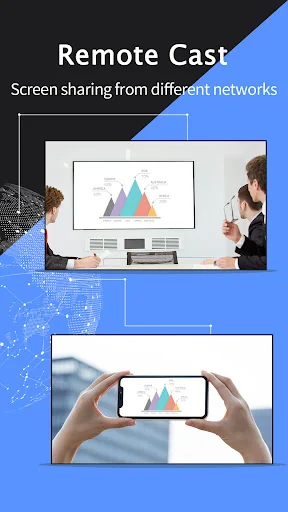
⭐️<b>Remote screen mirroring</b>
Screen mirroring is also possible when you are on a different network. The remote screen mirroring feature will help you cross the network, just enter the remote cast code, and the two devices will share the screen over a distance.
⭐️<b>Additional features</b>
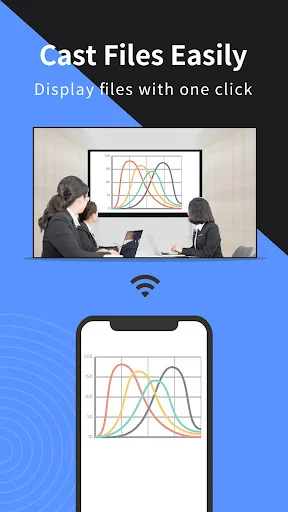
Drawing, whiteboard, document presentation, screen capture, and screen recording of a mobile phone screen are also available.
👍🏻Why LetsView?
● Ad-free.
● Uninterrupted and unlimited usage.
● HD screen mirroring.
● HD screen recording.
🌸Primary use cases:
1. Family Entertainment
Mirroring movies, games, photos, and more onto a larger screen for a better visual experience.
2. Business Presentations
Share your PC or mobile phone screen content onto a large screen for presentations or meetings, demonstrate your product to potential customers remotely.
3. Online teaching
Share the teacher's device screen and combine it with the whiteboard, enhancing the visual experience of your online classes.
4. Live stream gameplay
Broadcast gaming content on a big screen, share gameplay with followers, and keep wonderful moments.
🌸Easy to Connect:
Connecting your devices is easy with 3 available methods: direct connection, QR code connection, or passkey connection.
Ensure that all your devices are connected to the same Wi-Fi network, and your device will be automatically detected for easy connection. If your device isn't detected, simply scan the QR code or enter the passkey to establish the connection.
📢Contact:
We appreciate all your feedback! Contact us at support@letsview.com or send feedback from Me > Feedback on the LetsView app for suggestions, comments, questions, or concerns.
LetsView supports Windows PC & Mac and Android 5.0 and above.
★★Key Features★★
⭐️<b>Screen mirroring between mobile phones and PCs</b>
Mirror your phone screen to your Mac or Windows computer, enhance your favorite live stream viewing experience, or present content on a bigger screen without any limitations of your phone's screen size. You can even cast your phone screen to multiple devices.
⭐️<b>Control PC from a phone</b>
Once your computer and smartphone are connected, the smartphone can act as a makeshift keyboard or mouse, allowing you full control over your computer screen with just your fingertips. Moreover, it is also possible to control the mobile phone with a Windows computer.
⭐️<b>Screen mirroring between mobile phone and TV</b>
Whether you're watching a movie, watching a sporting event with the family, or giving a business presentation on TV, mirroring your phone's screen to a larger display has never been easier with LetsView. LetsView perfectly fit most of the TVs on the market.
⭐️<b>Screen mirroring between PC/tablet and TV</b>
In addition to the mobile version, LetsView covers various platforms. The desktop version also enables mirroring between PC to PC, and PC to TV.
⭐️<b>Extend screen</b>
Turn your phone into a secondary monitor for your computer, allowing you to focus on main tasks on the primary screen while simultaneously handling auxiliary activities on your phone's screen, thus significantly boosting your productivity.
⭐️<b>Remote screen mirroring</b>
Screen mirroring is also possible when you are on a different network. The remote screen mirroring feature will help you cross the network, just enter the remote cast code, and the two devices will share the screen over a distance.
⭐️<b>Additional features</b>
Drawing, whiteboard, document presentation, screen capture, and screen recording of a mobile phone screen are also available.
👍🏻Why LetsView?
● Ad-free.
● Uninterrupted and unlimited usage.
● HD screen mirroring.
● HD screen recording.
🌸Primary use cases:
1. Family Entertainment
Mirroring movies, games, photos, and more onto a larger screen for a better visual experience.
2. Business Presentations
Share your PC or mobile phone screen content onto a large screen for presentations or meetings, demonstrate your product to potential customers remotely.
3. Online teaching
Share the teacher's device screen and combine it with the whiteboard, enhancing the visual experience of your online classes.
4. Live stream gameplay
Broadcast gaming content on a big screen, share gameplay with followers, and keep wonderful moments.
🌸Easy to Connect:
Connecting your devices is easy with 3 available methods: direct connection, QR code connection, or passkey connection.
Ensure that all your devices are connected to the same Wi-Fi network, and your device will be automatically detected for easy connection. If your device isn't detected, simply scan the QR code or enter the passkey to establish the connection.
📢Contact:
We appreciate all your feedback! Contact us at support@letsview.com or send feedback from Me > Feedback on the LetsView app for suggestions, comments, questions, or concerns.
LetsView supports Windows PC & Mac and Android 5.0 and above.
Profile & Insights
Everything we know — and don't — about this app and its company.
Identification
- App name
- LetsView- Wireless Screen Cast
- Developer
- WangxuTech
- Bundle ID
- com.apowersoft.letsview
- App Store URL
- Open in App Store
- Category
- Tools
- Content rating
- Not found
- Languages
- Not found
Company
- Website
- letsview.com
- Tagline
- Not found
- Description
- Not found
- Founded
- Not found
- HQ / Address
- Not found
- Employees
- Not found
- Logo
- Not found
Revenue
- Verified revenue / mo
- Not found
- AI revenue estimate / mo
- Not found
- AI annual estimate
- Not found
- ML model estimate / mo
- $674/mo
- Top-grossing rank
- Not found
- All-time revenue
- Not found
- Pricing
- $0.99 - $59.99 per item
Founder
- Name
- Not found
- X / Twitter
- Not found
- Not found
- GitHub
- Not found
- X followers
- Not found
- Public statements
- Not found
Funding
- Total raised
- Not found
- Last round
- Not found
- Investors
- Not found
- Crunchbase
- Not found
- AngelList
- Not found
Press & Links
- Articles found
- Not found
- Listed on
- Not found
- Blog
- Not found
- Press / News
- Not found
Contacts & Socials
- Socials
- Not found
- Not found
- Phone
- Not found
- Contact page
- Not found
- About page
- Not found
📈Ratings growth6,998 ratings+52% lifetimeShow 3-year history estimate ▾
Tracked (1 weeks) Pre-tracking estimate (37 weeks) · model-based, ±5% noise · anchored to release date and current value
Profile is built from iTunes Lookup + developer site scrape + ML revenue model. Empty fields show "Not found" — additional sources (Crunchbase, X, IndieHackers, Acquire.com) coming.
More by WangxuTech
View all →More Tools
Phone by Google
★ 4.5 · 47,248,471 reviews
Google Play services
★ 4.3 · 44,619,167 reviews
★ 4.1 · 29,135,018 reviews
Gboard - the Google Keyboard
★ 4.5 · 18,500,531 reviews
SHAREit: Transfer, Share Files
★ 4.3 · 18,247,718 reviews
gov.br
★ 4.5 · 12,551,225 reviews
MyTelkomsel – Buy Internet
★ 3.7 · 11,917,556 reviews
myIM3: Data Plan & Buy Package
★ 4.4 · 10,992,500 reviews
Browse BU Analytics
📚 All 55,000+ Books
🜍 Alchemy & Hermeticism
🔮 Magic & Ritual
🌙 Witchcraft & Paganism
⭐ Astrology & Cosmology
🃏 Divination & Tarot
📜 Tools
✡️ Kabbalah & Jewish Mysticism
🕉️ Mysticism & Contemplation
🕊️ Theosophy & Anthroposophy
🏛️ Freemasonry & Secret Societies
👻 Spiritualism & Afterlife
📖 Sacred Texts & Gnosticism
👁️ Supernatural & Occult Fiction
🧘 Spiritual Development
📚 Esoteric History & Biography
Info
About BU Analytics