77
BU Score
Strong
Cover Photo Maker - Banners &
✍️ BU Analytics Review
“
Cover Photo Maker - Banners & is an Android app from Photo Cool Apps in the Photography category, currently rated 4.7★ across 93,398 ratings. Initial signal reads as mixed reviews — supporters praise core features while critics cite stability/value gaps.
Our BU Score puts it at 77 — Strong (healthy traction). For a Photography app, that means healthy traction.
Track changes month-over-month in the Performance section below — live snapshot history and revenue forecast included.
creator
📊 Performance Tracking LIVE
Loading…
Rating
—
Reviews
—
Forecast Revenue / mo
—
Snapshots tracked
0
since first record
Range:
💰 Forecast Revenue / mo
MODELRevenue forecast computed from BU's 234 trigger model on each snapshot. Calibrated against ground-truth from 58 verified-revenue apps.
🔬Forecast Breakdown — Why This Estimate?Top 3 of 3 triggers
Our ML model uses 200+ signals from public data. These are the most influential for this app:
| Mid install base (93,398 ratings)METRIC | +$5,500 | |
| Excellent rating (4.7★)METRIC | +$2,200 | |
| Ad-supported / freemiumMETRIC | +$600 |
METRIC = structural app data · REVIEW = mined from user reviews · ✓ VERIFIED = Stripe-verified anchor (TrustMRR)
📈 Reviews Growth
LIVECumulative review count from first BU snapshot. Each point = a tracked update.
⭐ Rating Trend
LIVEAverage rating evolution. Updates with each new review batch.
🗓️ Snapshot Timeline
HISTORYEach bar shows a tracked update and the metric delta from the previous snapshot.
App Specs
🔐 Own this app? Claim & verify MRR →🔖 vVaries with device📂 Photography💰 Free
📝 About this app
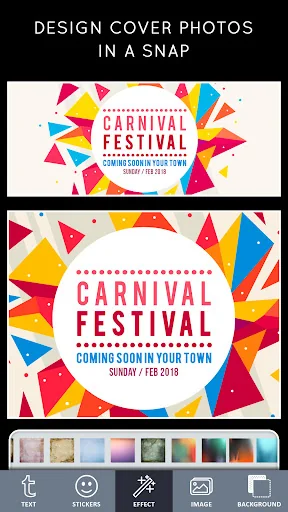
Design Cover photos Art in a snap.
Social Media Cover photos for Facebook, YouTube are like handshakes: they provide a first impression that can either be positive or negative. Is your cover photo encouraging viewers to keep reading your profile or contributing to a lack of energy that causes visitors to quickly navigate away?
Cover Photo Maker Post is an app specifically for designing social media posts. With one click, you can select sizing that's perfectly scaled for a Facebook cover photo, so you don't have to hassle with resizing an image.
This Cover photo maker for Facebook is super fast and super easy, making it ideal for those with little design experience. In seconds you'll have a sleek, professional cover photo to boost your Facebook's image.
How to make a cover photo
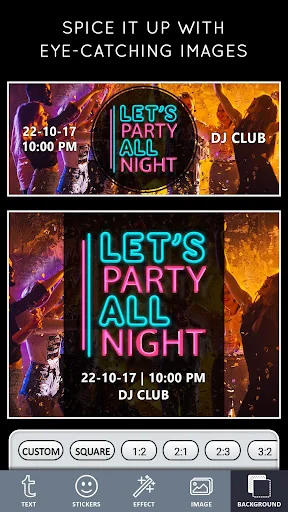
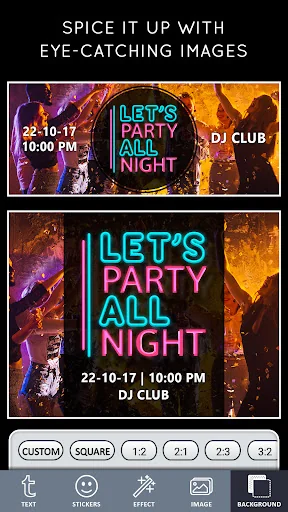
1. Spice it up
Now get creative by click on "Background". Either upload your own photo, choose one of thousands of stock images, or go with a solid color. Choose a theme that fits your brand.
2. Select the size (ratio) as per your needs
Select the Size you want - or choose a ratio. Like for Instagram choose 1:1 , for Facebook cover page choose - Cover Size. ( There are more than 10 presets that almost fit for every need but you also have a choice for Custom Cover Photos - choose custom size.)
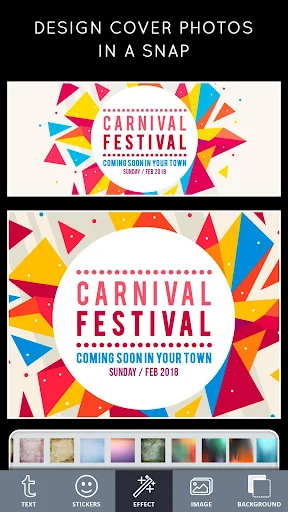
3. Add an eye-catching images and stickers.
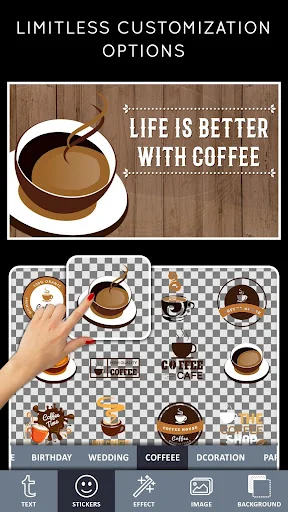
Keep it simple and elegant - choose from 100s of stock stickers or you can select your own images. Change their Hue, size it and place it on the backgrounds.
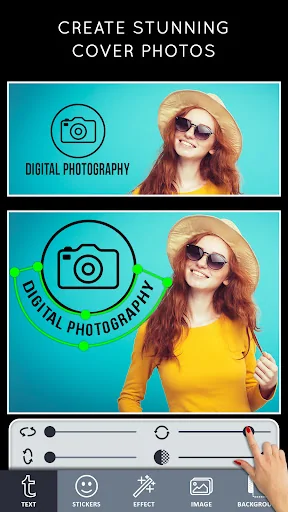
4. Amp up your message with fonts
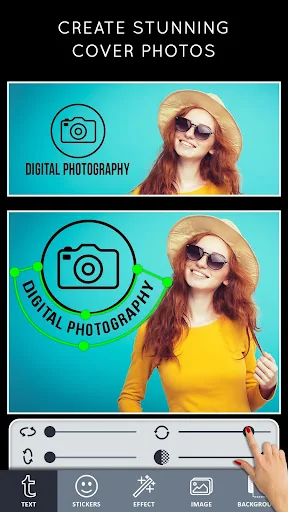
Every good banner/Cover Photo needs compelling typography. Select "Text", Write your message. Then you can change - Text Fonts ( 100's of beautiful fonts for free), color, Curve Text, Shadow, Size and much more.
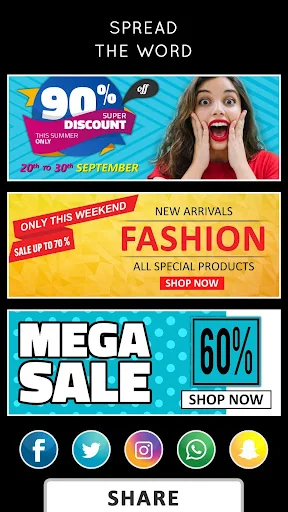
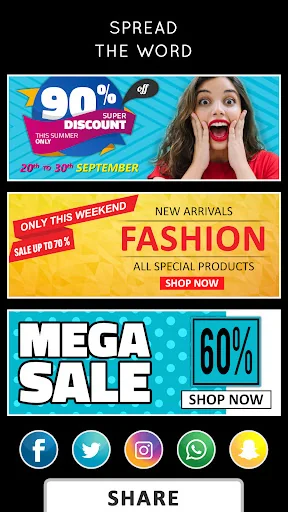
5. Spread the word
Once you've tweaked and tinkered to your heart's desire and you feel satisfied with your image, it's time to share it with the world. Click the "Share" button at the top of the page and you can download your graphic, then upload it as your Facebook cover photo.
Ready to give your Facebook / YouTube channel / Business a face-lift? Try out Cover Photo Maker, Post and design free covers for Facebook that will boost your image and help you further your brand.
- Beautiful typography
Choose from a variety of free professionally designed fonts for every occasion.
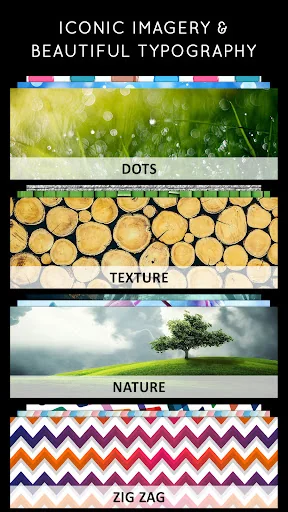
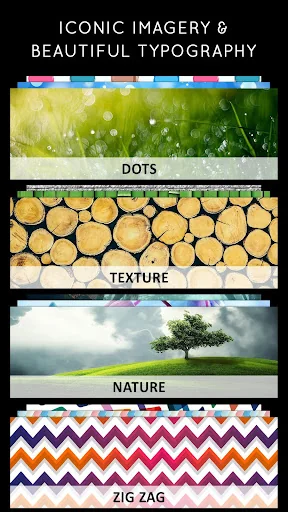
- Iconic Backgrounds/Stickers/Art
Select from thousands of photos/Backgrounds/Tiles from the app or pick from your personal collections.
Professional themes
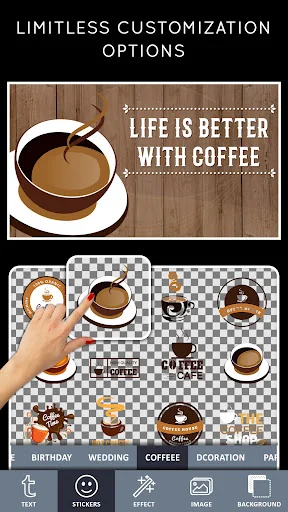
- Limitless customization options
The personalizing options in Cover Photo Art are not only many, they are also incredibly easy to use. Each of these options can be applied with the click of a button, so you don't have to spend hours fine-tuning your image.
- The unique power of Cover Photo Art / Banner Art
Cover Photo Maker was created to be an aid to those with little or no design experience, making it completely straightforward to use.
Explore our wide variety of best-in-class layouts, colors, and fonts. Easily tweak them with the text, photos, and icons that best fit your needs. Best for
Banners
Banners for Etsy
Covers for Facebook
Banners for Tumblr
Banners for Twitch
Headers for Twitter
Cards
Postcards
Thank You Cards
Covers
Album Covers
Book Covers
Magazine Covers
Flyers
Business Flyers
Grand Opening Flyers
Real Estate Flyers
Invitations
Invitations Cards
Birthday Invitations
Party Invitations
Wedding Invitations
Layouts
Brochures
Collages
Menus
Pamphlets
Covers for YouTube
Channel Art for YouTube
Thumbnails for YouTube
Other Designs
Disclaimer:
"Cover Photo Maker" is not affiliated with, endorsed, sponsored, or specifically approved by YouTube,FACEBOOK,ETSY,TUMBLR,Twitch,Twitter. This is NOT an official app for any of the social media brands. All references to any Social Media Brands are solely for the purpose of identifying the app for potential users. No trademark infringement is intended."
Social Media Cover photos for Facebook, YouTube are like handshakes: they provide a first impression that can either be positive or negative. Is your cover photo encouraging viewers to keep reading your profile or contributing to a lack of energy that causes visitors to quickly navigate away?
Cover Photo Maker Post is an app specifically for designing social media posts. With one click, you can select sizing that's perfectly scaled for a Facebook cover photo, so you don't have to hassle with resizing an image.
This Cover photo maker for Facebook is super fast and super easy, making it ideal for those with little design experience. In seconds you'll have a sleek, professional cover photo to boost your Facebook's image.
How to make a cover photo
1. Spice it up
Now get creative by click on "Background". Either upload your own photo, choose one of thousands of stock images, or go with a solid color. Choose a theme that fits your brand.
2. Select the size (ratio) as per your needs
Select the Size you want - or choose a ratio. Like for Instagram choose 1:1 , for Facebook cover page choose - Cover Size. ( There are more than 10 presets that almost fit for every need but you also have a choice for Custom Cover Photos - choose custom size.)
3. Add an eye-catching images and stickers.
Keep it simple and elegant - choose from 100s of stock stickers or you can select your own images. Change their Hue, size it and place it on the backgrounds.
4. Amp up your message with fonts
Every good banner/Cover Photo needs compelling typography. Select "Text", Write your message. Then you can change - Text Fonts ( 100's of beautiful fonts for free), color, Curve Text, Shadow, Size and much more.
5. Spread the word
Once you've tweaked and tinkered to your heart's desire and you feel satisfied with your image, it's time to share it with the world. Click the "Share" button at the top of the page and you can download your graphic, then upload it as your Facebook cover photo.
Ready to give your Facebook / YouTube channel / Business a face-lift? Try out Cover Photo Maker, Post and design free covers for Facebook that will boost your image and help you further your brand.
- Beautiful typography
Choose from a variety of free professionally designed fonts for every occasion.
- Iconic Backgrounds/Stickers/Art
Select from thousands of photos/Backgrounds/Tiles from the app or pick from your personal collections.
Professional themes
- Limitless customization options
The personalizing options in Cover Photo Art are not only many, they are also incredibly easy to use. Each of these options can be applied with the click of a button, so you don't have to spend hours fine-tuning your image.
- The unique power of Cover Photo Art / Banner Art
Cover Photo Maker was created to be an aid to those with little or no design experience, making it completely straightforward to use.
Explore our wide variety of best-in-class layouts, colors, and fonts. Easily tweak them with the text, photos, and icons that best fit your needs. Best for
Banners
Banners for Etsy
Covers for Facebook
Banners for Tumblr
Banners for Twitch
Headers for Twitter
Cards
Postcards
Thank You Cards
Covers
Album Covers
Book Covers
Magazine Covers
Flyers
Business Flyers
Grand Opening Flyers
Real Estate Flyers
Invitations
Invitations Cards
Birthday Invitations
Party Invitations
Wedding Invitations
Layouts
Brochures
Collages
Menus
Pamphlets
Covers for YouTube
Channel Art for YouTube
Thumbnails for YouTube
Other Designs
Disclaimer:
"Cover Photo Maker" is not affiliated with, endorsed, sponsored, or specifically approved by YouTube,FACEBOOK,ETSY,TUMBLR,Twitch,Twitter. This is NOT an official app for any of the social media brands. All references to any Social Media Brands are solely for the purpose of identifying the app for potential users. No trademark infringement is intended."
Profile & Insights
Everything we know — and don't — about this app and its company.
Identification
- App name
- Cover Photo Maker - Banners &
- Developer
- Photo Cool Apps
- Bundle ID
- com.coolapps.covermaker
- App Store URL
- Open in App Store
- Category
- Photography
- Content rating
- Not found
- Languages
- Not found
Company
- Website
- Not found
- Tagline
- Not found
- Description
- Not found
- Founded
- Not found
- HQ / Address
- Not found
- Employees
- Not found
- Logo
- Not found
Revenue
- Verified revenue / mo
- Not found
- AI revenue estimate / mo
- Not found
- AI annual estimate
- Not found
- ML model estimate / mo
- $2.3K/mo
- Top-grossing rank
- Not found
- All-time revenue
- Not found
- Pricing
- Not found
Founder
- Name
- Not found
- X / Twitter
- Not found
- Not found
- GitHub
- Not found
- X followers
- Not found
- Public statements
- Not found
Funding
- Total raised
- Not found
- Last round
- Not found
- Investors
- Not found
- Crunchbase
- Not found
- AngelList
- Not found
Press & Links
- Articles found
- Not found
- Listed on
- Not found
- Blog
- Not found
- Press / News
- Not found
Contacts & Socials
- Socials
- Not found
- Not found
- Phone
- Not found
- Contact page
- Not found
- About page
- Not found
Profile is built from iTunes Lookup + developer site scrape + ML revenue model. Empty fields show "Not found" — additional sources (Crunchbase, X, IndieHackers, Acquire.com) coming.
More by Photo Cool Apps
View all →Poster Maker – Flyers & Posts
★ 4.8 · 318,730 reviews
Simple Background Changer
★ 4.5 · 80,004 reviews
DSLR Camera Blur Effects
★ 4.6 · 78,956 reviews
Mosaic Photo Effects
★ 4.3 · 72,999 reviews
Artful - Photo Glitter Effects
★ 4.8 · 56,822 reviews
Artful Photo Blend
★ 4.6 · 39,481 reviews
Carbon Photo Lab - Double Exposure Blending Effect
★ 4.7 · 26,004 reviews
Post Maker for Social Media
★ 4.8 · 14,424 reviews
More Photography
Google Photos
★ 4.4 · 53,544,116 reviews
Video Editor & Maker - InShot
★ 4.8 · 24,090,534 reviews
Picsart AI Photo Editor, Video
★ 4.0 · 12,205,523 reviews
B612 AI Photo&Video Editor
★ 4.1 · 7,265,225 reviews
Photo Lab Picture Editor & Art
★ 4.5 · 6,569,016 reviews
Retrica
★ 3.8 · 5,928,297 reviews
Remini - AI Photo Enhancer
★ 4.1 · 5,771,084 reviews
FaceApp: Perfect Face Editor
★ 4.3 · 5,344,978 reviews
Browse BU Analytics
📚 All 55,000+ Books
🜍 Alchemy & Hermeticism
🔮 Magic & Ritual
🌙 Witchcraft & Paganism
⭐ Astrology & Cosmology
🃏 Divination & Tarot
📜 Photography
✡️ Kabbalah & Jewish Mysticism
🕉️ Mysticism & Contemplation
🕊️ Theosophy & Anthroposophy
🏛️ Freemasonry & Secret Societies
👻 Spiritualism & Afterlife
📖 Sacred Texts & Gnosticism
👁️ Supernatural & Occult Fiction
🧘 Spiritual Development
📚 Esoteric History & Biography
Info
About BU Analytics