61
BU Score
Solid
Root Browser
✍️ bumetric analysis
“
Root Browser is an Android app from Maple Media in the Productivity category, currently rated 3.0★ across 144,861 ratings. Initial signal reads as mixed reviews: supporters praise core features while critics cite stability and value gaps.
Our BU Score puts it at 61: Solid (established niche player). For a Productivity app, that means established niche player.
Track changes month-over-month in the Performance section below: live snapshot history and revenue forecast included.
📊 Performance Tracking LIVE
Loading…
Rating
—
Reviews
—
Forecast Revenue / mo
—
Snapshots tracked
0
since first record
Range:
💰 Forecast Revenue / mo
MODELRevenue forecast computed from BU's 234 trigger model on each snapshot. Calibrated against ground-truth from 58 verified-revenue apps.
🔬Forecast Breakdown — Why This Estimate?Top 3 of 3 triggers
Our ML model uses 200+ signals from public data. These are the most influential for this app:
| High install base (144,861 ratings)METRIC | +$12,000 | |
| Below-average rating (3.0★)METRIC | −$1,500 | |
| Ad-supported / freemiumMETRIC | +$600 |
METRIC = structural app data · REVIEW = mined from user reviews · ✓ VERIFIED = Stripe-verified anchor (TrustMRR)
📈 Reviews Growth
LIVECumulative review count from first BU snapshot. Each point = a tracked update.
⭐ Rating Trend
LIVEAverage rating evolution. Updates with each new review batch.
🗓️ Snapshot Timeline
HISTORYEach bar shows a tracked update and the metric delta from the previous snapshot.
App Specs
🔐 Own this app? Claim & verify MRR →🔖 v4.1.0(44124)🔄 updated 1y ago📂 Productivity💰 Free
📝 About this app
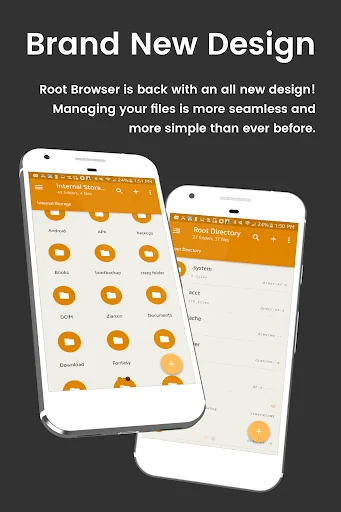
<b>File Explorer Root Browser</b> is a fully featured file manager & root browser for rooted superusers to take control of their Android device and root files & folders.
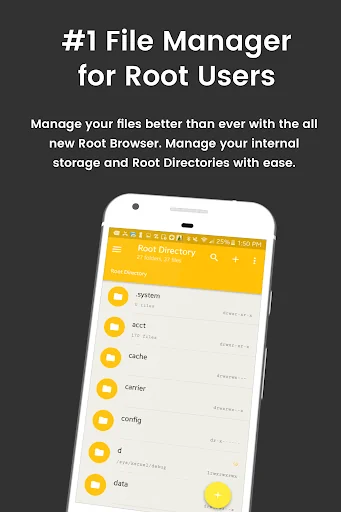
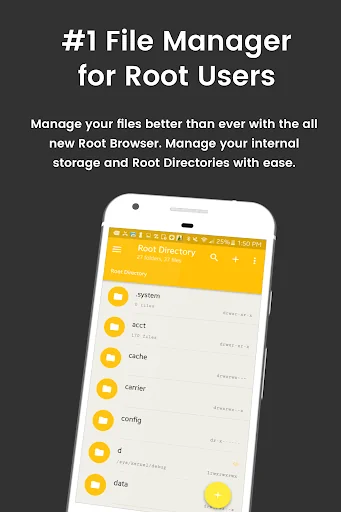
<b>- Access all Root Directories:</b> Explore & access <b>all</b> of your Android's root directories & subdirectories with this advanced root browser
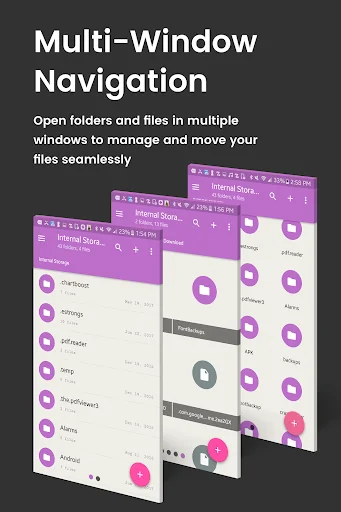
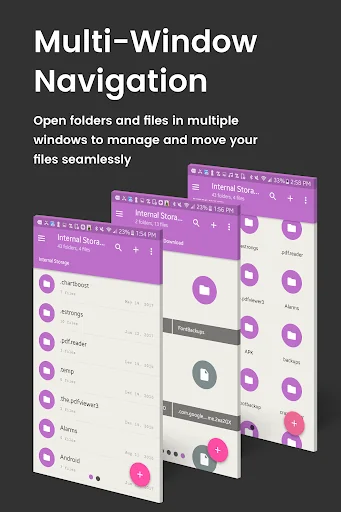
<b>- Advanced Root Browser Features:</b> Advanced features include a SQLite Database Editor, APK Analyzer, multi-pane navigation, ability to execute script files, ability to install zip files using clockwork recovery, and change file permissions and ownerships
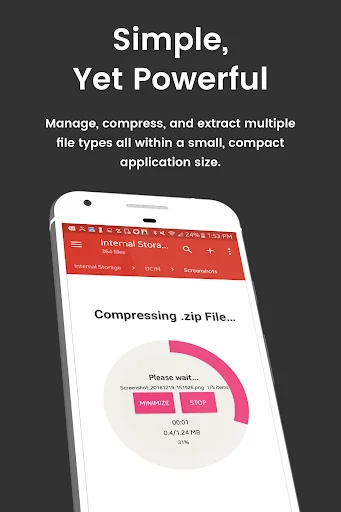
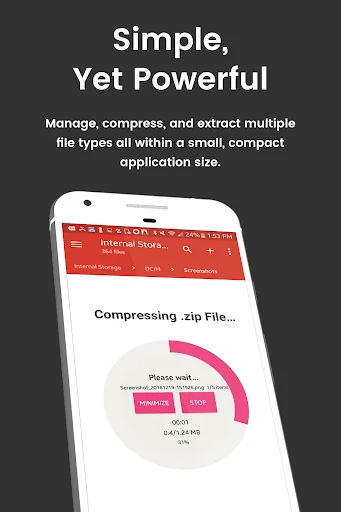
<b>- Advanced File Manager & File Explorer Features:</b> This fully featured file explorer will transfer content, copy and paste, compress, extract ZIP, RAR, BIN, TAR, JAR & APK files, unzip, delete, and move files between local drive, external storage and cloud storage
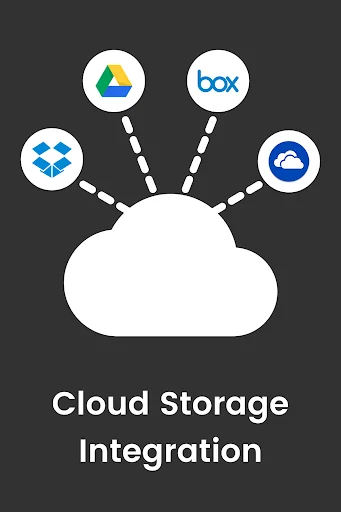
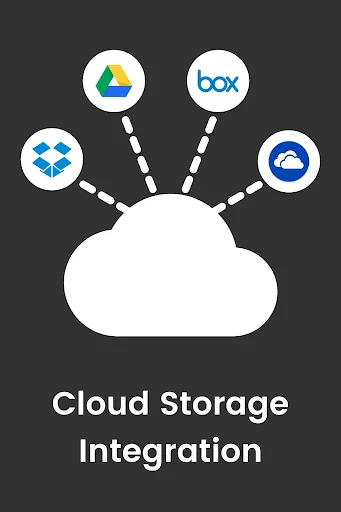
<b>- Cloud Storage:</b> Now access your stored files and transfer files on Box, Dropbox, Google Drive, One Drive
<b>- External File Manager:</b> Access and transfer files, storage backup, USB Flash Drive manager, on the go support
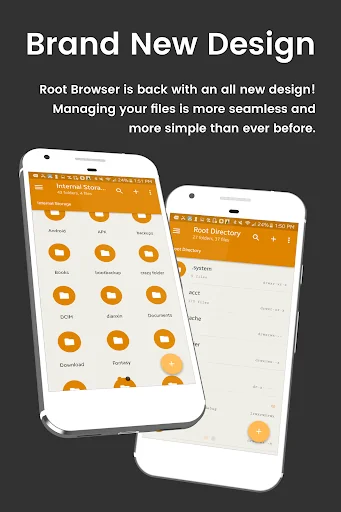
<b>- Fully Customizable:</b> Root Browser prides itself on offering users with a fully customizable experience including custom colors, themes, icons and file / view layout
<b>- Audio Manager & Music Player:</b> File manager for mp3 files, ringtone manager
<b>- Video Player</b> Manage and watch your favorite video files
<b>- App Manager:</b> Delete apps, manage app storage
<b>- Organize your Android:</b> File Explorer Root Browser allows users to have full control over all device files. Search and access any file in your system directory, sort by name size & date, create, move, copy/paste, transfer (external transfer) and delete any file
<b>- Share your Files:</b> Cloud storage integration to transfer files between external storage and on-the-go devices. Send files by email to easily share with your contacts.
<b>File Explorer Root Explorer Features List:</b>
- Multi-Pane Navigation
- SQLite Database Editor
- Custom File Listing View
- APK Analyzer
- Batch copy/paste, zip, tar, delete, move any file or folder
- External file transfer
- Access APK, RAR, JAR, TAR & ZIP files apk, rar, jar, tar & zip files
- Audio Player
- Video Player
- Cloud Storage Integration
- Change file permissions and ownership
- View and edit any file
- sqlite explorer
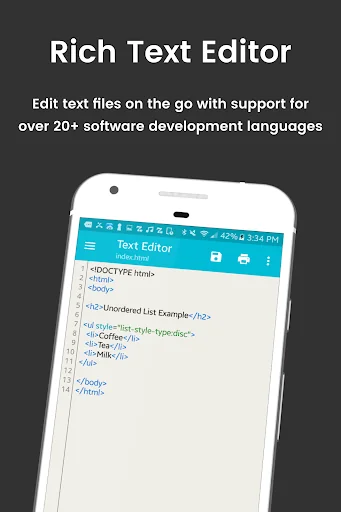
- Text editor
- Move, copy, rename, and delete files.
- Create and delete directories (folders).
- Send files by email.
- Add new files & folders in any directory
- Install zip files using clockwork recovery
- Execute script files
- Show list of files with thumbnails for images.
- Bookmark any folder
- Open files and folders with other apps
- Change the theme (double tap home button)
- Sort by name, size & date
- Extract single files from zip/apks/jars
- Search for files or folders
⚡️⚡️Looking for our classic Root Browser? ➡️ http://bit.ly/RootBrowserClassic
For fast and friendly support, please email us at contact@maplemedia.io. We will be glad to help answer all of your questions and troubleshoot with you.
<b>- Access all Root Directories:</b> Explore & access <b>all</b> of your Android's root directories & subdirectories with this advanced root browser
<b>- Advanced Root Browser Features:</b> Advanced features include a SQLite Database Editor, APK Analyzer, multi-pane navigation, ability to execute script files, ability to install zip files using clockwork recovery, and change file permissions and ownerships
<b>- Advanced File Manager & File Explorer Features:</b> This fully featured file explorer will transfer content, copy and paste, compress, extract ZIP, RAR, BIN, TAR, JAR & APK files, unzip, delete, and move files between local drive, external storage and cloud storage
<b>- Cloud Storage:</b> Now access your stored files and transfer files on Box, Dropbox, Google Drive, One Drive
<b>- External File Manager:</b> Access and transfer files, storage backup, USB Flash Drive manager, on the go support
<b>- Fully Customizable:</b> Root Browser prides itself on offering users with a fully customizable experience including custom colors, themes, icons and file / view layout
<b>- Audio Manager & Music Player:</b> File manager for mp3 files, ringtone manager
<b>- Video Player</b> Manage and watch your favorite video files
<b>- App Manager:</b> Delete apps, manage app storage
<b>- Organize your Android:</b> File Explorer Root Browser allows users to have full control over all device files. Search and access any file in your system directory, sort by name size & date, create, move, copy/paste, transfer (external transfer) and delete any file
<b>- Share your Files:</b> Cloud storage integration to transfer files between external storage and on-the-go devices. Send files by email to easily share with your contacts.
<b>File Explorer Root Explorer Features List:</b>
- Multi-Pane Navigation
- SQLite Database Editor
- Custom File Listing View
- APK Analyzer
- Batch copy/paste, zip, tar, delete, move any file or folder
- External file transfer
- Access APK, RAR, JAR, TAR & ZIP files apk, rar, jar, tar & zip files
- Audio Player
- Video Player
- Cloud Storage Integration
- Change file permissions and ownership
- View and edit any file
- sqlite explorer
- Text editor
- Move, copy, rename, and delete files.
- Create and delete directories (folders).
- Send files by email.
- Add new files & folders in any directory
- Install zip files using clockwork recovery
- Execute script files
- Show list of files with thumbnails for images.
- Bookmark any folder
- Open files and folders with other apps
- Change the theme (double tap home button)
- Sort by name, size & date
- Extract single files from zip/apks/jars
- Search for files or folders
⚡️⚡️Looking for our classic Root Browser? ➡️ http://bit.ly/RootBrowserClassic
For fast and friendly support, please email us at contact@maplemedia.io. We will be glad to help answer all of your questions and troubleshoot with you.
Profile & Insights
Everything we know — and don't — about this app and its company.
Identification
- App name
- Root Browser
- Developer
- Maple Media
- Bundle ID
- com.jrummy.root.browserfree
- App Store URL
- Open in App Store
- Category
- Productivity
- Content rating
- Not found
- Languages
- Not found
Company
- Website
- Not found
- Tagline
- Not found
- Description
- Not found
- Founded
- Not found
- HQ / Address
- Not found
- Employees
- Not found
- Logo
- Not found
Revenue
- Verified revenue / mo
- Not found
- AI revenue estimate / mo
- Not found
- AI annual estimate
- Not found
- ML model estimate / mo
- $2.1K/mo
- Top-grossing rank
- Not found
- All-time revenue
- Not found
- Pricing
- Not found
Founder
- Name
- Not found
- X / Twitter
- Not found
- Not found
- GitHub
- Not found
- X followers
- Not found
- Public statements
- Not found
Funding
- Total raised
- Not found
- Last round
- Not found
- Investors
- Not found
- Crunchbase
- Not found
- AngelList
- Not found
Press & Links
- Articles found
- Not found
- Listed on
- Not found
- Blog
- Not found
- Press / News
- Not found
Contacts & Socials
- Socials
- Not found
- Not found
- Phone
- Not found
- Contact page
- Not found
- About page
- Not found
Profile is built from iTunes Lookup + developer site scrape + ML revenue model. Empty fields show "Not found" — additional sources (Crunchbase, X, IndieHackers, Acquire.com) coming.
Full revenue analysis
Read the article-style breakdown for Root Browser: category rank, percentile, growth signal, comparable apps, and how the forecast is calibrated against verified-MRR anchors in this niche.