
Lock Screen iOS 26
 78
78


Lock Screen iOS 26
Lock Screen iOS 26 is an Android app from LuuTinh Developer in the Personalization category, currently rated 4.6★ across 310,403 ratings. Initial signal reads as largely positive sentiment, users highlighting consistency and feature depth.
Quality Score is 78: Strong (healthy traction). For a Personalization app, that means healthy traction. The full BU Investment Matrix below scores 8 dimensions including monetisation, growth, and operational risk.
Track changes month-over-month in the Performance section below: live snapshot history and revenue forecast included.
- Title & subtitle keyword fit
- Description hook & conversion structure
- Screenshots, ratings, reviews strategy
📊 Performance Tracking LIVE
Synthetic estimate. Inputs: category complexity, file size, screen count, monetization layer, platform reach, age × team-size proxy. Calibrated against 2024-2026 indie-agency rate surveys. Full math + source list on /methodology.
| 🧱 MVP baseline (design + 1-store ship) | +$28K |
| 📱 5 unique screens × $4.5K | +$22K |
| ⚙ Personalization complexity ×0.90 | $-5049 |
| 🌐 Cross-platform reach (iOS + Android) | +$24K |
Synthetic estimate. Multiple band derived from ad-supported + age, rating quality, category demand, and user-base maturity. Calibrated against 2024-2026 indie-app-marketplace closed-deal medians. Full math + comparable deal list on /methodology.
| 📺 Ad-supported base | 15× MRR |
| ⭐ ★ rating ≥ 4.4 (solid) | +8% |
| 🏷 Personalization category multiple | -15% |
| ⭐ Mature user base (100K+ ratings) | +5% |
Synthetic estimate from ratings × category benchmarks. Calibrated against 2024-2026 mobile-attribution retention + DAU/MAU reports. Numbers are US-storefront-equivalent — true global audience can be 5-10× larger for international apps. Full math + source list on /methodology.
| 📲 Personalization engagement | ~220 installs / rating |
| 🔁 Personalization D30 retention | 10% |
| 📍 DAU / MAU stickiness | 0.10 |
How we forecast this revenue
MEDIUM CONFIDENCEBU Investment Matrix
Concerning · 55/100BIG TIERbelow benchmarks- 💰 Revenue: Healthy — $280K - $1540K/mo · BIG tier · medium-low confidence, trajectory unclear.
- ⭐ Quality: 4.57★ across 310,403 reviews — exceptional (top 1% in category).
- 📍 Market: Not yet charting in any of the 9 monitored markets.
- 📈 Growth: last update 346d ago — slow cadence.
- ⚠️ Risk: Low — no material risk signals detected.
💰 Forecast Revenue / mo
MODEL| High install base (310,403 ratings)METRIC | +$12,000 | |
| Excellent rating (4.6★)METRIC | +$2,200 | |
| Established app (7y old)METRIC | +$800 | |
| Ad-supported / freemiumMETRIC | +$600 |
📈 Reviews Growth
LIVE⭐ Rating Trend
LIVEProfile & Insights
Identification
- App name
- Lock Screen iOS 26
- Developer
- LuuTinh Developer
- Bundle ID
- com.luutinhit.lockscreennotificationsios
- App Store URL
- Open in App Store
- Category
- Personalization
- Content rating
- Not found
- Languages
- Not found
Company
- Website
- www.luutinhdeveloper.com
- Tagline
- Not found
- Description
- Not found
- Founded
- Not found
- HQ / Address
- Not found
- Employees
- Not found
- Logo
- Not found
Revenue
- Verified revenue / mo
- Not found
- AI revenue estimate / mo
- Not found
- AI annual estimate
- Not found
- ML model estimate / mo
- $3.6K/mo
- Top-grossing rank
- Not found
- All-time revenue
- Not found
- Pricing
- Not found
Founder
Funding
Press & Links
Contacts & Socials
📈Ratings growth310,403 ratings+25% lifetimeShow 3-year history estimate ▾
📝 About this app
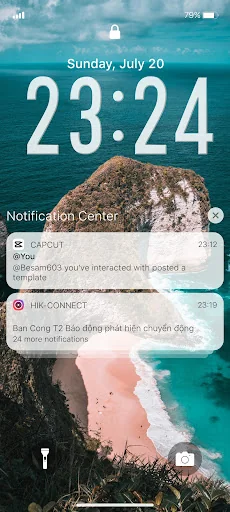
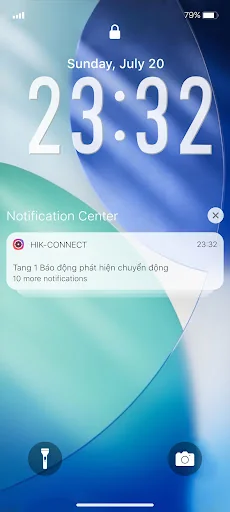
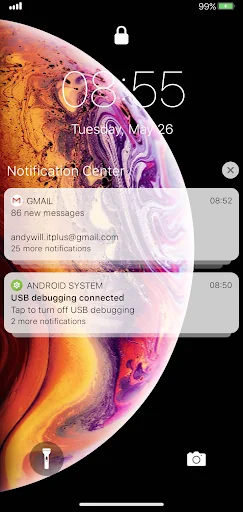
You can quickly view your recent notifications from the Lock screen by turn on your phone.
You can also do these things from the Lock Screen & Notificaions iOS 26:
- Tap a single notification or a group of notifications to view all of them for that app.
- Swipe left over notifications to manage, view, or clear the notifications.
- Manage alerts for specific apps.
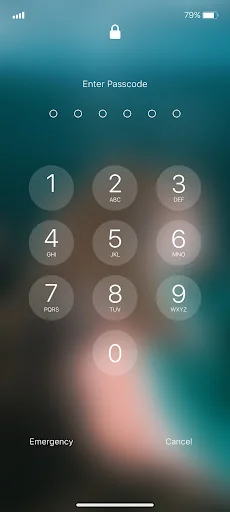
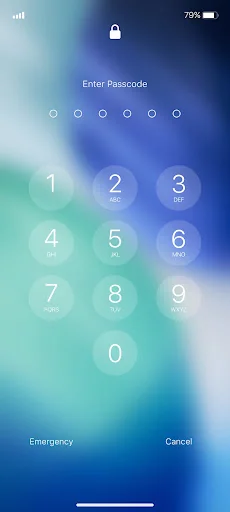
Learn how to set, use, and change a passcode on your device.
Set a passcode on your phone to help protect your data.
Set up a passcode… View full description on the official store →
Track this app’s revenue
FREE📝 Description
95
More by LuuTinh Developer
View all →








Why high confidence: 310,403 ratings · no founder-verified revenue (model estimate only).