68
BU Score
Solid
Greenify
✍️ bumetric analysis
“
Greenify is an Android app from Oasis Feng in the Tools category, currently rated 3.6★ across 320,975 ratings. Initial signal reads as mixed reviews: supporters praise core features while critics cite stability and value gaps.
Our BU Score puts it at 68: Solid (established niche player). For a Tools app, that means established niche player.
Track changes month-over-month in the Performance section below: live snapshot history and revenue forecast included.
📊 Performance Tracking LIVE
Loading…
Rating
—
Reviews
—
Forecast Revenue / mo
—
Snapshots tracked
0
since first record
Range:
💰 Forecast Revenue / mo
MODELRevenue forecast computed from BU's 234 trigger model on each snapshot. Calibrated against ground-truth from 58 verified-revenue apps.
📈 Reviews Growth
LIVECumulative review count from first BU snapshot. Each point = a tracked update.
⭐ Rating Trend
LIVEAverage rating evolution. Updates with each new review batch.
🗓️ Snapshot Timeline
HISTORYEach bar shows a tracked update and the metric delta from the previous snapshot.
App Specs
🔐 Own this app? Claim & verify MRR →🔖 vVaries with device🔄 updated 1y ago📂 Tools💰 Free
📝 About this app
Featured as Lifehacker's Top 1 Utility in 2013 Best Android Apps (http://goo.gl/1VMwnE), Android Authority's Top 3 Best Root Apps (http://goo.gl/g0L0qZ).
<b>"Aggressive Doze" and "Doze on the Go" to maximize the battery saving on Android 6+, even without root! (details explained in settings)</b>
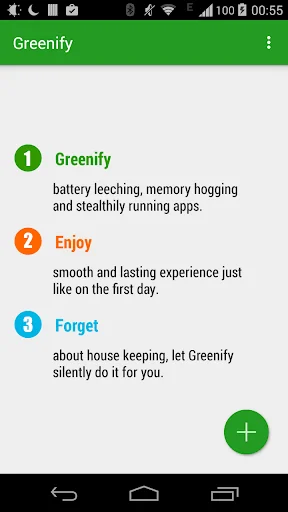
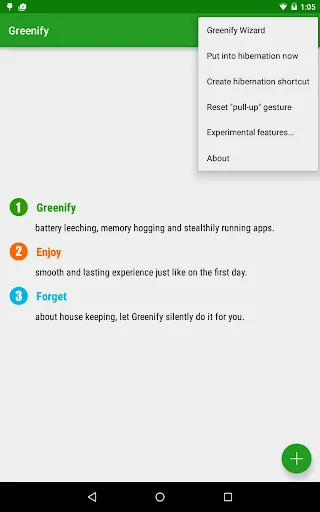
Never should your phone or tablet become slower and battery hungrier after lots of apps installed. With Greenify, your device can run almost as smoothly and lastingly as it did the first day you had it!
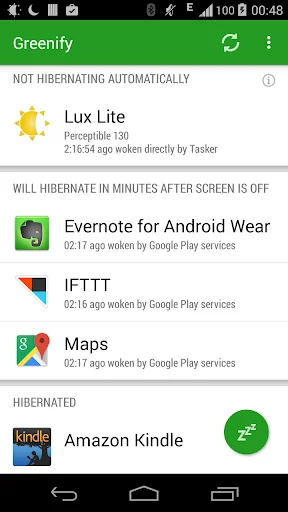
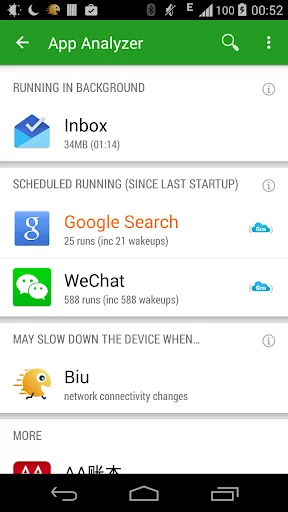
Greenify help you identify and put the misbehaving apps into hibernation when you are not actively using them, to stop them from lagging your device or leeching the battery, in a unique way! They can do nothing without explicit launch by you or other apps, while still preserving full functionality when running in foreground.
Please report bugs in the XDA forum (http://goo.gl/ZuLDnE) or G+ community (http://goo.gl/MoszF).
<b>Greenify NEVER EVER collects your personal data despite the capability of accessibility service, it just takes advantage of it to automate the hibernation procedure.</b>
<b>IMPORTANT: </b>Greenifying an app implies that you are aware that all the background functionality (service, periodic task, event receiver, alarm, widget update, push message) of this app will become out of service during the hibernation except when you are using this app.
<b>NEVER greenify alarm clock apps, instant messaging apps unless you don't rely on them. Please do verify the impact of greenified apps on which you heavily rely.</b>
Note: Greenify does need background running services for auto-hibernation to work. It is designed and implemented in extremely lightweight and nearly zero CPU and battery consumption.
=== PERMISSIONS ===
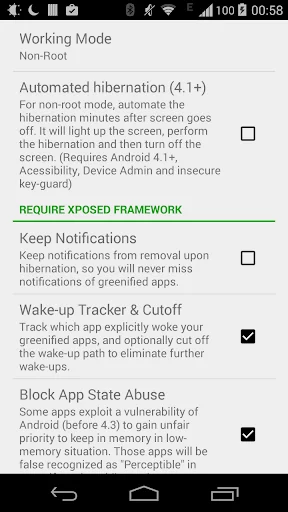
DEVICE ADMIN: This app uses administrator privilege to turn off the screen immediately after automated hibernation on non-root devices. This permission will be requested explicitly for your consent only if required.
DRAW OVER OTHER APP: To dim the screen during automatic hibernation when the screen is expected to be off.
DISABLE SCREEN LOCK & BIND ACCESSIBILITY SERVICE: For automatic hibernation to work on non-root devices.
GET ACCOUNTS & WRITE SYNC SETTINGS: Control the account sync of apps if its sync task is too frequent.
This app uses Accessibility services, to automate the hibernation procedure.
=== FAQ ===
* It seems that automatic hibernation is not working.
* Some of my greenified apps (e.g. Google Maps) seems not hibernating.
* I want to greenify system apps!
* De-greenified apps still got no push notification!
……
Read here: http://goo.gl/99lNYp
=== Translation ===
All translations are created by community volunteers and open for contribution: http://goo.gl/zCCDce
=== Donation ===
If you love Greenify, please consider the "donation package" (http://goo.gl/fpz5l) for extra experimental features:
* Greenify system apps
* In-depth details about how apps behave on your device
* And more
<b>"Aggressive Doze" and "Doze on the Go" to maximize the battery saving on Android 6+, even without root! (details explained in settings)</b>
Never should your phone or tablet become slower and battery hungrier after lots of apps installed. With Greenify, your device can run almost as smoothly and lastingly as it did the first day you had it!
Greenify help you identify and put the misbehaving apps into hibernation when you are not actively using them, to stop them from lagging your device or leeching the battery, in a unique way! They can do nothing without explicit launch by you or other apps, while still preserving full functionality when running in foreground.
Please report bugs in the XDA forum (http://goo.gl/ZuLDnE) or G+ community (http://goo.gl/MoszF).
<b>Greenify NEVER EVER collects your personal data despite the capability of accessibility service, it just takes advantage of it to automate the hibernation procedure.</b>
<b>IMPORTANT: </b>Greenifying an app implies that you are aware that all the background functionality (service, periodic task, event receiver, alarm, widget update, push message) of this app will become out of service during the hibernation except when you are using this app.
<b>NEVER greenify alarm clock apps, instant messaging apps unless you don't rely on them. Please do verify the impact of greenified apps on which you heavily rely.</b>
Note: Greenify does need background running services for auto-hibernation to work. It is designed and implemented in extremely lightweight and nearly zero CPU and battery consumption.
=== PERMISSIONS ===
DEVICE ADMIN: This app uses administrator privilege to turn off the screen immediately after automated hibernation on non-root devices. This permission will be requested explicitly for your consent only if required.
DRAW OVER OTHER APP: To dim the screen during automatic hibernation when the screen is expected to be off.
DISABLE SCREEN LOCK & BIND ACCESSIBILITY SERVICE: For automatic hibernation to work on non-root devices.
GET ACCOUNTS & WRITE SYNC SETTINGS: Control the account sync of apps if its sync task is too frequent.
This app uses Accessibility services, to automate the hibernation procedure.
=== FAQ ===
* It seems that automatic hibernation is not working.
* Some of my greenified apps (e.g. Google Maps) seems not hibernating.
* I want to greenify system apps!
* De-greenified apps still got no push notification!
……
Read here: http://goo.gl/99lNYp
=== Translation ===
All translations are created by community volunteers and open for contribution: http://goo.gl/zCCDce
=== Donation ===
If you love Greenify, please consider the "donation package" (http://goo.gl/fpz5l) for extra experimental features:
* Greenify system apps
* In-depth details about how apps behave on your device
* And more
Profile & Insights
Everything we know — and don't — about this app and its company.
Identification
- App name
- Greenify
- Developer
- Oasis Feng
- Bundle ID
- com.oasisfeng.greenify
- App Store URL
- Open in App Store
- Category
- Tools
- Content rating
- Not found
- Languages
- Not found
Company
- Website
- Not found
- Tagline
- Not found
- Description
- Not found
- Founded
- Not found
- HQ / Address
- Not found
- Employees
- Not found
- Logo
- Not found
Revenue
- Verified revenue / mo
- Not found
- AI revenue estimate / mo
- Not found
- AI annual estimate
- Not found
- ML model estimate / mo
- $3.2K/mo
- Top-grossing rank
- Not found
- All-time revenue
- Not found
- Pricing
- Not found
Founder
- Name
- Not found
- X / Twitter
- Not found
- Not found
- GitHub
- Not found
- X followers
- Not found
- Public statements
- Not found
Funding
- Total raised
- Not found
- Last round
- Not found
- Investors
- Not found
- Crunchbase
- Not found
- AngelList
- Not found
Press & Links
- Articles found
- Not found
- Listed on
- Not found
- Blog
- Not found
- Press / News
- Not found
Contacts & Socials
- Socials
- Not found
- Not found
- Phone
- Not found
- Contact page
- Not found
- About page
- Not found
Profile is built from iTunes Lookup + developer site scrape + ML revenue model. Empty fields show "Not found" — additional sources (Crunchbase, X, IndieHackers, Acquire.com) coming.
Full revenue analysis
Read the article-style breakdown for Greenify: category rank, percentile, growth signal, comparable apps, and how the forecast is calibrated against verified-MRR anchors in this niche.