70
BU Score
Strong
TV Cast for Chromecast
✍️ BU Analytics Review
“
TV Cast for Chromecast is an Android app from 2kit consulting in the Video Players & Editors category, currently rated 4.2★ across 43,932 ratings. Initial signal reads as mixed reviews — supporters praise core features while critics cite stability/value gaps.
Our BU Score puts it at 70 — Strong (healthy traction). For a Video Players & Editors app, that means healthy traction.
Track changes month-over-month in the Performance section below — live snapshot history and revenue forecast included.
creator
📊 Performance Tracking LIVE
Loading…
Rating
—
Reviews
—
Forecast Revenue / mo
—
Snapshots tracked
0
since first record
Range:
💰 Forecast Revenue / mo
MODELRevenue forecast computed from BU's 234 trigger model on each snapshot. Calibrated against ground-truth from 58 verified-revenue apps.
🔬Forecast Breakdown — Why This Estimate?Top 3 of 3 triggers
Our ML model uses 200+ signals from public data. These are the most influential for this app:
| Mid install base (43,932 ratings)METRIC | +$5,500 | |
| Good rating (4.2★)METRIC | +$800 | |
| Ad-supported / freemiumMETRIC | +$600 |
METRIC = structural app data · REVIEW = mined from user reviews · ✓ VERIFIED = Stripe-verified anchor (TrustMRR)
📈 Reviews Growth
LIVECumulative review count from first BU snapshot. Each point = a tracked update.
⭐ Rating Trend
LIVEAverage rating evolution. Updates with each new review batch.
🗓️ Snapshot Timeline
HISTORYEach bar shows a tracked update and the metric delta from the previous snapshot.
App Specs
🔐 Own this app? Claim & verify MRR →🔖 v2.77🔄 updated 3w ago📂 Video Players & Editors💰 Free
📝 About this app
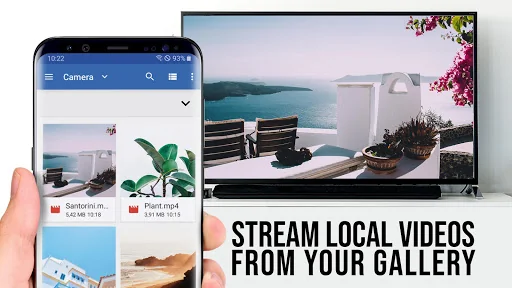
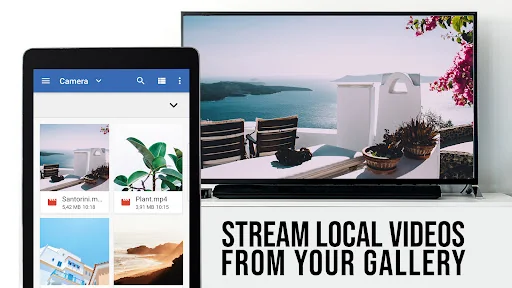
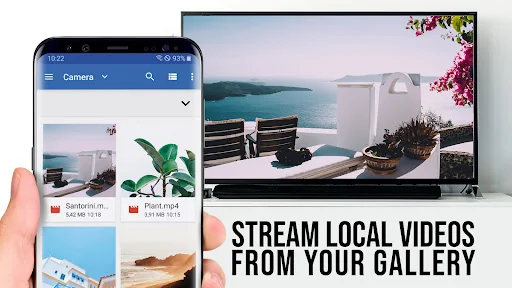
Video & TV Cast is the TOP Browser App for video streaming with 10,000,000 users on Android + iOS
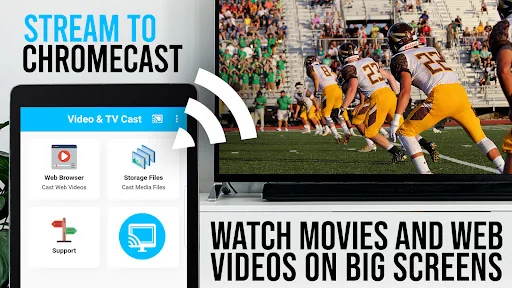
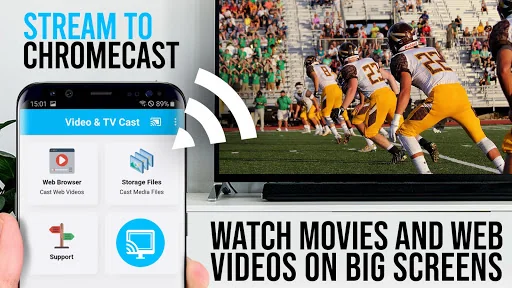
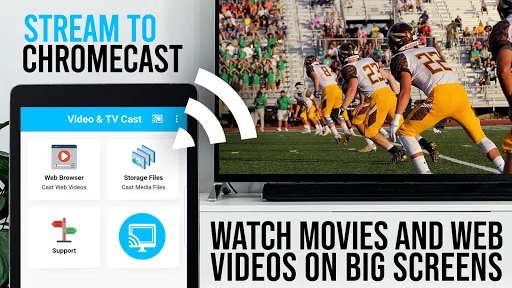
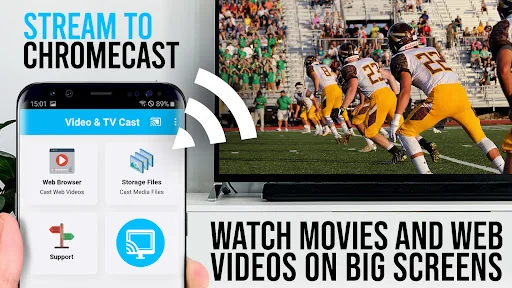
Upgrade your Chromecast Player to watch webvideos, online movies, IPTV, livestreams and live-tv shows directly on your biggest screen with the no#1 web video streamer. Mp4, m3u8, hls livestreams, video over https and of course Full HD are supported.
*** This app only works with all Chromecast devices from Google and Google Cast / Android TV powered device ***
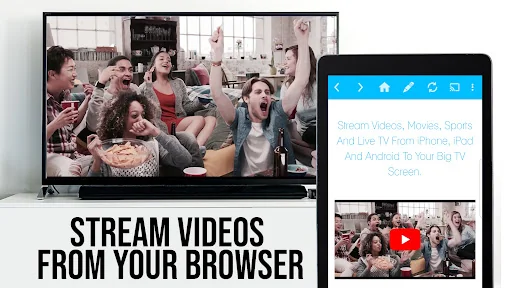
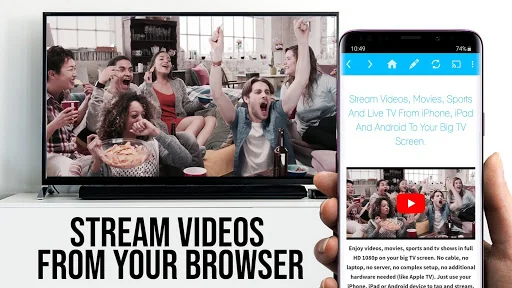
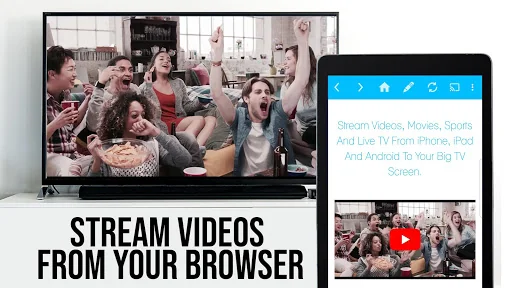
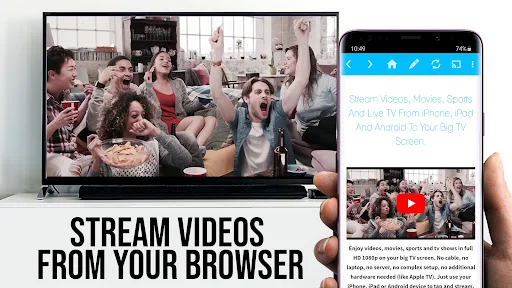
With Video & TV Cast you can browse through the web and stream or cast the World Cup or any video you want on your Chromecast Player. Just navigate to your favorite website and send the embedded video with a single tap to your Chromecast. The discovered video will be shown below the browser. A tap on the video link will send it to your Chromecast Player immediately.
>>> IMPORTANT NOTES, PLEASE READ
* NOT SUPPORTED Videos: Flash video, Google Play movies, Netflix, Amazon and HBO and other DRM protected videos web-videos, online-movies, IPTV, livestreams and live-tv shows.
* Please test your websites and videos in the free edition! If casting fails, upgrading will NOT make it work magically.
* The app does NOT mirror your full Android device, it just pushes the video part of a website to your Chromecast.
* To play mp4, m3u8 or other videofiles directly on Chromecast just enter or paste the full video-url in the browser address bar.
* Sometimes it is necessary to play the video on your Android device before the link gets detected for casting.
* If the connection does not work, please try to restart your Android device, Chromecast and wifi router.
* If a specific web-video, online-movie, IPTV, livestream or live-tv show does not cast, please check our FAQ or send the website and video link to info@video-tv-cast.com by using the report feature in the app. We will try to add support for your video as soon as possible. Leaving negative Play Store reviews without any information about your issue will not give us a chance to help you.
* Security Note: For your safety Video & TV cast only needs minimal Android permissions to work. Unlike others we do NOT access your identity data, accounts, device id, phone status, gps location or contacts. Please always check the required app permissions before you trust and install any Android app.
* Refunds: Only within 24 hours after purchase. Please submit the Google Purchase ID.
>>> QUICK START GUIDE
1) Wait some seconds until the red icon in the menu bar changes to a filled white icon. If your Chromecast is not found, please restart the app.
2) Google your favorite video (e.g. on youtube) or enter the video-url directly in the browser address bar by tapping on the pen icon in the menu bar.
3) Wait some seconds until the video link (mp4, m3u8, etc.) is shown below the browser. If "No videolink found to cast" stays, please play the video locally in the browser first and open it in fullscreen mode, then wait some seconds.
4) After the link is detected tap on "Tap here to cast" below the browser and casting will start. To stop casting, please tap on the cast icon in the menu bar.
5) Enjoy your web-video, online-movie, IPTV, livestream or live-tv show and share our app on Twitter or Facebook :)
>>> A MESSAGE FROM THE DEVELOPERS
If you have suggestions or discover any problems with Video & TV Cast, please let us know at info@video-tv-cast.com. We will help you as soon as we can.
If you like the app, please support us by giving a 5-star rating on Google Play or purchasing one of the addons. Thank you for all your support.
Disclaimer: This app is not affiliated with Google or any other trademark mentioned here. Chromecast is a trademark of Google LLC.
Upgrade your Chromecast Player to watch webvideos, online movies, IPTV, livestreams and live-tv shows directly on your biggest screen with the no#1 web video streamer. Mp4, m3u8, hls livestreams, video over https and of course Full HD are supported.
*** This app only works with all Chromecast devices from Google and Google Cast / Android TV powered device ***
With Video & TV Cast you can browse through the web and stream or cast the World Cup or any video you want on your Chromecast Player. Just navigate to your favorite website and send the embedded video with a single tap to your Chromecast. The discovered video will be shown below the browser. A tap on the video link will send it to your Chromecast Player immediately.
>>> IMPORTANT NOTES, PLEASE READ
* NOT SUPPORTED Videos: Flash video, Google Play movies, Netflix, Amazon and HBO and other DRM protected videos web-videos, online-movies, IPTV, livestreams and live-tv shows.
* Please test your websites and videos in the free edition! If casting fails, upgrading will NOT make it work magically.
* The app does NOT mirror your full Android device, it just pushes the video part of a website to your Chromecast.
* To play mp4, m3u8 or other videofiles directly on Chromecast just enter or paste the full video-url in the browser address bar.
* Sometimes it is necessary to play the video on your Android device before the link gets detected for casting.
* If the connection does not work, please try to restart your Android device, Chromecast and wifi router.
* If a specific web-video, online-movie, IPTV, livestream or live-tv show does not cast, please check our FAQ or send the website and video link to info@video-tv-cast.com by using the report feature in the app. We will try to add support for your video as soon as possible. Leaving negative Play Store reviews without any information about your issue will not give us a chance to help you.
* Security Note: For your safety Video & TV cast only needs minimal Android permissions to work. Unlike others we do NOT access your identity data, accounts, device id, phone status, gps location or contacts. Please always check the required app permissions before you trust and install any Android app.
* Refunds: Only within 24 hours after purchase. Please submit the Google Purchase ID.
>>> QUICK START GUIDE
1) Wait some seconds until the red icon in the menu bar changes to a filled white icon. If your Chromecast is not found, please restart the app.
2) Google your favorite video (e.g. on youtube) or enter the video-url directly in the browser address bar by tapping on the pen icon in the menu bar.
3) Wait some seconds until the video link (mp4, m3u8, etc.) is shown below the browser. If "No videolink found to cast" stays, please play the video locally in the browser first and open it in fullscreen mode, then wait some seconds.
4) After the link is detected tap on "Tap here to cast" below the browser and casting will start. To stop casting, please tap on the cast icon in the menu bar.
5) Enjoy your web-video, online-movie, IPTV, livestream or live-tv show and share our app on Twitter or Facebook :)
>>> A MESSAGE FROM THE DEVELOPERS
If you have suggestions or discover any problems with Video & TV Cast, please let us know at info@video-tv-cast.com. We will help you as soon as we can.
If you like the app, please support us by giving a 5-star rating on Google Play or purchasing one of the addons. Thank you for all your support.
Disclaimer: This app is not affiliated with Google or any other trademark mentioned here. Chromecast is a trademark of Google LLC.
Profile & Insights
Everything we know — and don't — about this app and its company.
Identification
- App name
- TV Cast for Chromecast
- Developer
- 2kit consulting
- Bundle ID
- de.twokit.castbrowser
- App Store URL
- Open in App Store
- Category
- Video Players & Editors
- Content rating
- Not found
- Languages
- Not found
Company
- Website
- Not found
- Tagline
- Not found
- Description
- Not found
- Founded
- Not found
- HQ / Address
- Not found
- Employees
- Not found
- Logo
- Not found
Revenue
- Verified revenue / mo
- Not found
- AI revenue estimate / mo
- Not found
- AI annual estimate
- Not found
- ML model estimate / mo
- $1.7K/mo
- Top-grossing rank
- Not found
- All-time revenue
- Not found
- Pricing
- Not found
Founder
- Name
- Not found
- X / Twitter
- Not found
- Not found
- GitHub
- Not found
- X followers
- Not found
- Public statements
- Not found
Funding
- Total raised
- Not found
- Last round
- Not found
- Investors
- Not found
- Crunchbase
- Not found
- AngelList
- Not found
Press & Links
- Articles found
- Not found
- Listed on
- Not found
- Blog
- Not found
- Press / News
- Not found
Contacts & Socials
- Socials
- Not found
- Not found
- Phone
- Not found
- Contact page
- Not found
- About page
- Not found
Profile is built from iTunes Lookup + developer site scrape + ML revenue model. Empty fields show "Not found" — additional sources (Crunchbase, X, IndieHackers, Acquire.com) coming.
More by 2kit consulting
View all →TV Cast for Samsung TV
★ 4.2 · 72,088 reviews
TV Cast for LG webOS
★ 4.0 · 52,249 reviews
TV Cast for Android TV
★ 4.0 · 50,031 reviews
Screen Mirroring App
★ 4.0 · 40,651 reviews
TV Cast for Roku
★ 4.3 · 15,547 reviews
TV Cast for Fire TV
★ 4.0 · 9,461 reviews
TV Cast for DLNA Smart TV
★ 4.1 · 8,169 reviews
TV Cast for Sony TV
★ 4.2 · 5,656 reviews
More Video Players & Editors
TikTok
★ 4.5 · 23,257,202 reviews
MX Player
★ 4.2 · 13,979,081 reviews
CapCut - Video Editor
★ 3.5 · 12,702,185 reviews
VivaVideo - Video Cut & Editor
★ 4.3 · 12,348,610 reviews
Likee - Short Video Community
★ 4.4 · 11,403,905 reviews
Kwai - Cool Video & Social Fun
★ 4.0 · 10,870,105 reviews
SnackVideo
★ 4.5 · 8,496,328 reviews
YouCut - Video Editor & Maker
★ 4.8 · 8,441,660 reviews
Browse BU Analytics
📚 All 55,000+ Books
🜍 Alchemy & Hermeticism
🔮 Magic & Ritual
🌙 Witchcraft & Paganism
⭐ Astrology & Cosmology
🃏 Divination & Tarot
📜 Video Players & Editors
✡️ Kabbalah & Jewish Mysticism
🕉️ Mysticism & Contemplation
🕊️ Theosophy & Anthroposophy
🏛️ Freemasonry & Secret Societies
👻 Spiritualism & Afterlife
📖 Sacred Texts & Gnosticism
👁️ Supernatural & Occult Fiction
🧘 Spiritual Development
📚 Esoteric History & Biography
Info
About BU Analytics