


 57
57

BU Score
Solid

PSPad: Mobile Gamepad



✍️ BU Analytics Review
“
PSPad: Mobile Gamepad is an Android app from Streaming Dev in the Tools category, currently rated 3.8★ across 5,757 ratings. Initial signal reads as largely positive sentiment, users highlighting consistency and feature depth.
Our BU Score puts it at 57 — Solid (established niche player). For a Tools app, that means established niche player.
Track changes month-over-month in the Performance section below — live snapshot history and revenue forecast included.
creator
📊 Performance Tracking LIVE
Loading…
Rating
—
Reviews
—
Forecast Revenue / mo
—
Snapshots tracked
0
since first record
Range:
💰 Forecast Revenue / mo
MODELRevenue forecast computed from BU's 234 trigger model on each snapshot. Calibrated against ground-truth from 58 verified-revenue apps.
📈 Reviews Growth
LIVECumulative review count from first BU snapshot. Each point = a tracked update.
⭐ Rating Trend
LIVEAverage rating evolution. Updates with each new review batch.
🗓️ Snapshot Timeline
HISTORYEach bar shows a tracked update and the metric delta from the previous snapshot.
App Specs
🔐 Own this app? Claim & verify MRR →🔖 v3.6.0🔄 updated 1y ago📂 Tools💰 Free
📝 About this app
<h1>Introduction</h1>
PSPad offers you the possibility to use your smartphone as D-Shock controller for your console. Do you need a second D-Shock gamepad for playing multiplayer games on your console*, did your D-Shock gamepad break down and you need a quick replacement, do you want to use your Android controller on your console? Well, then PSPad is the right app for you.
Instruction video: https://youtu.be/YkCqY8ApJUU
<h2>Hardware recommendations</h2>
• A wired Internet connection for your console is strongly recommended
• Smartphone should be connected to a 5GHz WiFi for minimum delays
• A high-speed internet connection with upload and download speeds of at least 15 Mbps
PSPad connects to your console via the Remote Play protocol. PSPad allows you to remote control any console game which supports Remote Play.
<h2>Main Features</h2>
- Easy Connection Setup
- Microphone support
- Motion sensor support
- Use PSPad as virtual D-Shock controller for your console
- Forward all connected Android controllers commands to your console
- Create individual controller button mappings
<h2>Limitations</h2>
- Because of how PSPad works, using Remote Play will not work while using PSPad
- You cannot connect multiple PSPad apps to your console at the same time
- To connect a controller to your console while using PSPad, you need a second profile
- Connection can only be established via WiFi
PSPad connects to your console via the Remote Play protocol. PSPad will only work in applications and games which support Remote Play (almost all games support Remote Play). As PSPad is connecting to your console via the Remote Play protocol, the console is sending audio and stream data to your smartphone. Despite no audio and video will be displayed, PSPad does receive that data which may have an impact on your internet traffic so please keep that in mind.
❗<b><h2>Problems with the Account login</h2></b>❗
This problem only affects users with firmware 7.0 or later where a account login must be performed to get your Account ID. Recently, some users reported problems when performing the login. More information here:
https://streamingdv.github.io/pspad/index.html#line8
<h2>Support</h2>
All information about PSPad can be found here:
https://streamingdv.github.io/pspad/index.html
*Please note: If you want to use PSPad as second gamepad in addition to your real D-Shock controller you must have at least a second guest profile on your console. The real D-Shock controller must then be connected to the profile which is not currently used by the PSPad Remote Play session, otherwise PSPad will be disconnected.
Disclaimer: all possible mentioned trademarks cited here are the property of their respective owners.
PSPad offers you the possibility to use your smartphone as D-Shock controller for your console. Do you need a second D-Shock gamepad for playing multiplayer games on your console*, did your D-Shock gamepad break down and you need a quick replacement, do you want to use your Android controller on your console? Well, then PSPad is the right app for you.
Instruction video: https://youtu.be/YkCqY8ApJUU
<h2>Hardware recommendations</h2>
• A wired Internet connection for your console is strongly recommended
• Smartphone should be connected to a 5GHz WiFi for minimum delays
• A high-speed internet connection with upload and download speeds of at least 15 Mbps
PSPad connects to your console via the Remote Play protocol. PSPad allows you to remote control any console game which supports Remote Play.
<h2>Main Features</h2>
- Easy Connection Setup
- Microphone support
- Motion sensor support
- Use PSPad as virtual D-Shock controller for your console
- Forward all connected Android controllers commands to your console
- Create individual controller button mappings
<h2>Limitations</h2>
- Because of how PSPad works, using Remote Play will not work while using PSPad
- You cannot connect multiple PSPad apps to your console at the same time
- To connect a controller to your console while using PSPad, you need a second profile
- Connection can only be established via WiFi
PSPad connects to your console via the Remote Play protocol. PSPad will only work in applications and games which support Remote Play (almost all games support Remote Play). As PSPad is connecting to your console via the Remote Play protocol, the console is sending audio and stream data to your smartphone. Despite no audio and video will be displayed, PSPad does receive that data which may have an impact on your internet traffic so please keep that in mind.
❗<b><h2>Problems with the Account login</h2></b>❗
This problem only affects users with firmware 7.0 or later where a account login must be performed to get your Account ID. Recently, some users reported problems when performing the login. More information here:
https://streamingdv.github.io/pspad/index.html#line8
<h2>Support</h2>
All information about PSPad can be found here:
https://streamingdv.github.io/pspad/index.html
*Please note: If you want to use PSPad as second gamepad in addition to your real D-Shock controller you must have at least a second guest profile on your console. The real D-Shock controller must then be connected to the profile which is not currently used by the PSPad Remote Play session, otherwise PSPad will be disconnected.
Disclaimer: all possible mentioned trademarks cited here are the property of their respective owners.
Profile & Insights
Everything we know — and don't — about this app and its company.
Identification
- App name
- PSPad: Mobile Gamepad
- Developer
- Streaming Dev
- Bundle ID
- pspad.grill.com
- App Store URL
- Open in App Store
- Category
- Tools
- Content rating
- Not found
- Languages
- Not found
Company
- Website
- Not found
- Tagline
- Not found
- Description
- Not found
- Founded
- Not found
- HQ / Address
- Not found
- Employees
- Not found
- Logo
- Not found
Revenue
- Verified revenue / mo
- Not found
- AI revenue estimate / mo
- Not found
- AI annual estimate
- Not found
- ML model estimate / mo
- $906/mo
- Top-grossing rank
- Not found
- All-time revenue
- Not found
- Pricing
- Not found
Founder
- Name
- Not found
- X / Twitter
- Not found
- Not found
- GitHub
- Not found
- X followers
- Not found
- Public statements
- Not found
Funding
- Total raised
- Not found
- Last round
- Not found
- Investors
- Not found
- Crunchbase
- Not found
- AngelList
- Not found
Press & Links
- Articles found
- Not found
- Listed on
- Not found
- Blog
- Not found
- Press / News
- Not found
Contacts & Socials
- Socials
- Not found
- Not found
- Phone
- Not found
- Contact page
- Not found
- About page
- Not found
Profile is built from iTunes Lookup + developer site scrape + ML revenue model. Empty fields show "Not found" — additional sources (Crunchbase, X, IndieHackers, Acquire.com) coming.
More by Streaming Dev
View all →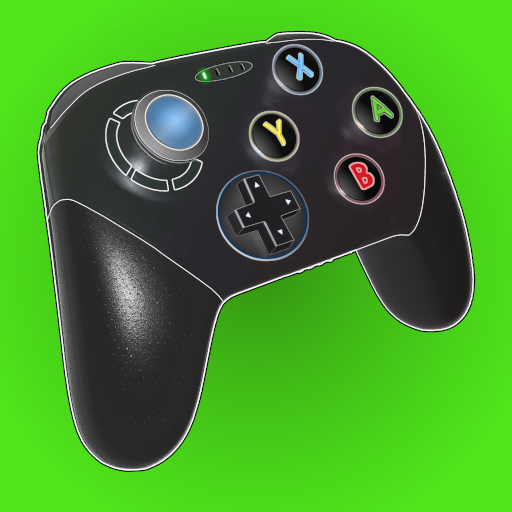
More Tools

Phone by Google
★ 4.5 · 47,248,471 reviews
Google Play services
★ 4.3 · 44,619,167 reviews

★ 4.1 · 29,135,018 reviews

Gboard - the Google Keyboard
★ 4.5 · 18,500,531 reviews

SHAREit: Transfer, Share Files
★ 4.3 · 18,247,718 reviews

gov.br
★ 4.5 · 12,551,225 reviews

MyTelkomsel – Buy Internet
★ 3.7 · 11,917,556 reviews

myIM3: Data Plan & Buy Package
★ 4.4 · 10,992,500 reviews

Browse BU Analytics
📚 All 55,000+ Books
🜍 Alchemy & Hermeticism
🔮 Magic & Ritual
🌙 Witchcraft & Paganism
⭐ Astrology & Cosmology
🃏 Divination & Tarot
📜 Tools
✡️ Kabbalah & Jewish Mysticism
🕉️ Mysticism & Contemplation
🕊️ Theosophy & Anthroposophy
🏛️ Freemasonry & Secret Societies
👻 Spiritualism & Afterlife
📖 Sacred Texts & Gnosticism
👁️ Supernatural & Occult Fiction
🧘 Spiritual Development
📚 Esoteric History & Biography
Info
About BU Analytics