57
BU Score
Solid
DroidJoy Gamepad Joystick Lite
✍️ BU Analytics Review
“
DroidJoy Gamepad Joystick Lite is an Android app from Streaming Dev in the Tools category, currently rated 3.1★ across 12,638 ratings. Initial signal reads as mixed reviews — supporters praise core features while critics cite stability/value gaps.
Our BU Score puts it at 57 — Solid (established niche player). For a Tools app, that means established niche player.
Track changes month-over-month in the Performance section below — live snapshot history and revenue forecast included.
📊 Performance Tracking LIVE
Loading…
Rating
—
Reviews
—
Forecast Revenue / mo
—
Snapshots tracked
0
since first record
Range:
💰 Forecast Revenue / mo
MODELRevenue forecast computed from BU's 234 trigger model on each snapshot. Calibrated against ground-truth from 58 verified-revenue apps.
🔬Forecast Breakdown — Why This Estimate?Top 3 of 3 triggers
Our ML model uses 200+ signals from public data. These are the most influential for this app:
| Mid install base (12,638 ratings)METRIC | +$5,500 | |
| Below-average rating (3.1★)METRIC | −$1,500 | |
| Ad-supported / freemiumMETRIC | +$600 |
METRIC = structural app data · REVIEW = mined from user reviews · ✓ VERIFIED = Stripe-verified anchor (TrustMRR)
📈 Reviews Growth
LIVECumulative review count from first BU snapshot. Each point = a tracked update.
⭐ Rating Trend
LIVEAverage rating evolution. Updates with each new review batch.
🗓️ Snapshot Timeline
HISTORYEach bar shows a tracked update and the metric delta from the previous snapshot.
App Specs
🔐 Own this app? Claim & verify MRR →🔖 vVaries with device🔄 updated 1y ago📂 Tools💰 Free
📝 About this app
DroidJoy - Lite version
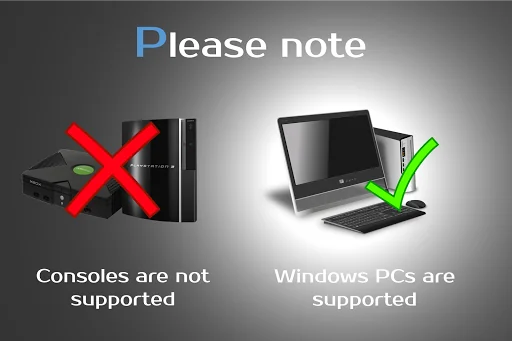
<b>Note: Does not work on consoles</b>
<b>*Server supports now XInput and DInput emulation*</b>
<b>*DroidJoy server 2.0.1. works on Windows 7 and above*</b>
<h1>Before installing the app</h1>
<b>1.</b> Download the DroidJoy server software from https://grill2010.github.io/droidJoy.html#download
<b>2.</b> Install and start the server on your PC (If you have any problems, don't hesitate to contact me)
<b>3.</b> Be sure that your server and your Smartphone are in the same network. If you intend to use Bluetooth, be sure your PC is set to visible.
<b>4.</b> Start the DroidJoy app. Navigate to the "Connect" window and click "Search server".
<b>Windows 10 1903 problem:</b>
DInput is no longer supported in the server version 2.1.0. If you still need to use DInput you must use the DroidJoy server version 2.0.4 and you must have installed an older Windows version than Windows 10 build 1903.
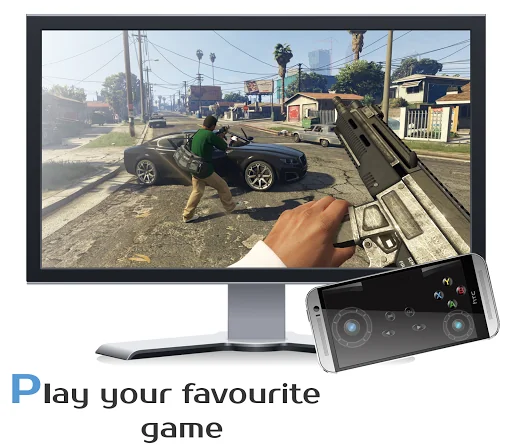
With DroidJoy you can use your Android Smartphone as PC Joystick / Controller. Almost every game is supported due DInput and XInput emulation. Play games like GTA V, Call of Duty, Need for Speed, Sonic Mania, GTA San Andreas, Counter Strike and many more.
If you have any problems with the installation of the server, don't hesitate to contact me. I will reply as soon as possible.
<b>!Be sure the DroidJoy server is running when you start your game or emulator. The game may not recognize gamepads which are plugged in during its runtime. In this case, simply restart your game!</b>
For further information, please have a look at
<b>General information</b>
• https://github.com/grill2010/DroidJoy_Server/wiki
<b>FAQ</b>
• https://github.com/grill2010/DroidJoy_Server/wiki/FAQ
<b>Server Tutorial</b>
• https://github.com/grill2010/DroidJoy_Server/wiki/DroidJoy-Server-Tutorial
<b>How to install the DroidJoy server</b>
• https://youtu.be/jCHxhcYih1Y
<h1>Description</h1>
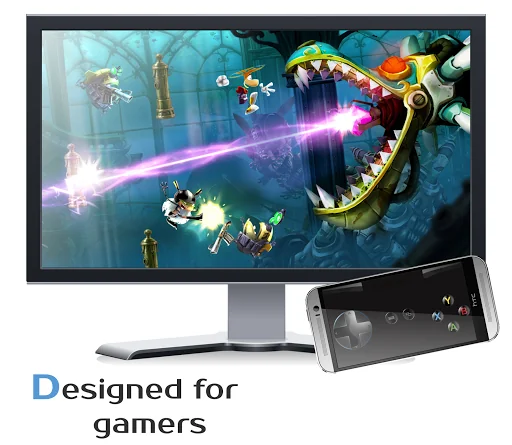
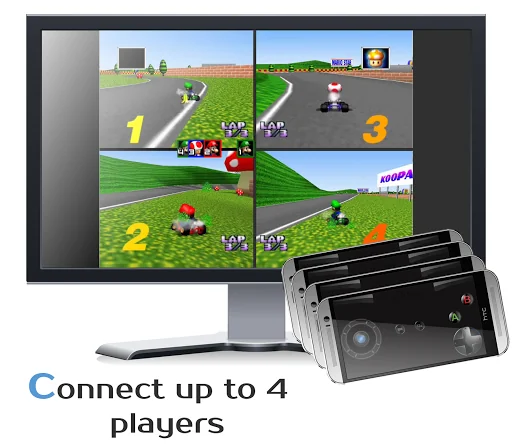
DroidJoy turns your Android Smartphone in a <b>real gamepad device</b> for your Windows PC. It offers many controller configuration possibilities, so that you can use it for multiple game genres. DroidJoy is not a simple Keyboard Mouse emulator, it is a real gamepad. The driver and the server are available for Windows 7 and above. The server can handle up to 4 DroidJoy Clients so that you can easily play multiplayer games with your friends by using only your Smartphones.
All you need is the DroidJoy server software, which you can download from the official website for free:
https://grill2010.github.io/droidJoy.html#download
If you receive some warnings from Windows or your Firewall, please don't worry.
The server has been tested on Windows Windows 7, Windows 8, Windows 8.1 and Windows 10. If you have any problems with the installation of the server please feel free to contact me at f.grill160@gmail.com.
<h3>Requirements</h3>
- Running DroidJoy server on your PC
- Android version 5.0 (Lollipop) or higher
<h3>Version 2.0</h3>
- Real gamepad emulation
* Multi Client support
* Up to 14 Buttons (limited in the lite version)
* G-Sensor support
* Buttons, volume keys, d-pad, left/ right joystick
* Use WiFi or Bluetooth connection
- X-Box 360 controller emulation with native XInput driver
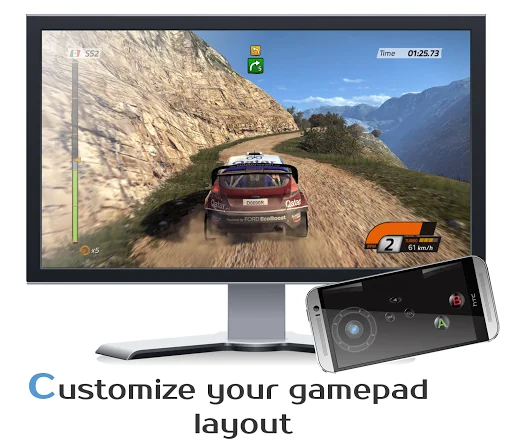
- Gamepad layout configuration
* Customization of template layouts
- Easy connection Setup
<h3>Information</h3>
- If you want to connect more than one Smartphone with your PC, you have to configure the same amount of virtual gamepads in the server application.
Note: It can have several reasons if your game doesn't recognize the virtual gamepad as input device. Some new games just support X-Box gamepads and won't work with DInput gamepads. If you want to play a game which only supports PC-X-Box gamepads, you have to configure the DroidJoy server to emulate XInput devices.
<b>Note: Does not work on consoles</b>
<b>*Server supports now XInput and DInput emulation*</b>
<b>*DroidJoy server 2.0.1. works on Windows 7 and above*</b>
<h1>Before installing the app</h1>
<b>1.</b> Download the DroidJoy server software from https://grill2010.github.io/droidJoy.html#download
<b>2.</b> Install and start the server on your PC (If you have any problems, don't hesitate to contact me)
<b>3.</b> Be sure that your server and your Smartphone are in the same network. If you intend to use Bluetooth, be sure your PC is set to visible.
<b>4.</b> Start the DroidJoy app. Navigate to the "Connect" window and click "Search server".
<b>Windows 10 1903 problem:</b>
DInput is no longer supported in the server version 2.1.0. If you still need to use DInput you must use the DroidJoy server version 2.0.4 and you must have installed an older Windows version than Windows 10 build 1903.
With DroidJoy you can use your Android Smartphone as PC Joystick / Controller. Almost every game is supported due DInput and XInput emulation. Play games like GTA V, Call of Duty, Need for Speed, Sonic Mania, GTA San Andreas, Counter Strike and many more.
If you have any problems with the installation of the server, don't hesitate to contact me. I will reply as soon as possible.
<b>!Be sure the DroidJoy server is running when you start your game or emulator. The game may not recognize gamepads which are plugged in during its runtime. In this case, simply restart your game!</b>
For further information, please have a look at
<b>General information</b>
• https://github.com/grill2010/DroidJoy_Server/wiki
<b>FAQ</b>
• https://github.com/grill2010/DroidJoy_Server/wiki/FAQ
<b>Server Tutorial</b>
• https://github.com/grill2010/DroidJoy_Server/wiki/DroidJoy-Server-Tutorial
<b>How to install the DroidJoy server</b>
• https://youtu.be/jCHxhcYih1Y
<h1>Description</h1>
DroidJoy turns your Android Smartphone in a <b>real gamepad device</b> for your Windows PC. It offers many controller configuration possibilities, so that you can use it for multiple game genres. DroidJoy is not a simple Keyboard Mouse emulator, it is a real gamepad. The driver and the server are available for Windows 7 and above. The server can handle up to 4 DroidJoy Clients so that you can easily play multiplayer games with your friends by using only your Smartphones.
All you need is the DroidJoy server software, which you can download from the official website for free:
https://grill2010.github.io/droidJoy.html#download
If you receive some warnings from Windows or your Firewall, please don't worry.
The server has been tested on Windows Windows 7, Windows 8, Windows 8.1 and Windows 10. If you have any problems with the installation of the server please feel free to contact me at f.grill160@gmail.com.
<h3>Requirements</h3>
- Running DroidJoy server on your PC
- Android version 5.0 (Lollipop) or higher
<h3>Version 2.0</h3>
- Real gamepad emulation
* Multi Client support
* Up to 14 Buttons (limited in the lite version)
* G-Sensor support
* Buttons, volume keys, d-pad, left/ right joystick
* Use WiFi or Bluetooth connection
- X-Box 360 controller emulation with native XInput driver
- Gamepad layout configuration
* Customization of template layouts
- Easy connection Setup
<h3>Information</h3>
- If you want to connect more than one Smartphone with your PC, you have to configure the same amount of virtual gamepads in the server application.
Note: It can have several reasons if your game doesn't recognize the virtual gamepad as input device. Some new games just support X-Box gamepads and won't work with DInput gamepads. If you want to play a game which only supports PC-X-Box gamepads, you have to configure the DroidJoy server to emulate XInput devices.
Profile & Insights
Everything we know — and don't — about this app and its company.
Identification
- App name
- DroidJoy Gamepad Joystick Lite
- Developer
- Streaming Dev
- Bundle ID
- com.grill.droidjoy_demo
- App Store URL
- Open in App Store
- Category
- Tools
- Content rating
- Not found
- Languages
- Not found
Company
- Website
- Not found
- Tagline
- Not found
- Description
- Not found
- Founded
- Not found
- HQ / Address
- Not found
- Employees
- Not found
- Logo
- Not found
Revenue
- Verified revenue / mo
- Not found
- AI revenue estimate / mo
- Not found
- AI annual estimate
- Not found
- ML model estimate / mo
- $1.1K/mo
- Top-grossing rank
- Not found
- All-time revenue
- Not found
- Pricing
- Not found
Founder
- Name
- Not found
- X / Twitter
- Not found
- Not found
- GitHub
- Not found
- X followers
- Not found
- Public statements
- Not found
Funding
- Total raised
- Not found
- Last round
- Not found
- Investors
- Not found
- Crunchbase
- Not found
- AngelList
- Not found
Press & Links
- Articles found
- Not found
- Listed on
- Not found
- Blog
- Not found
- Press / News
- Not found
Contacts & Socials
- Socials
- Not found
- Not found
- Phone
- Not found
- Contact page
- Not found
- About page
- Not found
Profile is built from iTunes Lookup + developer site scrape + ML revenue model. Empty fields show "Not found" — additional sources (Crunchbase, X, IndieHackers, Acquire.com) coming.