What Зебра: обработка фото, фильтры actually does (from App Store listing)
Zebra - a photo and video editor for bloggers: text on photos, AI background and object removal, film filters and effects. Create content for Stories, Reels, and TikTok in a minute ◕‿◕
I built Zebra for my wife (@VrednayaModa) to make her blogger life easier - and I hope you'll find it useful too.
What's inside?
• Text on photos and text drawing
The heart of Zebra. Trendy text effects in a minute:
- add YOUR OWN fonts and stickers - write with your own fonts, not just standard ones
- text al…
Zebra - a photo and video editor for bloggers: text on photos, AI background and object removal, film filters and effects. Create content for Stories, Reels, and TikTok in a minute ◕‿◕
I built Zebra for my wife (@VrednayaModa) to make her blogger life easier - and I hope you'll find it useful too.
What's inside?
• Text on photos and text drawing
The heart of Zebra. Trendy text effects in a minute: - add YOUR OWN fonts and stickers - write with your own fonts, not just standard ones - text along a curve, spiral, waves, rows, or rays - 3D text tilt and layer editing - alignment, letter and line spacing - highlight words: marker, underline, background fill - text BEHIND objects: wraps around a person or object (the background is cut out on your device, no internet needed) - draw with a brush: regular, neon glow, glitter, and emoji
• Seamless carousels
A hot format for Stories and posts. Slice a photo or video so the image continues seamlessly as you swipe - your feed looks like one canvas - ready-made templates: pick a grid of 2, 3, or more frames, add shots, done in one tap - manual mode: cut and arrange frames yourself
• Photo and video effects
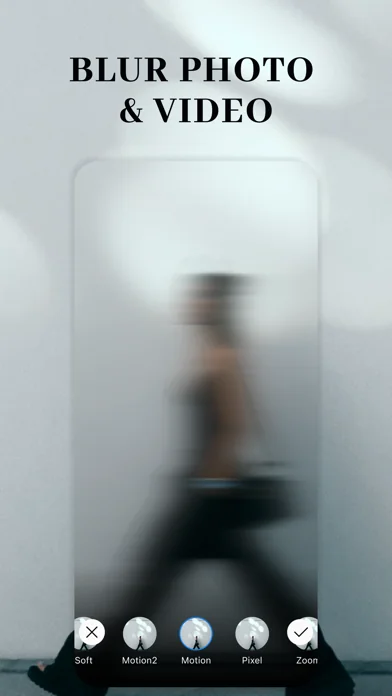
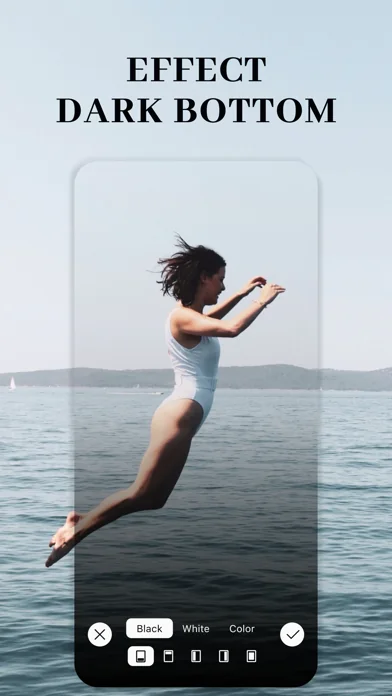
Dark - a "blogger" darkening of the whole photo or a chosen area (like the bottom) so text stays readable Grain - a cinematic film effect that makes a shot feel alive One-tap Blur - 12 variations: from simple to motion and wet glass. Focus blur for a soft accent, background blur, and blur only the areas you want
• Collages
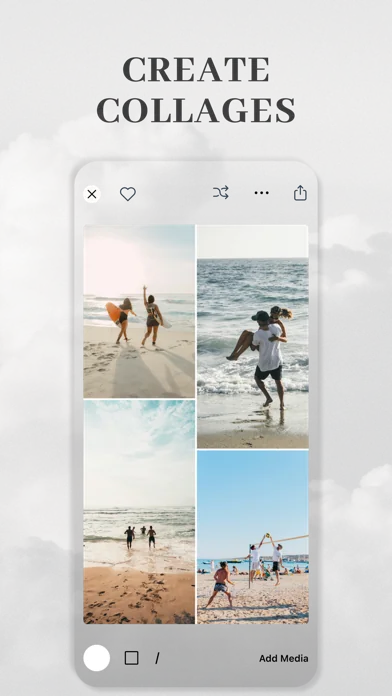
Build collages from photos and videos: - a huge library of ready-made grids for every taste: pick one, add shots, done in one tap - manual mode: move, scale, and arrange frames however you like - add text and captions on the collage
• High-quality background removal
- works on your device, no internet and no uploading to a server - automatic or manual, pixel-perfect precision - lots of trendy outlines: a colored stroke of any thickness to make your subject pop - fast export with a result that matches the preview exactly
• AI object removal
Remove unwanted people and objects - fast and clean, with no traces There's an on-device mode too - remove things fast without internet
• AI styling
Turn an ordinary photo into art: Ghibli style, anime, oil paint, sketch, and more. Upload a shot and AI repaints it in your chosen style in seconds Make profile pics, covers, and creatives no one else has
• Stickers
Hundreds of original stickers in ready-made packs - from trendy ones to arrows and captions. The most popular stay on top Question Sticker, Alert Sticker, Calendar Sticker - beautiful and customizable
• Filters
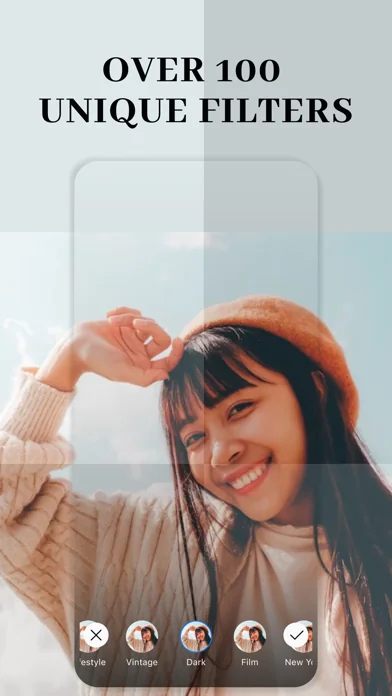
Film LUT presets inspired by Kodak, Fuji, and Polaroid Original filters from bloggers Full-screen mode - swipe through filters like Reels and pick the best Video filters
• DuoCam
Shoot video in two formats in one take - horizontal for YouTube and vertical for Reels and Stories at once. Shoot once, get both Exposure control by swiping across the frame
• Unicode fonts
Stylish fonts for your profile bio, comments, and any app
• Watermark
Protect your photos from theft: - your own text or logo, with adjustable opacity, size, and position - mosaic mode: tile the mark across the whole photo, like news outlets do - impossible to crop out
More tools: video speed, video compression, text from video, finding large videos, Zip archive, QR code, mask shapes, rounded corners, boomerang, and before/after video.
That's all for now, but only for now. I keep developing the app and adding new features. Stay tuned! Thanks for reading all the way here :)
Contact me: ZebraAppStore(at)gmail.com
Premium is optional. Payment will be charged to your iTunes account, and you can cancel your subscription anytime in your Apple settings.
Privacy Policy: https://zebra.tg/app-privacy/ Terms of Use: https://www.apple.com/legal/internet-services/itunes/dev/stdeula/
🆕 What's new · v3.29
Hey! Rolled out another fresh update ◕‿◕
Collages. I completely reworked the section: there are way more ready-made templates for every taste now, and everything runs more stably and faster. Build a collage from photos and videos in a couple of taps
Text behind objects. I added new wrap effects to Draw with Text: text in a spiral, in waves, in lines or in rays wraps right AROUND a person/object - like it's going behind them. The background is cut out right on your phone, no internet needed. Pick an effect in the pretty new menu with previews - and you're done
Saving curved text got more flexible - there's a new export menu: either the whole image, or just the text as a transparent PNG so you can paste it anywhere
In Text on Photo I added brush drawing - a regular brush, neon glow, glitter and even an emoji brush. Draw right on top of your photo
Film filters. I added 23 new presets in the style of Kodak, Fuji and Polaroid - on every screen with filters. The most popular ones are at the top now
Background Removal got snappier - the object outline exports 4x faster and now matches the preview pixel for pixel
In DuoCam I added exposure control - swipe up/down on the frame to make it lighter or darker
Fixed bugs and crashes: black preview when opening filters, a crash when undoing an action, copying/saving an element without the selection frame. Things are more stable now
P.S. As always, thanks for your feedback - I read every single one, and it really means a lot to me)
P.P.S. You can reach me through the Settings button on the home screen. Always open to your ideas and suggestions
Comparable iOS apps
The five apps in Photo & Video with the closest revenue to Зебра: обработка фото, фильтры. Click any to see its detail page.
Each forecast combines App Store rating, ratings count, monetisation model, pricing tier, IAP signals and ad-supported flag.
The base estimate is then multiplied by a per-category scaling factor learned from apps with founder-verified MRR.
Every number on this page comes from public APIs and bumetric's own snapshot history.
Full methodology covers input variables, accuracy bands per category and how we treat apps without comparable anchors.
See also the live data on Зебра: обработка фото, фильтры's tracker page for current rating, reviews and snapshot timeline.
Building something similar? Get a free AI audit with $-revenue forecasts for every recommendation.


 XbotGo
 Обработка Фото, Видео Эффекты
 iCSee
iCSee
 Collage Erstellen - Encollage
 Menace: AI Prank Photo & Video