Live screenshots from the App Store, captured by our snapshot worker. Tap any image to enlarge.
7-Eleven Multicopy's revenue trajectory
Forecast revenue from snapshot history. Last 1 months.
App spec
Version
1.5.14
Last update
May 29, 2026
Launched
May 11, 2021
Min OS
17.0
Rating
4+
Price
Free
Monetization
Free
Languages
EN, JA
What 7-Eleven Multicopy actually does (from App Store listing)
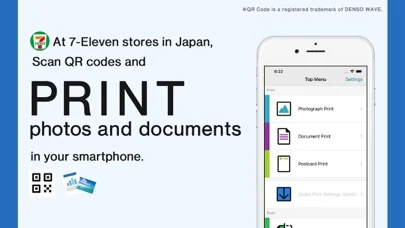
You can easily print photos and documents in your smartphone!
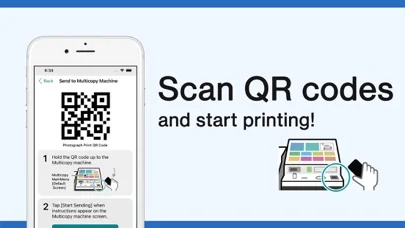
This App can help you to print photos and documents in the smartphone, by sending them via Wi-Fi connection to the Multi-copy machine in 7-Eleven stores in Japan.
You can scan your physical document to save it electronically in your smartphone!
This App can also save images in your smartphone, scanned by the Multi-copy machine.
Overview of Print service
1)Document Print, Photograph Print, and Postcard Print are available by the ded…
You can easily print photos and documents in your smartphone! This App can help you to print photos and documents in the smartphone, by sending them via Wi-Fi connection to the Multi-copy machine in 7-Eleven stores in Japan.
You can scan your physical document to save it electronically in your smartphone! This App can also save images in your smartphone, scanned by the Multi-copy machine.
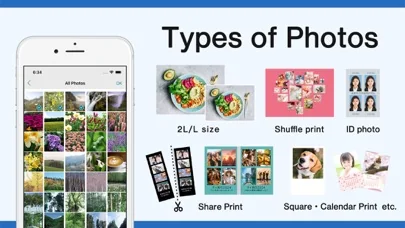
Overview of Print service 1)Document Print, Photograph Print, and Postcard Print are available by the dedicated paper. (It is possible to print your brought postcard paper only instead.) 2)You can print directly via Wi-Fi connection. 3)Simple operation without any password required, as well as security ensured.
Overview of Scan service 1)High-resolution scanning of black and white 600dpi and full-color 400dpi. 2)You can save it directly via Wi-Fi connection to your smartphone.
Terms and Conditions - This App can be only used with Multi-copy machines located at 7-Eleven stores in Japan. - It corresponds to Japanese and English languages. - OS version from iOS/iPadOS 17 to 18, 26 are supported. - You will pay when you print, or when you save your scanned data.
Specifications for each service - Printable file formats - Photograph Print: JPEG, TIFF, BMP, and PNG - Document Print: PDF, XPS, XDW, JPEG, TIFF, BMP, and PNG - Postcard Print: PDF, XPS, XDW, JPEG, TIFF, BMP, and PNG - File formats for saving the scanned data - PDF, XDW, JPEG, and TIFF - Maximum number of transmission files - Photograph/Document/Postcard Print: 30 MB per file - Photograph/Document/Postcard Print: 60 items - Maximum number of files to be received - Scan: 800 MB per file - Scan: 20 items
🆕 What's new · v1.5.14
- Added function for Poster Print.
- Addressed minor issues.
Own 7-Eleven Multicopy? Replace our estimate with your real revenue via Stripe Connect or ASC. Get a public Verified badge.
Each forecast combines App Store rating, ratings count, monetisation model, pricing tier, IAP signals and ad-supported flag.
The base estimate is then multiplied by a per-category scaling factor learned from apps with founder-verified MRR.
Every number on this page comes from public APIs and bumetric's own snapshot history.
Full methodology covers input variables, accuracy bands per category and how we treat apps without comparable anchors.
See also the live data on 7-Eleven Multicopy's tracker page for current rating, reviews and snapshot timeline.
Building something similar? Get a free AI audit with $-revenue forecasts for every recommendation.