Dinggul Keyboard is a drag-based Korean keyboard where you select characters by dragging up, down, left, or right after pressing a key. It offers an intuitive layout optimized for one-handed input, multi-touch support, and AI features that allow you to write directly on the keyboard.
[AI Features]
- Style Change: Rewrites your input in your desired tone, such as formal, casual, polite, or friendly. You can save your own custom style for quick application.
- Reply Assistant: Reads the co…
Dinggul Keyboard is a drag-based Korean keyboard where you select characters by dragging up, down, left, or right after pressing a key. It offers an intuitive layout optimized for one-handed input, multi-touch support, and AI features that allow you to write directly on the keyboard.
[AI Features]
- Style Change: Rewrites your input in your desired tone, such as formal, casual, polite, or friendly. You can save your own custom style for quick application.
- Reply Assistant: Reads the context of a conversation from a single screenshot and recommends multiple reply options. It also suggests emoji and sticker replies.
- Spelling Correction: Corrects spacing and spelling errors all at once with a single tap.
- AI Stickers: Create your own sticker set with various expressions from a single photo, add handwritten text, and send it directly from the messenger.
Dinggul Keyboard [Features]
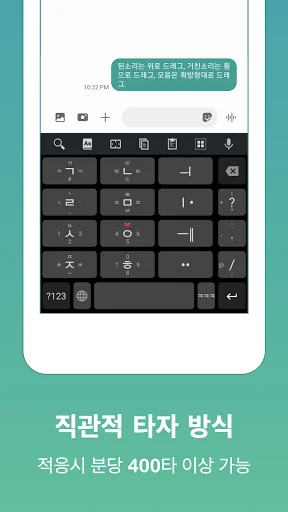
- Intuitive key layout: Quick adaptation
- Optimized for one-hand or two-thumb input
- Multi-touch support
- Automatic Korean password conversion to English
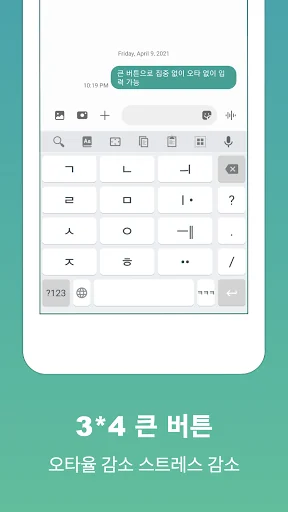
- Large buttons: Reduced typos
- Includes QWERTY layout
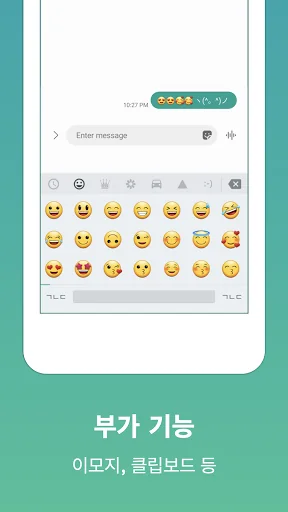
- Clipboard, Emoji & Sticker palette
[Setup Method]
Launch the "Dinggul Keyboard" app and select "Apply Dinggul Keyboard"
- Open source license
Icon made by Freepik from www.flaticon.com
Comparable Android apps
The five apps in Tools with the closest revenue to 딩굴 키보드. Click any to see its detail page.
Each forecast combines App Store rating, ratings count, monetisation model, pricing tier, IAP signals and ad-supported flag.
The base estimate is then multiplied by a per-category scaling factor learned from apps with founder-verified MRR.
Every number on this page comes from public APIs and bumetric's own snapshot history.
Full methodology covers input variables, accuracy bands per category and how we treat apps without comparable anchors.
See also the live data on 딩굴 키보드's tracker page for current rating, reviews and snapshot timeline.
Building something similar? Get a free AI audit with $-revenue forecasts for every recommendation.

 iMarkup: Text, Draw on photos
 Military Flashlight
 فیلترشکن پرسرعت قوی
 Compass - Hide Photos & Videos
 WiFi QR Connect