What Everyone's Vertical Calendar actually does (from store listing)
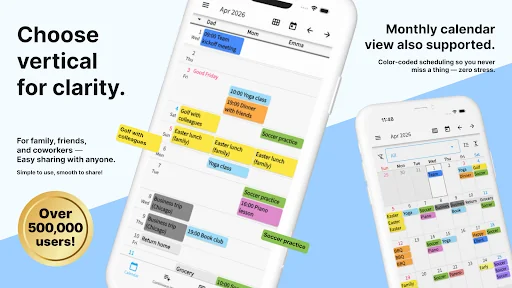
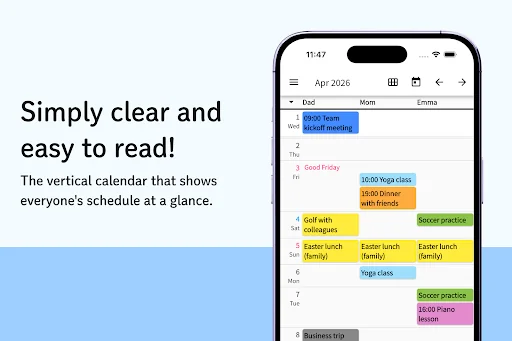
A shareable, easy-to-read vertical calendar!
Share with family, friends, and groups! Easily share calendars with others. Push notifications and edit history mean you'll never miss a change. Previously entered schedules can be quickly re-entered from history!
How to Use
From the top-left menu, select "Edit Items" to register the people or items you want to manage. Long-press items to reorder them. When done, tap the Save button in the top right.
On the vertical calendar screen, tap the in…
A shareable, easy-to-read vertical calendar!
Share with family, friends, and groups! Easily share calendars with others. Push notifications and edit history mean you'll never miss a change. Previously entered schedules can be quickly re-entered from history!
How to Use
From the top-left menu, select "Edit Items" to register the people or items you want to manage. Long-press items to reorder them. When done, tap the Save button in the top right.
On the vertical calendar screen, tap the intersection of an item and date to add a schedule. Previously added schedules can be quickly re-entered from history.
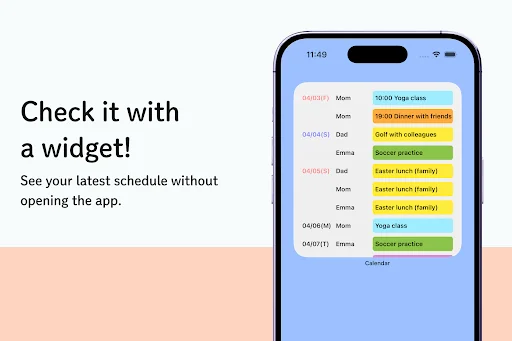
Once saved, changes appear on the calendar. Use the arrow buttons (top right) to change months, or tap the calendar icon to jump to today.
Added, edited, or deleted schedules can be reviewed in "Edit History" from the top-left menu.
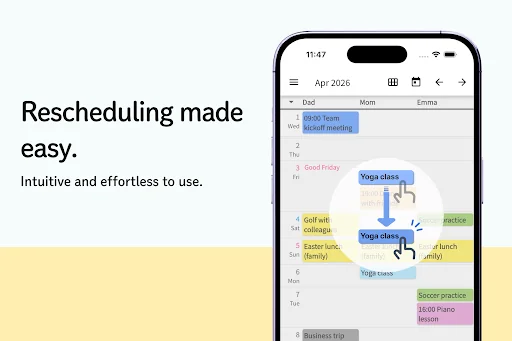
Long-press a schedule to quickly edit, move, copy, or delete it.
To share your calendar, go to "Share this calendar with others" in the top-left menu, copy the share code, and send it to others.
Recipients should download the app and enter the share code where indicated. Existing users can tap "Enter Share Code" from the menu.
Each user can access up to 5 calendars. Switch, add, or remove calendars from the top-left menu.
When schedules are added, edited, or deleted, all shared users receive push notifications. Disable notifications in Android Settings if needed.
Per-calendar notification settings are available via the gear icon in the top-left menu.
Messages
Send messages to shared users. Type a message and tap Send to notify all users. Customize colors and senders. Long-press to copy or delete messages.
Memories
Tap the Memories tab and press Add to save memories with photos and text.
Photos
Up to 10 photos per month. Premium subscribers can save up to 50.
Backup
Your data is backed up on our servers. Save your account code to restore data when switching devices. Photos may be deleted if the calendar is inactive for over a year.
Comparable Android apps
The five apps in Productivity with the closest revenue to Everyone's Vertical Calendar. Click any to see its detail page.
Each forecast combines App Store rating, ratings count, monetisation model, pricing tier, IAP signals and ad-supported flag.
The base estimate is then multiplied by a per-category scaling factor learned from apps with founder-verified MRR.
Every number on this page comes from public APIs and bumetric's own snapshot history.
Full methodology covers input variables, accuracy bands per category and how we treat apps without comparable anchors.
See also the live data on Everyone's Vertical Calendar's tracker page for current rating, reviews and snapshot timeline.
Building something similar? Get a free AI audit with $-revenue forecasts for every recommendation.


 Wear Gesture Launcher - WearOS
 Doc Scanner – PDF Creator
 Intergraph Field Inspector
 ai.type Norway Dictionary
 JM Cell
