* Due to changes in Google's Android OS security policy, your existing joint certificate may not be visible. For more details, please search for "certificate" in [Customer Center > FAQ].
Make your financial life more enjoyable with K-Bank!
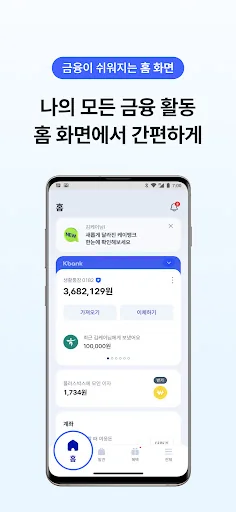
■ New Home Screen
You can manage not only the financial activity history related to your frequently used accounts but also all your bank accounts directly on the home screen.
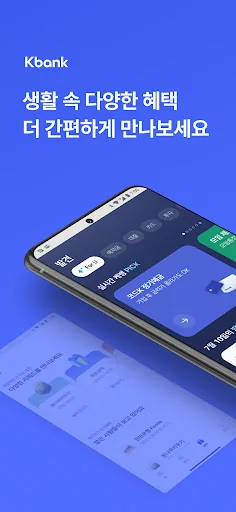
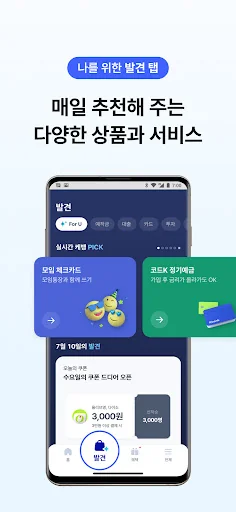
■ Discover for Me Tab
Check products and services recommended daily, as we…
* Due to changes in Google's Android OS security policy, your existing joint certificate may not be visible. For more details, please search for "certificate" in [Customer Center > FAQ].
Make your financial life more enjoyable with K-Bank!
■ New Home Screen
You can manage not only the financial activity history related to your frequently used accounts but also all your bank accounts directly on the home screen.
■ Discover for Me Tab
Check products and services recommended daily, as well as the status of your subscribed services, all in one place.
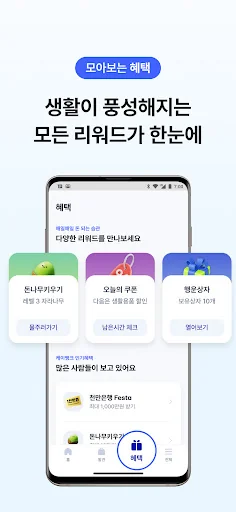
■ Collected Benefits
From events to service benefits, collect and claim all the rewards you are eligible for.
■ Open Business Owner Home
We have packed everything for business owners, from products and services to various benefits, into the Business Owner Home.
* Please Note
[Guide to Using Financial Products and Services]
- All financial services, including account opening and product subscriptions, are available through the K-Bank app.
- Please read the product description and terms and conditions before subscribing to each financial product. - Please make sure to have your Resident Registration Card or Driver's License ready when signing up.
[Android OS Security Change Policy]
- On Android OS 11 or higher, your existing Joint Certificate may not be visible because it is not saved in the smartphone's shared folder (NPKI).
- Please reissue your Joint Certificate or transfer the certificate stored on your PC to the app for use.
* For more details, please search for "Certificate" in [Customer Center > FAQ].
[Device and Authentication Method Policy]
- To ensure safe and convenient financial services, the service is limited to the single app registered.
- We provide safe and convenient services using a mobile phone OTP that replaces security cards.
- To ensure secure financial transactions, service usage is restricted on 'rooted' devices.
[Information on Access Permissions Required for App Use]
- Phone (Required): Collects and uses phone numbers to maintain the device's authentication status and for video call verification.
- App Usage Information (Required): Used to detect potentially threatening apps installed on the device to prevent financial fraud.
- Contacts (Optional): Used for transfers to contacts in the address book stored on the device.
- Camera (Optional): Used to photograph ID cards and submit required documents during non-face-to-face real-name verification.
- Storage (Optional): Used for functions such as reading, saving, and deleting certificates, as well as saving images and photos.
- Location (Optional): Used to verify business address consistency and for non-face-to-face on-site inspections.
[Customer Center Information]
- Banking Services: 1522-1000 (Daily 09:00–18:00; however, inquiries regarding voice phishing and accident reports: 24 hours a day, daily)
Each forecast combines App Store rating, ratings count, monetisation model, pricing tier, IAP signals and ad-supported flag.
The base estimate is then multiplied by a per-category scaling factor learned from apps with founder-verified MRR.
Every number on this page comes from public APIs and bumetric's own snapshot history.
Full methodology covers input variables, accuracy bands per category and how we treat apps without comparable anchors.
See also the live data on 케이뱅크's tracker page for current rating, reviews and snapshot timeline.
Building something similar? Get a free AI audit with $-revenue forecasts for every recommendation.

 CASH INOUT
 ING Netherlands
 Xe Money Transfer & Converter
 BHIM SBI Pay:Retail & Business
 Lumbung Dana - Pinjaman Daring