What قلم المدقق اللغوي الذكي actually does (from store listing)
Smart linguistic proofreader pen
Are you having trouble writing text free of spelling and linguistic errors?
Don't worry, a pen will do the trick. Now you can use the same account on all your other devices.
Qalam's mission is to help you in getting rid of errors in writing Arabic texts. Qalam works as a spelling corrector and linguistic checker. It checks grammatical rules, corrects spelling and punctuation errors, and also suggests improving wording when writing in Arabic, in addition to…
Are you having trouble writing text free of spelling and linguistic errors?
Don't worry, a pen will do the trick. Now you can use the same account on all your other devices.
Qalam's mission is to help you in getting rid of errors in writing Arabic texts. Qalam works as a spelling corrector and linguistic checker. It checks grammatical rules, corrects spelling and punctuation errors, and also suggests improving wording when writing in Arabic, in addition to providing the service of automatic text formation. Arabic, Quranic verses proofreading, and paraphrasing service.
Pen tasks:
- Checking common errors in writing in Arabic.
- Correcting hamzat errors. - Removing the confusion between the letter “tā’” and the “hā’”. - Correcting the problem between the ya’ and the shortened alif. - Delete randomly duplicate characters.
- Delete random spaces.
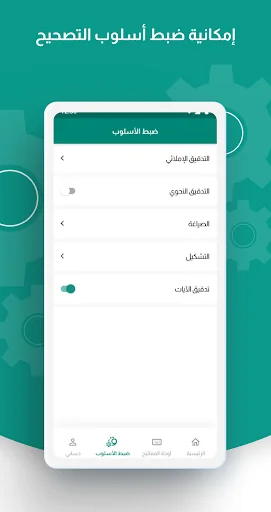
- Suggest corrections appropriate to the context. - Check grammatical errors. - Correcting errors and spelling rules.
- Automatic formation of texts.
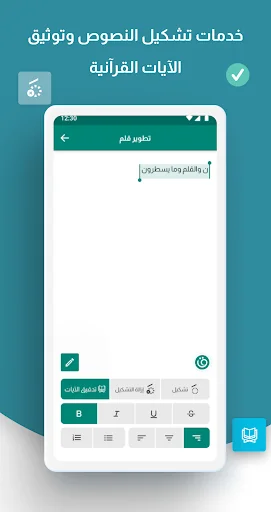
- Verifying and documenting Qur’anic verses.
- Paraphrasing
- And many other language assistance services.
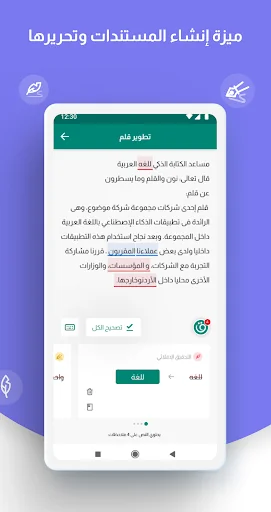
You can use Qalam services to help you write correctly and error-free through documents within the Qalam application. You can create your own documents, write in them or copy external texts easily and start proofreading them within these documents. You can also publish them to any other application.
🖊 How to make a pen
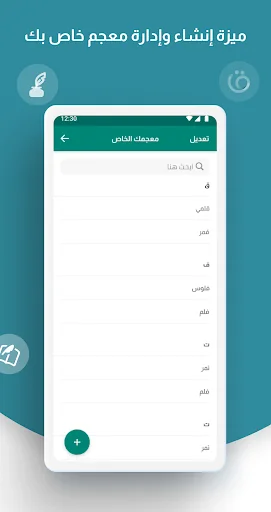
Incorrect words or suggested improvements are highlighted, and when you click on the pen icon, cards are displayed to correct the suggested words to suit your content. You can also ignore the error by clicking on the “Ignore” button or add it to your personal dictionary by clicking on “Add to Dictionary”.
• Red color indicates spelling errors.
• Blue color for grammatical errors in the text.
• Yellow color for suggestions for wording improvements.
• Purple color for dictionary suggestions.
• Gray color to correct punctuation.
To benefit from the services of tashkeel, documenting Qur’anic texts, and paraphrasing, all you have to do is highlight the text you wish to document or tashkeel and then click on the “tashkeel” or “documentation” option.
Comparable Android apps
The five apps in Productivity with the closest revenue to قلم المدقق اللغوي الذكي. Click any to see its detail page.
Each forecast combines App Store rating, ratings count, monetisation model, pricing tier, IAP signals and ad-supported flag.
The base estimate is then multiplied by a per-category scaling factor learned from apps with founder-verified MRR.
Every number on this page comes from public APIs and bumetric's own snapshot history.
Full methodology covers input variables, accuracy bands per category and how we treat apps without comparable anchors.
See also the live data on قلم المدقق اللغوي الذكي's tracker page for current rating, reviews and snapshot timeline.
Building something similar? Get a free AI audit with $-revenue forecasts for every recommendation.


 Brili Routines – Habit Tracker
 Phone Battery Provider- Gear c
 Islamic Center Of Passaic Coun
 Bajaj Finserv Atom
 CHA 311