“Now let’s go out with just one cell phone! Even if you don’t have a wallet, it’s OK if you have an emtic!”
1. What is MTIK?
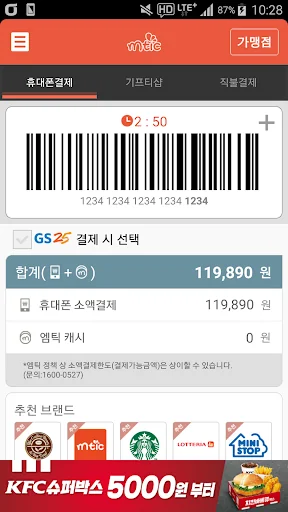
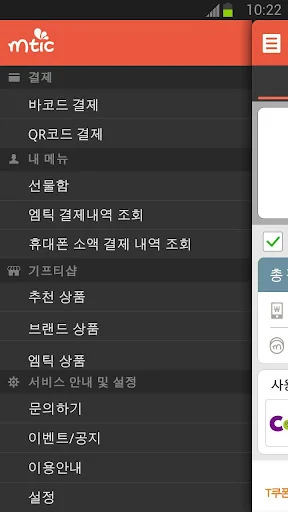
M-Tic is a mobile payment service that allows you to easily purchase items with your smartphone without cash or card. After running MTIK, request payment at the MTIK affiliated store using the barcode you created. The amount paid will be billed as part of the next month's mobile phone bill or transferred in real time to your registered debit account.
2. Instructions…
“Now let’s go out with just one cell phone! Even if you don’t have a wallet, it’s OK if you have an emtic!”
1. What is MTIK?
M-Tic is a mobile payment service that allows you to easily purchase items with your smartphone without cash or card. After running MTIK, request payment at the MTIK affiliated store using the barcode you created. The amount paid will be billed as part of the next month's mobile phone bill or transferred in real time to your registered debit account.
2. Instructions on how to use
1) Barcode method (when used at offline affiliated stores - CU/Ministop/Kyobo Bookstore, etc.)
① When purchasing a product at an Mtic affiliated store, present the barcode created after running Mtic to the cashier and request ‘Mtic payment’
② Payment is completed the moment you scan the Mtik barcode with a barcode reader.
2) Simple payment authentication method (when used at online affiliated stores - Interpark Books/Domino's Pizza/Culture Land, etc.)
① Select ‘Mtic Payment’ as the payment method on the affiliated store’s online website, then run Mtic and create a barcode.
② Complete the payment by entering the ‘last 4 digits of MTI barcode’ on the merchant payment screen.
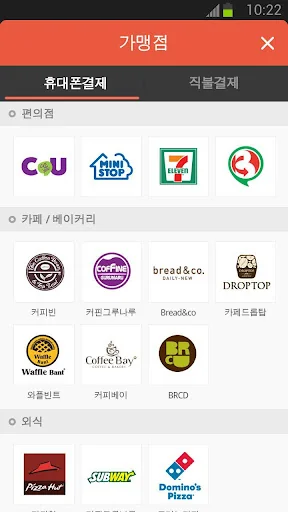
3. Where to use MTIK - CU convenience store, KFC, post office
(However, not available in some special stores - inside hospitals, schools, etc.)
[Information on app access permission consent]
In accordance with the enforcement of Article 22-2 (Consent to Access Rights) of the Information and Communications Network Act, we will inform you of the access rights required to use the service as follows.
[How to revoke access permission]
- Android 6.0 or higher: Settings > App > Select permission item > Select agree or withdraw access permission
-Under Android 6.0: Upgrade the operating system to revoke access rights or delete the app.
* The app may not provide individual consent functionality, and access permission can be revoked using the method above.
We will continue to do our best to become a convenient MTIK.
thank you
Comparable Android apps
The five apps in Lifestyle with the closest revenue to 엠틱. Click any to see its detail page.
Each forecast combines App Store rating, ratings count, monetisation model, pricing tier, IAP signals and ad-supported flag.
The base estimate is then multiplied by a per-category scaling factor learned from apps with founder-verified MRR.
Every number on this page comes from public APIs and bumetric's own snapshot history.
Full methodology covers input variables, accuracy bands per category and how we treat apps without comparable anchors.
See also the live data on 엠틱's tracker page for current rating, reviews and snapshot timeline.
Building something similar? Get a free AI audit with $-revenue forecasts for every recommendation.

 Divya Chakshu
 Классическое Таро: Гадание
 GC Barbershop
 Lal Kitab
 Alcohol Check - BAC Calculator