1. Stick to security
There are many security card management apps, but it seems that none of them are faithful to security.
I received a few other security card apps and analyzed them, but I was able to decrypt the data very easily.
The data file of the app I created is absolutely impossible without knowing the password set by the user.
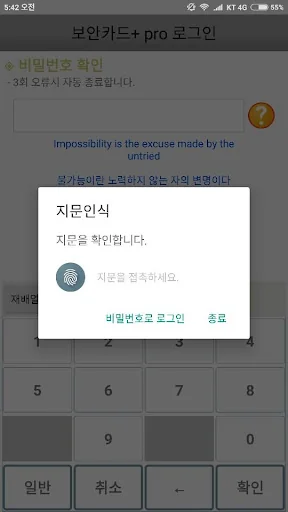
However, in case of using the automatic login and fingerprint recognition functions, decryption is possible if the security card plus source and the terminal…
1. Stick to security
There are many security card management apps, but it seems that none of them are faithful to security.
I received a few other security card apps and analyzed them, but I was able to decrypt the data very easily.
The data file of the app I created is absolutely impossible without knowing the password set by the user.
However, in case of using the automatic login and fingerprint recognition functions, decryption is possible if the security card plus source and the terminal in which the data is stored are secured.
The security key was 256 bits.
The password entered by the user is not stored anywhere on the device.
(However, if you use the automatic login/fingerprint recognition login function, the currently used terminal information is encrypted and stored.)
All data is encrypted by extracting the encryption key from the plaintext entered at the time of login.
It is encrypted using the extracted encryption key, so it is safe even if the data file is leaked.
The encryption key was generated and the encryption/decryption process was hidden using JNI.
When changing the password, all data is re-encrypted with the key extracted from the changed password and stored.
If a hacker tries to decrypt a data file, it will take up to 256 to the power of 32 attempts.
The calculator spit it out like this. 1.1579208923731619542357098500869e+77
Of course, decryption is by no means impossible. It's just that it's taking a long time...
It would take tens of thousands of years if we substitute all of the above numbers with a general computer.
And the password found in that way is just the password of the specific user data.
Other users' data is safe.
2. Security card input convenience
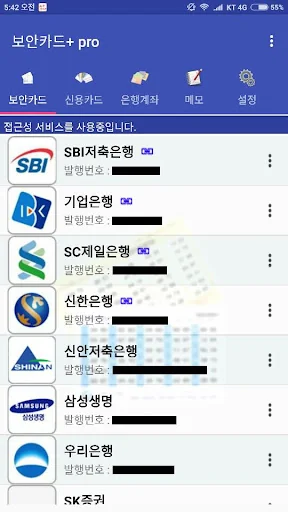
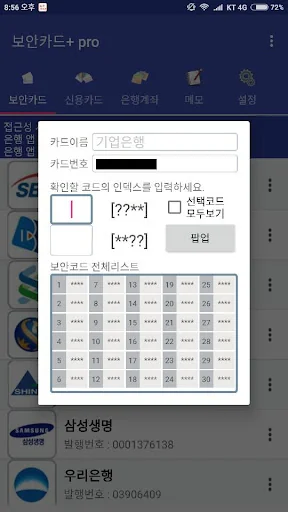
I made the security card so that it can be registered by recognizing the code by taking a picture with the camera.
Photos taken with the camera exist only in memory and disappear after recognition.
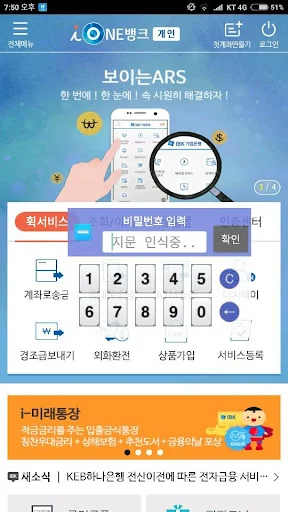
3. Provides a mini pop-up window to increase the ease of use.
Try using it by clicking the pop-up on the security code inquiry screen.
Automatic login function, fingerprint recognition login
Permissions Required for Installation
Fingerprint Recognition -
Camera - Security card code recognition
SD card - data backup (restore)
Network - Check for app updates
AccessibilityService API
It is necessary to check whether the bank app is running. When the set app is executed, the security card pop-up window is executed.
We do not use this API to collect or share personal or sensitive user data.
Comparable Android apps
The five apps in Tools with the closest revenue to 보안카드+. Click any to see its detail page.
Each forecast combines App Store rating, ratings count, monetisation model, pricing tier, IAP signals and ad-supported flag.
The base estimate is then multiplied by a per-category scaling factor learned from apps with founder-verified MRR.
Every number on this page comes from public APIs and bumetric's own snapshot history.
Full methodology covers input variables, accuracy bands per category and how we treat apps without comparable anchors.
See also the live data on 보안카드+'s tracker page for current rating, reviews and snapshot timeline.
Building something similar? Get a free AI audit with $-revenue forecasts for every recommendation.


 Pressure unit converter
 郵便番号簡単検索
 My app earnings reports
 X Gamepad Tester
 Easy Files transfer NFC/WiFi