What Ace Budget 3 actually does (from App Store listing)
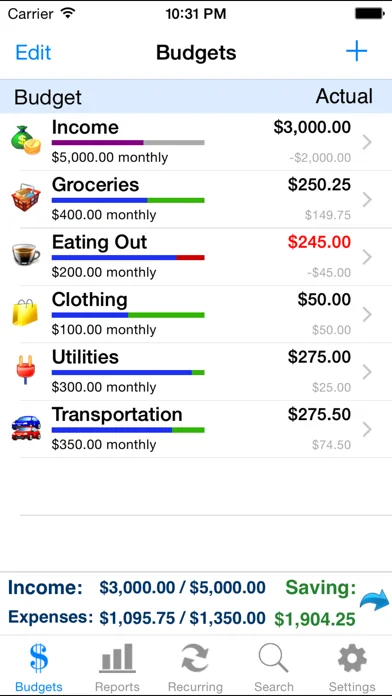
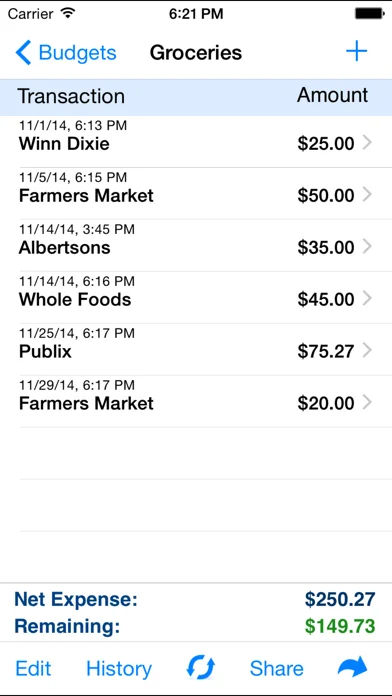
Ace Budget 3 is an easy to use personal finance application to help you track your spending and keep to a budget. You can create daily, weekly, monthly, semimonthly, quarterly, and yearly budgets. You will be able to schedule recurring transactions, set reminders, view graphs, compare historical data, and much more. Every feature of Ace Budget 3 is designed to be quick, clean, intuitive, and easy to use.
FEATURES
* Face ID and Touch ID Support
- Use Face ID or Touch ID to authenticate and lau…
Ace Budget 3 is an easy to use personal finance application to help you track your spending and keep to a budget. You can create daily, weekly, monthly, semimonthly, quarterly, and yearly budgets. You will be able to schedule recurring transactions, set reminders, view graphs, compare historical data, and much more. Every feature of Ace Budget 3 is designed to be quick, clean, intuitive, and easy to use.
FEATURES
* Face ID and Touch ID Support - Use Face ID or Touch ID to authenticate and launch the app quicker and more conveniently.
* Sync Data via iCloud - Sync your data across iPhone, iPad, and iPod Touch devices.
* Universal Binary - Designed for iPhone, iPod Touch, and iPad devices. No need to buy separate apps for each device.
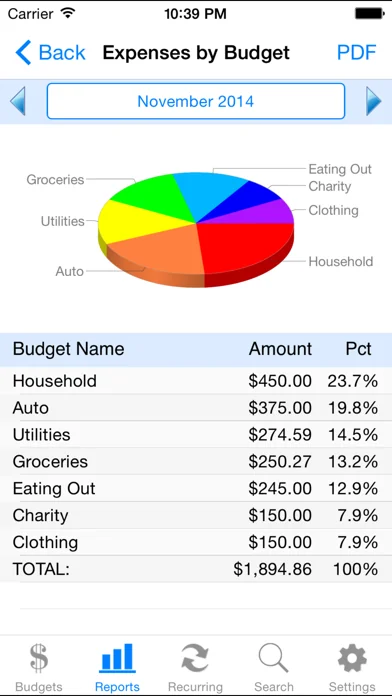
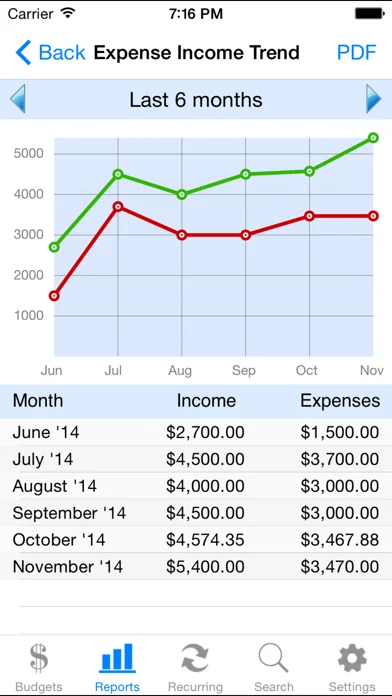
* Charts and Reports - See your monthly income and expenses through charts and reports.
* Photo Receipts - Capture and store photo receipt as part of a transaction.
* AirPrint Support - Print reports directly from your iPhone or iPad to any AirPrint-enabled printer.
Each forecast combines App Store rating, ratings count, monetisation model, pricing tier, IAP signals and ad-supported flag.
The base estimate is then multiplied by a per-category scaling factor learned from apps with founder-verified MRR.
Every number on this page comes from public APIs and Bumetric's own snapshot history.
Full methodology covers input variables, accuracy bands per category and how we treat apps without comparable anchors.
See also the live data on Ace Budget 3's tracker page for current rating, reviews and snapshot timeline.
Building something similar? Get a free AI audit with $-revenue forecasts for every recommendation.


 Acorns: Invest For Your Future
 #Pie Tax
 Progressive
 WalletApp
 Daily Budget Original Pro