ML revenue forecast.
Calibrated against 53506 apps in this category.
Confidence band
±15%
High — many comparable apps with verified data
At a glance
Earns 1.6× more than the category median (228/mo).
Ranks #14,987 of 53,506 in Personalization (top 28.0% by revenue).
Launched Nov 22, 2017 · last updated Oct 13, 2024.
What the app looks like
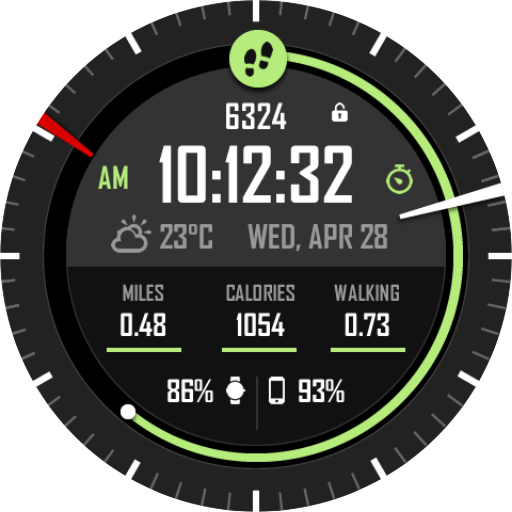
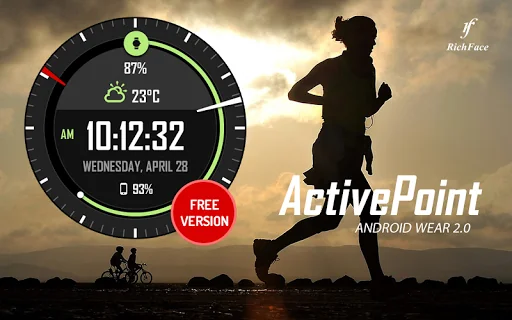
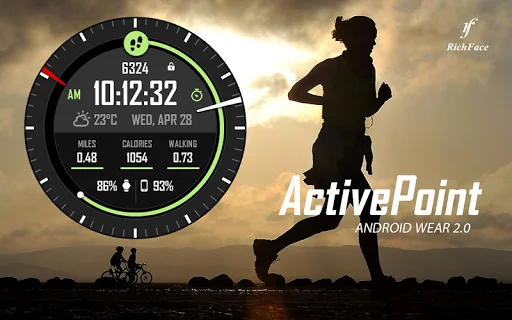
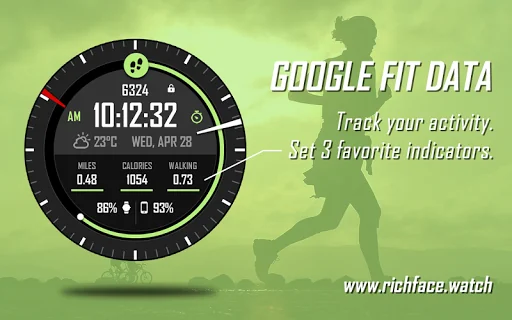
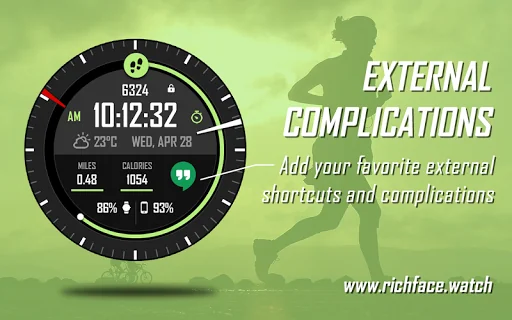
Live screenshots from the Play Store, captured by our snapshot worker. Tap any image to enlarge.
Active Point Watch Face's revenue trajectory
Forecast revenue from snapshot history. Last 1 months.
Where Active Point Watch Face sits in Personalization
Revenue distribution of 53506 comparable apps. Active Point Watch Face highlighted.
Active Point Watch Face vs comparable apps
Revenue trajectory side-by-side. Bold = Active Point Watch Face, ghosted = peers.
App spec
Version
Varies with device
Last update
Oct 13, 2024
Launched
Nov 22, 2017
Price
Free
Monetization
Free
What Active Point Watch Face actually does (from store listing)
Watch Face Active Point for Wear OS is true eye-catcher with sport characteristics and interactive functions.
Watch face contains a huge number and user friendly settings on the watch and the phone companion app.
★ <b>Watch Face Active Point is fully Wear OS supported</b>
★ <b>Wear OS 2.0 integration</b>
• Fully standalone! (iPhone and Android compatible)
• External complication data for the indicators
★ Compatible with all Android WearOS watches
★ <b>Free version </b>★
…
Options:
• External complications
• Change color
• 24 hour format
• Leading zero
• Screen time
• Forecast
• Full ambient mode option
• Change color preset on tap
• Show/hide hour hands option
• Tap indicator
• Weather settings (location, providers, frequency update, units)
★ DISCLAIMER ★
The free version doesn't have a tap functionality. It just shows data and the user is not able to change it until unlock the PREMIUM version.
The phone battery indicator works only if you connect the smartwatch to Android phone device.
★ FAQ !! Please contact us if you have any trouble with the app !!
richface.watch@gmail.com
How do I install the watch face on Wear OS? 1. Install it from Google Play Wear Store on your smartwatch. 2. Install the companion app for fully customization (Android phone devices).
Each forecast combines App Store rating, ratings count, monetisation model, pricing tier, IAP signals and ad-supported flag.
The base estimate is then multiplied by a per-category scaling factor learned from apps with founder-verified MRR.
Every number on this page comes from public APIs and bumetric's own snapshot history.
Full methodology covers input variables, accuracy bands per category and how we treat apps without comparable anchors.
See also the live data on Active Point Watch Face's tracker page for current rating, reviews and snapshot timeline.
Building something similar? Get a free AI audit with $-revenue forecasts for every recommendation.

 FishBowl Premium LWP
 More Physical Keyboard Layouts
 Oppo Find X theme for CL
 Girly Live Wallpaper Keyboard
 Dance Energy Wallpaper Theme