What Always on display clock widget actually does (from store listing)
Keep time visible always with Always On Display, Always On AMOLED, and a clean lock screen clock.
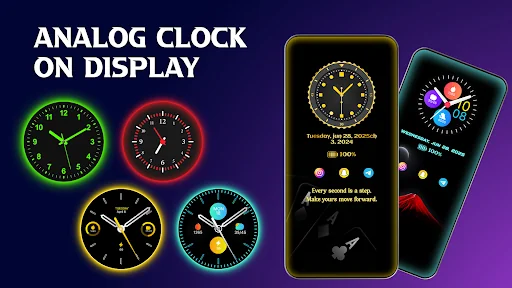
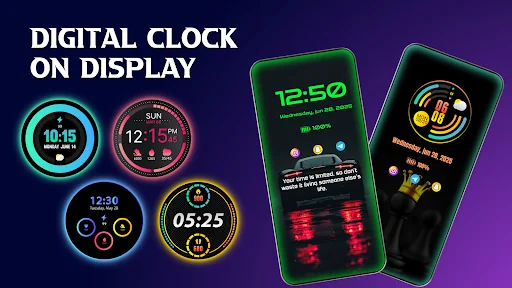
Amoled Photo Clock Wallpaper Always On Display keep your screen on all the time to show you time in a digital and analog clock. Clock always on display show information about time, date, notification and many more. This always on display amoled show all these information without touching your device. If you have Amoled Photo Clock Wallpaper Always On Display install you don’t need for smart watch…
Keep time visible always with Always On Display, Always On AMOLED, and a clean lock screen clock.
Amoled Photo Clock Wallpaper Always On Display keep your screen on all the time to show you time in a digital and analog clock. Clock always on display show information about time, date, notification and many more. This always on display amoled show all these information without touching your device. If you have Amoled Photo Clock Wallpaper Always On Display install you don’t need for smart watch. Live device will be always display on mobile screen.Amoled & Clock Display
If you don’t know what time is it? You don’t need to turn your mobile screen on just look at your mobile screen always on display clock will show you time. It is a new cool way to maximize your screen on time by setting up the black background on your AMOLED home screen. This is made possible thankfully by always on display clock. To save battery real time clock wallpaper stays your phone screen black except for a few pixels to show digital clock on screen.
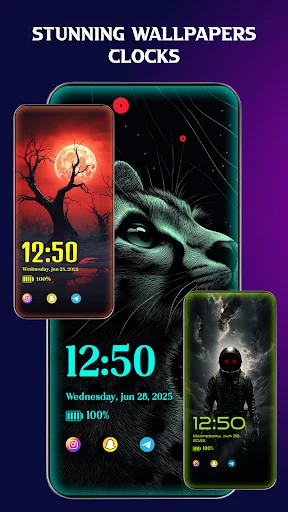
Using this live clock wallpaper your phone will permanently show time, date and notification information. This is a real time clock wallpaper with my photo clock wallpaper. Photo clock live wallpaper always display clock on lock screen. This amoled app will display digital clock and analog clock on your lock screen.
Clock display will always display all information of your phone on lock screen. If you want to view your phone notification, you can just simply take your phone out of pocket and view all the latest notifications on your display screen.
How to use Always on Display:
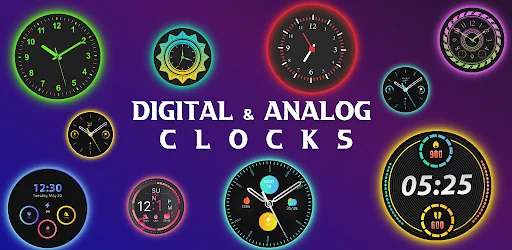
Just open Amoled Photo Clock Wallpaper Always On Display enable lock screen clock service and select any clock from the collection i.e. digital clock, analog clock, edge clock. You can also select picture from your galley to make photo clock live wallpaper. You user can easily turn clock on/off.
FEATURE:
1---Very easy to use.
2---Display clock on lock screen.
3---Collection of both analog and digital clock.
4---Show notification information with clock.
5---Custom clock with photo.
6---Write and display memo text on screen.
7---Easy change the color of memo text and clock.
10---Easily change font, size and color.
9---Display battery level.
Comparable Android apps
The five apps in Personalization with the closest revenue to Always on display clock widget. Click any to see its detail page.
Each forecast combines App Store rating, ratings count, monetisation model, pricing tier, IAP signals and ad-supported flag.
The base estimate is then multiplied by a per-category scaling factor learned from apps with founder-verified MRR.
Every number on this page comes from public APIs and Bumetric's own snapshot history.
Full methodology covers input variables, accuracy bands per category and how we treat apps without comparable anchors.
See also the live data on Always on display clock widget's tracker page for current rating, reviews and snapshot timeline.
Building something similar? Get a free AI audit with $-revenue forecasts for every recommendation.


 Autumn Floral Theme
 OneUI S25 - Icon Pack
 Cool Theme-Lip Bite-
 Loud Telephone Ringtones
 Anime Mask Man Theme