What Analyze your Chess actually does (from store listing)
Download Analyze your Chess now, to have accurate analysis of your chess games at your fingertips and bring your PGN files to life.
Analyze your Chess allows you to easily:
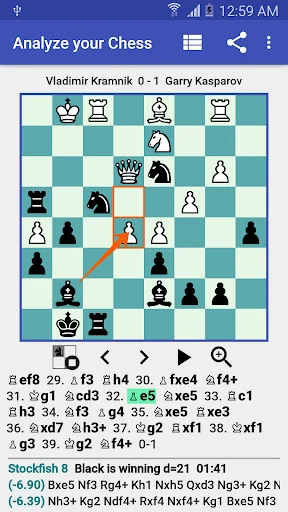
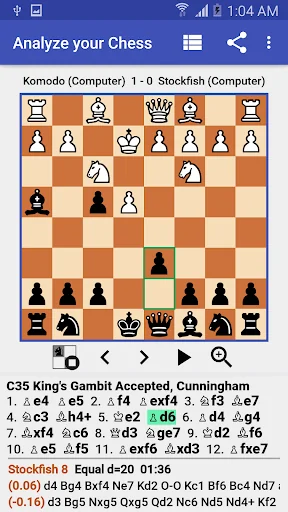
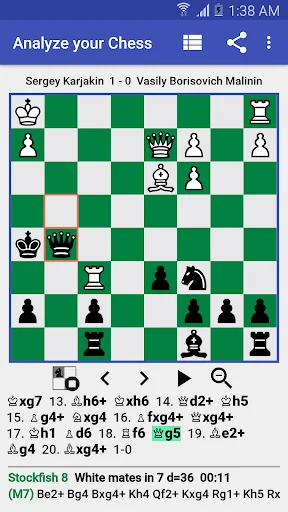
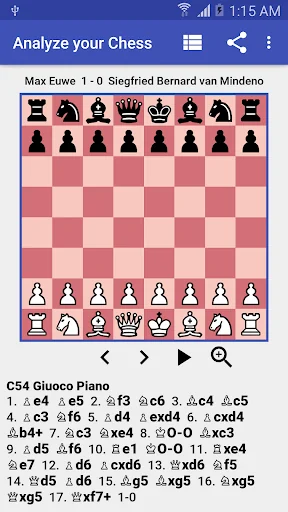
• View chess games
• Analyze chess positions providing the best lines of thinking
• Analyze chess game providing an analysis report containing alternate moves instead of the blunders/inaccuracies played in the game
• Share your chess games as an animated GIF image
• Record chess games
• Annotate chess games
• Create…
Download Analyze your Chess now, to have accurate analysis of your chess games at your fingertips and bring your PGN files to life.
Analyze your Chess allows you to easily:
• View chess games
• Analyze chess positions providing the best lines of thinking
• Analyze chess game providing an analysis report containing alternate moves instead of the blunders/inaccuracies played in the game
• Share your chess games as an animated GIF image
• Record chess games
• Annotate chess games
• Create chess problems, tactics or puzzles
Features: • Intuitive user interface
• Multiple chess themes
• Support for tablets
• Import chess games in PGN format from your device internal storage, Dropbox, Google Drive
• PGN specification support (comments, NAGs, tag pairs, recursive annotation variations etc)
• PGN Games Explorer with quick filtering
• Analyze a chess game displaying inaccuracies, blunders and suggesting better moves.
• Analyze a chess position with MultiPV (multiple lines of thinking)
• Open Exchange chess engine support (Stockfish 16, Stockfish 15.1, Komodo 9 etc)
• Chess Engine Management (install/uninstall/activate engine)
• Short/Long algebraic notation support for chess moves
• Auto replay game
• Move List Navigation
• Edit games (comments, move assessments, recursive annotation variations)
• Share game as text or GIF via email, Twitter, etc
• Share position as FEN or image via Messenger, WhatsApp, etc
• Copy game or position to clipboard
• Try out your moves and/or variations in an imported PGN game
• Collection of 50 high quality chess games included
• Chess opening detection for any game
• Partial games (chess tactics, chess endgame positions, incomplete games) support
• Paste PGN game from clipboard
Analyze your Chess Pro - PGN Viewer, the pro version of Analyze your Chess - PGN Viewer, is available at https://play.google.com/store/apps/details?id=com.lucian.musca.chess.analyzeyourchess.pro&hl=en.
Free vs Pro version • The Pro version does not contain ads
• In the Pro version, you can install any number of chess engines
• In the Pro version, game analysis (either by time or by depth) is not limited.
• In the Pro version, you can paste PGN file/FEN from clipboard
• In the Pro version, you can set up a position visually
• In the Pro version, you can configure engine options for chess engines that support UCI options (Hash, Threads, Syzygy tablebases etc)
• In the Pro version, you can record chess games (entire games, partial games, tactics) in PGN format
• In the Pro version, you can use advanced PGN edit functions (promote variation, edit tag pairs)
• In the Pro version, you can filter games using advanced filters in Games Explorer
• In the Pro version, you can receive FEN/game using Share from other apps
• In the Pro version, you can view your recently opened PGNs
• In the Pro version, you have access to the evaluation bar.
• In the Pro version, you have access to opening moves suggestions and statistics provided with the embedded opening book.
Permissions Internet permission - is used for open PGN from Dropbox, open PGN from web links, analytics and ads.
Notes Chess 960 is not supported.
Comparable Android apps
The five apps in Board with the closest revenue to Analyze your Chess. Click any to see its detail page.
Each forecast combines App Store rating, ratings count, monetisation model, pricing tier, IAP signals and ad-supported flag.
The base estimate is then multiplied by a per-category scaling factor learned from apps with founder-verified MRR.
Every number on this page comes from public APIs and bumetric's own snapshot history.
Full methodology covers input variables, accuracy bands per category and how we treat apps without comparable anchors.
See also the live data on Analyze your Chess's tracker page for current rating, reviews and snapshot timeline.
Building something similar? Get a free AI audit with $-revenue forecasts for every recommendation.


 Antistress Adult Coloring Book
 Mahjong Gold - Treasure Trail
 Parchisi: Offline Parchis Game
 Seven Dots
 Original Backgammon