What Android Accessibility Suite actually does (from store listing)
Android Accessibility Suite is a collection of accessibility apps that help you use your Android device eyes-free or with a switch device.
Android Accessibility Suite includes:
• Accessibility Menu: Use this large on-screen menu to lock your phone, control volume and brightness, take screenshots, and more.
• Select to Speak: Select items on your screen and hear them read aloud.
• TalkBack screen reader: Get spoken feedback, control your device with gestures, and type with the on-screen bra…
Android Accessibility Suite is a collection of accessibility apps that help you use your Android device eyes-free or with a switch device.
Android Accessibility Suite includes:
• Accessibility Menu: Use this large on-screen menu to lock your phone, control volume and brightness, take screenshots, and more.
• Select to Speak: Select items on your screen and hear them read aloud.
• TalkBack screen reader: Get spoken feedback, control your device with gestures, and type with the on-screen braille keyboard.
To get started:
1. Open your device's Settings app.
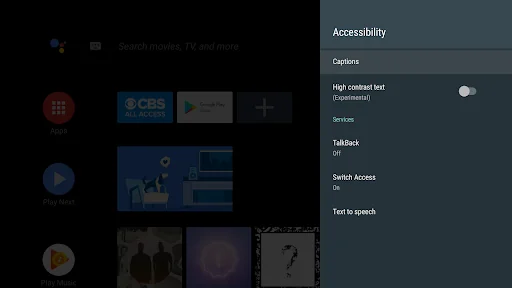
2. Select Accessibility.
3. Select Accessibility Menu, Select to Speak, or TalkBack.
Android Accessibility Suite requires Android 7 (Android N) or later. To use TalkBack for Wear, you'll need Wear OS 3.0 or later.
Permissions Notice
• Phone: Android Accessibility Suite observes the phone state so it can adapt announcements to your call status.
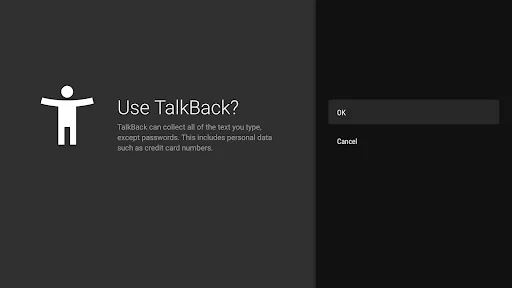
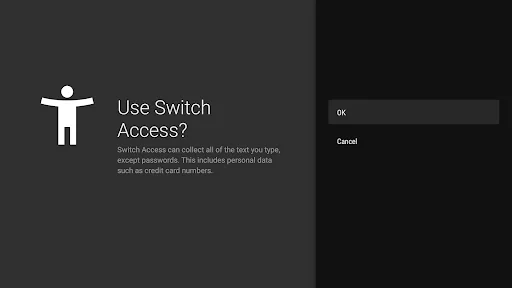
• Accessibility Service: Because this app is an accessibility service, it can observe your actions, retrieve window content, and observe text that you type.
• Notifications: When you allow this permission, TalkBack can notify you about updates.
Comparable Android apps
The five apps in Tools with the closest revenue to Android Accessibility Suite. Click any to see its detail page.
Each forecast combines App Store rating, ratings count, monetisation model, pricing tier, IAP signals and ad-supported flag.
The base estimate is then multiplied by a per-category scaling factor learned from apps with founder-verified MRR.
Every number on this page comes from public APIs and bumetric's own snapshot history.
Full methodology covers input variables, accuracy bands per category and how we treat apps without comparable anchors.
See also the live data on Android Accessibility Suite's tracker page for current rating, reviews and snapshot timeline.
Building something similar? Get a free AI audit with $-revenue forecasts for every recommendation.


 Google Opinion Rewards
 Droid Screenshot
 PGT+ : Pro GFX & Optimizer
 Battery Alarm PRO
 TeraBox: 1TB Cloud & AI Space