What AnyFont actually does (from App Store listing)
*** COMPATIBLE WITH WORD, EXCEL AND POWERPOINT FOR IOS ***
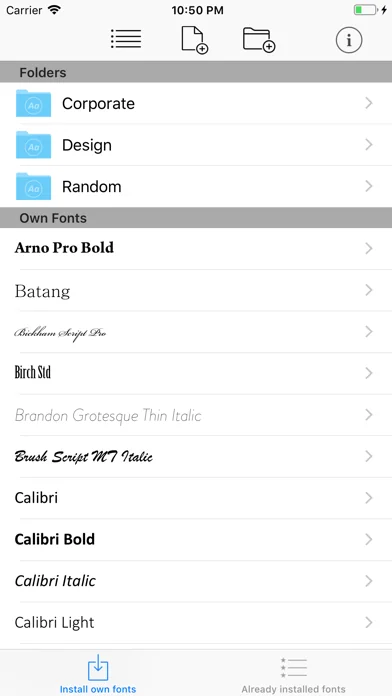
With AnyFont it is finally possible to install any additional font in TrueTypeFont- (.ttf), OpenTypeFont- (.otf) or TrueType Collection- (.ttc) format on your iPhone or iPad. These fonts can then be used throughout the system in other apps like Word, PowerPoint, Pages, Keynote and many more.
No more unexpectedly replaced fonts in presentations because the iPhone or iPad does not know them. The perfect solution for everybody who creates…
*** COMPATIBLE WITH WORD, EXCEL AND POWERPOINT FOR IOS ***
With AnyFont it is finally possible to install any additional font in TrueTypeFont- (.ttf), OpenTypeFont- (.otf) or TrueType Collection- (.ttc) format on your iPhone or iPad. These fonts can then be used throughout the system in other apps like Word, PowerPoint, Pages, Keynote and many more.
No more unexpectedly replaced fonts in presentations because the iPhone or iPad does not know them. The perfect solution for everybody who creates presentations on a Mac or PC to show them on their iPad.
Extremely easy to use. An extensive FAQ and an introductory tutorial help you to understand the app. Check out this video tutorial: https://www.youtube.com/@AnyFont-iOS
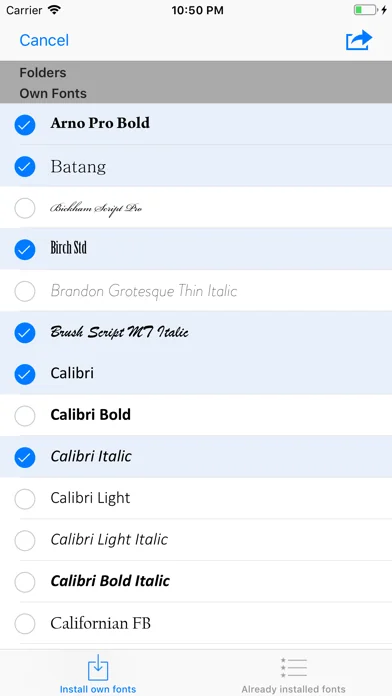
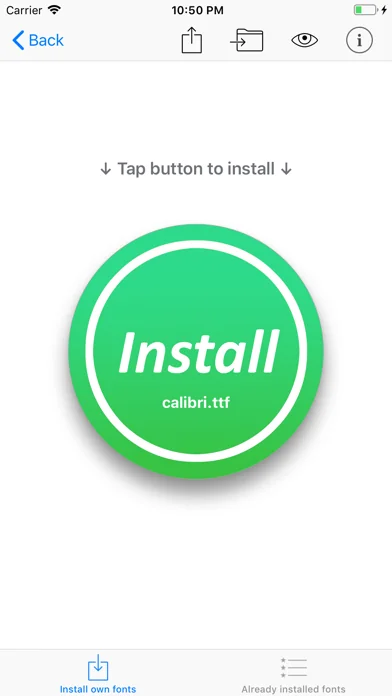
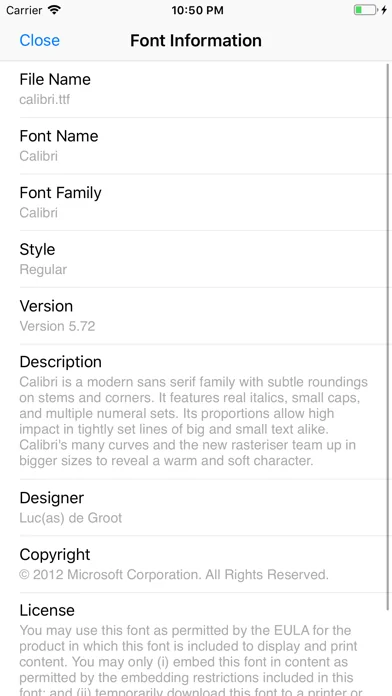
Features: - Add new fonts as .ttf, .ttc or .otf file using iTunes file sharing or the „Open in…“ dialog from other apps like Mail or Dropbox - Add single fonts or multiple fonts as a ZIP- or TTC-file - Install single fonts or multiple fonts at once - Preview your fonts in AnyFont’s storage - Access FontBundles.net from within AnyFont - Optional bundle of 1,000+ fonts (In-App Purchase) - Complete list of all installed fonts on the device - Support for Dark Mode (requires iOS 13)
Working with: - Word, Excel and PowerPoint - Numbers, Keynote and Pages - Cricut Design Space - Office Suite Pro - Office²HD - and many other apps!
NOTE: It is not possible to change the system-font on your device with AnyFont. With AnyFont you can install additional fonts on your device which can then be used by other apps which make use of the device's font book.
NOTE II: Some fonts using Cyrillic or Asian characters may not be supported by this way of installing fonts due to their size. The maximum size of a configuration profile for a font is 20 MB.
NOTE III: You don't have to purchase the optional font bundle to use AnyFont. You can always add your own fonts to install them on your device.
🆕 What's new · v3.3.4
Hello everyone!
This update brings you:
- small bug fixes
If you like AnyFont, please leave a positive rating or review in the App Store. Have a good time!
Comparable iOS apps
The five apps in Utilities with the closest revenue to AnyFont. Click any to see its detail page.
Each forecast combines App Store rating, ratings count, monetisation model, pricing tier, IAP signals and ad-supported flag.
The base estimate is then multiplied by a per-category scaling factor learned from apps with founder-verified MRR.
Every number on this page comes from public APIs and bumetric's own snapshot history.
Full methodology covers input variables, accuracy bands per category and how we treat apps without comparable anchors.
See also the live data on AnyFont's tracker page for current rating, reviews and snapshot timeline.
Building something similar? Get a free AI audit with $-revenue forecasts for every recommendation.


 Avast Secureline VPN Proxy
 Fotoscanner Plus
 Ubox
Ubox
 Car Play Connect: Remote Start
 Site Audit Pro