What App Info Shortcut actually does (from store listing)
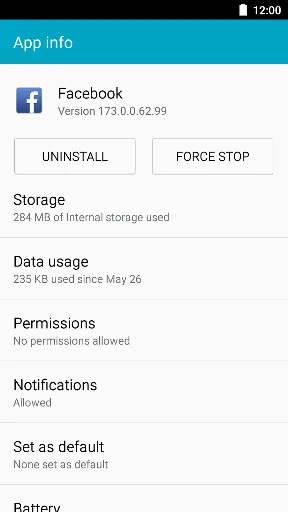
1 Tap to access app settings.
You can do this, in app settings.
・ Clear Data
・ Clear cache
・ Check Data Usage
・ Setting Permissions
・ Setting Notifications
・ Set app as default
・ Check battery usage
・ Check memory usage
Easy and simple!
No Permission.
This app use official android function.
So minimum bug around clear data.
Minimum advertisement.
No interstitial ad.
No movie ad.
Easy to find target app.
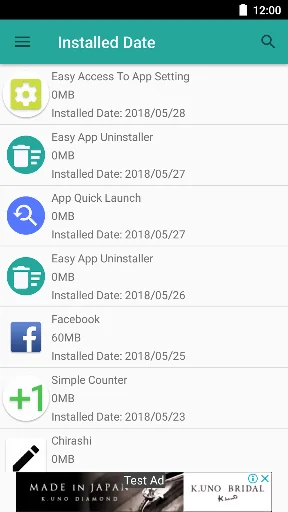
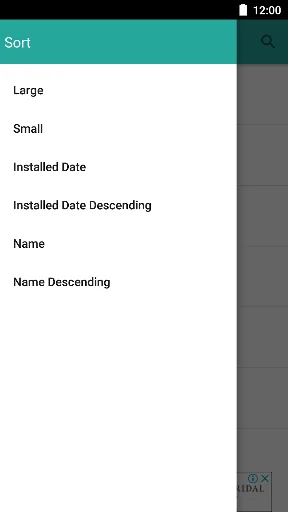
Sort by app size, name, installed date.
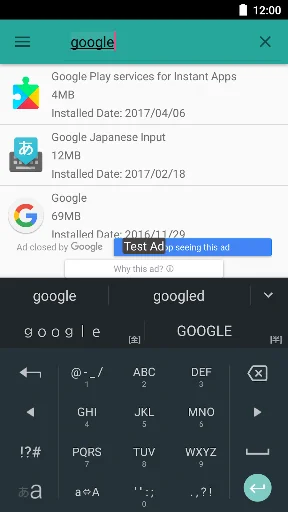
Search App by Name.
…
You can do this, in app settings.
・ Clear Data
・ Clear cache
・ Check Data Usage
・ Setting Permissions
・ Setting Notifications
・ Set app as default
・ Check battery usage
・ Check memory usage
Easy and simple!
No Permission.
This app use official android function.
So minimum bug around clear data.
Minimum advertisement.
No interstitial ad.
No movie ad.
Easy to find target app.
Sort by app size, name, installed date.
Search App by Name.
# Available Languages
・ English
・ Arabic
・ Spanish
・ Finnish
・ French
・ Hindi
・ Italian
・ Korean
・ Malay
・ Dutch
・ Norwegian
・ Portuguese
・ Russian
・ Swedish
・ Traditional Chinese
・ Simplified characters
・ Japanese
Comparable Android apps
The five apps in Tools with the closest revenue to App Info Shortcut. Click any to see its detail page.
Each forecast combines App Store rating, ratings count, monetisation model, pricing tier, IAP signals and ad-supported flag.
The base estimate is then multiplied by a per-category scaling factor learned from apps with founder-verified MRR.
Every number on this page comes from public APIs and bumetric's own snapshot history.
Full methodology covers input variables, accuracy bands per category and how we treat apps without comparable anchors.
See also the live data on App Info Shortcut's tracker page for current rating, reviews and snapshot timeline.
Building something similar? Get a free AI audit with $-revenue forecasts for every recommendation.


 Flash and magnifier
 Alphabetical Keyboard
 Gauss Meter Magnetometer App
 تقرير فحص السيارات
 Write & Speak