What App Lock&Screen Time:TimeGuide actually does (from store listing)
Smart TimeGuide — A Guide to Healthy Smartphone Habits for Kids
Tired of nagging your child about phone use? Let app lock and screen time limits do the work.
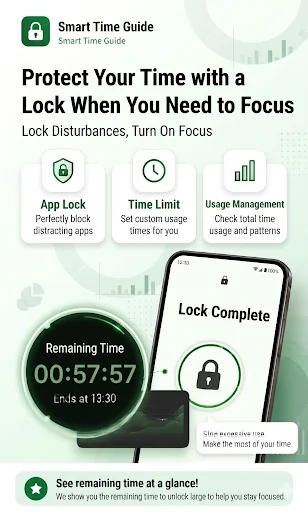
Smart TimeGuide handles phone addiction prevention, daily screen time control, and app blocking — all in one app.
A must-have for kids, students, and exam takers!
★ Key Features ★
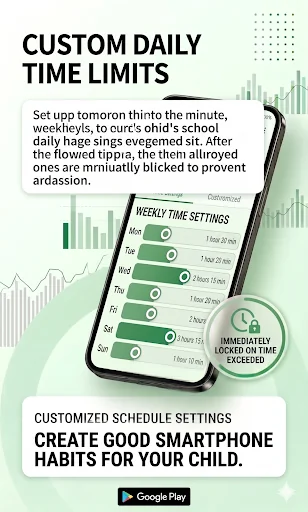
Custom Daily Screen Time Limits
Set daily screen time by the minute — separately for weekdays and weekends.
Once the limit is reached, all apps except al…
Smart TimeGuide — A Guide to Healthy Smartphone Habits for Kids
Tired of nagging your child about phone use? Let app lock and screen time limits do the work.
Smart TimeGuide handles phone addiction prevention, daily screen time control, and app blocking — all in one app.
A must-have for kids, students, and exam takers!
★ Key Features ★
Custom Daily Screen Time Limits
Set daily screen time by the minute — separately for weekdays and weekends.
Once the limit is reached, all apps except allowed ones are instantly blocked to prevent phone addiction.
Per-App Lock Management
Lock specific apps like YouTube, games, and social media individually.
Set essential apps like Phone and Messages to "Always Allow" so they're never blocked in an emergency.
Multiple Lock Modes
Password and pattern locks are standard. A natural-looking "Fake Error" screen is also available so kids don't get frustrated.
Real-Time Stats & Floating Timer
See exactly which apps were used and for how long — displayed in easy-to-read graphs.
A floating timer on screen shows remaining time in real time, helping build self-control habits.
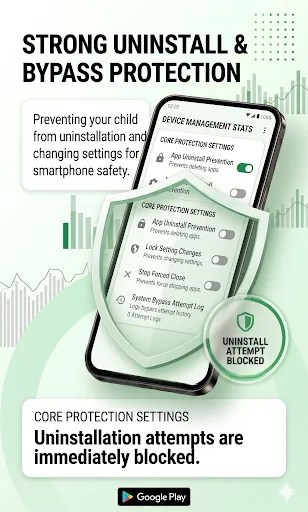
Strong Anti-Deletion & Anti-Bypass Protection
Device Administrator permissions prevent kids from deleting the app, changing settings, or bypassing restrictions.
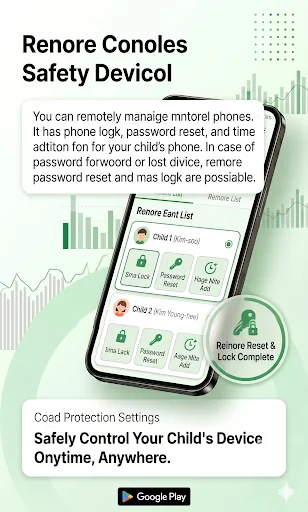
SMS Remote Control
Forgot the password or lost the device? Remotely lock the device or reset the password instantly via SMS command.
★ Who Is This For? ★
✔ Parents who want to limit their child's smartphone usage
✔ Kids and teens who need help preventing phone addiction
✔ Students preparing for exams who want to block distracting apps
✔ Anyone who wants to lock YouTube, games, or social media
★ Usage Guide ★
· Default password: 777 (Please change it after installation!)
· Permissions: Disabling battery optimization and enabling Accessibility permissions are required. Follow the on-screen instructions when you first launch the app.
· Privacy: All usage data is processed locally on your device and never sent to external servers.
★ Accessibility Service Disclosure ★
This app strictly complies with Google's Accessibility Service policy and uses the API only for the following purposes:
· Real-time app monitoring: Detects the currently active app to accurately measure usage time.
· App blocking: Instantly blocks the screen when the time limit is exceeded or a restricted app is launched.
※ This app only reads the package name of the active app. No personal data — including messages, passwords, or keystrokes — is ever collected, stored, or transmitted.
📞 070-7520-4123
📧 ssm7777777@gmail.com
Comparable Android apps
The five apps in Productivity with the closest revenue to App Lock&Screen Time:TimeGuide. Click any to see its detail page.
Each forecast combines App Store rating, ratings count, monetisation model, pricing tier, IAP signals and ad-supported flag.
The base estimate is then multiplied by a per-category scaling factor learned from apps with founder-verified MRR.
Every number on this page comes from public APIs and bumetric's own snapshot history.
Full methodology covers input variables, accuracy bands per category and how we treat apps without comparable anchors.
See also the live data on App Lock&Screen Time:TimeGuide's tracker page for current rating, reviews and snapshot timeline.
Building something similar? Get a free AI audit with $-revenue forecasts for every recommendation.


 Ferris Calendar
 LogMeOnce Password Manager
 Memo Calculator – FusionCalc
 ASUS OmniStor
 Time Timer Visual Productivity